
reMarkable Paper Pro with Marker Plus
4.2Editor score
11.8 inch Canvas Color
Marker Plus with eraser
Paper-like writing feel
Color e ink tablets are transforming how we read and write by combining the eye comfort of paper with vibrant color displays. These devices offer a unique solution for professionals and students who need to annotate documents or read comics without eye strain.
We have carefully evaluated the leading models on the market to bring you a comprehensive list of the best options available this year. Our comparison focuses on display quality, stylus performance, battery life, and overall user experience to help you make an informed decision.
Each pick in this guide highlights specific strengths and ideal use cases for different types of users. Please note that product availability and pricing can change frequently so be sure to check current listings before making your final purchase decision.
4.2Editor score

4.3Editor score

4.0Editor score
As an Amazon Associate we earn from qualifying purchases.
The following table provides a side-by-side look at the key specifications and features of each color e ink tablet to help you quickly identify the best fit for your needs.



The Amazon Kindle Scribe Colorsoft stands out as the top choice for users seeking a premium color e ink tablet experience. With its impressive 4.3 rating from users it delivers a high-quality display that mimics paper while adding vibrant color support. This device is purpose-built for reading and writing ensuring you stay focused on your content without distracting notifications.
We may earn a commission when you buy through this link, at no additional cost to you.
One of the most compelling features is the custom-built Colorsoft display which offers high contrast and a paper-like finish that is easy on the eyes. The included pen provides a smooth tactile experience and includes a built-in eraser and shortcut button for tools like the highlighter. You can import files from cloud services add notes and export them as PDFs seamlessly.
While the device is highly optimized for reading and note-taking it does limit some third-party app capabilities compared to standard Android tablets. This trade-off ensures better battery life and a cleaner interface but might limit users who rely heavily on diverse apps. However for most professionals and students this focus is a benefit.
We recommend the Kindle Scribe Colorsoft for anyone prioritizing a distraction-free environment for deep work and study. If you need to annotate documents read books or take notes in color without eye strain this tablet is an excellent investment. Its lightweight design and weeks of battery life make it perfect for daily carry.
Use AI tools to find information ask questions about your notes or generate summaries to boost productivity.
The glare-free display keeps you focused on your content without the interruptions common on phones or laptops.
We may earn a commission when you buy through this link, at no additional cost to you.
The reMarkable Paper Pro is a top contender for those seeking the ultimate paper-like writing experience with the added benefit of color. It features a stunning 11.8 inch Canvas Color display that allows you to write sketch and read in color. This device is designed to be ultra-slim and portable making it easy to carry around for work or school.
We may earn a commission when you buy through this link, at no additional cost to you.
Included in the box is the Marker Plus a digital pen that offers precise control and incredible responsiveness. It mimics the friction of paper which enhances the writing experience significantly. You can sort your notes and documents with folders and tags and convert handwriting to typed text effortlessly. This organization system helps keep your work accessible and tidy.
The device supports reading in comfort day or night thanks to its adjustable reading light. Unlike laptops and phones the low-glare display reflects natural light reducing eye strain even when reading outside. While the ecosystem is somewhat proprietary it ensures a seamless and focused experience for writing and reading tasks.
This tablet is ideal for professionals and creatives who need a dedicated space for brainstorming and note-taking. If you value the tactile feel of writing on paper and want color capabilities the reMarkable Paper Pro is a premium choice. Its robust design and intuitive interface make it a reliable tool for daily productivity.
The Marker Plus pen delivers realistic friction and natural control for an authentic paper writing experience.
Use folders and tags to keep your documents and notes organized and easy to find instantly.
We may earn a commission when you buy through this link, at no additional cost to you.
The BOOX Tablet Go Color 7 Gen II offers a compelling entry point into the world of color e ink tablets. With its 7 inch Kaleido 3 screen it provides a vibrant reading experience in a highly portable form factor. This device is perfect for users who need a lightweight option for reading comics or annotating documents on the go.
We may earn a commission when you buy through this link, at no additional cost to you.
It runs on Android 13 which allows you to install third-party apps for a more versatile workflow. While the active stylus is not included in the box the device supports InkSense technology for responsive writing. You can use various document formats and enjoy a front light with warm and cold settings for comfortable reading in any environment.
As with many color e ink models the refresh rate may be slower compared to LCD screens which is typical for this technology. This means page turns or navigation might feel slightly delayed but it ensures the power efficiency and eye comfort that e ink is known for. Users can adjust refresh modes to balance performance and quality.
We recommend this tablet for students or casual readers looking for a budget-friendly color option. Its open platform and small size make it easy to carry in a bag or pocket. If you prioritize cost and portability without sacrificing color display capabilities this is a strong choice.
Run Android 13 to access your favorite reading and productivity apps on a paper-like screen.
Weighing just 195g this tablet is easy to hold for long reading sessions anywhere.
We may earn a commission when you buy through this link, at no additional cost to you.
The Ocean C offers a powerful combination of performance and color display in a compact 7 inch form factor. With an impressive 4.5 rating it appeals to users who want a smooth reading and writing experience. The octa-core processor ensures seamless multitasking which is a bonus for an e ink device.
We may earn a commission when you buy through this link, at no additional cost to you.
It supports a wide range of document formats and allows handwriting with Musnap stylus compatibility. Although the pen is not included this device is engineered for note-takers who want precision control. The eye-comfort glare-free touchscreen is perfect for reading comics manga and books without straining your eyes.
Battery life is a strong suit for this tablet allowing for extended use without frequent charging. The adjustable brightness and color temperature further enhance comfort in different lighting conditions. While it shares some limitations with other e ink devices regarding refresh rates it balances this well with speed and usability.
This device is a great option for readers who want a feature-rich tablet without a premium price tag. If you need a reliable device for reading and light note-taking the Ocean C is worth considering. Its high rating suggests it delivers a satisfying user experience for everyday tasks.
Octa-core performance ensures smooth page turns and app navigation for a responsive experience.
Supports numerous file formats including PDF EPUB and DOCX for flexible reading.
We may earn a commission when you buy through this link, at no additional cost to you.
This bundle version of the reMarkable Paper Pro includes the Basalt Book Folio which adds a stylish protective cover to the package. It retains all the benefits of the standard model with an 11.8 inch color display and the Marker Plus pen. This makes it an excellent choice for users who want a complete setup right out of the box.
We may earn a commission when you buy through this link, at no additional cost to you.
The writing experience is unmatched with realistic friction and natural feel that mimics paper. You can organize your notes with folders and tags and convert handwriting to typed text for better workflow. The Folio cover provides protection and enhances portability for carrying the tablet safely.
Like the standard model this device focuses on distraction-free reading and writing. The adjustable light allows for comfortable use day or night. While the ecosystem is focused it ensures a high level of performance and usability for those who prioritize writing quality.
If you are looking for a premium device and want the protection of a high-quality case this bundle is ideal. It is perfect for professionals who value a clean workspace and efficient note management. The added value of the Folio makes it a compelling choice for new users.
The Book Folio adds a protective layer to your device ensuring durability and style.
Use tags and folders to keep your digital documents organized and easy to access.
We may earn a commission when you buy through this link, at no additional cost to you.
The BOOX Note Air 5 C offers a spacious 10.3 inch display that is ideal for detailed work and reading. Running on Android 15 it provides a modern experience with support for a wide range of apps. The 6GB RAM ensures smooth multitasking which is beneficial for power users who need efficiency.
We may earn a commission when you buy through this link, at no additional cost to you.
It features a glass screen with a flat cover-lens that provides a clear view of color content. The stylus supports 4096 levels of pressure sensitivity for precise writing and drawing. You can unlock the device quickly with the built-in fingerprint recognition feature adding convenience to daily use.
As with other color e ink devices there are inherent limitations in color and brightness compared to LCD screens. This is a trade-off for the power saving benefits of e ink technology. Users should select appropriate refresh modes to minimize ghosting and ensure the best display quality.
This tablet is suitable for professionals who need a large canvas for documents and notes. If you value an open Android system and want a larger screen the Note Air 5 C is a strong option. Its technical specs make it a powerful tool for productivity and learning.
Run the latest Android 15 OS for access to the latest apps and features.
High pressure sensitivity levels allow for detailed note-taking and sketching.
We may earn a commission when you buy through this link, at no additional cost to you.
The Penstar eNote Pro C is designed to boost productivity with AI-powered features like real-time voice-to-text and note summarization. It features a 10.3 inch Kaleido 3 screen that provides a vibrant reading experience. The included pen offers 8192 levels of pressure sensitivity for a highly responsive writing experience.
We may earn a commission when you buy through this link, at no additional cost to you.
You can use split-screen multitasking to read and take notes simultaneously which is great for research. The device comes with 128GB of storage to accommodate large libraries of documents and files. It supports over 35 file formats ensuring compatibility with most file types you might encounter.
Battery life is robust with up to 3 weeks of use on a single charge. The adjustable warm and cold reading light adds to the comfort of the device. While it shares some trade-offs with other e ink devices the AI tools make it stand out for workflow efficiency.
This tablet is recommended for professionals who need advanced features to manage their workflow efficiently. If you value AI assistance in your note-taking process the Penstar eNote Pro C is a compelling choice. Its feature set makes it a versatile tool for both work and study.
Use tools like handwriting recognition and voice-to-text to streamline your note-taking workflow.
Store thousands of documents and files locally with 128GB of built-in storage.
We may earn a commission when you buy through this link, at no additional cost to you.
This variant of the BOOX Go Color 7 Gen II offers a compact and portable solution for color e ink reading. It runs Android 13 which allows for access to third-party apps for a customizable experience. The 7 inch screen is perfect for reading comics and documents on the go.
We may earn a commission when you buy through this link, at no additional cost to you.
It supports the Active Stylus InkSense for writing though the pen is not included. The device is light at 195 grams making it easy to hold for extended periods. Connectivity options include Wi-Fi and Bluetooth 5.1 for seamless device integration.
As with other models the refresh rate is optimized for power efficiency rather than speed. This means some apps may feel slower but it ensures longer battery life. Users can adjust refresh modes to suit their specific needs and preferences.
This tablet is a good option for users who want a portable color device with an open OS. If you prioritize size and app flexibility this model is worth considering. It provides a balanced experience for reading and light productivity tasks.
Android 13 lets you install your preferred apps for a tailored reading and work experience.
At 195g this tablet slips easily into bags for reading during commutes or travel.
We may earn a commission when you buy through this link, at no additional cost to you.
The reMarkable Paper Pro Move is designed for portability without compromising on the writing experience. It features a 7.3 inch Canvas Color display that looks and feels like paper. This device is smaller than a paperback making it easy to carry everywhere you go.
We may earn a commission when you buy through this link, at no additional cost to you.
Included is the Marker Plus pen with spare tips for writing and annotating. You can convert handwriting to typed text and sync notes to the cloud for access on mobile and desktop. Tags and folders help you organize your thoughts and documents efficiently.
The device is distraction-free by design allowing you to focus on your work. It is an excellent choice for capturing ideas on the go. While the screen is smaller than the Pro it offers the same quality writing feel.
If you need a highly portable device for note-taking this model is ideal. It is perfect for travelers and students who need a reliable notebook in their pocket. The seamless sync features ensure your work is always accessible.
Smaller than a paperback this tablet fits in your pocket for ideas anywhere.
Access your notes on mobile and desktop apps to stay productive on the go.
We may earn a commission when you buy through this link, at no additional cost to you.
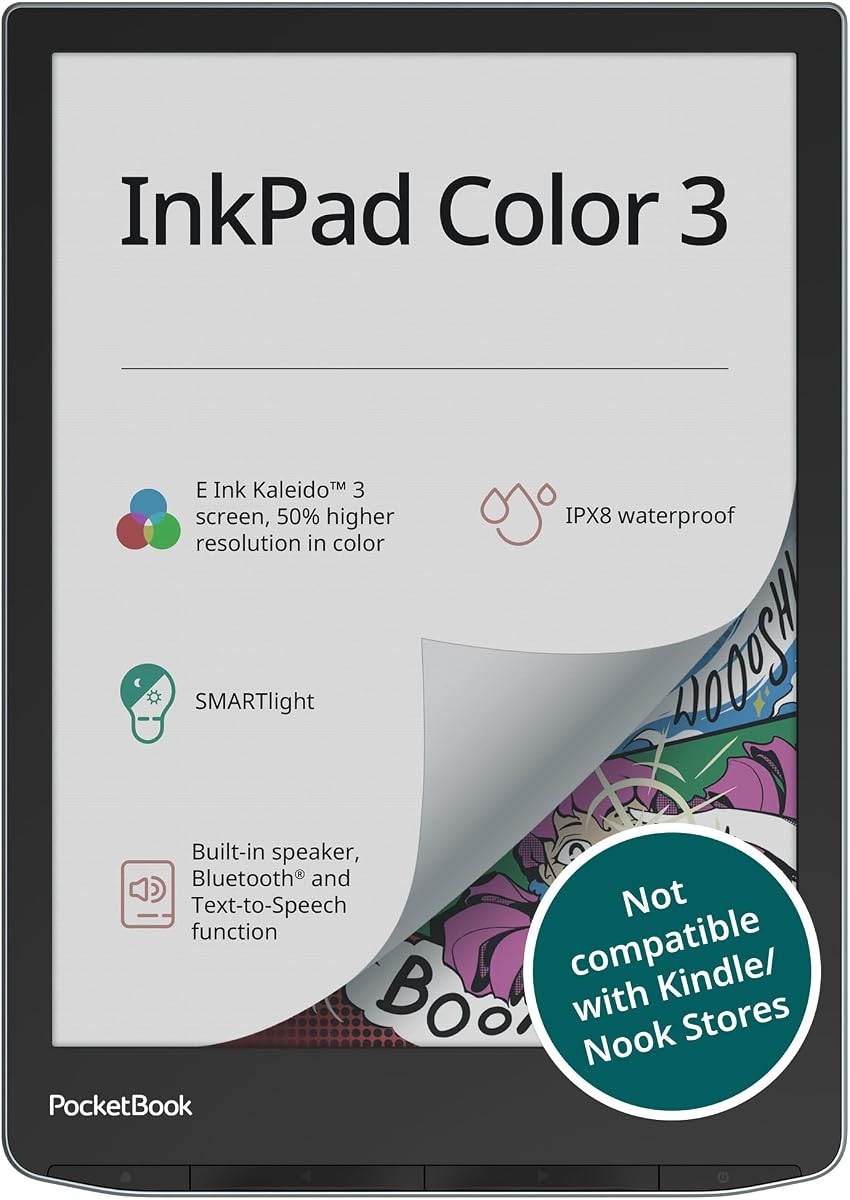
The PocketBook InkPad Color 3 is a versatile e reader with a vibrant 7.8 inch color display. It is IPX8 waterproof which means you can read by the pool or in the bath without worry. The Smartlight frontlight adjusts to provide comfortable reading in any lighting condition.
We may earn a commission when you buy through this link, at no additional cost to you.
It supports audiobooks and text-to-speech allowing you to listen to stories or have text read aloud. The device has 32GB of storage and supports external memory for thousands of files. Connectivity options include Bluetooth and dual-band wireless for seamless syncing.
This device is primarily focused on reading but offers enough versatility for various media. The long battery life ensures you can read for weeks without charging. It is a robust choice for anyone who enjoys books and audiobooks in color.
If you need a waterproof device for travel or outdoor reading this tablet is a great fit. It handles various file types and media formats with ease. For readers who want durability and color support this is a top option.
IPX8 rating means you can safely read in the bath or by the pool.
Text-to-speech and audiobook support let you listen while you relax.
We may earn a commission when you buy through this link, at no additional cost to you.
Choosing the right color e ink tablet involves considering several key factors to ensure it meets your specific needs for reading and writing.
The display size determines how much content you can view at once. Models range from 7 inches to 11.8 inches so consider if you need portability or a larger canvas. Resolution varies between black and white and color modes so check the ppi for clarity.
A high-quality stylus is essential for writing and annotating. Look for devices that offer pressure sensitivity and low latency. Some pens include erasers or buttons for shortcuts which can enhance your workflow significantly.
Android-based tablets offer more flexibility with third-party apps. Dedicated devices may have simpler interfaces focused on reading. Decide if you need an open platform or a distraction-free environment.
Battery life is a major advantage of e ink technology. Most devices last for weeks on a single charge. Consider your usage patterns to ensure the battery capacity meets your needs.
Storage determines how many files you can keep locally. Look for internal storage and options for external expansion if you have a large library. Some models support SD cards for added flexibility.
If you plan to use your tablet outdoors or in travel consider water resistance. Check the weight and materials to ensure it is comfortable to hold for long periods.
Prices vary widely across models. Set a budget based on the features you need. Sometimes a higher upfront cost offers better long-term value through durability and software support.
Color e ink screens may have ghosting issues. Look for devices with multiple refresh modes to balance speed and quality. This is important for dynamic content like web browsing.
To get the best experience from your color e ink tablet start by adjusting the front light settings to match your environment. This helps reduce eye strain and ensures comfort during long reading sessions.
Use the stylus properly by holding it at a comfortable angle. If your device supports different refresh modes experiment with them to find the balance that suits your workflow best.
Keep the screen clean by using a soft dry cloth. Avoid exposing the device to extreme temperatures or direct sunlight for prolonged periods to maintain battery health and display quality.
Yes color e ink tablets are excellent for reading comics and manga. The color display brings artwork to life while the paper-like screen reduces eye strain compared to traditional tablets. This makes them ideal for long reading sessions.
Most modern color e ink tablets come with a stylus that supports handwriting. You can write directly on the screen to take notes or annotate documents. This feature is designed to mimic the feel of writing on paper for accuracy.
Battery life on color e ink tablets can last up to several weeks on a single charge. This depends on your usage such as how often you use the front light or write. It is much longer than typical LCD tablets.
It depends on the device. Android-based color e ink tablets allow you to install third-party apps. Dedicated models may have a restricted app ecosystem focused on reading and writing. Check the specs before buying.
Some models are waterproof while others are not. If you need to read in the bath or by the pool look for a model with an IPX8 rating. Always check the device specifications to confirm water resistance.
Most color e ink tablets support a wide range of formats including PDF EPUB and DOCX. Some also support image and audio formats. This allows for versatile reading and media consumption.
The Amazon Kindle Scribe Colorsoft reMarkable Paper Pro and BOOX Tablet Go Color 7 Gen II stand out as top choices for different user needs. Each offers unique strengths in display quality and workflow support.
Prioritize what matters most to you whether it is screen size battery life or app flexibility. Matching the device to your daily habits ensures you get the most out of your investment.
Always check current prices and availability before purchasing. The market changes quickly and new models may offer even better value as time goes on.