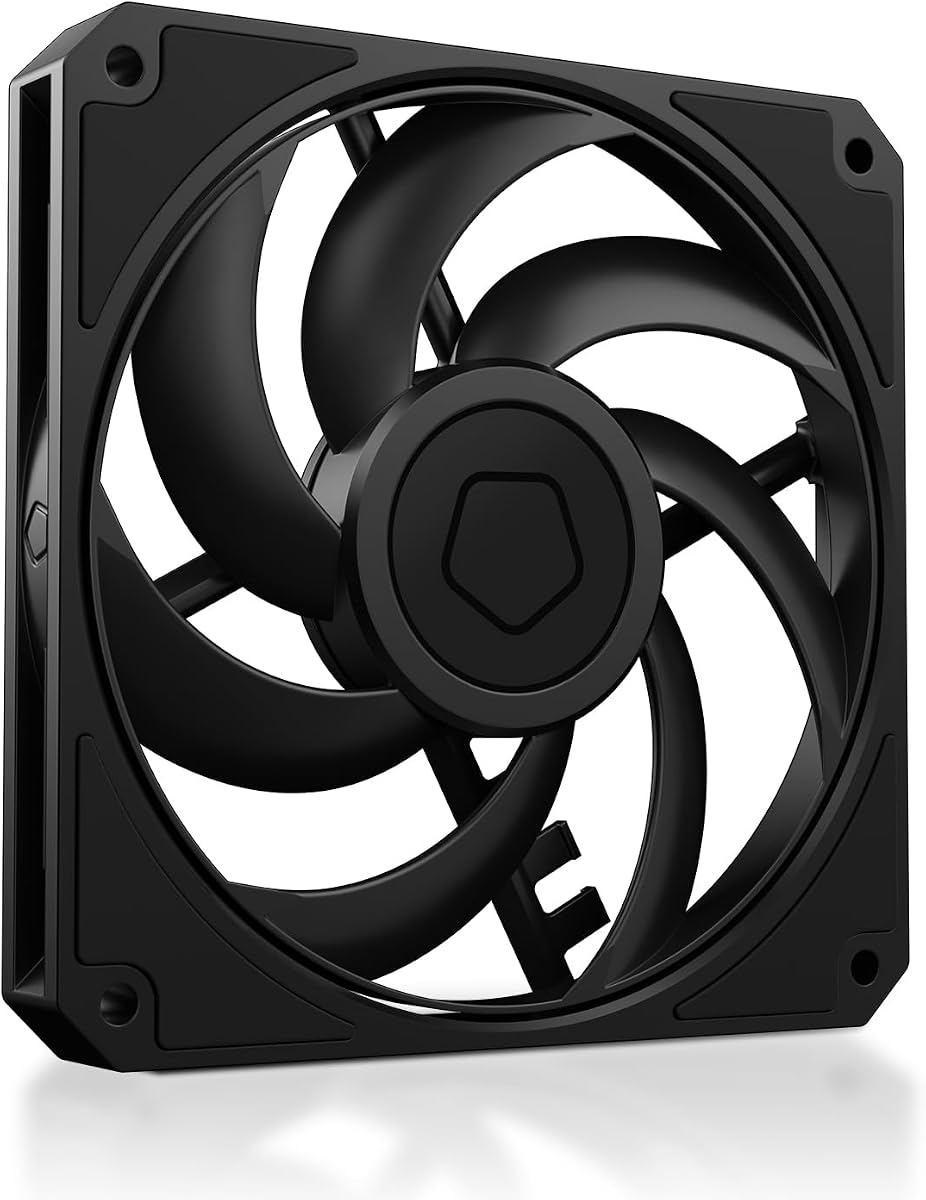
ID-COOLING AM-120-SLIM
4.8Editor score
15mm slim design fits tight spaces
High airflow up to 59.6 CFM
Quiet hydraulic bearing operation
This guide compares the top low profile case fans for compact builds, highlighting airflow, noise, and static pressure performance for ITX and SFF PCs.
Building a compact PC often means sacrificing cooling space for portability. Low profile case fans solve this by fitting into tight spaces while maintaining strong airflow. Choosing the right one ensures your system stays cool without excessive noise or size constraints.
We evaluated ten top-rated slim fans based on performance metrics, build quality, and user feedback. Each product offers unique advantages for small form factor builds. Our analysis focuses on static pressure, noise levels, and compatibility with common cooling solutions.
Every selection highlights key strengths and potential limitations for specific use cases. You will find options ranging from budget-friendly to premium quiet performance. Prices may vary, so check current listings before making your final purchase decision.
4.8Editor score

4.9Editor score

4.8Editor score
This table provides a side-by-side overview of the leading low profile case fans available today. Each entry highlights essential specifications to help you compare performance and features quickly.


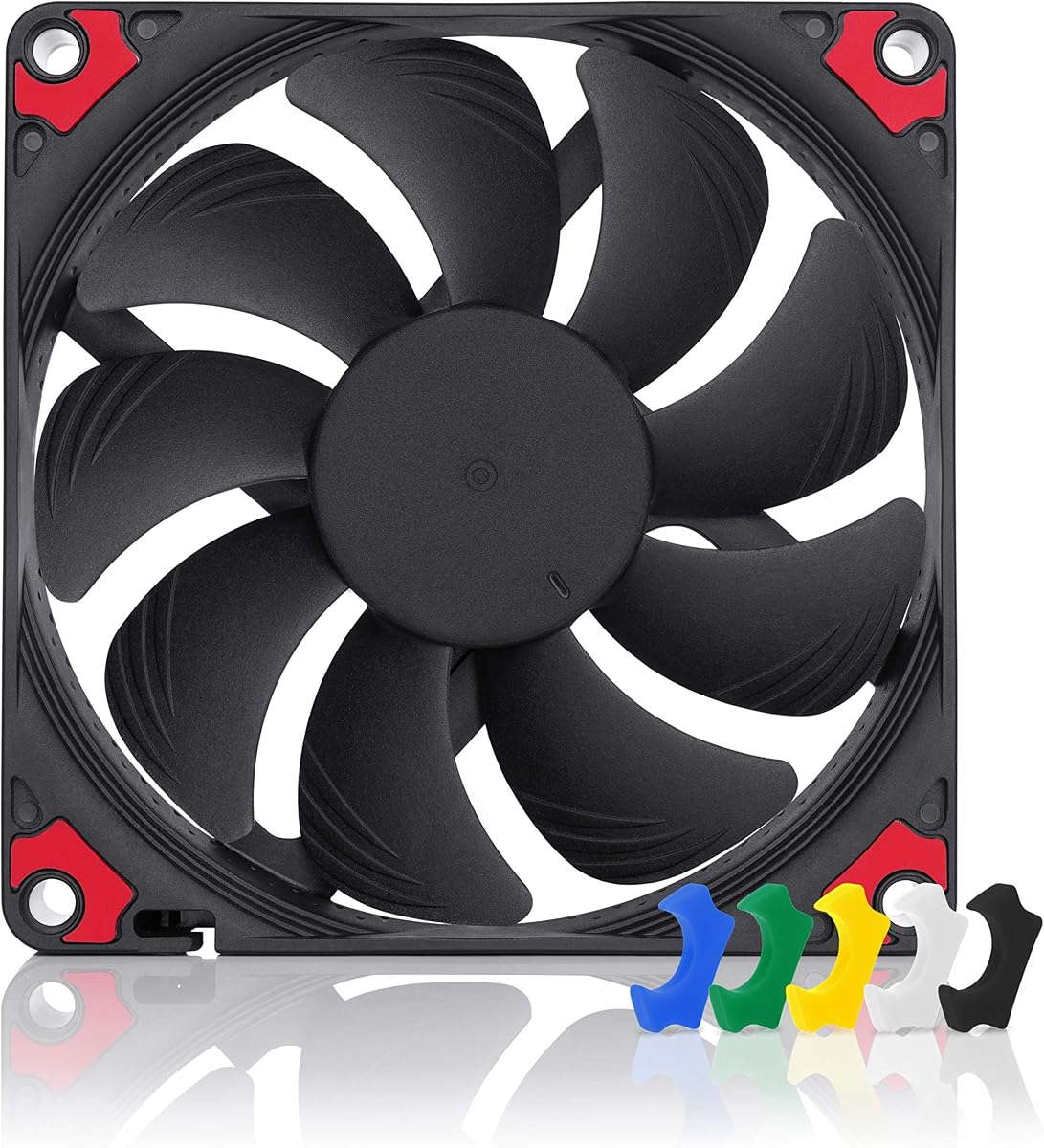
The Noctua NF-A12x15 PWM stands out as the premier choice for low profile cooling. With a 4.9 rating, it delivers superior quiet performance through its award-winning A-series design. The flow acceleration channels ensure efficient airflow even in restricted spaces.
We may earn a commission when you buy through this link, at no additional cost to you.
Its key strengths include the advanced acoustic optimization frame and high-quality bearings. These features reduce vibration and noise significantly. The 120x15mm slim design fits perfectly into tight chassis without compromising cooling efficiency.
Trade-offs involve the higher cost compared to budget alternatives. The brown color scheme may not suit all build aesthetics. However, the performance and durability justify the investment for serious builders.
Ideal for ITX builds and HTPCs requiring silent operation. This fan offers the best balance of cooling and silence. It is highly recommended for those prioritizing quality and longevity.
The Advanced Acoustic Optimisation frame minimizes turbulence and resonance. This results in smoother airflow and less audible noise during operation.
Automatic speed control via 4-pin PWM headers ensures optimal performance. You can fine-tune speeds based on thermal loads.
We may earn a commission when you buy through this link, at no additional cost to you.
The ID-COOLING AM-120-SLIM offers exceptional value for budget-conscious builders. It provides impressive airflow up to 59.6 CFM in a slim 15mm profile. This makes it ideal for compact cases needing strong cooling.
We may earn a commission when you buy through this link, at no additional cost to you.
Its hydraulic bearing ensures quiet operation at lower speeds. The PWM control allows automatic adjustments based on temperature. The 2.7mmH2O static pressure handles radiator resistance well.
While not as refined as premium models, it performs admirably. At maximum speed, noise levels increase slightly. However, the cost efficiency makes it a top pick for price-focused users.
Best for SFF builds requiring high airflow per dollar. It balances performance and affordability effectively. We recommend it for those seeking practical cooling without overspending.
The fan moves a significant volume of air quickly. This helps dissipate heat efficiently from components like GPUs.
Standard mounting fits most 120mm slots easily. The PWM connector works with modern motherboards.
We may earn a commission when you buy through this link, at no additional cost to you.
The Noctua NF-A12x15 PWM chromax.Black.swap elevates premium cooling with style. It features a uniform black design perfect for modern builds. The performance matches the standard NF-A12x15 PWM fan perfectly.
We may earn a commission when you buy through this link, at no additional cost to you.
Key features include semi-passive operation at zero percent PWM. This means the fan stops completely when idle. The self-adhesive anti-vibration pads allow color customization.
Trade-offs include the premium price tag. The adhesive pads might require replacement after years of use. Despite this, it remains the top choice for aesthetic and performance.
Perfect for high-end ITX builds seeking visual cohesion. It delivers silence when needed and power when required. Highly recommended for premium system enthusiasts.
Multiple color anti-vibration pads let you match your setup. This adds a personal touch to the build.
The fan can stop spinning at low loads. This ensures absolute silence when cooling is not critical.
We may earn a commission when you buy through this link, at no additional cost to you.
The ARCTIC P12 Slim PWM PST is sold in a three-pack for efficiency. This makes it ideal for builds needing multiple fans at once. The high static pressure ensures air moves through radiators effectively.
We may earn a commission when you buy through this link, at no additional cost to you.
Its slim 15mm profile fits where standard fans fail. The PWM control allows quiet operation during light loads. The pressure-optimized design targets heat sinks specifically.
Trade-offs include the PST daisy-chain system requiring compatible hubs. Packaging takes up more space during storage. However, the cost per fan is very competitive.
Best for multi-fan setups like dual radiator cooling. It offers reliability and affordability in bulk. We recommend it for budget SFF builds needing multiple units.
The fan design focuses on overcoming resistance. This is crucial for cooling radiators efficiently.
PST technology lets you chain fans easily. This reduces cable clutter inside the case.
We may earn a commission when you buy through this link, at no additional cost to you.
The ARCTIC P14 Slim PWM PST brings 140mm performance to a slim frame. Its 16mm height makes it suitable for cases supporting larger fans. It delivers high air volume while maintaining quiet operation.
We may earn a commission when you buy through this link, at no additional cost to you.
The quiet motor design focuses on reducing noise. The pressure-optimized frame handles resistance well. This is perfect for setups needing high airflow in tight spaces.
Trade-offs involve requiring specific 140mm slots. This limits compatibility compared to 120mm models. However, the larger diameter often means more efficiency.
Ideal for cases supporting 140mm low profile fans. It combines size with slim constraints. We recommend it for larger SFF builds with compatible mounts.
A 140mm fan moves air more slowly. This reduces noise while increasing volume.
The 16mm height is rare for 140mm fans. This opens more build options.
We may earn a commission when you buy through this link, at no additional cost to you.
The be quiet! Pure Wings 3 emphasizes silent operation above all. Its 7 airflow-optimized fan blades reduce noise while maintaining performance. This makes it ideal for noise-sensitive environments.
We may earn a commission when you buy through this link, at no additional cost to you.
The long-life rifle bearing ensures durability. It can operate at very low minimum RPM for silence. The frame is optimized for peak performance on radiators.
Trade-offs include less emphasis on raw static pressure. The design is standard black, which is functional. However, the noise reduction is noticeable.
Best for home theaters or quiet offices. It prioritizes silence over extreme performance. We recommend it for users who value quiet computing.
The blade shape reduces turbulence significantly. This lowers the noise generated during rotation.
Strict manufacturing standards ensure quality. This adds to the long-term reliability.
We may earn a commission when you buy through this link, at no additional cost to you.
The Thermalright TL-C12015 offers solid performance for the price. With a 1500 RPM max, it provides balanced cooling. The S-FDB bearing reduces friction and extends life.
We may earn a commission when you buy through this link, at no additional cost to you.
Its 1.24mmH2O static pressure handles modest airflow resistance well. The vibration-absorbing pads minimize noise further. This makes it a practical choice for budget builds.
Trade-offs include a lower top speed. It may not match top-tier airflow. However, it is sufficiently powerful for standard cooling needs.
Best for standard ITX builds on a budget. It provides reliability without breaking the bank. We recommend it for entry-level enthusiasts.
Fluid dynamic bearings reduce friction. This leads to quieter and longer-lasting operation.
Absorbing pads reduce vibration noise. This ensures the fan stays quiet even at speed.
We may earn a commission when you buy through this link, at no additional cost to you.
The Noctua NF-A9x14 HS-PWM chromax.Black.swap fits the smallest chassis. Its 92x92x14mm profile is perfect for 9cm coolers. Despite its size, it delivers strong performance through A-Series tech.
We may earn a commission when you buy through this link, at no additional cost to you.
The HS-PWM version allows wide speed range control. It operates quietly even at 2500 RPM max. The chromax.black.swap edition adds aesthetic appeal.
Trade-offs include limited airflow due to size. It suits specific compact coolers only. However, it is unmatched in its niche.
Best for ultra-compact HTPC or NH-L9 coolers. It ensures thermal safety in tight spaces. We recommend it for specific low-profile CPU needs.
This fan fills space where others cannot. It maximizes airflow potential in tiny cases.
High-speed PWM control handles heat spikes. This ensures stability under load.
We may earn a commission when you buy through this link, at no additional cost to you.
The Noctua NF-A12x15 FLX uses a 3-pin Molex connection. It includes adapters for 1850, 1400, or 950 RPM settings. This allows manual speed tuning without BIOS control.
We may earn a commission when you buy through this link, at no additional cost to you.
Its award-winning design ensures high performance. The fan runs silently even at maximum speed. It is a great choice for systems where PWM headers are limited.
Trade-offs include the lack of automatic motherboard control. You must swap adapters to change speed. However, this offers simple physical control.
Best for systems with limited PWM headers. It provides reliable quiet cooling manually. We recommend it for older motherboards or specific use cases.
Included adapters allow three fixed speeds. This simplifies control for non-PWM setups.
Same high-grade materials as PWM versions. It delivers the same quiet performance.
We may earn a commission when you buy through this link, at no additional cost to you.
The Noctua NF-A12x15 PWM offers a standard PWM variant. It shares the same high-performance specs as the brown edition. The y-cable allows running two fans on one header.
We may earn a commission when you buy through this link, at no additional cost to you.
Its build quality ensures long-term reliability. The fan runs quietly even under load. It is a top choice for premium builds.
Trade-offs involve the premium price. The brown color may limit aesthetic choices. However, the performance is unmatched in this class.
Best for standard 120mm slots with PWM headers. It delivers top-tier cooling performance. We recommend it for those valuing quality.
Running two fans on one header is easy. This saves motherboard connector space.
Acoustic optimization ensures low noise. It is designed for quiet environments.
We may earn a commission when you buy through this link, at no additional cost to you.
Selecting the right low profile case fan requires balancing size, performance, and noise. This guide outlines the key factors to consider for your build.
The height of the fan is critical for low profile cases. Standard fans are 25mm thick, but slim options are 15mm or less. Ensure your case or cooler supports the specific thickness.
Check your chassis clearances before purchasing. A 15mm fan will fit where a 25mm one cannot.
Airflow moves air generally, while static pressure pushes air through barriers. Radiators and dense filters require high static pressure. Open cases need high airflow for general cooling.
Choose fans with high static pressure if used on heatsinks. Look for CFM and mmH2O ratings in the specs.
Connectors determine how the fan connects to your motherboard. 4-pin PWM allows automatic speed control. 3-pin Molex offers manual speed settings via adapters.
PWM headers are standard on modern boards. Ensure your fan type matches your motherboard's headers.
Noise levels vary widely between models. Measured in dB(A), quieter fans are essential for HTPCs. Vibration mounts help reduce sound transmission to the chassis.
Prioritize low decibel ratings for silent setups. Look for bearing technologies that reduce vibration.
Bearings affect lifespan and noise. Fluid dynamic bearings are quiet and durable. Rifle bearings are long-lasting but may be slightly louder.
Check the bearing type for reliability. A quality bearing ensures years of smooth operation.
Build quality impacts durability and aesthetics. Premium fans include accessories like cables and mounts. Design colors should match your system's theme.
Consider included accessories for ease of installation. Aesthetics matter for visible builds.
Prices range from budget to premium. Budget options offer good performance per dollar. Premium models focus on silence and build quality.
Determine your budget based on needs. Balance cost with expected performance levels.
Verify compatibility with your cooler and case. Some slim fans are specific to certain models. Universal mounting screws help fit various chassis.
Read specifications for compatibility notes. Ensure it fits your specific build requirements.
Install the fan securely using provided screws and vibration mounts. Ensure airflow direction matches your case layout. This prevents dust accumulation and maximizes cooling.
Connect the fan to the correct PWM header on your motherboard. Configure speed curves in BIOS or software. This balances noise and temperature effectively.
Regularly clean dust from the blades to maintain performance. Lubricate the bearing if possible or replace after years. This extends the fan's lifespan and keeps it quiet.
Low profile case fans typically measure 15mm in height, compared to the standard 25mm. This slim design is essential for fitting into compact cases and low-profile CPU coolers. Always check case clearances before purchase.
Modern low profile fans offer comparable performance to standard fans. Advanced designs allow for strong airflow and pressure in thin frames. They may run slightly louder at max speed but remain efficient.
Yes, many low profile fans have high static pressure suitable for radiators. Models like the ARCTIC P12 or Noctua NF-A12x15 work well. Ensure the 15mm thickness fits your radiator mount.
For ITX builds, 120mm low profile fans are the most common. 140mm options exist but require specific slots. 92mm fans are used for ultra-compact coolers. Choose based on available space.
Use the PWM header on your motherboard to control speed. The fan will adjust RPM automatically based on temperature. This ensures quiet operation during idle and power when needed.
Most premium slim fans have a lifespan of over 100,000 hours. Lower-quality models might last less. Bearings quality significantly impacts longevity and noise levels.
Our top picks highlight the diversity in low profile cooling options. The Noctua models lead in quiet performance, while ID-COOLING offers great budget value. Each choice fits specific needs.
Prioritize static pressure for radiators or airflow for open cases. Ensure the fan height matches your chassis limitations. Consider noise levels based on your environment.
Always verify current pricing and availability before buying. Accessories like adapters may vary by model. With these tips, you can secure reliable cooling for your build.