
Logitech G F310 Wired Gamepad Controller Console – Blue/Black
4.4Editor score
Plug and Play USB
Programmable Buttons
Familiar Layout
Explore top controller for retro console gaming options compared for performance, durability, and compatibility across modern and classic gaming systems today.
Finding the right controller for retro console gaming can transform your experience from frustrating to fantastic. Whether you are playing old favorites on a PC or connecting to modern consoles, the right hardware ensures precision and comfort during long sessions.
We compared ten top-rated controllers based on build quality, connectivity options, and compatibility with various systems. Our analysis covers wired and wireless models, ensuring you find the perfect match for your specific setup and gaming preferences without guesswork.
Each pick highlights key strengths and weaknesses to help you decide quickly. Remember that prices and availability change frequently, so check current listings before purchasing. This guide aims to save you time and money by pointing you toward the most reliable options available now.
4.4Editor score

4.6Editor score
3.8Editor score
The following table provides a side-by-side comparison of all ten controllers featured in this guide. Use this overview to quickly identify key specifications and connectivity options that matter most for your retro gaming setup.


The 8Bitdo SN30 Pro stands out as a top choice for retro enthusiasts seeking modern reliability. With a rating of 4.6, it delivers on both nostalgia and performance. Its Hall Effect joysticks ensure precision that lasts, making it ideal for precise retro action.
We may earn a commission when you buy through this link, at no additional cost to you.
This controller offers a full button set with clickable joysticks and motion controls. It connects via Bluetooth or USB-C, supporting a wide range of systems including Switch, PC, and Steam Deck. The turbo function adds utility for faster gameplay, while the rechargeable battery ensures long sessions without interruption.
While the price is higher than basic models, the build quality justifies the cost. The only trade-offs involve occasional firmware updates to maintain compatibility, which is a minor inconvenience. Overall, it balances retro aesthetics with contemporary performance exceptionally well.
If you want a reliable controller that bridges the gap between old and new gaming, this is the one to get. It works seamlessly with various emulators and modern consoles. We recommend it for anyone serious about their retro gaming setup.
Hall Effect joysticks use magnets to sense position, eliminating wear and drift issues common in older controllers.
With Bluetooth and USB options, you can switch between devices effortlessly without needing extra dongles.
We may earn a commission when you buy through this link, at no additional cost to you.
The Logitech G F310 is a solid entry point for those looking for value. It supports a broad range of games, from old standbys to modern titles. With a 4.4 rating, users appreciate its ease of use and straightforward setup.
We may earn a commission when you buy through this link, at no additional cost to you.
Its Xbox 360 layout means there is no learning curve for most gamers. The floating D-pad allows responsive direction changes, though it may feel less premium than others. Software customization lets you map keys for games without native support, adding versatility.
The main limitations are that it is wired only and some find the D-pad less durable than competitors. However, for the price, these are acceptable compromises. It remains a reliable tool for casual retro play on a PC.
This controller is perfect for budget-conscious gamers who prioritize function over form. It gets the job done without requiring extra cables or complex setup. If you want a dependable workhorse for your emulator library, this is a great pick.
The included profiler software allows you to map mouse and keyboard actions to buttons for broader compatibility.
No drivers are needed for basic operation on supported Windows systems, saving time and technical hassle.
We may earn a commission when you buy through this link, at no additional cost to you.
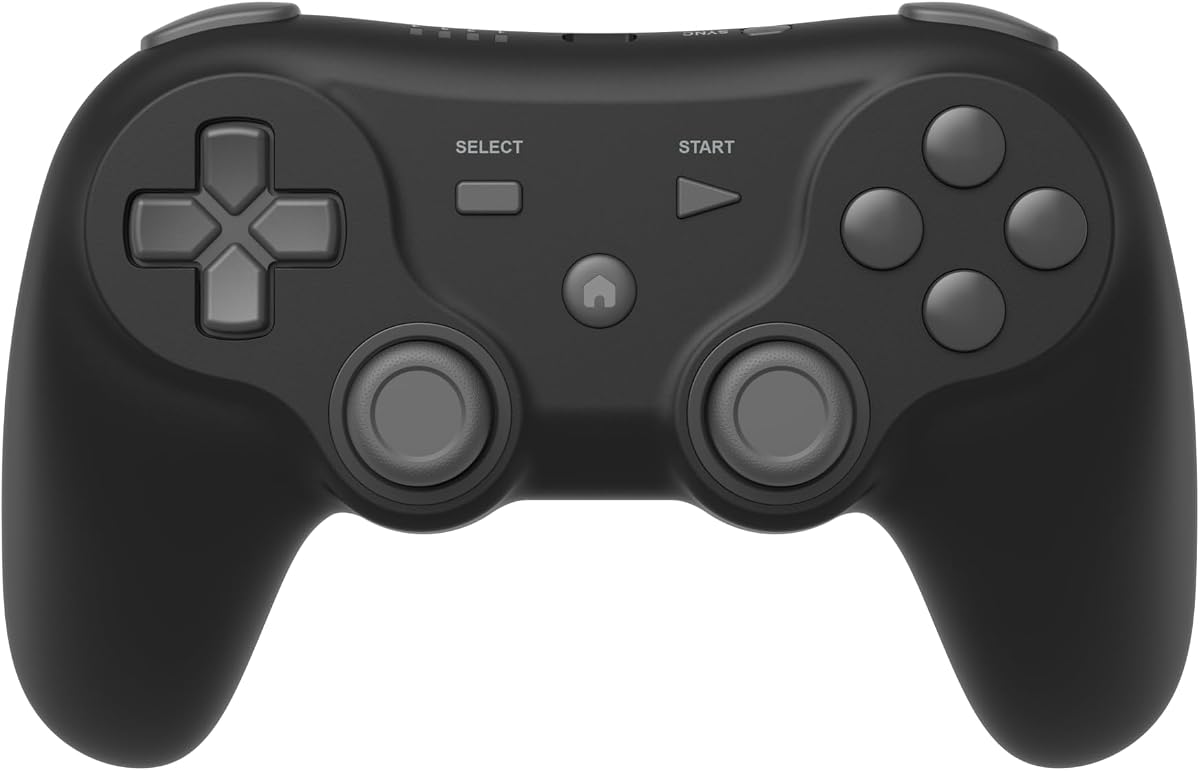
The Retro Fighters Defender Pro aims to offer premium features for retro gamers. It supports PS1 through PS3, Switch, and PC via both 2.4GHz and Bluetooth. While the rating is lower at 3.8, its feature set is ambitious and powerful.
We may earn a commission when you buy through this link, at no additional cost to you.
Hall Effect sticks ensure longevity and precision, which is crucial for competitive retro play. Pressure-sensitive buttons allow for nuanced control in games that support it. Toggleable trigger stops give you customization options that few other retro controllers offer.
Users note that setup can be complex and some units may have connectivity quirks. However, for those willing to troubleshoot, the potential performance is high. It bridges the gap between modern ergonomics and retro compatibility effectively.
If you need a controller that supports multiple consoles with advanced features, this is a strong candidate. It is best suited for power users who value customization over plug-and-play simplicity. Ensure you check the latest firmware before using it.
Toggleable stops let you switch between analog and digital modes, adapting the controller to different game styles.
Works with a wide variety of legacy and modern consoles, making it a universal solution for diverse setups.
We may earn a commission when you buy through this link, at no additional cost to you.
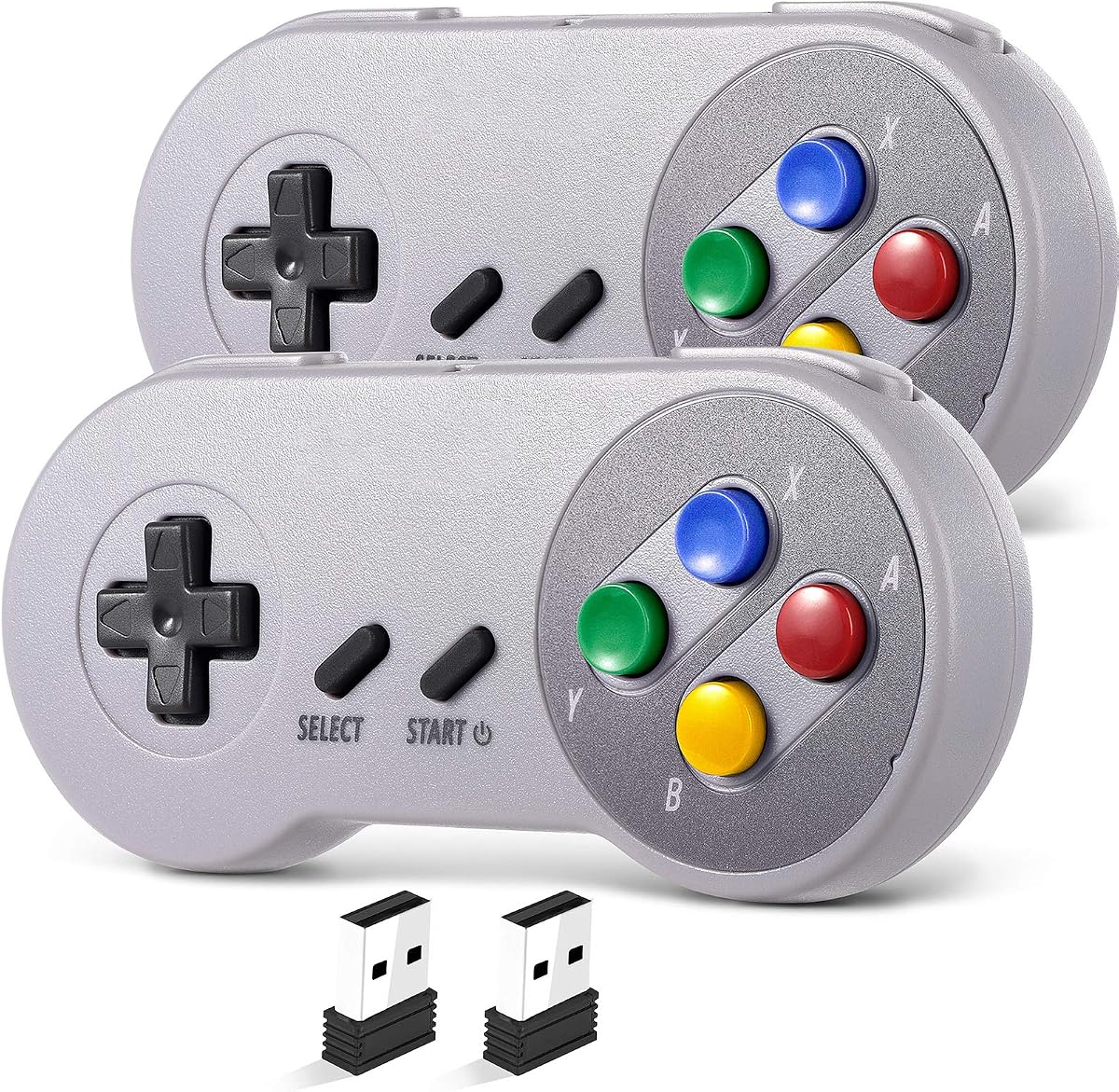
This pack offers two wireless controllers that mimic the classic SNES design. It is ideal for local multiplayer sessions where you need multiple inputs. The 4.2 rating reflects satisfaction with the wireless range and button responsiveness.
We may earn a commission when you buy through this link, at no additional cost to you.
The wireless connection is stable up to 10 meters, allowing comfortable seating without cables. High-sensitivity buttons ensure precise inputs for retro titles. The included rechargeable battery supports about 10 hours of play per charge, reducing hassle.
Note that these do not work with Switch or specific devices like Chromebooks. If you are playing on PC or macOS, they function well. The only drawback is the requirement for a USB receiver, which can use a port permanently.
For couples or groups wanting local multiplayer on PC, this pack is a smart buy. It delivers nostalgia and convenience without breaking the bank. Just verify compatibility with your specific system before purchasing to avoid issues.
Getting two controllers in one box means you can start playing with friends immediately without extra costs.
Enjoy the freedom of moving around without cables while maintaining a stable connection for smooth gameplay.
We may earn a commission when you buy through this link, at no additional cost to you.
This controller is designed specifically for retro mini consoles with 9-pin ports. It works flawlessly with models like AV 620 and HD 621. With a high 4.8 rating, users praise its simplicity and reliability for plug-and-play setups.
We may earn a commission when you buy through this link, at no additional cost to you.
The design includes four buttons and a fire function for enhanced gameplay. You do not need extra drivers or software, just plug it in. The pack includes two controllers, making it great for sharing gaming moments with family or friends.
While it lacks USB connectivity for PC, it excels in its niche. The only trade-off is that it is limited to specific console models. However, for owners of those consoles, it is often the best alternative to original hardware.
If you own one of the supported mini consoles, this controller is a must-have for second players. It offers a balance of retro feel and modern reliability. Ensure your console matches the port type before buying to ensure full functionality.
The 9-pin plug ensures a secure connection without needing adapters, keeping your setup clean and simple.
Two controllers in the box mean everyone can join in on the fun without waiting for their turn.
We may earn a commission when you buy through this link, at no additional cost to you.
The Retro-Bit Legacy 16 brings the golden era of gaming to modern devices. Its design is inspired by classic 16-bit consoles, offering a nostalgic feel. The 4.3 rating shows users appreciate its responsive controls and ergonomic shape.
We may earn a commission when you buy through this link, at no additional cost to you.
It includes dedicated Home and Screenshot buttons, which are useful for modern platforms like the Nintendo Switch. The 10-foot cable provides flexibility to sit back while playing. It supports fighting games and arcade classics well.
The limitation is the wired connection, which may bother some users. However, the build quality is solid for the price. It balances nostalgic aesthetics with functionality for both retro and modern platforms seamlessly.
If you want to relive the 16-bit era on PC or Switch, this controller fits the bill. It is durable and comfortable for long sessions. Check your system compatibility to ensure full functionality before purchasing.
Dedicated Home and Screenshot buttons enhance usability on Nintendo Switch without needing system shortcuts.
Comfortable controls are engineered to reduce strain during extended gaming sessions with fighting games or shooters.
We may earn a commission when you buy through this link, at no additional cost to you.
This controller is built specifically for the Analogue 3D console and other modern systems. With a 4.6 rating, it delivers high compatibility and responsiveness. Its classic layout honors the original 64 controller while adding modern features.
We may earn a commission when you buy through this link, at no additional cost to you.
It connects via Bluetooth or USB, offering flexibility for different setups. The turbo function helps with repeated inputs, and vibration works on supported systems. Firmware updates ensure ongoing compatibility as devices evolve.
The main restriction is its focus on the Analogue 3D, though it works elsewhere. You may find features like vibration limited on non-supported platforms. However, for Analogue 3D owners, it is a top-tier choice.
If you own the Analogue 3D, this controller is essential for the best experience. It brings classic ergonomics with modern connectivity. Verify the firmware updates to ensure full functionality on newer systems.
D-input and S-input modes allow switching between different controller styles for broader game compatibility.
Keeping the controller updated ensures it remains compatible with future consoles and system changes.
We may earn a commission when you buy through this link, at no additional cost to you.
The GameSir Tegenaria Lite offers ultra-low latency for seamless gameplay. Its Hall Effect sticks ensure pinpoint accuracy without drift. With a 4.3 rating, users value its responsive controls and retro aesthetic that fits any setup.
We may earn a commission when you buy through this link, at no additional cost to you.
The 1000Hz polling rate minimizes lag, making it ideal for competitive play. Mappable back buttons add convenience for complex games. Dual asymmetric motors provide subtle vibrations that enhance immersion without being distracting.
The main drawbacks are the wired connection and price point. However, for performance enthusiasts, the trade-off is worth it. It balances retro design with modern specs effectively for high-speed gaming.
If you prioritize response time and precision, this controller is a strong pick. It works well with PC and Switch. Check your port availability to ensure it fits your cable management needs.
Inputs are registered almost instantly, giving you a competitive edge in fast-paced retro games.
Programmable back buttons let you map actions for faster execution during gameplay.
We may earn a commission when you buy through this link, at no additional cost to you.
This two-pack offers wireless controllers with turbo features for PC and Mac. It supports 2.4GHz wireless for a stable connection up to 10 meters. With a 4.0 rating, it delivers reliable performance for casual gaming.
We may earn a commission when you buy through this link, at no additional cost to you.
The battery lasts up to 100 hours on a single charge, which is impressive for the price. Turbo buttons can be customized for rapid inputs. It is designed for PC and Linux, though not for specific retro consoles like NES.
The setup requires software to map keys properly, which might confuse some users. However, once configured, it works well. The only trade-off is that it does not work with older NES classics.
For PC gamers wanting a budget-friendly wireless option, this pack is suitable. It covers basic needs well. Verify your system compatibility before purchase to avoid disappointment with setup.
With up to 100 hours of play, charging is infrequent, ensuring uninterrupted gaming sessions.
Custom turbo settings allow for faster repeated inputs, useful for shooter games.
We may earn a commission when you buy through this link, at no additional cost to you.
The Hyperkin Trooper 2 is a premium USB controller designed for emulation. It offers a classic Atari feel with modern upgrades like mappable buttons. With a 4.2 rating, users appreciate its durability and comfort.
We may earn a commission when you buy through this link, at no additional cost to you.
Ergonomic grips ensure long sessions are comfortable. The 10-foot cable provides ample length for positioning. The joystick is quiet and responsive, making it suitable for arcade classics and PC games.
It lacks wireless options and advanced features found in pricier models. However, its focus on build quality and classic design makes it a solid choice for PC users. The trade-off is simplicity over complexity.
If you want a reliable wired controller for PC emulation, this is a great option. It prioritizes comfort and durability. Check your port availability to ensure it fits your setup before buying.
The quiet joystick ensures smooth inputs without annoying clicking sounds during gameplay.
Six mappable buttons allow you to customize controls for various consoles and menu navigation.
We may earn a commission when you buy through this link, at no additional cost to you.
Choosing the right controller for retro gaming involves considering several factors beyond looks. This guide breaks down the essential elements to ensure your investment lasts and performs well.
Decide between wired and wireless options based on your setup needs. Wired controllers offer lower latency and reliability but limit movement. Wireless controllers provide freedom but require battery management and may introduce slight lag.
For competitive retro gaming, prioritize wired connections or Bluetooth with low latency features. Casual players may prefer wireless for convenience.
Ensure the controller supports your specific systems like PC, Switch, or mini consoles. Some controllers work universally, while others are tailored for specific ports like 9-pin or USB.
Always verify compatibility lists before purchasing to avoid issues. Check for firmware support for older systems as well.
Look for controllers made with durable materials that can withstand frequent use. Hall Effect sticks are a great option to prevent drift over time.
Higher-quality controllers may cost more but often save money in the long run by not needing replacement.
Comfort is key for long gaming sessions. Ensure the controller fits your hand size and offers a comfortable grip.
Try to read reviews regarding comfort if possible, as hand fit varies significantly between users.
Advanced features like turbo buttons, mappable keys, and vibration can enhance your gaming experience. Consider what extra features align with your playstyle.
While extra features add utility, ensure they are useful for the games you actually play.
Prices vary widely from basic wired options to high-end wireless models. Determine a budget range that balances cost with necessary features.
Budget options often suffice for casual play, while premium models offer longevity and advanced tech.
For wireless controllers, check battery capacity and charging time. Longer battery life means less frequent charging interruptions.
Rechargeable batteries are preferred over replaceable ones for environmental and cost reasons.
Some controllers require specific software for customization or mapping. Evaluate if you are comfortable installing drivers or if plug-and-play is preferred.
Plug-and-play options are generally more user-friendly for non-technical users.
Start by connecting your controller via the recommended method, whether USB or Bluetooth. If using software for mapping, install it first to ensure all buttons function correctly.
Keep the controller clean by gently wiping it with a dry cloth. Avoid using harsh chemicals that might damage the plastic or buttons. Store it in a dry place to prevent moisture damage.
For wireless models, charge the battery fully before first use and periodically. Avoid letting the battery deplete completely to maintain its health over time. Regular updates to firmware can also fix bugs and improve performance.
For PC emulation, wired USB controllers are often the safest bet for latency. However, modern Bluetooth controllers with low lag also work well. Look for ones that support Xinput for broad game compatibility.
Wireless controllers can have slight lag depending on the connection type. Bluetooth 5.0 and 2.4GHz options generally minimize this. If lag is a concern, check reviews for latency performance before buying.
Many retro controllers support modern consoles like Switch or Steam Deck. Check the specific compatibility list for each model. Some require firmware updates to work with newer systems.
Standard potentiometer sticks may wear out after a few years. Hall Effect sticks are designed to last longer and prevent drift. Investing in models with Hall Effect technology can extend the lifespan of your controller.
Yes, but prioritize models with low latency and responsive buttons. Wired connections usually perform best for competitive play. Some wireless models with high polling rates also compete well.
Drivers enable communication between the controller and OS. Some older or niche controllers need them for full functionality. Most modern ones are plug-and-play on Windows and macOS.
Our top picks highlight that the right controller depends on your specific needs. The 8Bitdo SN30 Pro leads overall with balance of features and reliability. Budget options like the Logitech G F310 offer great value for casual play.
Prioritize compatibility and build quality when making your decision. Hall Effect sticks and ergonomic designs can significantly improve your experience. Choose a model that fits your platform requirements.
Prices change frequently so check current listings before finalizing your purchase. We hope this guide helps you find a controller that brings joy to your retro gaming sessions.