
AULA WIN68 HE Mechanical Gaming Keyboard
4.5Editor score
8000Hz Polling Rate
Magnetic Switch Technology
Web Driver Customization
This guide compares the top ten keyboards for Valorant featuring Hall Effect switches and rapid trigger technology to help you choose the right gear for
Finding the perfect keyboard for Valorant means looking for speed and precision above all else. Competitive players need inputs that register instantly without delay or ghosting during intense fights.
We compared ten top models based on polling rates, switch technology, and build quality. Our analysis focuses on Hall Effect and optical switches that enable rapid trigger functionality for better movement.
Each pick below highlights key features and real-world performance notes for gamers. Prices and availability change often so verify current deals before adding items to your cart today.
4.5Editor score

4.1Editor score

4.6Editor score
The following table provides a side-by-side comparison of all ten keyboards reviewed in this guide. Each entry lists core specifications and direct links so you can quickly identify the model that fits your specific gaming needs and budget requirements.
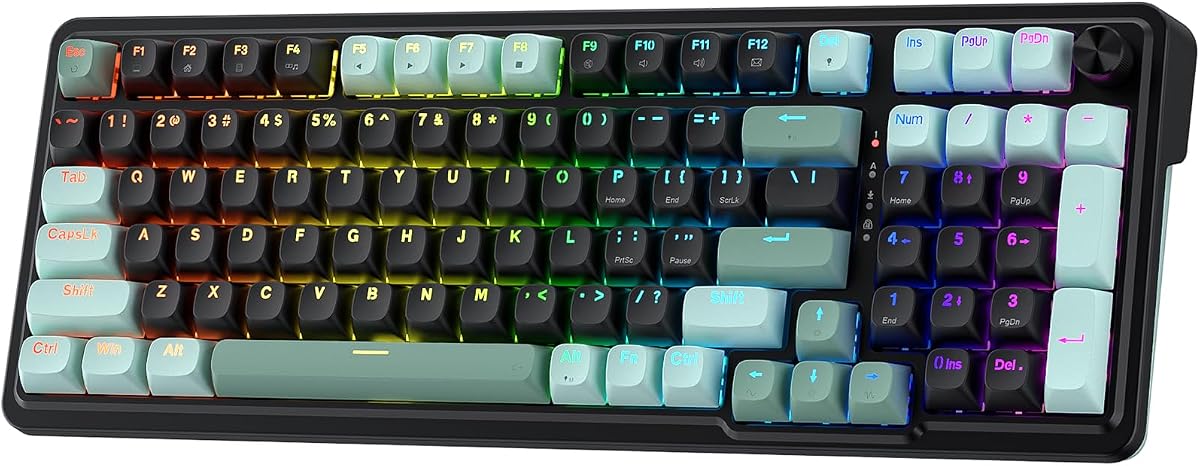
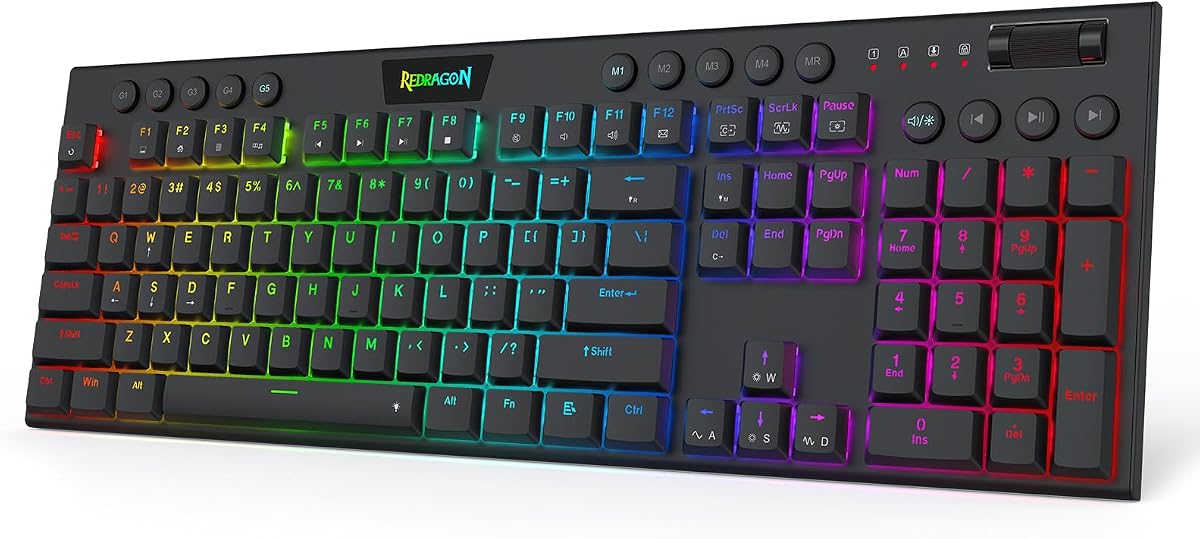




The Redragon K673 HE stands out as the top pick for Valorant players due to its advanced magnetic switch technology and rapid trigger capabilities. Its ultra-fast polling rate eliminates lag so you can execute counter-strafing moves with precision during ranked matches.
We may earn a commission when you buy through this link, at no additional cost to you.
The UltraMag POM magnetic switches detect key presses without physical contact allowing actuation points between 0.1mm and 3.4mm. This flexibility lets you fine-tune each key for speed or stability depending on your personal gaming style and preferences.
While the build quality is solid with noise dampening layers the included software might require some time to master. However once configured the keyboard delivers consistent performance that rivals much more expensive gaming peripherals on the market today.
If you want a competitive edge without breaking the bank the Redragon K673 HE is the best choice. Its combination of speed customization and durability makes it ideal for serious Valorant players who need reliable hardware for high-stakes games.
Rapid trigger resets a key instantly after release letting you tap keys faster than standard mechanical switches allow during intense combat scenarios.
Save multiple profiles to adjust sensitivity on the fly so you can switch between aggressive play and tactical setups without changing your hardware.
We may earn a commission when you buy through this link, at no additional cost to you.
The Redragon K686 HE delivers exceptional value for budget-conscious gamers who still need top-tier performance. Its magnetic switches provide the same rapid trigger features as higher-end models at a fraction of the cost making it accessible to everyone.
We may earn a commission when you buy through this link, at no additional cost to you.
Players will appreciate the adjustable actuation profiles ranging from 0.1mm to 3.4mm which help reduce finger fatigue during long gaming sessions. The anti-wobble switch plate ensures every keypress registers accurately without unintended inputs or chatter issues.
While the price is low the keyboard does not skimp on core features like 8000Hz polling and magnetic technology. Some users might find the keycaps slightly slippery compared to textured options but this does not impact overall functionality or responsiveness.
For those entering the competitive scene or looking to upgrade without spending too much the K686 HE is an excellent starting point. It offers the essential tools needed for success in Valorant while keeping your hardware costs under control.
This model proves that you do not need to spend a fortune to get professional-grade rapid trigger and magnetic switch benefits for FPS gaming.
A single knob adjusts brightness and volume letting you manage settings quickly without hunting through menus or memorizing complex shortcut key combos.
We may earn a commission when you buy through this link, at no additional cost to you.
The Redragon K618 HE brings a unique low-profile design to Valorant gaming with rapid trigger capabilities that match full-height keyboards. Its slim build shortens travel distance so keystrokes register faster and reduce wrist strain over time.
We may earn a commission when you buy through this link, at no additional cost to you.
This model features a dedicated macro zone allowing you to record complex combos without needing additional software. The 0.1mm to 2.8mm actuation adjustment ensures you can find the perfect sensitivity for peeking and shooting in tactical shooters.
Users consistently praise its build quality and responsiveness. The magnetic switches are durable and offer smooth feedback. However new users may need a few days to adjust to the lower key height compared to standard mechanical switches they are used to.
If you prioritize speed and a compact footprint the K618 HE is the best low-profile option available. It combines the benefits of magnetic technology with a lightweight form factor that appeals to gamers with limited desk space or travel needs.
Shorter travel distance means keys actuate sooner letting you react to threats quicker and maintain an edge during fast-paced team fights.
Use the dedicated macro zone to automate routine tasks or weapon swaps so you focus entirely on aiming and positioning during matches.
We may earn a commission when you buy through this link, at no additional cost to you.
The Corsair Clipper PRO MINI is engineered specifically for competitive FPS titles with advanced Hall Effect switches and FlashTap SOCD technology. This ensures that simultaneous key presses are handled cleanly so your movement inputs remain precise during chaotic gameplay.
We may earn a commission when you buy through this link, at no additional cost to you.
With an IP57 rating this keyboard can withstand spills and dust making it ideal for long marathon sessions. The MGX Hyperdrive switches offer an adjustable actuation range from 0.2mm to 3.8mm giving you extensive control over how the keyboard responds.
The 60% compact layout frees up significant mouse space for low-sensitivity aiming but you will need to use function layers to access arrows. While the white aesthetic looks clean it may require more frequent cleaning to maintain its appearance over time.
For gamers who want maximum mouse movement space and rugged durability this model is a strong candidate. Its combination of SOCD logic and rapid trigger ensures your directional inputs stay accurate even when you mash keys during intense firefights.
FlashTap SOCD prevents conflicting inputs when you press two opposite directions at once ensuring your character moves smoothly without stuttering or stopping.
The IP57 rating means the keyboard can survive accidental liquid spills so you can game freely without worrying about water damage ruining your setup.
We may earn a commission when you buy through this link, at no additional cost to you.
The Razer Huntsman Mini uses optical switches that detect key presses at the speed of light. While not magnetic it still offers rapid actuation and includes a Snap Tap feature that prioritizes the last input for smoother counter-strafing in Valorant.
We may earn a commission when you buy through this link, at no additional cost to you.
Its compact 60% design is perfect for maximizing mouse space and the aluminum frame adds rigidity. The RGB Chroma lighting syncs with other devices allowing for a cohesive aesthetic that enhances your overall gaming atmosphere during night sessions.
The Snap Tap feature is powerful but must be toggled via software which some users may prefer to manage carefully. The 1.0mm actuation distance is fast though slightly longer than some magnetic switches found in this guide.
If you value build quality and ecosystem integration this keyboard is a solid pick. It offers the speed needed for competitive play while maintaining the durability and features that make Razer a trusted brand in the gaming community.
Optical switches use a beam of light to register inputs which reduces wear and tear while providing faster response times than traditional mechanical contacts.
Snap Tap lets you prioritize the most recent key press between two assigned keys so you can change direction instantly without complex key combinations.
We may earn a commission when you buy through this link, at no additional cost to you.
The Aula WIN60 HE delivers professional-grade magnetic switches in a compact 60% form factor. It supports rapid trigger and offers adjustable actuation to suit your preferred playstyle without needing to download heavy software drivers.
We may earn a commission when you buy through this link, at no additional cost to you.
Its web-based driver allows you to remap keys and set macros directly from a browser which simplifies the setup process significantly. The hot-swappable design means you can change switches later if you want a different feel or performance profile.
The 8000Hz polling rate ensures that every input registers instantly which is critical for maintaining an edge in Valorant. While the web driver is convenient it does require an internet connection which might be a downside for offline configurations.
For players seeking a balance of features and size this keyboard is highly versatile. It combines the speed of magnetic technology with the flexibility of hot-swapping making it a great choice for those who like to tinker with their gear.
Access all customization features through a web browser so you avoid installing large drivers and keep your system clean and efficient for gaming.
Swap switches easily to experiment with different actuation points or feedback styles without soldering or risking damage to the PCB or circuit board.
We may earn a commission when you buy through this link, at no additional cost to you.
The AULA WIN68 HE offers an impressive feature set for its price point including magnetic switches and rapid trigger support. It is designed specifically for FPS games and aims to provide a competitive edge through fast and accurate input registration.
We may earn a commission when you buy through this link, at no additional cost to you.
You can adjust the actuation point down to 0.02mm and customize each key individually using the web driver. This level of precision helps eliminate accidental key presses and ensures your movements in Valorant are consistent and deliberate.
The build feels lightweight which may not appeal to users preferring heavy boards but it makes the keyboard portable for LAN events. Drivers are Windows-only so Mac users will need alternative solutions for customization features.
If budget is a priority but you refuse to compromise on performance this model is a smart choice. It brings rapid trigger technology to a lower price range allowing more gamers to benefit from advanced switch capabilities.
Trigger mode resets keys instantly on release so you can tap keys repeatedly at maximum speed without waiting for standard mechanical reset times.
Set unique actuation points for every single key allowing you to optimize the board for your specific fingers and preferred game inputs.
We may earn a commission when you buy through this link, at no additional cost to you.
The AULA F75 Pro brings wireless convenience to competitive gaming with a 2.4GHz connection that minimizes latency. Its 75% layout keeps arrow keys and essential function keys while maintaining a compact footprint for smaller desks.
We may earn a commission when you buy through this link, at no additional cost to you.
You can swap switches easily thanks to the hot-swappable PCB and the keyboard includes pre-lubed stabilizers for a smooth feel. The multi-function knob lets you adjust volume or brightness quickly without taking your hands off the main typing area.
While it lacks magnetic switches the mechanical options provided are high quality and responsive. The battery life is excellent so you do not need to worry about charging frequently during long gaming sessions or tournaments.
If you want to reduce cable clutter without sacrificing performance this wireless option is top-tier. It balances mobility and durability making it ideal for gamers who value freedom of movement and a clean desk setup.
Switch between Bluetooth 2.4GHz and wired modes easily so you can connect to multiple devices and change connection types as needed.
Use the physical knob to control media or volume directly which saves time and keeps your hands ready for in-game actions during matches.
We may earn a commission when you buy through this link, at no additional cost to you.
The ATTACK SHARK X68 HE focuses on speed with a reported 0.01mm rapid trigger accuracy that targets competitive gamers. It uses magnetic switches to allow for fast actuation and reset times during intense Valorant matches.
We may earn a commission when you buy through this link, at no additional cost to you.
Its web driver allows remapping and macro setup without installation which keeps the system clean. The keyboard includes PBT keycaps and a top mount structure that contributes to a stable and quiet typing experience.
While the brand is less established the features are compelling for the price. The build includes sound dampening and high-quality stabilizers that reduce noise and wobble during aggressive gameplay sessions.
This model is great for players who want high-performance features without the premium price tag. Its focus on rapid trigger and polling rates shows it is built for competitive FPS titles specifically.
Achieve 0.01mm reset accuracy so keys fire instantly when you release them enabling fast direction changes and quick shooting sequences.
A top mount design adds stability and reduces noise which improves focus and typing comfort during long practice or competitive games.
We may earn a commission when you buy through this link, at no additional cost to you.
The ASUS ROG Strix Scope II 96 offers a full feature set in a compact wireless design. While it lacks magnetic rapid trigger it compensates with fast optical switches and a versatile 96% layout that retains all function keys and a number pad.
We may earn a commission when you buy through this link, at no additional cost to you.
Tri-mode connectivity allows seamless switching between Bluetooth and 2.4GHz wireless so you can connect to multiple devices easily. The PBT keycaps are durable and the keyboard includes hot-swappable switches for future customization.
Its build quality is premium with sound dampening foam for a quieter typing experience. The ergonomic wrist rest and adjustable tilt positions make it comfortable for long hours of gaming or productivity work.
For players seeking a premium experience with wireless freedom this keyboard is the best choice. It blends reliability customization and comfort so you can focus on your game without worrying about hardware limitations.
Get almost full-size keys in a smaller space which is helpful for complex setups or macros without needing the full width of a tenkeyless board.
Connect wirelessly to three devices at once and switch between them instantly for a smooth transition between work and gaming modes.
We may earn a commission when you buy through this link, at no additional cost to you.
Selecting the right keyboard for Valorant requires understanding specific features that enhance speed and control. This guide breaks down the essential factors to consider so you can make an informed decision.
Switches are the core of any gaming keyboard. For Valorant Hall Effect or optical switches are ideal because they use digital signals instead of physical contact which reduces wear and allows for rapid trigger functionality.
Prioritize magnetic switches that offer adjustable actuation points. This ensures you can find the perfect balance between speed and stability for your playing style.
Polling rate measures how often your keyboard sends data to your computer. A higher rate like 8000Hz ensures inputs are registered almost instantly which is crucial for fast-paced moments in Valorant.
Look for keyboards that support high polling rates to minimize latency and ensure your movements match what you see on screen during critical fights.
Rapid trigger resets a key immediately after you release it instead of waiting for it to bottom out fully. This allows for faster tapping and smoother counter-strafing which gives you a competitive advantage in tactical shooters.
Ensure the keyboard explicitly supports rapid trigger in its firmware or software settings so you can take full advantage of this feature during ranked matches.
Adjustable actuation lets you change how deep you need to press a key for it to register. This helps prevent accidental key presses and allows you to customize sensitivity for different keys like movement or jump.
Choose models that let you save multiple profiles so you can switch between light fast settings and heavy stable settings depending on the game mode.
The physical size of your keyboard impacts your mouse movement area. Compact layouts like 60% or 75% save desk space allowing more room for sweeping your mouse which is common in Valorant aiming.
Balance size with key availability since you still need essential keys like arrows for navigation. A 65% or 75% layout often offers a good middle ground for gamers.
Robust software allows you to customize key mappings and macros. Look for keyboards with easy-to-use web drivers or dedicated apps that let you fine-tune settings without complicated installation processes.
Ensure the driver supports the features you need like rapid trigger and per-key customization so you can fully leverage the hardware capabilities.
Gaming keyboards endure heavy daily use so durability is key. Look for boards with aluminum frames and PBT keycaps that resist wear and shine over time.
Features like water resistance or sturdy cables add extra value. A solid build ensures your keyboard lasts longer and maintains performance consistency over years of use.
Wired keyboards typically offer the lowest latency but wireless options have improved significantly. Modern 2.4GHz connections can rival wired performance for gaming if they have low interference and high polling rates.
Decide based on your desk setup. If cable clutter is an issue a high-quality wireless board with fast response times may be the better choice.
Set up your keyboard by connecting it via USB or pairing wireless connections. Download the official driver software to unlock features like rapid trigger and actuation tuning.
Configure your actuation points to match your sensitivity. Start with mid-range settings around 1.5mm and adjust lower for faster inputs or higher to prevent accidental presses.
Keep your keyboard clean by wiping it with a soft cloth and using compressed air to remove dust. If the keyboard is spill resistant you can rinse it but dry it thoroughly before use.
Rapid trigger allows keys to reset instantly after release instead of waiting for full bottom-out. This enables faster counter-strafing and movement inputs which are critical for success in tactical shooters like Valorant.
Magnetic switches are generally better for competitive gaming because they are more durable and allow for rapid trigger. They lack physical contacts so they suffer less wear and tear compared to traditional mechanical switches.
A higher polling rate reduces input lag so your movements register faster. While it does not directly improve your aim it ensures your character responds quickly to your commands which helps during tight situations.
Yes a 60% keyboard works fine but it lacks arrow keys and function keys. You will need to use a function layer for these keys which might be inconvenient for map navigation or in-game chat.
Use the software or web driver provided by the manufacturer. Open the actuation settings and adjust the sensitivity points per key until they feel comfortable for your typing and gaming habits.
Modern wireless keyboards with 2.4GHz connections have minimal latency often indistinguishable from wired. However wired keyboards still offer the absolute lowest lag if you prioritize pure performance over convenience.
Most players prefer actuation points between 0.5mm and 1.5mm for speed. You can experiment with these values to find what prevents accidental presses without slowing down your movement too much.
It is not required but PBT keycaps offer better texture and durability than ABS. If you want a more premium feel or better resistance to shine upgrading to PBT is a good long-term investment.
The Redragon K673 HE leads this list with its advanced magnetic switches and rapid trigger features. It offers the best balance of performance and affordability for most competitive players.
When choosing your keyboard prioritize features like high polling rates and adjustable actuation. These elements directly impact your ability to react quickly and maintain precision during intense Valorant matches.
Prices for gaming hardware change frequently so check current listings before purchasing. Ensure your final choice fits your budget and desk setup so you can focus on improving your skills.