
Logitech G502 Hero Wired Gaming Mouse
4.6Editor score
25600 DPI HERO Sensor
11 Programmable Buttons
Adjustable Weight System
This guide compares the top high DPI mice for 4K gaming precision, evaluating sensors, polling rates, and ergonomics to help you choose the best mouse for your
Finding the right high DPI mouse for 4K gaming precision is essential for competitive players who demand exact cursor control. A superior sensor ensures that every movement translates accurately on your display without smoothing or acceleration interfering with your aim.
We have analyzed ten leading gaming mice based on their sensor capabilities, build quality, and wireless performance. Each product offers unique features designed to enhance your gaming experience across various genres and play styles.
Every selection includes detailed specifications and pros to help you make an informed decision. Keep in mind that prices and availability change frequently, so verify the latest details before purchasing your new gear.
4.6Editor score
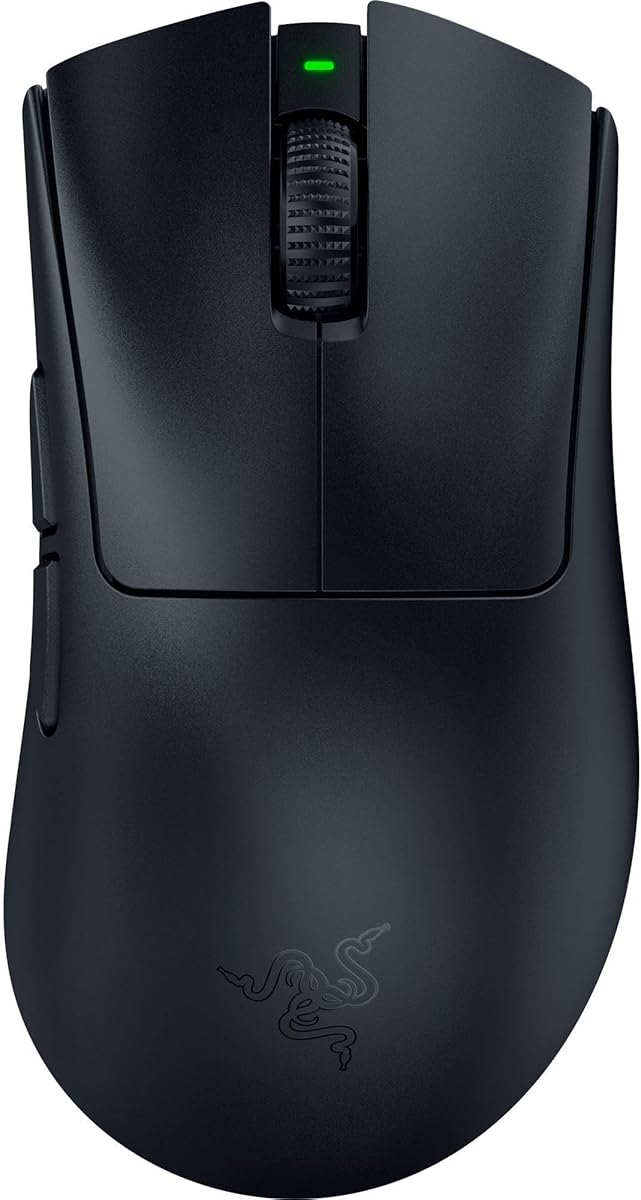
4.4Editor score

4.6Editor score
Explore our detailed side-by-side comparison of the top ten high DPI gaming mice available this month, highlighting key specs and performance metrics for 4K precision.

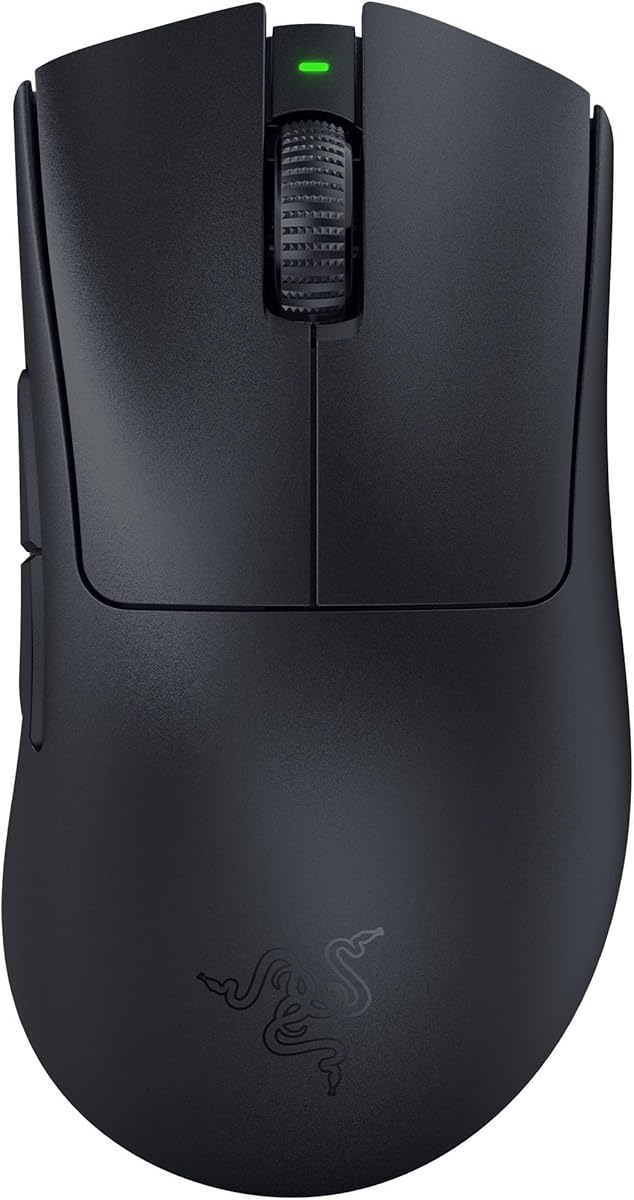




The Razer DeathAdder V4 Pro stands out as the top choice for competitive gamers seeking ultimate precision. With a 45K DPI sensor and 8000 Hz polling rate, it delivers unmatched tracking accuracy on 4K displays.
We may earn a commission when you buy through this link, at no additional cost to you.
Its ultra-light 56g design allows for rapid swipes without fatigue during intense matches. The Gen 4 optical switches provide tactile feedback and durability up to 100 million clicks.
While it supports 8K polling via the HyperPolling dongle sold separately, the wireless performance remains stable even at standard rates. Battery life extends up to 150 hours for uninterrupted play.
This mouse is ideal for FPS pros who prioritize speed and accuracy. The ergonomic shape fits naturally in the hand for long sessions.
The Focus Pro Optical Sensor Gen 2 ensures 99.8% accuracy across various surfaces including glass.
Razer HyperSpeed Wireless Gen-2 delivers lower latency and stable connectivity without compromise.
We may earn a commission when you buy through this link, at no additional cost to you.
The Logitech G502 Hero offers exceptional value for gamers needing high DPI precision without breaking the bank. Its HERO sensor tracks movement at a sub-micron level for pixel-accurate control.
We may earn a commission when you buy through this link, at no additional cost to you.
With 11 programmable buttons and adjustable weights, you can tailor the mouse to your exact preferences. The dual-mode hyper-fast scroll wheel adds versatility for both gaming and productivity.
Although it is heavier than modern wireless mice, the ergonomic design ensures comfort. The wired connection guarantees zero latency during critical moments.
This is a perfect entry-level choice for those starting serious competitive gaming. It combines durability with essential features for success.
Arrange up to five 3.6g weights to match your specific playing style and balance.
Next generation HERO mouse sensor delivers precision tracking with zero smoothing or acceleration.
We may earn a commission when you buy through this link, at no additional cost to you.
The ATTACK SHARK RS3 ULTRA brings premium carbon fiber construction to the high DPI category. This mouse features a PAW3955MAX sensor capable of up to 52000 DPI for extreme granularity.
We may earn a commission when you buy through this link, at no additional cost to you.
With 800 hours of battery life and an 8K receiver technology, it supports long tournaments without charging. The CNC metal wheel ensures precise tactile control during scrolls.
No desktop software installation is needed as settings are managed via a web driver. This simplifies setup and saves system resources.
Gamers seeking a unique high-performance mouse will appreciate the hybrid shell design. It balances weight and durability effectively.
Precision Tracking supports 1 to 52000 DPI with precise 1-DPI adjustment.
Tri-Mode supports 2.4GHz wireless, Bluetooth, and USB-C wired modes.
We may earn a commission when you buy through this link, at no additional cost to you.
The Razer Basilisk V3 Pro is a versatile wireless gaming mouse with a 35K optical sensor. It features 13 customizable controls for executing macros and commands efficiently.
We may earn a commission when you buy through this link, at no additional cost to you.
Its HyperScroll Tilt Wheel allows switching between tactile and free-spin modes. This makes it ideal for navigating large files or in-game weapon selection.
Battery life reaches up to 140 hours ensuring extended play. The 13-zone Chroma lighting adds immersion with integrated games.
Pros users wanting maximum customization and RGB appeal will love this model. It balances function with style.
Configurable on Synapse to auto-switch based on scroll speed.
Enjoy smooth lag-free performance for non-stop play on a single charge.
We may earn a commission when you buy through this link, at no additional cost to you.
The Razer DeathAdder V3 Pro is an ultra-lightweight option favored by top esports players. Its 63g weight ensures speed and control during quick flicks.
We may earn a commission when you buy through this link, at no additional cost to you.
A Focus PRO 30K Optical Sensor provides flawless tracking on glass surfaces. The optical switches offer 0.2ms actuation with zero debounce delay.
Battery life reaches 90 hours which supports long sessions. The ergonomic shape remains iconic for comfort over hours.
This mouse is perfect for those prioritizing lightness and speed. It is reliable for high-intensity gaming.
Enjoy a level of speed and control favored by top players.
Razer HyperSpeed Wireless offers faster connection than other wireless tech.
We may earn a commission when you buy through this link, at no additional cost to you.
The Razer Basilisk V3 Pro Customizable RGB offers iconic ergonomics with advanced tracking. It features a 30K optical sensor for flawless tracking performance.
We may earn a commission when you buy through this link, at no additional cost to you.
With up to 110 hours of battery life on wireless, it supports marathon play. The 13-zone Chroma lighting reacts dynamically with integrated games.
HyperScroll tilt wheel provides speed through content or precision feedback. 10-11 programmable buttons allow endless customization.
This mouse suits those wanting classic comfort with RGB style. It delivers performance and immersion.
Favored by millions worldwide for perfect support of cutting-edge ergonomics.
Up to 150 hours on Bluetooth or 110 hours on HyperSpeed wireless.
We may earn a commission when you buy through this link, at no additional cost to you.
The GravaStar Mercury M1 Pro offers a unique magnesium alloy shell for durability. It features a 26000 DPI sensor for pixel-perfect accuracy.
We may earn a commission when you buy through this link, at no additional cost to you.
With 4K polling rate and tri-mode connectivity, it ensures low latency across setups. Up to 200 hours of battery life keeps you connected.
Ergonomic sculpted fit reduces fatigue during long sessions. The 4K receiver provides ultra-low latency.
Gamers needing robust build quality will find this appealing. It balances weight and stability.
Switch instantly between ultra-fast 2.4GHz, low-latency wired, or agile Bluetooth.
With up to 200 hours battery life the M1 Pro keeps you unbeatable.
We may earn a commission when you buy through this link, at no additional cost to you.
The Redragon M916 Wireless is one of the lightest mice available at 49g. It features a 26K DPI sensor and 4000Hz report rate for fast response.
We may earn a commission when you buy through this link, at no additional cost to you.
With 3 modes connect tech including Bluetooth and wired options you can customize your experience. It is shaped for natural grip reducing fatigue.
Buttons are all editable with customizable tactical keybinds. This allows flexibility across games and work.
This mouse is great for budget-conscious gamers. It delivers essential high-DPI features.
Selected ultra-light materials offer the fastest, cleanest, and fully controlled mouse use.
5 programmable buttons are all editable with customizable tactical keybinds.
We may earn a commission when you buy through this link, at no additional cost to you.
The Razer Basilisk V3 Customizable RGB Wired provides zero latency for competitive play. It features a Focus Plus 26K DPI Optical Sensor for pixel-precise accuracy.
We may earn a commission when you buy through this link, at no additional cost to you.
With 11 programmable buttons, you can assign macros easily. The HyperScroll tilt wheel switches to tactile mode for precision.
11 Chroma lighting zones react dynamically with games. Optical switches ensure 0.2ms actuation.
Wired gaming enthusiasts will appreciate this reliable option. It combines speed with features.
Best-in-class mouse sensor tracks movement with zero smoothing for crisp response.
Customize each zone from over 16.8 million colors and countless lighting effects.
We may earn a commission when you buy through this link, at no additional cost to you.
The Logitech G703 Lightspeed offers pro-level responsiveness with LIGHTSPEED Wireless. It features a HERO 25K Sensor with 1:1 tracking.
We may earn a commission when you buy through this link, at no additional cost to you.
Add the POWERPLAY wireless charging system to keep the mouse charged at rest. With 95g weight it offers durability and comfort.
Advanced button technology keeps primary buttons poised to trigger. LIGHTSYNC RGB responds to screen colors.
Comfort seekers will love the rubber side grips. It is a reliable wireless option.
LIGHTSPEED Wireless offers pro-level responsiveness and connectivity for long lasting gameplay.
Never worry about your battery life again with POWERPLAY wireless charging.
We may earn a commission when you buy through this link, at no additional cost to you.
Selecting the right high DPI mouse requires understanding sensor capabilities, build materials, and connectivity options.
DPI or dots per inch measures how sensitive your mouse is to movement. High-end sensors like the Focus Pro 35K or HERO 25K track movements at sub-micron levels ensuring pixel-precise control on 4K displays. Look for sensors with 1-DPI adjustments to fine-tune sensitivity.
Prioritize models with zero acceleration and smoothing to maintain consistent aim.
Polling rate determines how often the mouse reports its position to your computer measured in Hz. A higher rate like 8000 Hz reduces input lag significantly compared to standard 1000 Hz options. This is vital for competitive FPS games where split-second reactions matter.
Ensure your system can handle high polling rates without CPU bottlenecking.
Lightweight designs under 60g enhance speed and reduce fatigue during long sessions. Conversely heavier mice offer stability for precise tracking. Ergonomic shapes must fit your hand size naturally to prevent strain over time.
Test different sizes to find the balance between speed and comfort.
Wireless mice now match wired performance with low latency connections like HyperSpeed or LIGHTSPEED. Battery life ranges from 30 to over 800 hours depending on usage and RGB settings. Charging docks or POWERPLAY systems add convenience but cost extra.
Check battery specs against your daily playtime to avoid interruptions.
Premium materials like carbon fiber or magnesium alloy provide structural strength while keeping weight low. Optical switches are preferred over mechanical ones for longevity and faster actuation. A sturdy shell ensures reliability during intense gaming.
Look for reinforced skates for smooth gliding on various surfaces.
Programmable buttons and software drivers allow you to map macros and commands efficiently. Web drivers simplify setup without installing heavy software. Customizable RGB zones add personal flair but consume battery.
Choose a mouse with software you find intuitive for daily adjustments.
Advanced scroll wheels offer dual modes switching between tactile clicks and free-spinning. This feature aids navigation in both gaming and productivity tasks. Ensure the wheel provides clear feedback when tactile.
Consider if tilt functionality adds value for your specific workflow.
Established brands often provide better driver support and longer warranties. Check for community feedback on switch longevity and sensor issues. Quality assurance ensures your investment lasts through rigorous use.
Always verify warranty terms before purchasing online.
Start by installing the manufacturer software to calibrate the sensor and adjust DPI levels. Disabling Windows Enhance Pointer Precision ensures raw sensor input.
Clean your mouse surface and sensor lens regularly with a soft microfiber cloth. Dust accumulation can hinder tracking accuracy over time.
Avoid charging or discharging completely to preserve battery health. Store your mouse in a dry place away from direct sunlight to protect materials.
For 4K gaming, a DPI between 1600 and 4000 is often ideal depending on screen scaling. Higher DPIs up to 35K offer flexibility but require careful calibration to avoid jitter.
Modern wireless gaming mice with 8000 Hz polling rates eliminate noticeable lag. Ensure you use the dedicated receiver rather than Bluetooth for the lowest latency.
Sensor acceleration changes cursor distance based on movement speed. Disabling acceleration in settings ensures consistent aim regardless of how fast you move your hand.
Higher DPI allows faster cursor movement but can introduce instability if not calibrated. Lower DPI with high polling rates often offers more stability for precision games.
Optical switches use light beams instead of physical contacts eliminating debounce delay. They also offer higher click lifespans reducing double-click issues.
Yes high DPI mice excel at multi-monitor productivity setups. You can lower sensitivity via software for precise cursor placement during editing tasks.
We have reviewed ten top choices for high DPI gaming mice suitable for 4K precision. The Razer DeathAdder V4 Pro leads with its 45K sensor and 8000 Hz polling rate.
Prioritize sensor accuracy and polling rates over extra features if you are competitive. Weight and ergonomics are critical for long-term comfort.
Remember that prices fluctuate frequently so verify current deals before buying. Check the latest specs to ensure compatibility with your setup.