
ARZOPA 16.1'' 144Hz
4.4Editor score
144Hz refresh rate
106% sRGB color
Built-in kickstand
Finding a gaming monitor without PC needed is essential for console gamers and travelers who want high performance on the go. These displays connect directly to devices like the PS5, Xbox, or Nintendo Switch without requiring a desktop tower or laptop. They offer immersive visuals and fast refresh rates tailored for interactive entertainment.
We compared ten top-rated models based on resolution, refresh rate, portability, and compatibility with non-PC devices. Our analysis focuses on screens that support plug-and-play connectivity via HDMI or USB-C. We evaluated build quality, color accuracy, and specific gaming features to ensure you get the best value for your setup.
Each pick highlights unique strengths such as ultra-high refresh rates, curved immersion, or compact designs for travel. Prices and availability change frequently, so check the current listings before purchasing. This guide helps you select the right screen for your specific gaming needs and budget constraints.
4.4Editor score

4.4Editor score

4.4Editor score
As an Amazon Associate we earn from qualifying purchases.
This side-by-side comparison reviews all ten products to help you decide which monitor fits your specific gaming requirements. We look at screen size, resolution, and connectivity options to highlight key differences between portable and desktop units.



This portable gaming monitor stands out as the top choice for those seeking high fidelity without a PC. It features a 23.8-inch QHD panel that delivers sharp details and a stunning 180Hz refresh rate. The integrated stand and broad compatibility make it perfect for console gamers.
We may earn a commission when you buy through this link, at no additional cost to you.
The display quality is exceptional with 100% sRGB coverage and HDR support. Colors pop and motion remains clear even during intense action scenes. FreeSync technology eliminates tearing, ensuring a seamless experience whether you are playing on a Switch or PS5.
While it offers great performance, it is larger than typical portable screens which might limit travel ease. You will also need to ensure your device provides enough power for the Type-C connection or use the included HDMI setup.
This monitor is ideal for gamers who want desktop-level visuals on a flexible screen. If you prioritize image quality and refresh rate over compact size, this model delivers excellent value and reliability for your setup.
The 180Hz refresh rate ensures fluid movement in fast-paced games reducing motion blur significantly.
With multiple ports you can easily switch between devices without needing extra adapters.
We may earn a commission when you buy through this link, at no additional cost to you.
The EVICIV portable monitor offers a strong balance of performance and price for casual gamers. Its 18.5-inch screen provides enough space for comfortable play while remaining easy to carry. The included travel sleeve adds significant value for those on the move.
We may earn a commission when you buy through this link, at no additional cost to you.
Gaming performance is solid with a 120Hz refresh rate and 1ms response time. This combination reduces lag and keeps gameplay smooth. The 125% sRGB coverage ensures colors look vibrant and true to life during your sessions.
While it lacks the ultra-high resolution of more expensive models, it still delivers a clear image for most games. You may need to tweak the stand angle to find the perfect viewing position depending on your setup.
This is a great option for budget-conscious buyers who want reliable portable gaming. It handles console connections well and fits easily into a backpack for travel or dorm use.
The included sleeve case protects your screen from scratches and bumps during transit.
Fast response times help reduce input lag for competitive advantage in shooters.
We may earn a commission when you buy through this link, at no additional cost to you.
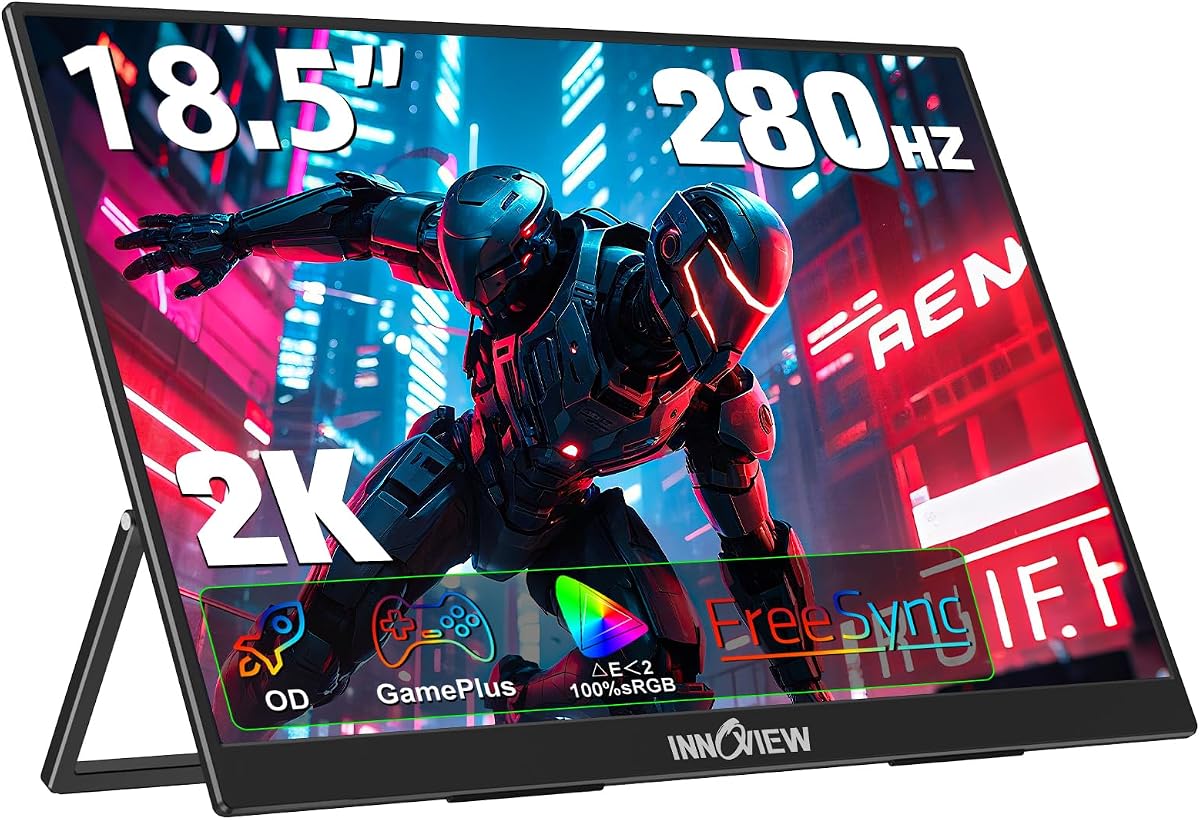
This InnoView monitor pushes the limits with a massive 280Hz refresh rate. It is designed for players who demand the smoothest possible motion without a traditional PC setup. The QHD resolution adds extra clarity for competitive play.
We may earn a commission when you buy through this link, at no additional cost to you.
The screen quality is excellent with 100% sRGB coverage and HDR support. GamePlus features like customizable crosshairs can enhance your strategy in FPS titles. The flexible mounting options allow you to position it exactly how you like.
To achieve the full 280Hz performance, your source device must support it which can limit use with older consoles. You will also need a robust power supply to prevent flickering issues during extended use.
If you have a compatible device and want top-tier speed, this model is a standout. It brings professional-level refresh rates to a portable form factor for serious gamers.
The ultra-high refresh rate minimizes motion blur for precise tracking of fast objects.
GamePlus modes offer visual aids that can give you an edge in multiplayer matches.
We may earn a commission when you buy through this link, at no additional cost to you.
The ViewSonic VX1654 is designed for maximum portability without sacrificing gaming performance. At just 1.5 lbs it fits easily into any bag. The 16-inch size is perfect for users who travel frequently.
We may earn a commission when you buy through this link, at no additional cost to you.
It offers a solid 144Hz refresh rate which is sufficient for most gaming needs. The IPS panel ensures consistent colors from different viewing angles. A USB-C connection simplifies setup by carrying power and video in one cable.
While the screen is smaller than others on this list it remains crisp and responsive. The included cover protects your investment but you may miss out on the immersion of larger displays.
This is an excellent choice for travelers who need a reliable screen on the go. It balances performance and weight better than many competitors in the portable category.
The slim profile and light weight make it ideal for carrying in a backpack.
Single cable USB-C connectivity reduces clutter when setting up in hotel rooms.
We may earn a commission when you buy through this link, at no additional cost to you.
The ARZOPA Z1FC delivers impressive specs at a budget-friendly price point. It brings 144Hz refresh rates to gamers who do not want to spend a fortune. The color accuracy is excellent for this price range making visuals look great.
We may earn a commission when you buy through this link, at no additional cost to you.
Setup is straightforward with plug-and-play support for various consoles. The built-in stand is sturdy enough for desk use on a tray. You get a full HD screen that handles everyday gaming tasks well.
It lacks some advanced features like HDR or QHD resolution. However for the cost it provides a significant upgrade over standard laptop screens. It is a smart pick for entry-level portable gaming.
If you want to try a gaming monitor without a big investment this model is a safe bet. It offers reliable performance and decent image quality for casual and mid-range players.
This monitor provides great value with solid refresh rates at a lower cost.
The included stand allows for quick setup without needing extra hardware.
We may earn a commission when you buy through this link, at no additional cost to you.
This SANSUI monitor offers a massive curved display for those who prefer a desktop setup. The 32-inch screen wraps around your vision creating an immersive experience. It is not portable but provides a dedicated gaming station at home.
We may earn a commission when you buy through this link, at no additional cost to you.
With a 240Hz refresh rate it handles competitive games with ease. The curvature enhances focus by reducing glare and peripheral distractions. FreeSync technology ensures smooth gameplay without screen tearing.
The large size means it cannot be easily moved around like portable screens. It is best suited for a permanent desk where you want a high-performance screen for long sessions.
Choose this if you prioritize immersion and speed over mobility. It transforms your gaming area into a cockpit-like environment for intense action titles.
The 1500R curve draws you into the game world for a deeper experience.
Ultra fast refresh rates eliminate motion blur for crystal clear fast movement.
We may earn a commission when you buy through this link, at no additional cost to you.
This 24-inch curved monitor offers a middle ground between portability and immersion. It is smaller than the 32-inch version but still provides the benefits of a curved screen. Great for home setups where space is limited.
We may earn a commission when you buy through this link, at no additional cost to you.
The 160Hz refresh rate ensures smooth performance for most titles. The VA panel provides deep blacks and high contrast which is great for dark scenes. Game modes allow customization based on your genre.
It is a fixed display meant for a desk rather than travel. While it lacks modern connectivity options it delivers strong core performance for the price.
Ideal for gamers who want a dedicated curved screen without the bulk of a huge monitor. It brings immersive visuals to a more manageable size for everyday use.
The curve helps keep your attention centered on the screen during play.
High contrast ratios reveal details in shadowed areas of the game.
We may earn a commission when you buy through this link, at no additional cost to you.
This UPERFECT monitor uses QLED technology to deliver stunning color and brightness. It stands out for media consumption and color-critical work. The 2K resolution on an 18-inch screen is incredibly sharp and detailed.
We may earn a commission when you buy through this link, at no additional cost to you.
With 100% DCI-P3 coverage colors look incredibly vivid and lifelike. The high brightness helps maintain visibility even in bright rooms. It handles gaming well with 144Hz refresh rates and HDR support.
The premium features come at a higher price than typical portable screens. You also need a strong power source to drive the display at full performance. It is a luxury item for high-end portable setups.
Choose this if you want the best visual fidelity in a portable package. It is perfect for creators and gamers who demand top-tier image quality.
DCI-P3 coverage ensures professional-grade color reproduction for design work.
High nits rating keeps the image visible in various lighting conditions.
We may earn a commission when you buy through this link, at no additional cost to you.
Samsung brings its renowned Odyssey line to this 32-inch curved monitor. It offers a deep 1000R curve that wraps tightly around your field of vision. QHD resolution provides crisp details for a premium feel.
We may earn a commission when you buy through this link, at no additional cost to you.
The 165Hz refresh rate and HDR10 support create a dynamic and responsive screen. AMD FreeSync ensures fluid gameplay. Eye Saver Mode reduces strain during long gaming sessions.
As a desktop unit it is not designed for travel. It requires a dedicated space and strong power setup. The high quality comes with a higher price tag compared to basic options.
This is a top choice for dedicated gamers who want brand quality and deep immersion. It offers a console-like experience on a large flexible screen.
Samsung delivers reliable performance with strong warranty support for peace of mind.
Built-in features reduce eye strain for extended play without discomfort.
We may earn a commission when you buy through this link, at no additional cost to you.
This Dell monitor is known for its reliability and eye comfort features. It offers a standard desktop experience with good refresh rates for gaming. The high rating indicates strong customer satisfaction and quality control.
We may earn a commission when you buy through this link, at no additional cost to you.
IPS technology ensures good color accuracy and wide viewing angles. The 144Hz refresh rate handles smooth motion effectively. Eye comfort certifications make it a good choice for long sessions.
It lacks USB-C connectivity which limits direct laptop connection options. Also it is a traditional desktop monitor so portability is not a feature. It focuses on stability and performance for stationary use.
Best for users who want a solid, trusted brand for home gaming. It provides consistent performance and comfort for those who sit at a desk daily.
Certified eye comfort modes reduce blue light to protect your vision.
Dell's reputation for durability ensures a long lasting display solution.
We may earn a commission when you buy through this link, at no additional cost to you.
Selecting the right monitor involves considering size resolution and how you will use it. Here are key factors to evaluate before making your purchase decision.
If you plan to move your monitor often choose one under 17 inches. These are lighter and fit in backpacks easily. Larger screens offer more immersion but are harder to transport.
Decide if you need a travel screen or a dedicated desk unit.
Higher refresh rates like 144Hz or above provide smoother motion. This is crucial for competitive gaming. Standard 60Hz may feel sluggish for fast-paced games.
Look for 120Hz or higher for the best gaming experience.
QHD or 2K resolution offers sharper images than standard Full HD. This makes a difference in larger screens. Ensure your console or device supports the resolution.
Higher resolution means more detail but requires more graphics power.
Check if the monitor has HDMI or USB-C for your devices. Some consoles need specific cable versions for full refresh rates. USB-C is convenient for laptops and phones.
Ensure the monitor supports the correct signal standard for your setup.
IPS panels provide better color accuracy and viewing angles. VA panels offer deeper blacks and higher contrast. TN panels are faster but have poor viewing angles.
Choose IPS for color or VA for contrast based on your preference.
Some monitors draw power from the connected device while others need an adapter. Verify if your laptop or console can supply enough power via USB. Without enough power the screen may flicker.
Always check the power requirements before traveling.
An adjustable stand helps you find a comfortable viewing angle. Some models include a stand while others rely on a kickstand or mount. A sturdy stand is vital for stability.
Look for models with a built-in stand if you do not want extra mounts.
High sRGB or DCI-P3 coverage ensures vivid colors. This matters for media consumption and creative work. Basic panels may look washed out compared to premium ones.
Prioritize color gamut if you care about vibrant visuals.
Connect your console or device using the correct cable. HDMI or USB-C usually requires one cable for video and power. Ensure the device outputs the right resolution and refresh rate.
Clean the screen with a microfiber cloth to avoid scratches. Do not use harsh chemicals or water directly on the display. A dry cloth is sufficient for removing dust and fingerprints.
Store the monitor in its protective case when traveling. Keep it away from extreme temperatures and direct sunlight. Proper storage extends the lifespan of your portable screen.
Yes most gaming monitors work with the PS5 if they support HDMI 2.0 or higher. Ensure the monitor has a high refresh rate to maximize performance. You will need to configure the console output settings to match the screen.
Some portable models draw power from the connected device via USB. Larger or higher performance units may need an external adapter. Always check the power specs before traveling to ensure your device can handle it.
Portable monitors are designed to be lightweight and easy to carry. Curved monitors are typically desktop units with a curved screen for immersion. You can find some curved options that are portable but most are stationary.
Most gaming monitors are plug-and-play and do not require drivers. They work with standard video drivers from your device. If you have issues ensure your system software is up to date.
Yes many monitors support video output via USB-C if your phone supports it. You may need a USB-C hub or adapter depending on the phone model. This allows you to game on a larger screen directly.
Gaming monitors typically have higher refresh rates and faster response times. This results in smoother motion and less input lag. Regular monitors are fine for work but gaming models are better for interactive play.
We reviewed ten top picks ranging from portable screens to immersive desktops. The InnoView 280Hz and ViewSonic VX1654 offer great balance for different needs.
Prioritize refresh rate and connectivity based on your primary gaming console. Portability is key if you travel often while immersion matters for home setups.
Prices and availability fluctuate so check the current listings before buying. Choose the screen that best fits your budget and lifestyle.