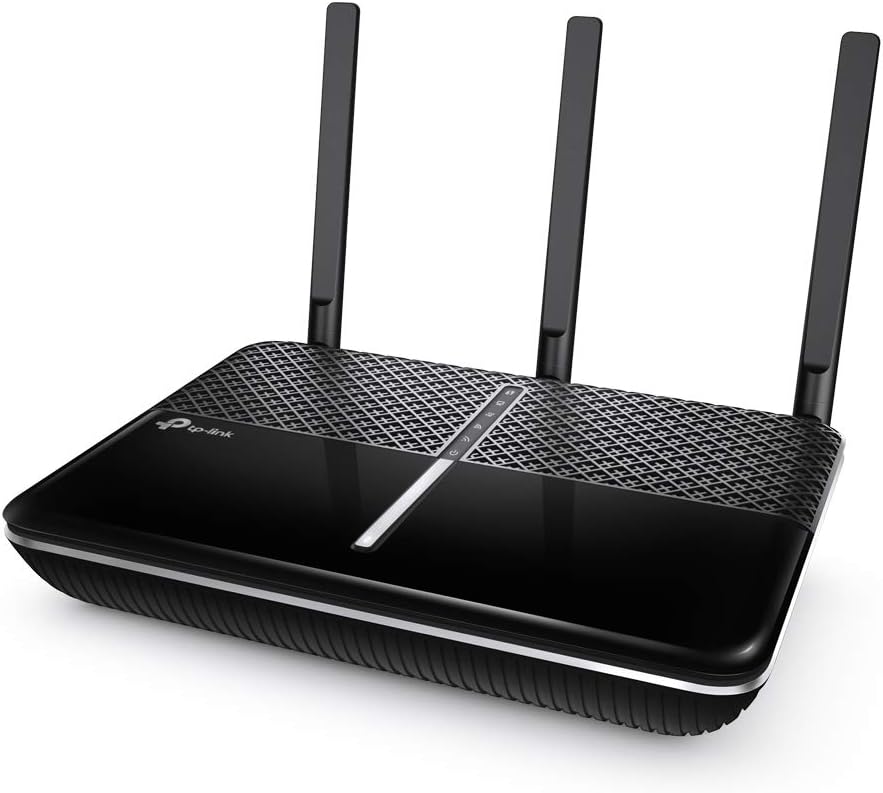
TP-Link Archer A10
4.5Editor score
Dual band AC2600 speeds
MU-MIMO and Beamforming
VPN server included
This guide compares the top AC2600 WiFi routers for speed range and security helping you choose the best wireless network solution for your home needs in 2026.
Finding the right wireless router is essential for modern homes where multiple devices connect simultaneously. An AC2600 WiFi router provides the bandwidth and speed needed for streaming gaming and smart home automation without lag or interruptions during peak usage times.
We evaluated ten top-rated models based on performance range security features and ease of setup. Each product was analyzed for its dual-band capabilities MU-MIMO support and processor power to ensure reliable connectivity across various home environments and internet service plans.
Every pick highlights key strengths and ideal use cases for different household needs. Please note that prices and availability change frequently so check current listings before purchasing to ensure you get the best value for your specific network requirements today.
4.5Editor score
4.4Editor score

4.1Editor score
This side-by-side comparison outlines the core specifications and key differentiators of each AC2600 router to help you quickly identify which model aligns best with your home network speed coverage and security requirements.


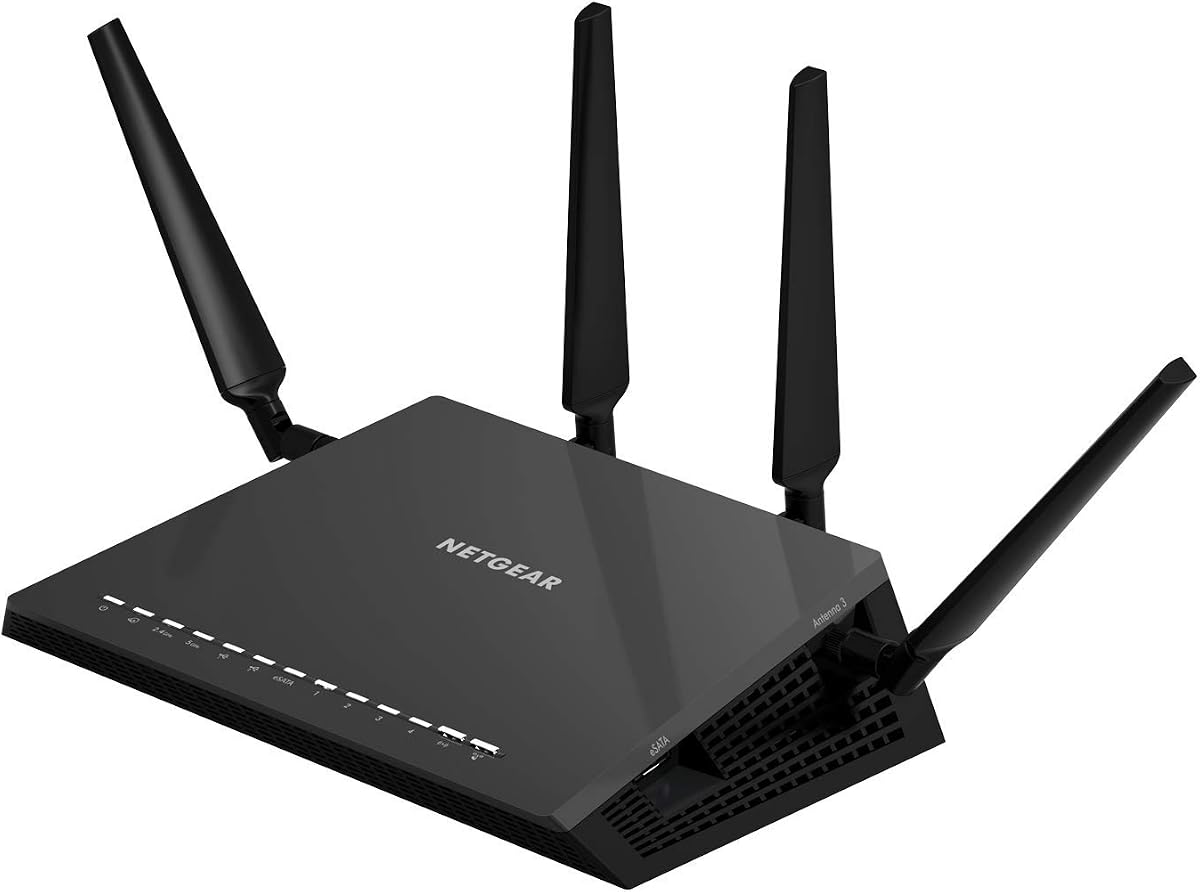
The NETGEAR Nighthawk X4S R7800 stands out as the top performer in our AC2600 roundup due to its robust hardware and extensive coverage. It earns a strong 4.4 rating from users who praise its ability to handle dense network environments without dropping speeds or connections.
We may earn a commission when you buy through this link, at no additional cost to you.
Its dual-core 1.7GHz processor and 4×4 antenna configuration deliver the bandwidth needed for 4K streaming and online gaming across dozens of connected devices. The inclusion of USB 3.0 and eSATA ports adds valuable storage sharing capabilities not common in competitors.
While its larger size requires more shelf space and the price is higher than budget options the performance stability justifies the investment. Users report consistent throughput even when many devices are actively downloading or streaming simultaneously.
Homeowners with large spaces and numerous smart devices will benefit most from this router. If you need reliable coverage up to 2500 square feet and advanced features like dynamic QoS the R7800 is the most capable choice available today.
The 1.7GHz dual-core CPU handles complex tasks like traffic prioritization and security scanning without slowing down wireless speeds.
USB 3.0 and eSATA ports allow you to connect hard drives and printers for easy file sharing across the entire network.
We may earn a commission when you buy through this link, at no additional cost to you.
The TP-Link Archer A10 offers exceptional value by delivering high-performance AC2600 speeds at a budget-friendly price point. With a 4.5 user rating it proves that affordable routers can still provide reliable connections and modern features like MU-MIMO and beamforming.
We may earn a commission when you buy through this link, at no additional cost to you.
Its combination of external and internal antennas ensures strong signal propagation throughout typical homes while the Smart Connect feature automatically assigns devices to the optimal frequency band. The built-in Open and PPTP VPN server is a rare find at this price level.
Although it lacks USB ports and has simpler parental controls compared to premium models it covers all essential needs for most households. The intuitive Tether app makes setup and management straightforward even for non-technical users.
If you need a powerful router without overspending the Archer A10 is the clear budget pick. It balances speed range and security well making it ideal for small to medium-sized homes with moderate internet demands.
Secure remote access to your home network is enabled directly through the router without requiring third-party hardware or software.
Amazon Alexa integration allows you to toggle guest networks or check status using simple voice commands for added convenience.
We may earn a commission when you buy through this link, at no additional cost to you.
The D-Link DIR-2640 distinguishes itself with smart mesh capabilities that let you expand coverage without replacing the unit entirely. Its 4.1 rating reflects solid performance for users who value future-proofing and detailed family management tools over raw speed numbers.
We may earn a commission when you buy through this link, at no additional cost to you.
A powerful dual-core processor ensures smooth traffic handling while the enhanced parental controls allow detailed profiles for each family member. This feature set is particularly useful for households managing multiple screens or needing strict content filtering.
While the mesh functionality requires buying extra nodes to reach full potential the base router performs well for single-story homes. The wired gigabit ports provide stable connections for consoles and PCs that need consistent low latency.
Families prioritizing control and expansion options will find this router compelling. Its balanced feature set makes it a strong premium choice when you need scalable network growth alongside strong parental oversight and processing power.
This router works seamlessly with other compatible D-Link units to create a unified network that covers larger or multi-level properties.
Create individual profiles for family members to control internet access times and content on a per-device or shared-device basis.
We may earn a commission when you buy through this link, at no additional cost to you.
The NETGEAR R7450 focuses on maintaining high throughput during heavy usage with its advanced QoS system. Users rate it 4.3 stars for consistent streaming and gaming performance that resists slowdowns even when multiple devices demand high bandwidth.
We may earn a commission when you buy through this link, at no additional cost to you.
A dual-core processor and three external amplifiers ensure stable signals across medium-sized homes. This hardware combination allows the router to handle simultaneous video calls and downloads without significant interference or packet loss.
Though it lacks some of the premium extras found in more expensive models like storage sharing or mesh options it excels at its core task. It is a straightforward choice for users who prioritize reliable performance over extra bells and whistles.
Households with steady entertainment needs will appreciate its stability. If smooth streaming and low latency are your top concerns the R7450 delivers dependable results without unnecessary complexity.
Advanced Quality of Service manages data flow to prevent network congestion during peak usage times.
External amplifiers boost signal strength to maintain coverage consistency across different rooms.
We may earn a commission when you buy through this link, at no additional cost to you.
The ASUS Blue Cave router offers standout security with lifetime protection from Trend Micro. While its 3.9 rating is lower than others it still provides solid 2600 Mbps speeds and unique features like Intel Wi-Fi technology that enhance performance.
We may earn a commission when you buy through this link, at no additional cost to you.
Its AiMesh compatibility allows you to add nodes for whole-home coverage using other ASUS routers. The built-in security blocks threats automatically without requiring a separate subscription which is a valuable long-term feature.
Setup can feel more complex than simpler models and some users find the app less intuitive. However the security value proposition makes it worthwhile for households that prioritize safety and future expansion options.
If security and scalability are your main concerns this router delivers strong protection. The lifetime security license alone justifies considering it despite slightly lower speed ratings compared to competitors.
Trend Micro security automatically blocks malicious sites and infected devices without extra subscription fees.
The AiMesh system lets you connect multiple ASUS routers to form a unified mesh network later.
We may earn a commission when you buy through this link, at no additional cost to you.
Although it exceeds AC2600 specifications the TP-Link AXE5400 represents the next step in home networking. Its 4.3 rating reflects strong user satisfaction with the new 6 GHz band that offers faster speeds and lower latency for modern devices.
We may earn a commission when you buy through this link, at no additional cost to you.
Tri-band technology splits traffic across three frequencies which reduces congestion and improves responsiveness. This router handles more simultaneous connections effectively than older AC-only models while maintaining strong backward compatibility.
Investing in this model makes sense if you already own or plan to buy WiFi 6E compatible devices. It offers a future-proof foundation that avoids needing an upgrade for several years as new gadgets arrive.
Tech-savvy users looking for maximum performance should choose this option. The tri-band design and 6 GHz support ensure you can keep up with evolving internet speeds and device demands.
The exclusive 6 GHz frequency provides faster speeds and less interference for the latest devices.
OFDMA and tri-band design allow many devices to transmit data simultaneously without slowing down.
We may earn a commission when you buy through this link, at no additional cost to you.
The NETGEAR RS90 delivers top-tier performance with WiFi 7 technology reaching up to 3.6 Gbps. Its 4.3 rating shows users are impressed by the reliability and speed improvements over previous generations for large household networks.
We may earn a commission when you buy through this link, at no additional cost to you.
A dedicated 2.5 Gig WAN port unlocks faster internet plans while MU-MIMO and OFDMA manage traffic efficiently. This router is built for households that require maximum throughput and advanced features without compromise.
While it may exceed the needs of typical AC2600 users the performance benefits are significant for power users. The coverage spans up to 2000 square feet ensuring strong signals even in demanding environments.
For those seeking cutting-edge speed and reliability the RS90 is unmatched. It future-proofs your network for the fastest internet plans and newest connected devices available today.
A 2.5 Gigabit WAN port connects to fiber or high-speed cable plans without limiting your connection.
MU-MIMO and OFDMA keep data streams organized to minimize latency and congestion during peak hours.
We may earn a commission when you buy through this link, at no additional cost to you.
The NETGEAR R6700AX is a compact solution designed for small homes and apartments. Its 4.2 rating highlights reliable performance for basic networking needs without demanding premium costs or complicated setups.
We may earn a commission when you buy through this link, at no additional cost to you.
WiFi 6 technology improves efficiency for connected devices while WPA3 encryption secures your data from modern threats. The app-driven setup process makes it easy to get online quickly without technical expertise.
Its 1500 square foot coverage is sufficient for one or two-bedroom units but may not reach larger spaces. Users appreciate its straightforward design and consistent connection quality for everyday tasks.
Small households or renters should consider this model for its balance of security and simplicity. It delivers reliable WiFi 6 performance at a value that fits tight budgets.
Advanced encryption standards protect your wireless traffic from unauthorized access and cyber threats.
Newer WiFi 6 protocols allow better handling of multiple devices with less congestion and latency.
We may earn a commission when you buy through this link, at no additional cost to you.
The NETGEAR XR500 is engineered specifically for gamers who demand minimal latency and stable connections. Its 4.3 rating reflects the success of features like geo-filtering and QoS that prioritize gaming traffic over background downloads.
We may earn a commission when you buy through this link, at no additional cost to you.
A 1.7GHz dual-core processor ensures network traffic is managed efficiently to prevent lag spikes. The geo-filtering tool helps connect players to servers closest to their location for faster responses.
While it may be specialized for gaming the underlying performance supports general use well. Users who want a router that focuses purely on connection quality will find this model delivers consistent results.
Gamers seeking low ping and control over traffic should prioritize this model. Its specialized features provide a competitive edge for online play and interactive streaming.
Geo-filtering connects you to nearby game servers to minimize latency and improve responsiveness.
Quality of Service tools ensure gaming packets get priority over regular browsing data for smoother sessions.
We may earn a commission when you buy through this link, at no additional cost to you.
The TP-LINK Archer C2600 provides solid performance for households with heavy traffic loads. While its 3.8 rating is modest it still offers high throughput and essential features like beamforming and parental controls at a competitive price.
We may earn a commission when you buy through this link, at no additional cost to you.
Four dual-band antennas with amplifiers focus signals on connected devices improving efficiency. The dual-core processor handles multiple streams of data well making it suitable for families with many connected devices.
Some users find the interface less modern compared to rivals but the core functionality remains robust. It is a reliable choice for those needing consistent speed and basic management tools without complexity.
Families seeking straightforward high-throughput networking should consider this model. It balances performance and features to support daily streaming and downloading tasks effectively.
Beamforming directs wireless signals toward specific devices to improve connection quality and range.
Four-stream MU-MIMO ensures multiple users can use the network simultaneously without significant speed drops.
We may earn a commission when you buy through this link, at no additional cost to you.
Selecting the right AC2600 router involves balancing speed range and features against your home size and usage patterns. Consider the following factors to ensure your new network hardware meets your current and future needs.
AC2600 routers typically cover between 1500 and 2500 square feet depending on antenna design and power. For single-story homes a standard model often suffices while multi-level homes may need mesh capabilities or signal boosters.
Choose a unit that matches your square footage to avoid dead zones and ensure consistent connections throughout.
Dual-core processors ranging from 1.4GHz to 1.7GHz determine how well a router handles multiple connections and security tasks. More powerful CPUs reduce lag during streaming and gaming when several devices are active.
Look for routers with at least a 1.7GHz dual-core chip if you plan to run many smart devices simultaneously.
MU-MIMO technology allows simultaneous data transmission to multiple devices rather than sequential handling. This prevents slowdowns when multiple users stream video or download files at the same time.
Ensure your chosen model supports MU-MIMO to maximize throughput and reduce latency in busy households.
Beamforming focuses the wireless signal toward connected devices instead of broadcasting equally in all directions. This improves signal strength and reliability especially for devices located far from the router.
Prioritize routers with beamforming if your home layout requires signals to pass through walls or long distances.
Modern routers should include WPA3 encryption built-in firewalls and optional parental controls. Some models also offer free lifetime security suites that scan for malware and protect IoT devices from threats.
Select a router with strong native security tools to reduce the need for separate subscription services.
Most AC2600 routers include four Gigabit Ethernet ports for wired connections to consoles PCs and smart TVs. Wired links offer lower latency and stable speeds compared to wireless connections for critical devices.
Confirm the router has enough ports for your wired devices to avoid needing external switches or adapters.
User-friendly mobile apps simplify initial configuration and ongoing management of networks. Features like remote access and easy guest network setup make daily usage more convenient for non-experts.
Choose a brand with well-reviewed apps if you prefer controlling your network from a smartphone rather than a web dashboard.
Some models support mesh expansion or WiFi 6 compatibility which lets you upgrade incrementally without replacing the main router. This is valuable for growing homes or increasing internet plan speeds.
Consider routers with mesh or WiFi 6 capabilities to extend the lifespan of your network investment.
Place your router in a central elevated location away from thick walls and large metal objects to maximize signal strength. Avoid placing it directly on the floor or inside enclosed cabinets where heat can build up.
Regularly update the router's firmware through the official app or web interface to patch vulnerabilities and improve performance. Most models check for updates automatically but you can also trigger manual scans for new versions.
Restart your router every few weeks to clear memory and refresh connections to your ISP. This simple maintenance step often resolves minor connectivity issues without requiring a full factory reset.
An AC2600 WiFi router provides up to 2600 Mbps combined wireless speeds across its 2.4 GHz and 5 GHz bands. This specification ensures sufficient bandwidth for high-definition streaming gaming and smart home devices.
Yes AC2600 routers offer significantly higher maximum speeds and more antennas than AC1200 models. They handle more simultaneous devices and provide better range making them ideal for modern busy households.
Most AC2600 routers are standalone units that require a separate modem to connect to your internet service. Always check your ISP requirements since some gateways already include modem functionality.
MU-MIMO stands for Multi-User Multiple Input Multiple Output allowing the router to send data to multiple devices at once. This reduces congestion and improves performance when many devices are active.
Yes AC2600 routers are well-suited for gaming due to their speed and low latency. Look for models with Quality of Service tools to prioritize gaming traffic for smoother online experiences.
Most modern routers include parental control features accessible via their mobile app or web dashboard. You can create profiles and schedule internet access times for specific devices in your household.
The NETGEAR Nighthawk X4S R7800 TP-Link Archer A10 and D-Link DIR-2640 stand out as the top choices for performance value and premium features respectively. Each model brings unique strengths to different household sizes and budgets.
Prioritize coverage area processor speed and MU-MIMO support when making your decision to ensure your router meets your daily demands. These factors directly impact how smoothly your connected devices perform during peak hours.
Always verify current pricing and availability before purchasing since deals change frequently. Check the latest specifications to confirm compatibility with your existing devices and internet service plan.