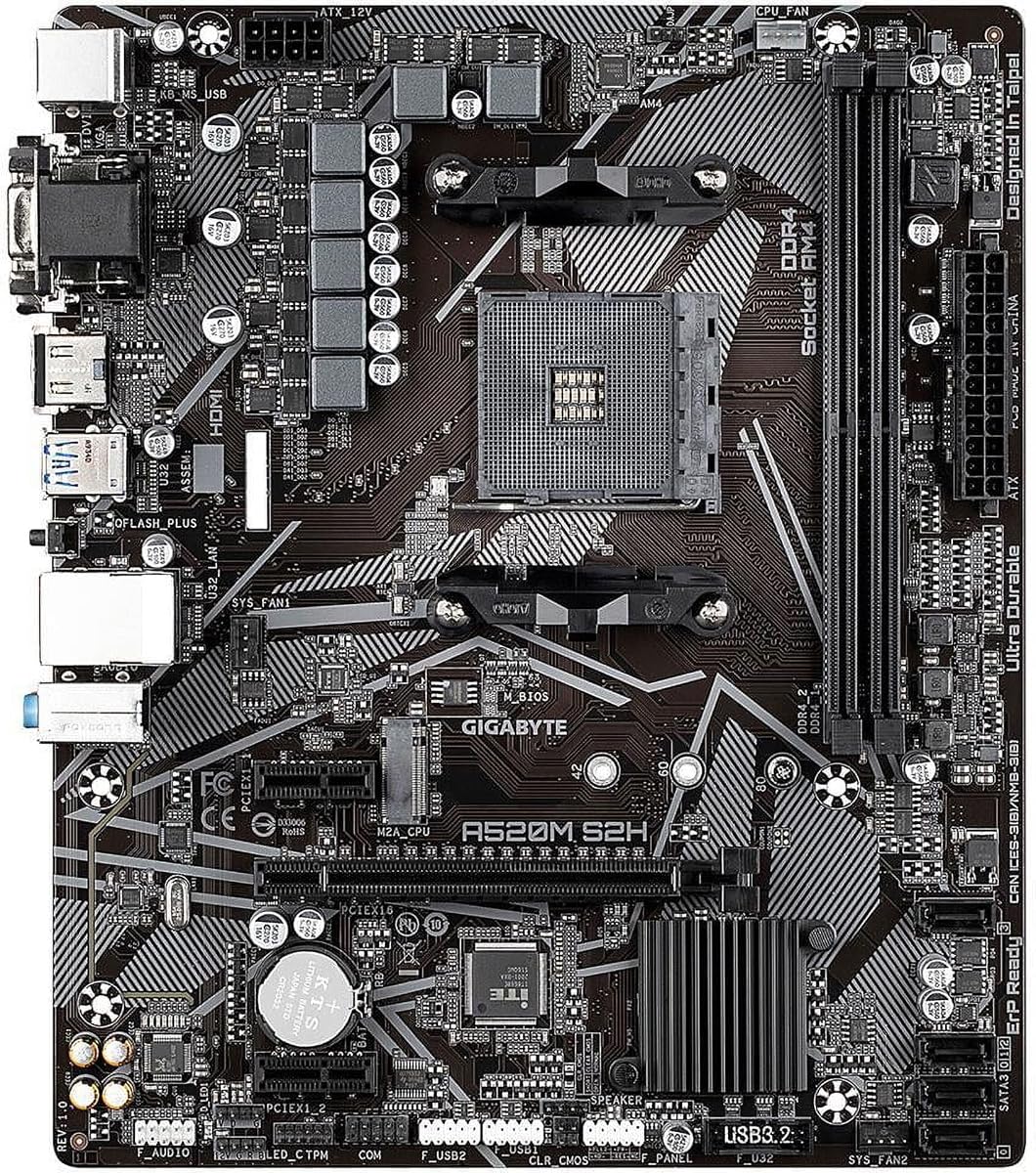
Gigabyte A520M S2H
4.5Editor score
Affordable AM4 socket support
PCIe 3.0 M.2 slot
Q-Flash Plus BIOS update
This guide compares the best Amd B350 Motherboards for Ryzen builds, covering features, performance, and connectivity to help you choose the right board.
Finding the right motherboard is crucial for any AMD Ryzen build. The B350 chipset offers a solid balance of performance and affordability for early Ryzen users seeking value.
We evaluated ten top models based on VRM quality, connectivity options, and user feedback. This list includes trusted brands like MSI, ASUS, and Gigabyte for reliable picks.
Each pick highlights key strengths and potential drawbacks to simplify your decision. Prices and availability change frequently, so verify current details before purchasing your next board.
4.5Editor score

4.4Editor score
4.5Editor score
This side-by-side comparison highlights the key differences across all ten models. Look at VRM phases, connectivity ports, and form factor to find the best fit for your case.
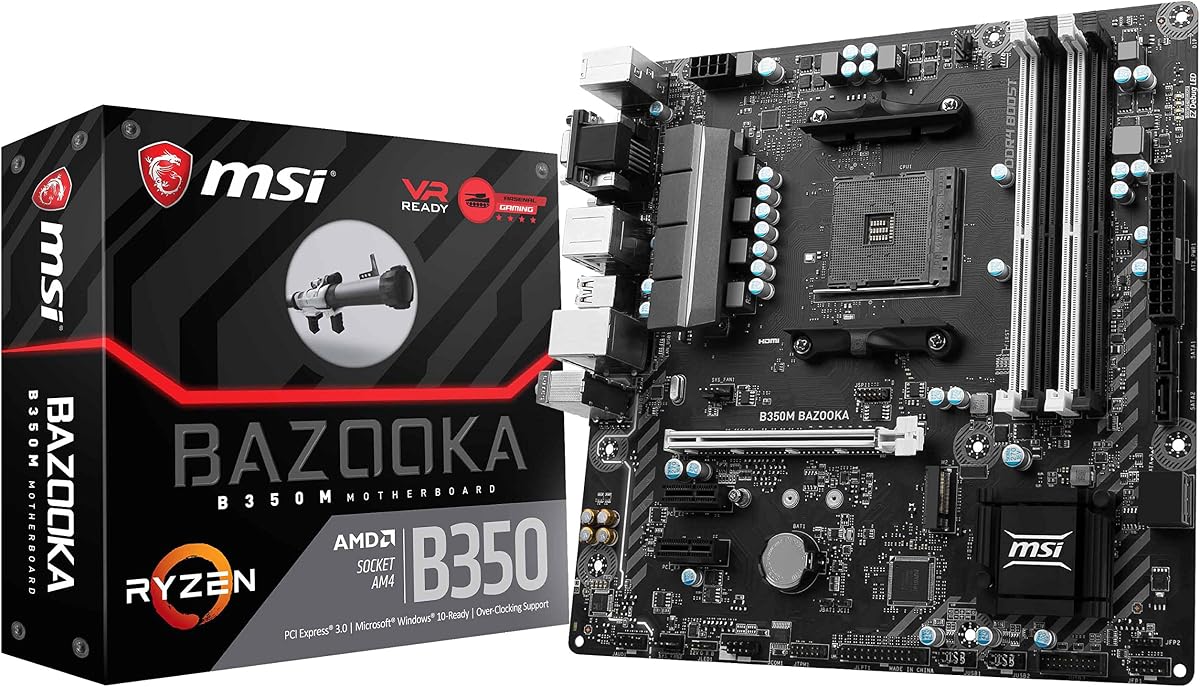



The MSI Gaming B350 is a compact Micro-ATX board designed for budget Ryzen builds. It scores a solid 3.9 rating from users who appreciate its straightforward features and reliable compatibility with AMD processors.
We may earn a commission when you buy through this link, at no additional cost to you.
It supports DDR4-3200+(OC) memory and includes handy tools like Game Boost and X-Boost for tuning performance. The EZ Debug LED simplifies troubleshooting by lighting up to indicate specific hardware issues during boot.
While it lacks advanced RGB lighting, the studio-grade sound quality offers a decent audio experience for gaming. The HDMI and USB 3 ports provide essential connectivity for monitors and peripherals.
This board is ideal for gamers seeking a no-frills platform for their first Ryzen system. Its balance of affordability and core features makes it a strong contender in the entry-level market.
The EZ Debug LED lights up to show CPU, DRAM, VGA, or BOOT status, making it easy to identify issues quickly.
In-Game Weapons like Game Boost allow users to enhance CPU performance with a single click in the BIOS or via hotkeys.
We may earn a commission when you buy through this link, at no additional cost to you.
The ASUS Prime B350-Plus is a robust ATX motherboard known for its reliability and protection features. With a 4.4 rating, it stands out for its 5X Protection III hardware safeguards that extend component longevity.
We may earn a commission when you buy through this link, at no additional cost to you.
It features a specially designed fan RGB header to support multi-color CPU fan LED strips. The SafeSlot Core fortified PCIe slot prevents damage caused by heavyweight GPUs, ensuring secure installation.
FanXpert 2+ delivers advanced fan controls for optimized cooling efficiency. Supports CPU up to 8 cores, making it versatile for various Ryzen configurations without overheating concerns.
This motherboard is a great choice for builders prioritizing stability and protection. Its ATX size offers ample expansion options, and the comprehensive fan control helps maintain system temperatures.
Hardware-level safeguards like ESD Guards and Overvoltage Protection provide defense against unexpected electrical spikes and environmental factors.
The SafeSlot Core uses one-piece construction and additional retention brackets to ensure PCIe slots stay secure under heavy loads.
We may earn a commission when you buy through this link, at no additional cost to you.
The ASUS B450M-A/CSM is designed with stability in mind, offering complimentary Advance Replacement and a long lifecycle for business users. Its 4.6 rating reflects high satisfaction with its performance and features.
We may earn a commission when you buy through this link, at no additional cost to you.
Powered by 2nd generation AMD Ryzen AM4 processors, it maximizes connectivity with NVMe M.2 and USB 3.1 Gen2. The Aura Sync RGB header allows for synchronized lighting effects across compatible products.
It includes a COM header and PS2 ports for legacy needs, which is rare in modern boards. The Patent-pending Safe Slot Core prevents damage caused by heavyweight GPUs during operation.
This board is suitable for both enterprise and home users needing reliability. Its combination of modern speed and legacy support makes it a flexible choice for specialized environments.
The CSM program ensures consistent product supply and quality over a long lifecycle, reducing compatibility issues for large deployments.
The nearly endless spectrum of colors allows users to customize the look of their build with synchronization across devices.
We may earn a commission when you buy through this link, at no additional cost to you.
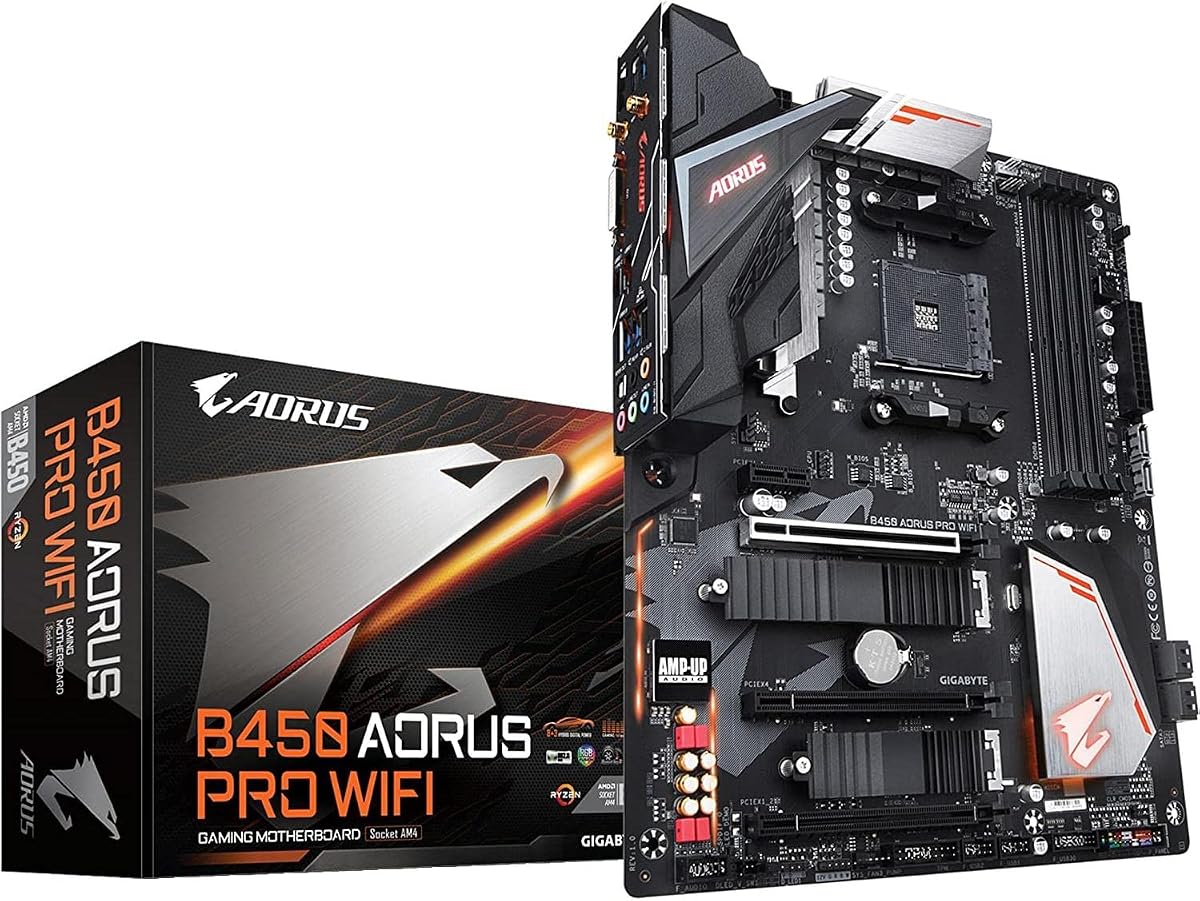
The GIGABYTE B450 AORUS PRO Wi-Fi stands out with its integrated dual band 802.11AC Wi-Fi and advanced audio capabilities. Users rate it 4.5 stars for its robust feature set and build quality.
We may earn a commission when you buy through this link, at no additional cost to you.
It supports dual PCIe Gen3 M.2 NVMe with dual thermal guards to prevent throttling during high-speed data transfers. The Alc1220 vb enhanced audio with WIMA capacitors delivers studio-quality sound for immersive gaming.
RGB Fusion with digital LED and RGB LED headers lets you customize lighting to match your setup. Smart fan 5 with fan stop ensures quiet operation when temperatures are low.
This motherboard is perfect for enthusiasts who want premium connectivity without extra cards. The combination of Wi-Fi, fast storage options, and great audio makes it a top-tier pick.
M.2 Thermal Guard protects your M.2 SSDs from overheating by using a metal heatsink directly on the storage slots.
Smart Fan 5 allows precise control of fan speeds and allows for fan stop functionality when the system is idle.
We may earn a commission when you buy through this link, at no additional cost to you.
The ASUS ROG Strix B550-F Gaming WiFi II offers cutting-edge connectivity like WiFi 6E and PCIe 4.0 for future-proofing. It holds a strong 4.6 rating from users demanding high performance.
We may earn a commission when you buy through this link, at no additional cost to you.
The robust power solution includes 12+2 teamed power stages with ProCool power connectors to handle high-end Ryzen processors efficiently. Smooth networking is ensured by Intel 2.5 Gb Ethernet.
You get dual M.2 slots and USB 3.2 Gen 2 Type-C for fast storage and data transfer. The intuitive UEFI BIOS dashboard makes overclocking and tuning accessible even to beginners.
This board is a premium choice for gamers building a high-end rig. Its features like BIOS Flashback allow updates without a CPU installed, adding convenience during builds.
On-board WiFi 6E provides the latest wireless standard with faster speeds and lower latency for lag-free gaming.
The BIOS Flashback button allows you to update the firmware using a USB drive without needing a CPU or memory installed.
We may earn a commission when you buy through this link, at no additional cost to you.
The GIGABYTE B550M K offers incredible value with its affordable price and support for Ryzen 5000 series processors. It earns a 4.4 rating for delivering reliable performance without a high cost.
We may earn a commission when you buy through this link, at no additional cost to you.
Enhanced power solution features digital 3+3 VRM design and premium chokes for steady power delivery. Advanced Thermal Armor with chipset heatsinks ensures better heat dissipation under load.
It includes an Ultra Durable PCIe 4.0 x16 slot and M.2 slots for fast storage expansion. Extreme Memory Profile support allows for optimized memory speeds to boost system performance.
This board is ideal for budget-conscious builders who still want modern features. Its compact Micro-ATX size fits small cases while keeping essential connectivity for a solid PC.
Chipset heatsinks help keep the motherboard cool during heavy gaming sessions by dissipating heat efficiently.
Q-Flash lets you update the BIOS using a USB drive without installing your CPU or RAM first for convenience.
We may earn a commission when you buy through this link, at no additional cost to you.
The GIGABYTE B550 Gaming X V2 combines solid build quality with modern connectivity options like a front USB-C port. Its 4.5 rating highlights its balance of price and features.
We may earn a commission when you buy through this link, at no additional cost to you.
Enhanced power solution with Digital Twin 10+3 Power Phase ensures steady power delivery for high-performance CPUs. The Advanced VRM heatsink and integrated I/O shield simplify assembly and cooling.
It features 1x Ultra Durable PCIe 4.0 x16 and two M.2 slots for fast storage. Q-Flash Plus allows effortless BIOS upgrades without installing your CPU, RAM, or GPU.
This motherboard is perfect for users building a mid-range gaming PC. The included RGB headers and fan controls help create a stylish and functional build within a standard ATX case.
Q-Flash Plus lets you flash the BIOS without needing any CPU, RAM, or GPU installed using a simple button on the rear.
The front panel USB 3.2 Gen 1 Type-C port provides convenient fast connectivity for modern devices.
We may earn a commission when you buy through this link, at no additional cost to you.
The MSI B550M PRO-VDH WiFi ProSeries is a feature-packed board with integrated Wi-Fi and Bluetooth for wireless convenience. It receives a 4.5 rating for its reliability and comprehensive toolset.
We may earn a commission when you buy through this link, at no additional cost to you.
It supports dual channel DDR4 memory up to 128 GB and features Core Boost technology for precise current delivery to the CPU. The Flash BIOS Button lets users update without a CPU or memory.
Audio Boost rewards your ears with studio grade sound quality for immersive gaming experiences. The Premium Thermal Solution uses a rated heatsink pad and thickened copper for better heat transfer.
This board is a great option for users wanting built-in wireless features. Its support for future AMD Ryzen processors with a BIOS update adds long-term value to your investment.
The M.2 Shield Frozr reduces heat output on M.2 SSDs by dissipating heat into the air around the slot.
The Flash BIOS Button allows you to update the BIOS using only a USB stick without other components installed.
We may earn a commission when you buy through this link, at no additional cost to you.
The MSI PRO B550M-P is an affordable Micro-ATX board with support for Ryzen 5000 series processors. It achieves a 4.3 rating for its reliable performance and essential features.
We may earn a commission when you buy through this link, at no additional cost to you.
DDR4 Memory Boost enables extreme memory overclocking speeds up to 4400+ MT/s for better system responsiveness. Frozr AI cooling automatically adjusts system fan settings based on CPU and GPU temperatures.
You get double M.2 connectors with Gen4 and Gen3 slots for fast storage. Steel Armor on the PCIe 4.0 x16 slot supports cutting-edge graphics cards effectively.
This board is ideal for budget builders needing essential connectivity. Its balance of performance and price makes it a practical choice for entry-level gaming or workstations.
DDR4 Memory Boost optimizes memory signal integrity and allows for higher overclocking speeds out of the box.
Frozr AI Cooling uses system temperatures to automatically adjust fan speeds for optimal balance between noise and airflow.
We may earn a commission when you buy through this link, at no additional cost to you.
The Gigabyte A520M S2H is a budget-friendly Micro-ATX board with essential features for basic Ryzen builds. Users appreciate its straightforward design with a 4.5 rating.
We may earn a commission when you buy through this link, at no additional cost to you.
It supports 3rd Gen AMD Ryzen Processors and includes 4+3 Phases Digital PWM for stable power delivery. The Q-Flash Plus feature makes BIOS updates easy without needing other components.
Three display interfaces including D-Sub, DVI, and HDMI give you flexible options for monitors. RGB Fusion 2.0 lets you sync lighting across compatible devices for a unified look.
This board is perfect for users building a simple office or home PC. Its low cost and reliable performance make it an excellent starting point for anyone new to PC building.
Multiple display outputs allow you to use different monitor types without needing a dedicated graphics card.
Q-Flash Plus lets you flash the BIOS using only a USB drive and a button press on the back panel.
We may earn a commission when you buy through this link, at no additional cost to you.
Choosing the right motherboard involves understanding several key factors that affect performance and compatibility. This section details what to look for.
The Voltage Regulator Module (VRM) supplies power to the CPU. Boards with more phases and better components offer stable performance during heavy tasks.
Look for models with robust heatsinks to keep the VRM cool during overclocking sessions.
Ensure the motherboard supports the specific CPU generation you plan to use. AM4 sockets are common but may require BIOS updates for newer processors.
Check the manufacturer's CPU support list to confirm compatibility before buying.
PCIe slots determine how many cards you can add. Ensure there are enough x16 slots for GPUs and x1 slots for expansion cards.
Modern boards should support PCIe 3.0 or 4.0 depending on your GPU needs.
RAM speed and capacity affect overall system responsiveness. Check the maximum supported memory size and frequency.
Boards with four DIMM slots allow for future upgrades to higher total capacity.
USB ports and headers matter for peripherals. Look for USB 3.1 or 3.2 Gen 2 for faster data transfer speeds.
Onboard Wi-Fi can save you from needing a separate adapter for wireless internet.
The board size must match your case. ATX boards offer more features while Micro-ATX fits smaller cases.
Measure your case dimensions before purchasing to avoid physical fitting issues.
Integrated audio codecs vary in quality. Higher-end boards often include better DACs and amplifiers for immersive sound.
If you use external speakers or headphones, studio-grade audio enhances your experience.
Proper heatsinks on the chipset and VRM help maintain low temperatures during long gaming sessions.
Boards with good airflow designs prevent throttling and extend hardware lifespan.
Install the motherboard in your case carefully, using standoff screws to prevent shorts. Ensure all cables are connected to the correct headers.
Update the BIOS immediately after building to support your CPU and fix any known bugs. This step ensures stable performance.
Keep the inside of your PC dust-free to maintain good airflow. Regular cleaning of fans and heatsinks prevents overheating issues.
Most B350 boards can support Ryzen 5000 series processors but usually require a BIOS update. Check the manufacturer's support list first.
B350 boards support M.2 slots, but speeds are limited to PCIe 2.0 or 3.0 depending on the specific model and CPU.
Yes, B350 boards allow CPU overclocking for Ryzen chips, making them a popular choice for budget gaming builds.
Most B350 boards support DDR4 RAM up to 3200 MHz or slightly higher with overclocking depending on the model.
Yes, B350 boards work with Ryzen 7 CPUs provided the BIOS is updated to the version that supports those specific processors.
Many B350 boards do not include Wi-Fi as standard. Look for specific models that list it or add a separate card.
The ASUS Prime B350-Plus and Gigabyte B550M K stand out for their balance of durability and affordability. These options offer reliable performance for most users.
Prioritize VRM quality and connectivity if you plan to upgrade in the future. Choosing a board with good features now saves money later.
Prices and stock fluctuate often so check the latest deals before buying. Always verify BIOS support for your exact CPU model.