
HP 14 inch Laptop
4.5Editor score
Affordable price point
Anti glare coating
Lightweight portable design
Finding a laptop with an anti glare screen is essential for anyone who spends long hours working under bright lights or near windows. These displays reduce harsh reflections and eye strain, making them ideal for students, professionals, and casual users who prioritize visual comfort during extended sessions.
We evaluated ten popular models based on display quality, performance, battery life, and overall value. Each product was carefully selected to offer a range of options from budget friendly picks to more powerful machines, ensuring there is something for every type of user looking for a glare free experience.
Each pick below highlights key features, pros, cons, and specific use cases to help you make an informed decision. Remember that availability and pricing can change frequently, so always verify the latest details before purchasing to ensure you get the best deal available right now.
4.5Editor score
4.1Editor score

4.4Editor score
As an Amazon Associate we earn from qualifying purchases.
This side-by-side comparison highlights the core specifications and unique selling points of each laptop on our list. Use this overview to quickly identify which model fits your specific needs for screen clarity, performance power, and portability.




This Dell 15.6 Laptop offers a balanced mix of performance and comfort, earning a solid 4.3 rating from users. Its standout quality lies in the Dell ComfortView software which reduces harmful blue light emissions to keep eyes comfortable over extended viewing times.
We may earn a commission when you buy through this link, at no additional cost to you.
The laptop is designed for easy learning with energy efficient batteries and Express Charge support that extend your focus and productivity throughout the day. You can type with ease thanks to roomy keypads and a separate numeric keypad which is great for data entry tasks.
While the storage might feel limited compared to higher end models, the ergonomic support with lifted hinges ensures your wrists stay comfortable during long typing sessions. This trade-off is acceptable for users who prioritize portability and eye comfort over massive file libraries.
If you are looking for a reliable everyday computing machine that supports your to do list without breaking the bank, this is an excellent choice. The 1 Year Onsite Service adds peace of mind ensuring support is available when you need it most.
The Dell ComfortView software is a key benefit for those who stare at screens all day, as it actively reduces blue light to minimize eye strain and fatigue.
Lifted hinges provide an ergonomic typing angle that keeps your wrists comfortable, making long work sessions much more sustainable than flat bottomed laptops.
We may earn a commission when you buy through this link, at no additional cost to you.
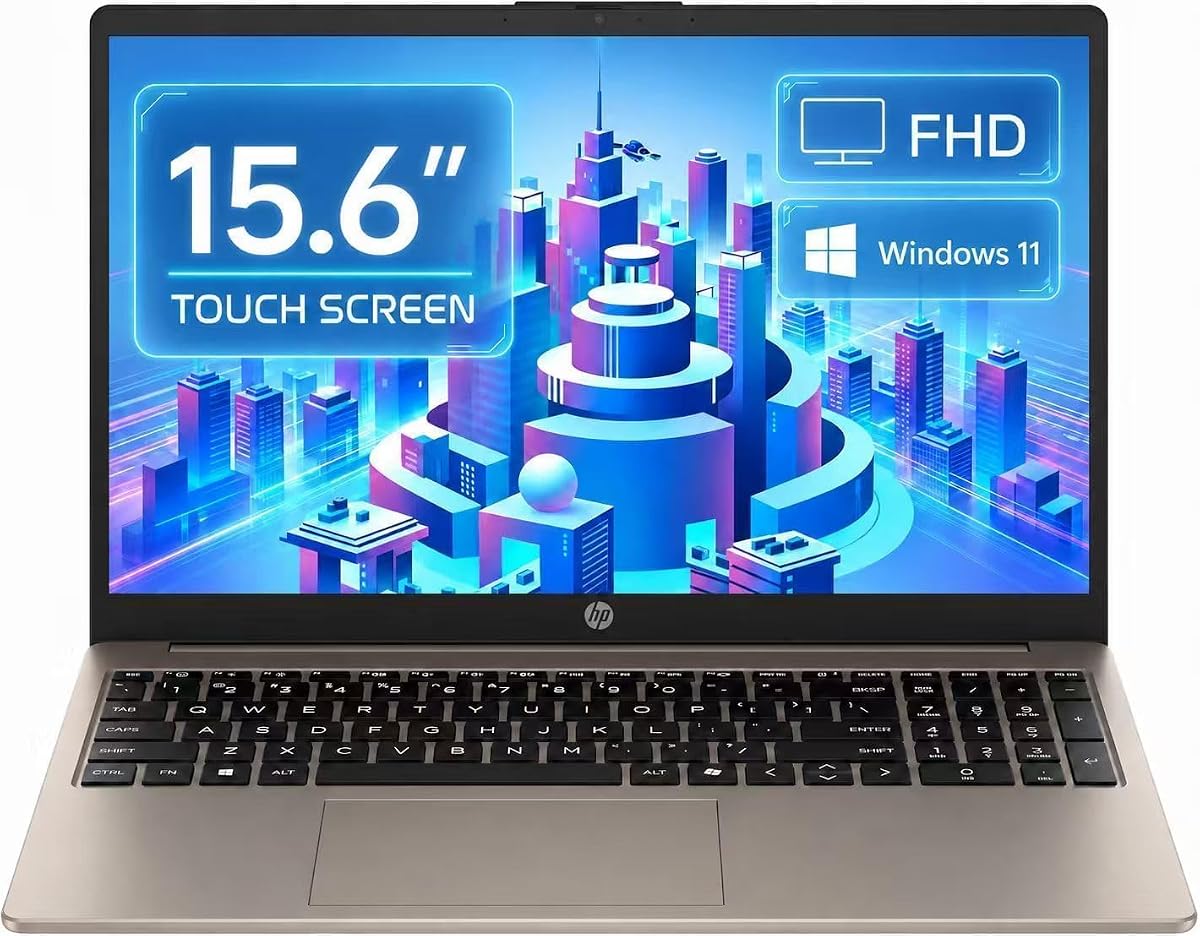
The HP Pavilion 15.6 Inch stands out with its premium features including a full HD IPS touchscreen anti glare display that makes navigation intuitive and clear. Users rate it highly for its ability to handle multitasking without lag thanks to 16GB RAM and a spacious 1TB SSD.
We may earn a commission when you buy through this link, at no additional cost to you.
Its fast and responsive performance is driven by an Intel processor reaching speeds up to 3.8 gigahertz ensuring smooth video streaming and office work. The all day battery life provides up to 11 hours on a single charge which is impressive for a machine with this much power.
The touchscreen feature adds versatility for interacting with apps directly but it does increase the weight slightly which some users might find less portable. However the privacy camera shutter is a significant benefit for security conscious individuals who value their privacy during video calls.
For those seeking a high end experience with plenty of storage and memory, this model delivers exceptional value. The modern connectivity including Wi-Fi 6 and Bluetooth 5.3 ensures reliable streaming and file transfers wherever you go.
The capacitive touchscreen allows you to navigate documents and zoom into photos directly on the screen which simplifies many everyday tasks significantly.
A built in privacy shutter on the HD camera protects your video calls from unwanted viewing giving you control over when your camera is active.
We may earn a commission when you buy through this link, at no additional cost to you.
As one of the most affordable options on this list, the HP 14 inch Laptop offers excellent value with a powerful Intel N150 CPU and anti glare coating. It holds a strong 4.5 rating making it a favorite for students and home users who need basic computing capabilities.
We may earn a commission when you buy through this link, at no additional cost to you.
The display is a clear and vibrant 14 inch non-touch option with 250 nits brightness designed specifically for reducing eye strain during work and entertainment. Its slim 0.71 inch profile and lightweight 3.24 lb chassis make it incredibly easy to carry between home, office, and school.
While 4GB RAM might limit heavy multitasking, the 1TB cloud storage included with Microsoft 365 helps offset the limited local SSD storage for those who work mostly in the cloud. This setup is acceptable for typical browsing and document editing tasks.
If you need a portable machine that keeps your eyes comfortable without a high price tag this is a fantastic option. The inclusion of One Year Microsoft 365 ensures you have the tools you need to get started immediately.
Weighing just 3.24 lbs and measuring only 0.71 inches thin this laptop slips easily into backpacks for true on the go productivity anywhere.
With 1TB cloud storage included you can access your files from anywhere which helps manage the small local storage drive on this budget device.
We may earn a commission when you buy through this link, at no additional cost to you.
This HP 15.6 inch laptop is built for everyday reliability with an AMD Ryzen 5 processor and a bright 300 nits display that cuts through glare easily. It offers a solid foundation for multitasking and entertainment with AMD Radeon graphics and a responsive touchscreen interface.
We may earn a commission when you buy through this link, at no additional cost to you.
The advanced AI noise reduction feature is a standout benefit for remote workers who need to be heard clearly during conference calls. It tracks your voice while filtering out background noise ensuring distinctively focused communications without the need for external microphones.
The 256GB SSD is sufficient for essential apps and files but might feel small if you store a lot of local media. However the recycled materials in the design show a commitment to sustainability which many modern consumers appreciate in their tech choices.
If you need a laptop that facilitates smooth collaboration with its AI features and bright screen this is a strong contender. The included laptop cooler helps maintain performance during heavy use extending the life of the device significantly.
Advanced Personal Mode tracks your voice during calls and automatically filters out noise and other speakers for crystal clear communication.
The use of recycled materials in the chassis reduces environmental impact without compromising on durability or daily reliability for users.
We may earn a commission when you buy through this link, at no additional cost to you.
The HP Laptop Computer 15.6 delivers advanced real-world computing with a 13th Gen Intel Core i7 processor and 16GB RAM for ultra efficient multitasking. It is rated highly by users who need to run multiple applications and browser tabs all at once without slowdowns.
We may earn a commission when you buy through this link, at no additional cost to you.
HP Fast Charge is a critical feature allowing you to go from 0 to 50 percent charge in approximately 45 minutes saving valuable time when you are in a rush. The Full HD display with 2 million pixels offers crisp visuals that make both work and entertainment enjoyable on the screen.
While the price point is higher than some rivals the performance gains justify the investment for power users who need consistent speed. The Intel Iris Xe graphics provide a new level of visual performance suitable for creating and gaming without needing a dedicated card.
If you prioritize processing power and quick charging times above all else this model meets those needs perfectly. The Windows 11 Home interface allows you to think express and create in a natural way that matches this hardware capability.
Go from 0 to 50 percent charge in about 45 minutes so you are never left waiting hours to get back to work during the day.
Intel Iris Xe graphics provide impressive performance for creating and gaming with crisp visuals that enhance your overall viewing experience greatly.
We may earn a commission when you buy through this link, at no additional cost to you.
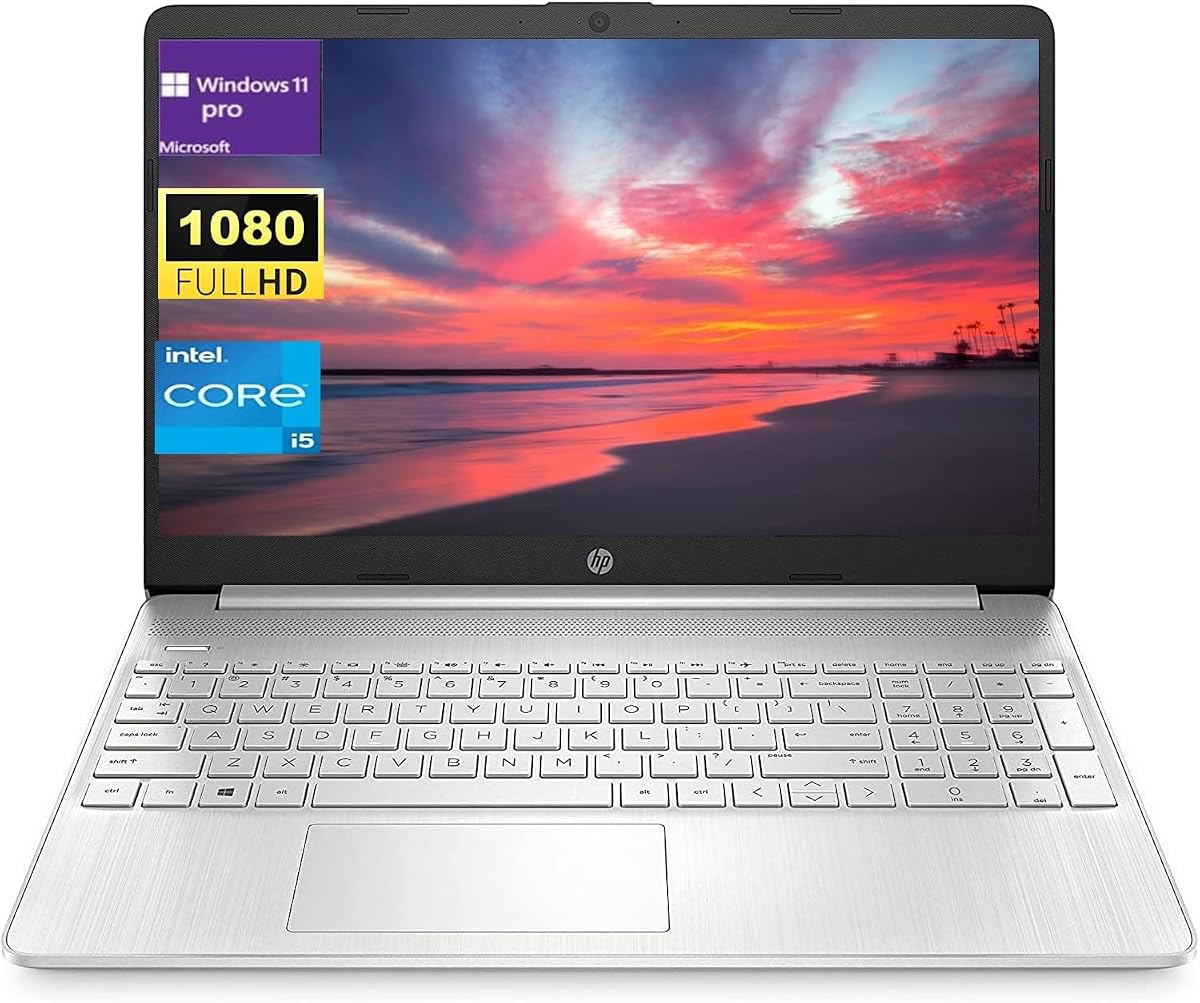
This HP 15.6 FHD Anti-glare Laptop is designed for professionals needing the advanced features of Windows 11 Pro and reliable business connectivity. It features an Intel Core i5 processor and 512GB SSD storage ensuring faster bootups and data transfer for a seamless user experience.
We may earn a commission when you buy through this link, at no additional cost to you.
The inclusion of an SD card reader is a major benefit for photographers or anyone who needs to transfer files directly from memory cards without dongles. The 250 nits brightness ensures clear viewing in standard indoor environments making it suitable for office desks and home setups.
While the i5 processor is from the 11th generation it still provides sufficient power for typical business tasks and media consumption. The battery life of up to 10 hours and 45 minutes ensures you can get through a workday without needing to hunt for an outlet constantly.
For users who specifically need the Windows 11 Pro features and hardware ports like SD readers this is a solid reliable option. The Natural Silver finish offers a clean professional look that fits well in any office environment.
Windows 11 Pro provides enhanced security and business tools that are essential for professional environments and organizational management needs.
The built in SD card reader allows you to quickly transfer photos and videos from your camera directly into your laptop for easy editing.
We may earn a commission when you buy through this link, at no additional cost to you.
The Dell Latitude 5420 is a rugged business laptop that has been renewed to offer a reliable and affordable option for professional tasks. It features a comfortable 14 inch FHD anti glare touch display that reduces light reflections and adds extra usability for daily office interactions.
We may earn a commission when you buy through this link, at no additional cost to you.
Equipped with a mature 11th Generation Intel Quad-Core i5 processor and 16GB DDR4 memory it maintains fluent operation all day long even with multiple apps running. The reliable solid state drive offers swift storage performance delivering a far smoother user experience than conventional hard drives.
While this is a renewed unit which means it may show minor cosmetic wear the internal components are inspected to ensure dependability. The Thunderbolt 4 ports provide high speed connectivity options for external displays and docking stations that are common in business settings.
If you need a durable machine with plenty of RAM and a professional look at a lower price point this is a great choice. The Windows 11 Pro setup ensures you have access to enterprise level security and management tools from the start.
Designed for business use the chassis is built to withstand daily wear and tear ensuring consistent performance in demanding office environments.
Thunderbolt 4 ports offer fast data transfer speeds and support for multiple external displays which is crucial for productivity in modern offices.
We may earn a commission when you buy through this link, at no additional cost to you.
This Lenovo Business 15.6 FHD Laptop handles web browsing and document editing with ease thanks to its unique storage setup of 128GB SSD plus 500GB HDD. It has a strong 4.6 rating from users who need reliable performance for daily computing without breaking the bank.
We may earn a commission when you buy through this link, at no additional cost to you.
The anti glare coating on the display reduces eye strain in bright environments making it perfect for long work sessions online classes or movie marathons. The MIL-STD-810H military grade tested design ensures reliability in challenging conditions giving you peace of mind when traveling or working outdoors.
The HDD adds bulk and slower access times compared to pure SSD systems but it offers massive storage capacity for large media libraries and files. This trade-off is acceptable for users who prioritize having enough space over raw speed for large file transfers.
If you need a sturdy laptop with lots of storage space for media and documents this model delivers exactly what you need. The 65W fast charging keeps you powered throughout the day so you never miss important work deadlines or meetings.
With 128GB SSD and 500GB HDD you get both speed for apps and massive space for photos and videos on a single affordable device.
The military grade tested construction ensures the laptop withstands drops and vibrations making it reliable for tough conditions and regular travel.
We may earn a commission when you buy through this link, at no additional cost to you.
The HP 17.3 FHD IPS LED Anti-Glare Laptop provides a large screen experience that is ideal for those who want maximum visual real estate for productivity. With a powerful AMD Ryzen 5 6-core CPU and 16GB RAM it handles multitasking and entertainment with smooth responsive performance.
We may earn a commission when you buy through this link, at no additional cost to you.
The 300 nits brightness and wide viewing angles ensure that visuals remain vibrant and clear even in brightly lit rooms where glare might be an issue. The AMD FreeSync Technology syncs the display and refresh rate so you get fluid artifact-free visual performance at virtually any framerate for media.
While the 17.3 inch size makes it less portable than smaller laptops it offers a desktop-like experience that is perfect for home office setups. The webcam shutter allows you to protect your privacy when not in use providing an extra layer of security for video calls.
If you need a powerful machine for home use that offers a large screen for splitting windows or watching movies this is a top pick. The inclusion of the Microsoft Copilot Key offers AI-powered assistance to streamline tasks and enhance overall efficiency right from the keyboard.
The 17.3 inch display gives you plenty of space to have multiple windows open side by side which boosts productivity during work.
AMD FreeSync Technology syncs the display refresh rate to provide fluid artifact-free visual performance for media and entertainment.
We may earn a commission when you buy through this link, at no additional cost to you.
This HP 17 Inch FHD Laptop 2026 Edition is designed for students and office workers who need a large screen for study and projects. It features a hexa-core AMD Ryzen 5 processor and 16GB RAM which beats some Intel models in everyday performance multitasking and efficiency.
We may earn a commission when you buy through this link, at no additional cost to you.
The immersive 17.3 inch Full HD display with anti-glare screen provides sharp visuals with wide viewing angles and flicker-free technology for long reading sessions. Configured with a blazing-fast 512GB PCIe NVMe SSD it ensures rapid boot-ups and instant application launches for a smooth workflow.
The lift-hinge ergonomic design helps keep your screen at an angle that reduces strain and improves typing posture which is beneficial for long study hours. While it may be heavy to carry daily the long battery life means it can last through multiple classes or meetings on a single charge.
If you need a home or office setup with a large screen for reference materials this is an excellent option. The modern connectivity including USB-C and Wi-Fi 6 ensures you can stay connected to fast wireless networks and transfer files quickly.
The lift-hinge ergonomic design improves typing posture and reduces strain which is beneficial during long study or work hours.
Long battery life allows you to last through multiple classes or meetings on a single charge without hunting for outlets.
We may earn a commission when you buy through this link, at no additional cost to you.
When choosing a laptop with an anti glare screen, several factors play a crucial role in determining the best fit for your needs. This guide breaks down the key elements to consider before making a purchase to ensure you get the value and performance you expect.
The size of your screen directly impacts your productivity and comfort. Larger screens like 17 inches offer more workspace but add weight, while 13 to 15 inch models are more portable. Ensure the resolution is at least Full HD (1920 x 1080) for sharp text and clear visuals that make the anti glare coating effective.
Look for at least Full HD resolution on the size that fits your workflow to balance portability with screen real estate for daily tasks.
Anti glare coatings reduce reflections from overhead lights or windows which helps prevent eye strain during long sessions. Matte finishes are common in business laptops but some touchscreens use special coatings that maintain responsiveness while reducing glare. Check the nits brightness rating as higher brightness can compete with ambient light effectively.
Prioritize matte finishes or coated touchscreens that reduce reflections and maintain visibility in various lighting conditions.
Your choice of processor determines how well the laptop handles multitasking and demanding applications. Intel Core i5 and i7 or AMD Ryzen 5 and 7 processors are generally sufficient for most users. For heavy data analysis or media editing, look for models with higher core counts and clock speeds to ensure smooth operation.
Select a processor with sufficient cores and speed for your typical workload to avoid lag during multitasking sessions.
RAM and storage capacity are critical for future proofing your device. At least 8GB of RAM is recommended for modern computing while 16GB is better for heavy multitasking. Solid State Drives (SSD) are faster than traditional hard drives; aim for at least 512GB to store files and apps without worrying about space.
Ensure you have at least 8GB of RAM and 512GB of SSD storage for smooth performance and adequate file space.
A long battery life is essential for students and professionals who move between locations. Aim for models that promise at least 10 hours of real-world usage to last through a workday or school classes. Fast charging capabilities can also be a huge convenience when you need a quick top up before heading out.
Target laptops with 10 hours or more of battery life to maintain productivity throughout your day without needing a power outlet.
Having the right ports is vital for connecting external monitors, keyboards, and other peripherals. Look for USB-C, USB-A, HDMI, and possibly an SD card reader if you work with media. Wi-Fi 6 and Bluetooth 5.0 or higher ensure you stay connected to modern networks and accessories with stable speeds.
Verify the laptop includes essential ports like USB-C and HDMI to avoid needing extra dongles for your daily devices.
A sturdy build ensures your laptop withstands the wear and tear of travel and daily use. Business laptops often come with military grade testing certifications like MIL-STD-810H which means they are tested for drops and temperature extremes. Check the weight and hinge design as these affect how comfortable the device is to type on and carry.
Opt for models with durable materials and hinge designs that can handle regular transport and use in various environments.
Windows 11 Home is standard for most laptops but Pro versions offer extra security and management features useful for business. Some devices come with bundled software like Microsoft 365 which adds value by including productivity tools. Ensure the OS is pre-installed and ready to use out of the box for immediate access.
Check if the laptop includes essential software bundles and a compatible OS for your specific professional or personal needs.
To get the most out of your anti glare screen, position your laptop away from direct sunlight or overhead lights to maximize the effect. Adjust the brightness settings to match the ambient light in your room which helps reduce eye strain and preserves battery life.
Clean the screen gently with a microfiber cloth to remove dust and smudges without scratching the special coating. Avoid using harsh chemicals or paper towels which can wear down the anti glare layer over time and reduce its effectiveness.
Protect your laptop from drops and impacts by using a padded case or sleeve when transporting it. Regularly updating your drivers and software ensures that the display performance remains optimal and you benefit from the latest improvements in graphics and battery management.
An anti glare screen reduces reflections from lights and windows which makes it easier to see content clearly in bright environments. It also helps reduce eye strain and fatigue during long work sessions by preventing harsh glare from interfering with your view.
Most anti glare screens have a matte finish that diffuses light to prevent reflections. Some touchscreens use a special coated glossy finish that reduces glare while maintaining the smooth feel of a glossy display but these are less common than matte options.
While anti glare screens help with reflections, they do not block sunlight like polarized filters on sunglasses. You should try to use them in shaded areas or indoors to get the best visibility. Higher brightness models perform better outdoors but direct sunlight may still wash out the image.
Anti glare screens can slightly reduce the sharpness or color vibrancy compared to glossy screens due to the matte coating. However, modern displays have improved significantly so the difference is often negligible for general use while the reduction in eye strain is a significant trade-off.
Use a soft microfiber cloth to gently wipe away dust and smudges. Avoid using paper towels, tissues, or harsh chemicals as they can scratch or damage the special anti glare coating. A small amount of water on the cloth is usually enough for stubborn spots.
Dell, HP, and Lenovo are well known for producing laptops with effective anti glare screens. Their business and premium consumer lines often feature high quality displays with matte coatings designed for professional environments and extended use.
Choosing the right laptop with an anti glare screen can significantly improve your comfort and productivity. From the budget-friendly HP 14 inch to the powerful HP Pavilion 15.6 Inch, there is a model for every need and preference in this lineup.
Prioritize your specific requirements such as screen size, battery life, and processor power to find the best fit. Remember that anti glare technology is a valuable feature for anyone working in varied lighting conditions so do not overlook it when comparing specs.
Always check the current pricing and availability before making your final decision to ensure you get the best deal. Technology evolves quickly and new models may offer updated features but these ten options provide a solid foundation for your search today.