
CENMATE Aluminum 4 Bay Hard Drive Enclosure
4.3Editor score
Supports up to 80TB capacity
USB 3.0 at 5Gbps speed
Aluminum cooling fan design
JBOD enclosures offer a flexible way to expand your storage without complex RAID setups. They let you use multiple drives independently, making them ideal for backups, media servers, and growing data needs.
We evaluated ten top-rated models based on speed, drive compatibility, cooling efficiency, and build quality. Each option was selected for reliability and performance in real-world workflows.
Every pick highlights key strengths and ideal use cases. Prices and availability change often, so check the latest deals before purchasing to ensure you get the best value for your needs.
4.3Editor score

4.2Editor score
4.7Editor score
As an Amazon Associate we earn from qualifying purchases.
This side-by-side comparison highlights key specifications and capabilities across all ten selected JBOD enclosures to help you quickly identify the best fit for your storage needs.





The TERRAMASTER D4-320 stands out as a top choice for those needing fast, reliable external storage. With a 4.2-star rating, it delivers high-speed USB 3.2 Gen2 performance suitable for demanding workflows.
We may earn a commission when you buy through this link, at no additional cost to you.
Its standout feature is the impressive read/write speed of up to 1,016 MB/s when using four drives. The hot-swappable trays allow quick drive changes without shutting down, saving valuable time.
While it lacks RAID, the plug-and-play simplicity is a major plus. The quiet fan design reduces noise significantly, though under heavy load some sound may be noticeable.
Ideal for professionals needing quick access to large data sets without complex setup. It balances speed, capacity, and ease of use exceptionally well for most users.
The USB 3.2 Gen2 protocol enables speeds up to 10Gbps, making file transfers nearly instantaneous for large media files and backups.
Smart temperature-controlled fans combined with sound-absorbing panels ensure drives stay cool while maintaining a quiet desktop environment.
We may earn a commission when you buy through this link, at no additional cost to you.
The CENMATE Aluminum 4 Bay offers exceptional value for budget-conscious buyers. Its 4.3-star rating reflects reliable performance and solid construction for everyday storage expansion.
We may earn a commission when you buy through this link, at no additional cost to you.
Despite the lower cost, it supports up to 80TB total capacity and includes a cooling fan to protect drives. The aluminum housing helps dissipate heat effectively during heavy use.
The trade-off is fan noise which can reach around 50dB, so quiet environments may not suit it. It also lacks advanced RAID options for redundancy.
Perfect for home users or small businesses needing simple, affordable storage. It provides core JBOD functionality without unnecessary features that drive up the cost.
The included 12V power adapter ensures consistent power for multiple drives, preventing performance drops or disconnections during transfers.
Tool-free trays allow quick drive swaps without tools, making maintenance and upgrades straightforward and user-friendly.
We may earn a commission when you buy through this link, at no additional cost to you.
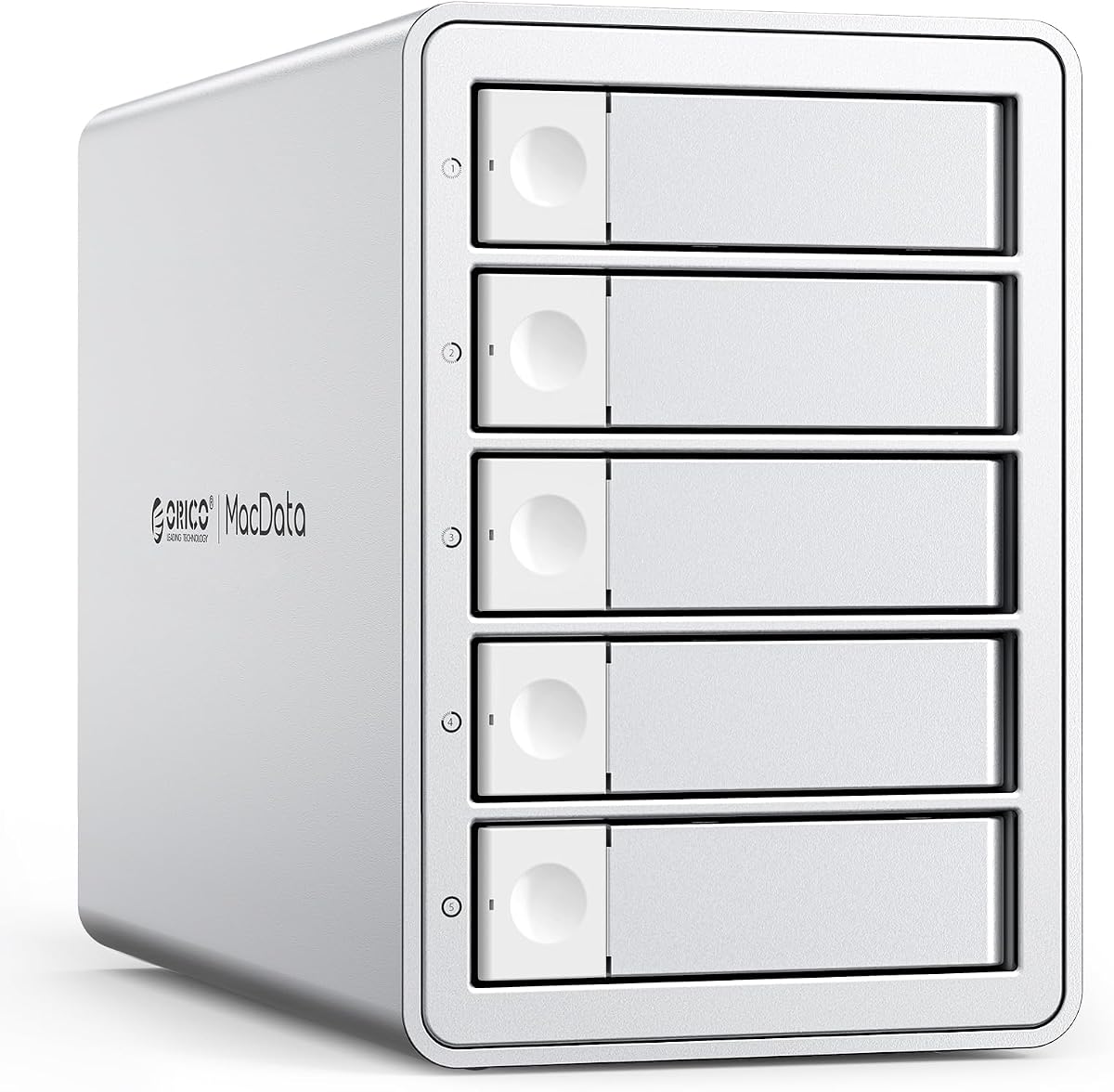
The ORICO 5 Bay RAID leads with a high 4.7-star rating for its flexibility and robust design. It supports hardware RAID modes ideal for users needing performance or redundancy.
We may earn a commission when you buy through this link, at no additional cost to you.
With up to 130TB capacity and a built-in 150W power supply, it handles multiple drives reliably. The aluminum case and silent fan keep things cool and quiet.
Cost is a consideration here, but the feature set justifies it for professionals. USB 3.0 speeds are slower than newer standards but sufficient for most uses.
Best for creators and pros managing large projects. Its RAID support adds versatility beyond basic JBOD, making it a powerful workstation storage option.
Hardware RAID switches allow quick configuration changes between speed, redundancy, or independent drives without software or reformatting.
A built-in power supply eliminates external adapters, reducing cable clutter and improving desk aesthetics.
We may earn a commission when you buy through this link, at no additional cost to you.
The IO CREST 8-Bay provides impressive expandability with eight drive slots. It earns a 4.0 rating for reliable multi-drive support and useful independent control features.
We may earn a commission when you buy through this link, at no additional cost to you.
Independent switches let users power drives on or off separately, saving power when all aren't needed. Smart thermal fans adjust speed based on temperature.
Older USB 3.0 speeds mean slower transfers than Gen2 models. Steel construction is solid but adds weight and cost.
Suitable for users needing many drives without rackmount complexity. It balances capacity and control well for desktop-based multi-drive setups.
Independent switches allow selective powering of drives, giving users flexibility and power savings.
Built-in sensors adjust fan speed automatically or manually to maintain safe operating temperatures.
We may earn a commission when you buy through this link, at no additional cost to you.
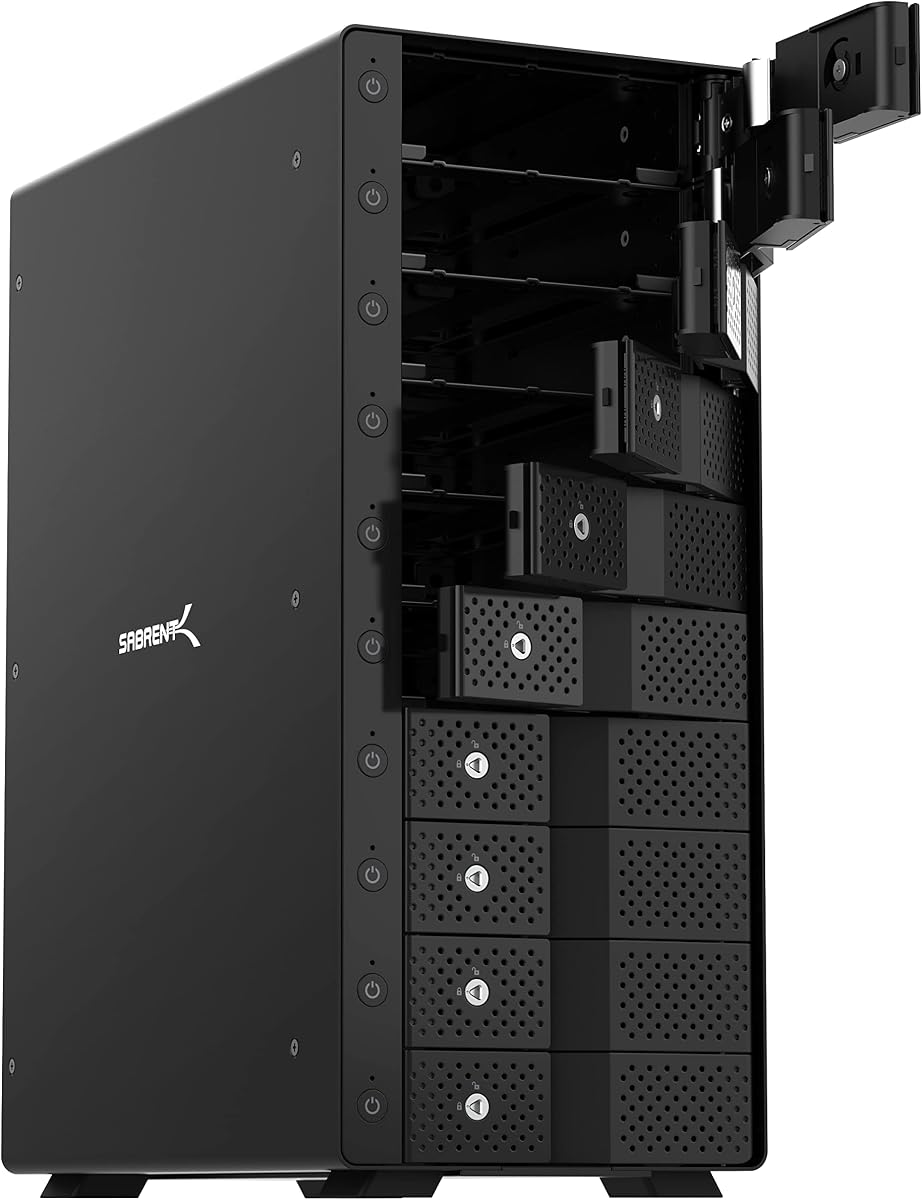
The SABRENT 10-Bay DS-UCTB delivers massive 200TB capacity with easy-to-use drive bays. Its 4.1 rating reflects solid performance and practical design for heavy storage needs.
We may earn a commission when you buy through this link, at no additional cost to you.
Direct drive insertion without trays simplifies adding drives. Each bay has its own switch and LED for clear status tracking and control.
To get full 10Gbps speeds, a compatible host port is needed. Without it, performance drops to older USB standards.
Great for large media libraries or backups. Its high capacity and speed make it ideal for professionals who need to store huge amounts of data.
USB-C 10Gbps allows fast data transfers for large files, speeding up backups and project workflows.
Locking key and Kensington slot protect drives from theft or accidental removal.
We may earn a commission when you buy through this link, at no additional cost to you.
The QNAP TR-004 serves as both external storage and NAS expansion. Its 4.2 rating highlights reliable hardware RAID support and versatile USB Type-C connectivity.
We may earn a commission when you buy through this link, at no additional cost to you.
It integrates smoothly with compatible QNAP NAS units, adding expandable storage pools. Hardware RAID provides redundancy options without software overhead.
Compatibility is restricted to certain NAS models and versions, so checking specs is essential before buying. Setup can be more involved than simple DAS units.
Ideal for QNAP users needing extra space with redundancy. It bridges the gap between external DAS and integrated NAS storage effectively.
Use as additional storage for QNAP NAS systems with hardware RAID integration.
Drive bays lock to prevent unauthorized access to installed hard drives.
We may earn a commission when you buy through this link, at no additional cost to you.
The QNAP TL-R1200C-RP is built for server environments with twelve drive bays and rackmount design. Its 4.1 rating reflects robust build quality and enterprise features.
We may earn a commission when you buy through this link, at no additional cost to you.
A redundant 250W power supply ensures continuous operation even if one unit fails. USB 3.2 Gen 2 provides fast data access for demanding workloads.
This unit is not for home desks due to size and noise. It needs proper rack infrastructure and more power.
Best for IT admins needing scalable storage. It integrates well with QNAP NAS setups or standalone servers for high capacity needs.
Two power supplies provide failover protection ensuring uptime in critical environments.
USB 3.2 Gen 2 delivers up to 10Gbps for fast storage expansion.
We may earn a commission when you buy through this link, at no additional cost to you.
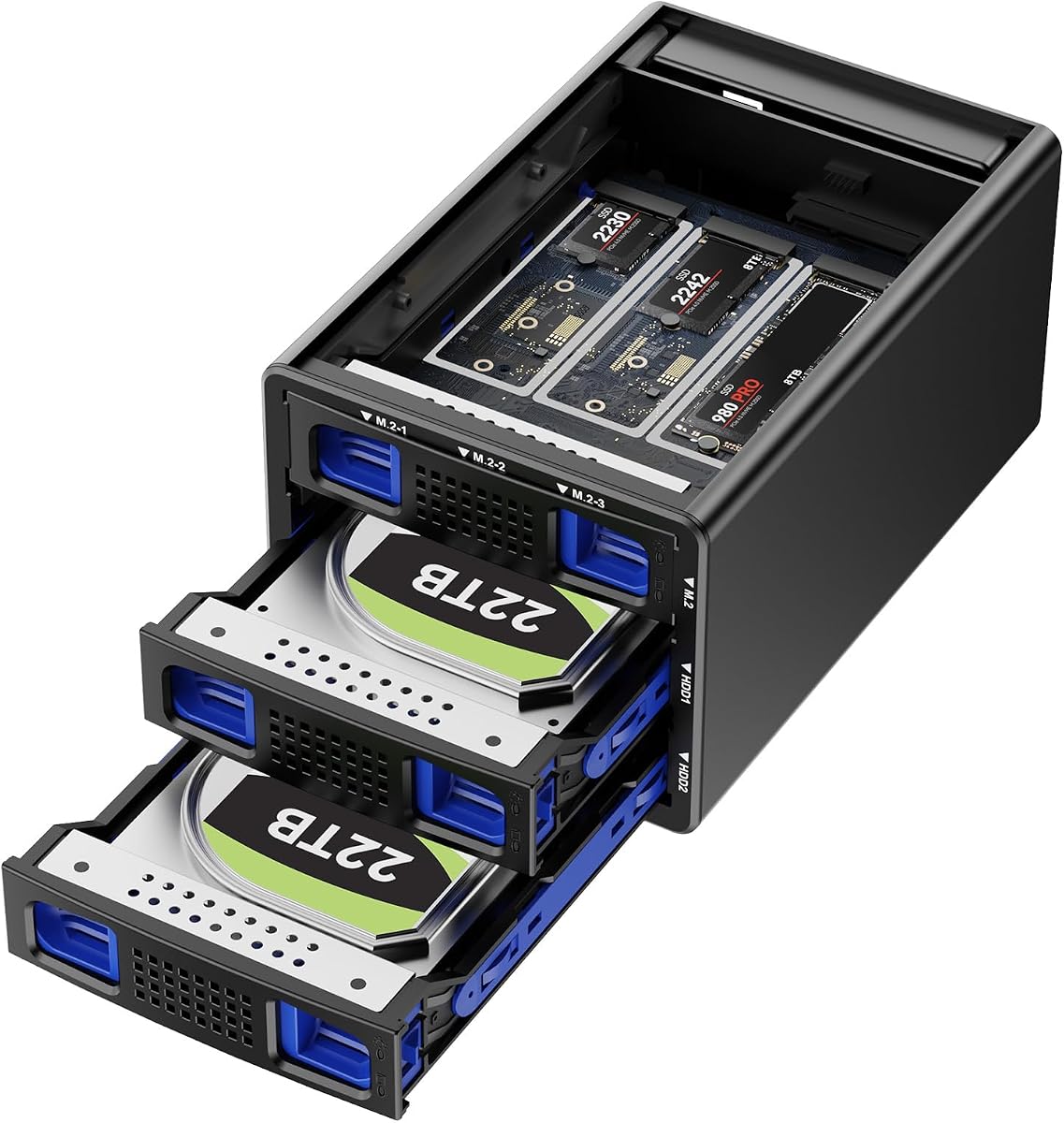
This hybrid enclosure combines HDD capacity with NVMe speed in one unit. Its 4.6 rating reflects successful integration of both drive types for versatile workflows.
We may earn a commission when you buy through this link, at no additional cost to you.
Three M.2 slots allow fast NVMe SSDs alongside large HDDs, balancing speed and volume. RAID modes help optimize data security or performance.
Cooling fans run continuously which can be noisy. RAID configuration requires care to avoid data loss during setup.
Ideal for users wanting both massive storage and fast access. It merges the best of both worlds for editors and power users.
Supports both traditional SATA and fast NVMe drives for optimized storage configurations.
Continuous fan operation keeps high-performance drives cool under sustained loads.
We may earn a commission when you buy through this link, at no additional cost to you.
The ORICO 4 Bay Raid offers RAID versatility with eight modes for performance or backup. A 4.3 rating shows consistent reliability and good value.
We may earn a commission when you buy through this link, at no additional cost to you.
It supports up to 88TB and includes a built-in power supply for stability. Aluminum construction and silent fans help maintain safe temperatures.
Transfer speeds match older USB 3.0 standards which may limit high-speed use. Tray locks prevent ejection but can feel tight.
Great for users needing RAID options without a NAS. Its flexibility and capacity make it suitable for backup and creative work.
Eight configuration options allow choosing speed, redundancy, or independent drive access.
Internal power eliminates extra adapters and simplifies setup.
We may earn a commission when you buy through this link, at no additional cost to you.
The OWC Mercury Elite Pro Quad focuses on performance with 10Gb/s speeds for professionals. Its 3.7 rating shows mixed feedback but solid hardware design.
We may earn a commission when you buy through this link, at no additional cost to you.
Universal bays accept various drive sizes and types easily. It pairs well with Mac and Windows PCs via USB-C.
Software RAID is not included, which can be a drawback. The build is robust but may be heavier than other options.
Best for pros needing fast, simple storage expansion. It works well for video workflows needing quick access to large libraries.
Up to 947MB/s transfer speeds support fast editing and backup tasks.
Works seamlessly with macOS and Windows via USB-C or Thunderbolt 3.
We may earn a commission when you buy through this link, at no additional cost to you.
Choosing the right JBOD enclosure depends on your storage needs, budget, and intended workflow. Consider these factors to find a solution that fits your environment.
Check the maximum supported drive capacity per bay and total. Most enclosures support drives up to 20TB or more, but confirm current limits. Ensure compatibility with both 2.5-inch and 3.5-inch drives if needed.
USB 3.2 Gen 2 offers up to 10Gbps which is ideal for large files. USB 3.0 at 5Gbps is sufficient for general backups. Confirm your computer has matching ports to avoid bottlenecks.
JBOD allows drives to work independently while RAID combines them for speed or redundancy. If you need backup safety, look for hardware RAID support. For flexibility, pure JBOD works best.
Multiple drives generate significant heat. Look for enclosures with active fans or heat-dissipating materials like aluminum. Quiet fans are preferable for home office use.
Metal cases provide better protection than plastic. Check for sturdy trays and secure locks to prevent drive loss. A robust build ensures longer lifespan under regular use.
Some enclosures include built-in power supplies while others use external adapters. Built-in units reduce clutter but may cost more. Ensure enough power for all installed drives.
Hot-swappable trays allow replacing drives without shutting down the system. This feature is valuable for environments needing constant uptime or frequent maintenance.
Most enclosures work with Windows, Mac, and Linux. Verify driver requirements and file system compatibility to ensure smooth plug-and-play operation across platforms.
Install drives carefully following manufacturer instructions and ensure trays lock properly. Connect power before attaching the USB cable to avoid boot issues.
Keep the enclosure in a well-ventilated area away from direct sunlight or heat sources. Clean dust regularly from vents to maintain cooling efficiency.
Back up important data separately since JBOD does not provide built-in redundancy. Monitor drive health periodically using system tools or included software.
JBOD is safe but offers no redundancy like RAID. Drives work independently, so if one fails, others remain intact. Always back up data externally to protect against individual drive failures.
Most modern JBOD enclosures support macOS via USB. Check for compatibility with your OS version and format drives to exFAT or APFS as needed for optimal use.
Yes, most JBOD enclosures allow mixing different sizes and capacities. Each drive appears separately, so total capacity depends on individual drive specs rather than a set array size.
USB 3.0 provides 5Gbps while USB 3.2 Gen 2 offers 10Gbps. The latter transfers data twice as fast, which helps when working with large video files or backups.
Fans run to cool multiple drives under load. Loud noise can occur during heavy transfers. Models with sound-dampening designs operate quieter for office or home environments.
Product specs usually mention hot-swappable trays. If drives can be added or removed while powered on without shutting down, it supports this feature.
Built-in power supplies reduce cable clutter and improve stability. External adapters may be cheaper but add clutter and potential connection issues.
They are suitable for storing game files but not for direct gameplay. Use for archives or backups since read/write speeds are slower than internal drives.
The top picks offer a range of options from budget-friendly to high-performance solutions for different needs and use cases.
Prioritize speed, capacity, and cooling based on your workload. RAID support adds versatility but increases complexity and cost.
Prices and stock fluctuate frequently so confirm current availability and deals before purchasing.