
Canon imageCLASS LBP6030w
3.8Editor score
Compact design fits small spaces
Wireless connectivity options
Low energy consumption mode
This guide compares ten top laser printers with cheap toner options to help you find the best value for home and office printing needs in 2026.
Finding a reliable laser printer with cheap toner is essential for maintaining cost-effective operations in any home or small office environment. High-quality printing should not come with exorbitant ongoing costs that drain your budget over time.
We have carefully evaluated ten distinct models based on their initial hardware costs, toner yield, connectivity features, and overall user satisfaction ratings. This rigorous comparison ensures you understand the true value proposition of each machine.
Each selection below highlights specific strengths and potential drawbacks to help you make an informed decision tailored to your unique printing volume and workflow requirements. Please note that retail prices and availability are subject to change frequently.
3.8Editor score

4.1Editor score

4.3Editor score
The following table provides a side-by-side comparison of all ten models to help you quickly identify key specifications and features relevant to your budget and performance requirements.





The Brother HL-L2405W stands out as a robust choice for home offices needing reliable black and white output without breaking the bank. It earns our Editor's Choice award for its balance of speed, connectivity, and ease of use.
We may earn a commission when you buy through this link, at no additional cost to you.
With print speeds reaching up to 30 pages per minute, this printer handles routine document work efficiently. The built-in dual-band wireless connectivity ensures stable connections across various devices, while the Brother Mobile Connect app adds significant convenience for remote management.
While it lacks automatic duplex printing, which might be a drawback for high-volume users, the single-sided printing is still very fast. The inclusion of a Refresh EZ Print Subscription Trial helps mitigate initial toner costs, making it a smart financial choice.
This model is ideal for individuals or small teams who prioritize consistent quality and connectivity over advanced features like faxing or scanning. It delivers sharp text and reliable performance at a very competitive entry price point.
The dual-band wireless support allows you to choose between 2.4GHz and 5GHz bands for optimal network performance without interference.
Order supplies and track toner usage directly from your phone using the dedicated Brother Mobile Connect app for seamless workflow.
We may earn a commission when you buy through this link, at no additional cost to you.
For those strictly focused on minimizing upfront costs while maintaining basic wireless functionality, the Canon imageCLASS LBP6030w is an excellent budget contender. It simplifies printing to its core essentials without unnecessary bulk.
We may earn a commission when you buy through this link, at no additional cost to you.
The compact design allows it to fit into tight spaces like dorm rooms or small home desks. While the 19 pages per minute speed is modest, it is sufficient for light personal use where speed is not the primary concern.
One trade-off is the reliance on the Canon 125 toner cartridge, which has a moderate page yield. However, the low initial cost of the hardware offsets this over time for users with low monthly page counts.
This printer is best suited for students or home users who need occasional document printing. It avoids complex menus and focuses on delivering clean black and white text quickly and reliably.
Its small footprint ensures it can be placed on almost any surface without occupying valuable workspace in your home or office.
Using less than 2 watts in Energy Saver mode helps keep your electricity bills low even if the printer sits idle for long periods.
We may earn a commission when you buy through this link, at no additional cost to you.
The Brother MFC-L2820DW is a powerhouse for small offices needing comprehensive document management tools. It combines high speed with multifunctionality, making it a top choice for businesses requiring efficiency.
We may earn a commission when you buy through this link, at no additional cost to you.
Print speeds of up to 36 pages per minute ensure that even large batches of documents are handled quickly. The 50-page auto document feeder significantly speeds up scanning and copying tasks compared to flatbed-only models.
The 2.7-inch touchscreen provides a modern interface that simplifies navigation through complex menus. Cloud integration allows for easy scanning to apps like Google Drive and Dropbox, reducing physical paper clutter.
While the price is higher than simple print-only units, the added value of scanning and faxing capabilities often justifies the cost. It is the perfect upgrade for users who have outgrown basic printers.
The 50-page auto document feeder allows you to process multi-page scans without manual page turning, saving significant time.
Connect to popular cloud storage services directly from the printer to digitize documents instantly and share them with your team.
We may earn a commission when you buy through this link, at no additional cost to you.
The Canon imageCLASS MF3010 VP offers a reliable solution for users who prefer a stable wired connection over wireless options. It provides essential multifunction capabilities at a reasonable price point for home use.
We may earn a commission when you buy through this link, at no additional cost to you.
Its USB-only design eliminates potential network issues, ensuring consistent connectivity for shared workstations. The included scanner and copier functions make it versatile for managing paperwork without needing a separate device.
A notable feature is the inclusion of a toner cartridge with a 2,300-page yield in the box, allowing you to start printing immediately. This reduces the initial cost of ownership significantly.
This model is suitable for users who do not require mobile printing capabilities. It delivers dependable performance for tasks like ID card copying and general document management.
The wired USB interface ensures your printer stays connected without worrying about Wi-Fi drops or signal interference issues.
The package includes a toner cartridge with up to 2,300 pages yield, so you can start printing right out of the box.
We may earn a commission when you buy through this link, at no additional cost to you.
The Brother HL-L2460DW is designed for users who prioritize speed and paper efficiency in a wireless environment. Its 36 pages per minute capability makes it one of the fastest in its class.
We may earn a commission when you buy through this link, at no additional cost to you.
Automatic duplex printing helps reduce paper waste and costs, which aligns well with the goal of finding printers with cheap operational costs. The 250-sheet tray ensures you rarely need to reload paper.
Despite being a single-function printer, it integrates smoothly into modern home offices through dual-band Wi-Fi and the Brother Mobile Connect app. This allows for printing from various devices without cables.
It is an excellent choice for students or small businesses focused solely on high-speed document production. It balances performance and connectivity without unnecessary extra features.
Save time and paper by automatically printing on both sides of the page with built-in duplex printing support.
With speeds up to 36 pages per minute, you can finish large print jobs quickly and get back to your work faster.
We may earn a commission when you buy through this link, at no additional cost to you.
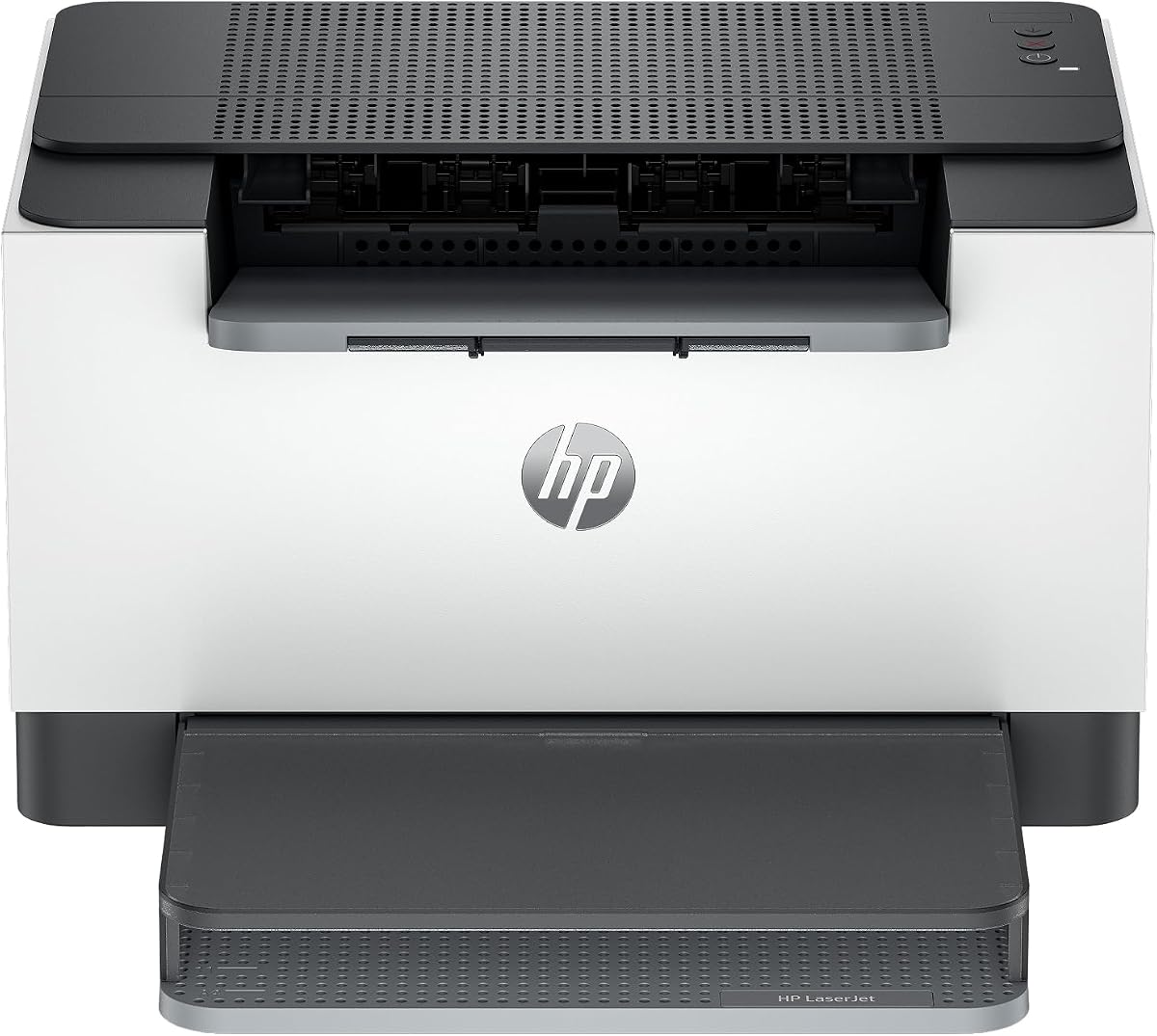
The HP LaserJet M110w is a solid contender for small teams needing a printer that fits anywhere. Its compact design allows it to sit unobtrusively on a desk or shelf.
We may earn a commission when you buy through this link, at no additional cost to you.
With a print speed of 21 pages per minute, it handles standard office documents with ease. The wireless self-reset feature helps maintain a stable connection even if network conditions change.
While it lacks duplex printing, it is simple to set up and use via the HP Smart app. This app allows for scanning to the cloud and easy mobile printing from various devices.
This printer is best for small teams of one to three people who need straightforward printing. It balances size and functionality effectively for basic professional needs.
The wireless self-reset feature helps you stay connected by automatically resolving common connectivity issues without manual intervention.
Eliminate repetitive tasks by using the HP Smart app to scan to the cloud and print directly from your smartphone.
We may earn a commission when you buy through this link, at no additional cost to you.
The HP LaserJet M209dw is an advanced model offering fast duplex printing and strong security features for small teams. It is designed to handle higher volumes efficiently than basic models.
We may earn a commission when you buy through this link, at no additional cost to you.
With up to 30 pages per minute single-sided and 19 images per minute two-sided, it significantly cuts down on paper waste and job times. The Instant Ink eligible status helps maintain predictable toner costs.
Built-in security features protect your printer from potential attacks, making it a safer choice for shared network environments. The dual-band Wi-Fi ensures reliable connectivity even in congested areas.
Ideal for teams of one to five people who need quick double-sided printing, this model prioritizes speed and security. It is a step up in performance for more demanding workloads.
This printer is eligible for HP Instant Ink, which can help manage your ink costs and ensure you never run out of supplies.
Security features help protect your printer from potential attacks and keep your printed data safe in shared network environments.
We may earn a commission when you buy through this link, at no additional cost to you.
The Canon imageCLASS LBP122dw brings wireless duplex printing to a compact form factor ideal for home offices. It supports high-speed output without taking up too much space.
We may earn a commission when you buy through this link, at no additional cost to you.
Printing at up to 30 pages per minute, it keeps up with moderate workloads efficiently. The ability to print on both sides automatically helps save on paper costs and environmental impact.
Using Canon Genuine Toner 071 or high-capacity versions ensures good page yield. The compact design fits almost anywhere, making it a flexible choice for personal use.
This model is great for home users who need occasional professional-quality prints. It balances modern connectivity features with a user-friendly design for easy daily use.
Print on both sides of the page automatically using wireless technology to save paper and maintain a tidy workspace.
Print on-the-go with the Canon PRINT app and other services that allow you to manage your printing tasks remotely.
We may earn a commission when you buy through this link, at no additional cost to you.
The HP LaserJet MFP M235sdw is built for offices needing versatile document handling. It combines scanning, copying, and printing in one unit with robust security measures.
We may earn a commission when you buy through this link, at no additional cost to you.
With duplex speeds of 28 pages per minute, it handles multipage projects efficiently. The inclusion of Ethernet ensures a stable network connection alongside wireless options for flexibility.
Its strong built-in security features protect your printer from potential attacks, which is vital for business environments. It supports printing from any mobile device or tablet easily.
This model is ideal for small offices that require multifunctionality without breaking the budget. It offers a balance of speed, security, and connectivity for daily business tasks.
Ethernet is included to ensure a reliable network connection alongside wireless options for maximum flexibility in your office.
Built-in security features help protect your printer from potential attacks and keep your sensitive business documents safe.
We may earn a commission when you buy through this link, at no additional cost to you.
The Brother HL-L2480DW is an efficient compact multifunction printer that combines laser printing with scanning and copying in one footprint. It is well-suited for small offices working from home.
We may earn a commission when you buy through this link, at no additional cost to you.
With print speeds up to 36 pages per minute, it handles document processing quickly. The flatbed scan glass is convenient for scanning books or sensitive documents without an automatic feeder.
The 2.7-inch touchscreen allows effortless navigation through cloud apps like Google Drive and Dropbox. This simplifies sharing documents and managing digital workflows directly from the device.
This model is a strong contender for those needing a balanced all-in-one solution. Its combination of speed, connectivity, and compact design makes it a top pick for modern workspaces.
The convenient flatbed scan glass allows you to scan books or sensitive documents easily without damaging them.
Effortless navigation with the intuitive 2.7-inch touchscreen enables you to manage cloud-based apps directly from the printer.
We may earn a commission when you buy through this link, at no additional cost to you.
Selecting the right laser printer involves balancing upfront hardware costs with long-term consumable expenses and feature requirements.
When looking for cheap toner, examine the page yield per cartridge and the cost per page. Higher yield cartridges often provide better value over time even if the initial price is higher.
Look for models offering subscription services or high-capacity options that reduce the frequency of replacements and lower overall operational costs.
Print speed is measured in pages per minute (ppm). For small offices, 20 to 30 ppm is generally sufficient, while high-volume users may need speeds above 35 ppm.
Consider your average daily print volume to ensure the printer can handle your workload without overheating or slowing down during peak usage.
Modern printers should offer wireless connectivity to support multiple devices. Dual-band Wi-Fi provides better stability in congested networks compared to single-band options.
Ensure the printer supports protocols like AirPrint or Mopria for seamless integration with your specific mobile devices and operating systems.
Paper tray capacity impacts how often you need to reload paper. A 250-sheet tray is standard, but models with 500+ sheets reduce interruptions for busy environments.
Check for a manual feed slot if you frequently print on specialty papers or envelopes to avoid wasting time reconfiguring the standard tray.
Automatic duplex printing saves paper and reduces costs by printing on both sides of the page. This is a crucial feature for users focused on sustainability and budget.
Manual duplexing is cheaper but requires user intervention which can slow down workflows and increase the chance of errors during large jobs.
All-in-one printers combine printing, scanning, and copying. This reduces the need for multiple devices, saving space and potentially lowering the total cost of ownership.
If you only need printing, a single-function model may be more affordable and simpler to maintain over the long term.
Check the length of the warranty and the quality of customer support provided by the manufacturer. Brother and Canon generally offer strong support networks for home and office users.
Extended warranty plans can protect against hardware failures that might otherwise require expensive repairs or replacement in the first year.
The physical footprint of the printer matters if you have limited desk space. Compact designs are essential for small home offices or shared work areas.
Consider the dimensions and whether the design allows for easy access to paper trays and toner cartridges without moving the entire unit.
Always use genuine toner cartridges to ensure optimal print quality and prevent potential damage to the internal components of your laser printer.
Regularly clean the exterior and interior rollers to prevent paper jams caused by dust or toner debris accumulation over time.
Turn off the printer using the power button rather than unplugging it directly to allow the printer to run necessary internal cooling cycles.
Compatible toner cartridges are often significantly cheaper than original ones, but they may offer varying print quality and page yields. While they can save money, they might not be covered by your printer's warranty.
To estimate cost per page, divide the price of a toner cartridge by its page yield. This metric helps you compare the true long-term value of different models beyond just the hardware price.
Most models in this guide support mobile printing through apps like Brother Mobile Connect or HP Smart. This allows you to print directly from your smartphone or tablet wirelessly.
Automatic duplex printing handles double-sided printing internally, whereas manual double-sided printing requires you to flip the pages yourself. Automatic duplex saves time and reduces errors.
The printers listed in this guide are all monochrome, meaning they print only in black and white. If you need color output, you would need to look for color laser printers instead.
To clear a paper jam, turn off the printer and open the access doors. Gently remove any stuck paper without forcing it to avoid damaging the rollers or fuser unit inside.
We have reviewed ten excellent laser printers that offer a balance of performance and affordable toner costs for various user needs in 2026.
Prioritize models with high yield toner options and duplex printing to minimize long-term operational expenses while maintaining efficient workflows.
Always verify the current pricing and available promotions before purchasing since offers change frequently across different online retailers.