
Acer Nitro 27in QHD 2560×1440 IPS 180Hz Gaming Monitor KG271U N3bmiipx
4.5Editor score
180Hz refresh rate
AMD FreeSync Technology
0.5ms GTG response
Explore our expert comparison of the top 27 Inch WQHD 1440p Gaming Monitors for 2026, analyzing performance features and value for gamers.
Finding the right display can transform your gaming setup significantly. A 27 Inch WQHD 1440p Gaming Monitor offers the perfect balance of screen real estate and pixel density. This resolution ensures sharp visuals without demanding excessive graphics power from your system.
We have analyzed ten leading models available this month to help you decide. Our comparison focuses on refresh rates, panel types, color accuracy, and ergonomic features. Each product brings unique strengths to competitive play and immersive single-player experiences alike.
Every pick includes detailed specifications and real-world performance insights. We highlight key advantages and potential trade-offs to guide your choice. Please note that prices and availability change frequently so check current listings before purchasing today.
4.5Editor score

4.6Editor score

4.6Editor score
The following table provides a side-by-side technical comparison of all ten monitors reviewed in this guide. Use this data to quickly identify differences in refresh rates, response times, and connectivity options.


The Acer Nitro KG271U stands out as an exceptional value option in the competitive monitor market. It delivers a stunning QHD visual experience without breaking the bank. Its high refresh rate ensures smooth motion during intense gaming sessions.
We may earn a commission when you buy through this link, at no additional cost to you.
Color accuracy is surprisingly robust for this price point with support for DCI-P3 coverage. The 180Hz refresh rate eliminates motion blur effectively. AMD FreeSync technology prevents screen tearing making competitive gaming seamless and enjoyable for everyone.
While the stand lacks extensive adjustability the visual performance compensates well. The zero-frame design maximizes screen space for multi-monitor setups. Users should note that brightness levels are standard rather than exceptional for HDR content.
Gamers seeking high performance on a tight budget will find this model ideal. It balances speed and clarity effectively for FPS titles. We recommend this monitor for anyone prioritizing frame rates over premium build features.
The 180Hz refresh rate paired with 0.5ms response time ensures fluid gameplay.
Support for 95% DCI-P3 provides rich and accurate colors for content creation.
We may earn a commission when you buy through this link, at no additional cost to you.
ASUS delivers a top-tier option with the TUF Gaming VG27AQ3A. This monitor combines professional-grade features with gaming-focused optimization. Its Fast IPS panel ensures rapid pixel response times for competitive play.
We may earn a commission when you buy through this link, at no additional cost to you.
The inclusion of ELMB Sync technology allows simultaneous variable refresh and motion blur reduction. This dual benefit is rare in mid-range monitors. Built-in speakers add convenience for casual use without extra peripherals.
While the price exceeds budget models the feature set justifies the investment. The 130% sRGB coverage makes it versatile for creative tasks. HDR10 support is present but not the standout feature compared to others.
This model is our top recommendation for balanced performance and utility. It suits both competitive gamers and casual content creators. Users will appreciate the flexibility of G-Sync compatibility across different graphics cards.
FreeSync Premium and G-Sync compatibility ensure tear-free visuals across GPU brands.
Wide color gamut and Adobe Creative Cloud subscription add value for creators.
We may earn a commission when you buy through this link, at no additional cost to you.
The Acer Nitro XV271U offers exceptional ergonomics alongside strong gaming performance. Its stand allows for height adjustment and pivot rotation for versatile viewing angles. This flexibility is crucial for long gaming sessions or dual monitor setups.
We may earn a commission when you buy through this link, at no additional cost to you.
AMD FreeSync Premium technology ensures stable frame rates without stuttering. The 180Hz refresh rate delivers fluid motion in fast-paced titles. Connectivity options include DisplayPort and HDMI allowing diverse system configurations.
The price reflects the added utility of the full ergonomic stand. Brightness levels are typical for IPS panels but may struggle in very bright rooms. However the color accuracy remains consistent across different viewing angles.
Ideal for users needing a flexible workstation and gaming setup. The pivot feature supports productivity apps effectively. We recommend it for those prioritizing comfort and adjustability over pure budget savings.
Height swivel and pivot adjustments reduce strain during extended use.
Multiple ports support various peripherals and console connections easily.
We may earn a commission when you buy through this link, at no additional cost to you.
Samsung brings an immersive experience with the Odyssey G5 curved gaming monitor. The curvature enhances peripheral engagement making games feel more realistic. QHD resolution delivers sharp visuals suitable for detailed strategy and RPG titles.
We may earn a commission when you buy through this link, at no additional cost to you.
The Black Equalizer feature improves visibility in dark game areas significantly. This is a major advantage for competitive shooters where shadows hide enemies. HDR10 support adds depth to bright highlights and deep shadows effectively.
While the curved design is engaging it may not suit flat surface tasks. Fixed stand height limits ergonomic adjustments compared to flat alternatives. Users should consider their primary use case before committing to the curve.
Recommended for gamers seeking a cinematic and immersive setup. The high rating reflects its reliability and visual impact. It stands out for single-player adventures and visually rich storytelling experiences.
Black Equalizer adjusts dark zones for better enemy detection in shadows.
Curved panel wraps around your field of view for deeper immersion.
We may earn a commission when you buy through this link, at no additional cost to you.
SANSUI pushes high refresh rates with the 200Hz capable IPS panel. This speed is ideal for fast-paced competitive shooters and racing games. The inclusion of adaptive sync ensures smooth frame delivery without tearing.
We may earn a commission when you buy through this link, at no additional cost to you.
Eye care technologies like low blue light protect vision during long sessions. Multiple ports allow flexibility for connecting different devices simultaneously. The metal stand adds a touch of durability despite the budget price.
While the stand lacks full adjustment the tilt range is sufficient. Brightness is adequate for typical indoor environments but not for high glare. Overall it offers impressive speed for a very reasonable price point.
Perfect for budget-conscious competitive gamers prioritizing frame rates. The 200Hz capability is rare at this level. We recommend it for esports enthusiasts who need smooth visuals without spending heavily.
200Hz refresh rate minimizes input lag for precise competitive play.
Low blue light and anti-flicker reduce eye strain during marathon sessions.
We may earn a commission when you buy through this link, at no additional cost to you.
This model from SANSUI balances speed with comprehensive ergonomic support. The stand supports full pivot and height adjustments for any viewing preference. Vertical rotation is particularly useful for developers and coding tasks.
We may earn a commission when you buy through this link, at no additional cost to you.
Color accuracy is a highlight with 95% DCI-P3 coverage for rich visuals. The Fast IPS panel ensures quick pixel transitions for crisp motion. It supports HDR for enhanced contrast in supported content.
While not the brightest panel it performs well in controlled lighting. The inclusion of multiple DisplayPorts ensures compatibility with modern GPUs. Users seeking versatility will appreciate the combination of speed and adjustability.
Ideal for users needing both work and play capabilities. The pivot feature supports vertical reading or coding workflows. We recommend it for those needing high color fidelity without premium pricing.
Vertical pivot support aids coding and reading workflows significantly.
95% DCI-P3 ensures accurate reproduction for visual media.
We may earn a commission when you buy through this link, at no additional cost to you.
KOORUI offers a strong contender with high refresh capabilities and HDR400 certification. The 200Hz rate ensures fluid visuals for competitive titles. Its minimalist design fits cleanly into modern desk setups effectively.
We may earn a commission when you buy through this link, at no additional cost to you.
HDR400 support adds depth to bright highlights and dark shadows. The wide color gamut ensures vivid imagery for multimedia consumption. VESA wall mountability allows users to save desk space effectively.
While the stand is basic the panel performance is competitive. The warranty offers peace of mind for long-term use. Users seeking a sleek look will appreciate the thin bezel design.
Recommended for those wanting modern HDR without huge costs. The high refresh rate supports fast gaming needs well. We suggest it for budget buyers looking for updated specifications.
HDR400 certification ensures better contrast for dynamic scenes.
Minimalist bezels maximize screen real estate for multi-monitor setups.
We may earn a commission when you buy through this link, at no additional cost to you.
This Acer Nitro model brings curved immersion at an accessible price point. The 180Hz refresh rate delivers smooth motion for FPS games. AMD FreeSync Premium eliminates tearing for clean gameplay visuals.
We may earn a commission when you buy through this link, at no additional cost to you.
Zero-frame design maximizes usable screen area. The curved screen reduces eye strain by maintaining consistent viewing distance. HDR Ready support enhances visual depth in supported games.
The stand is limited to tilt adjustment. This reduces flexibility for multi-monitor setups. However the overall value proposition is strong for single desktop users.
Ideal for casual gamers seeking immersion on a budget. The curve adds a cinematic touch to the experience. We recommend it for those prioritizing visual immersion over ergonomics.
Curved panel design keeps all pixels at a uniform distance.
AMD FreeSync Premium ensures stable and tear-free frame delivery.
We may earn a commission when you buy through this link, at no additional cost to you.
The ASUS TUF VG27AQL1A stands out with NVIDIA G-Sync compatibility. This premium feature ensures the smoothest possible gameplay for NVIDIA GPU users. ELMB Sync technology allows blur reduction alongside refresh rate adaptation.
We may earn a commission when you buy through this link, at no additional cost to you.
Color performance is exceptional with 130% sRGB coverage. HDR400 certification provides better contrast than standard panels. Adobe Creative Cloud support adds value for creators needing accurate colors.
While slightly lower in refresh rate it prioritizes image quality. The price is higher but justified for professional work. This monitor bridges gaming and productivity needs effectively.
Perfect for users needing color accuracy and premium sync. It supports both creative and competitive gaming workflows. We recommend it for pros wanting high-end features without OLED cost.
NVIDIA G-Sync ensures perfectly synchronized frames for zero tearing.
130% sRGB gamut ensures professional-grade color reproduction.
We may earn a commission when you buy through this link, at no additional cost to you.
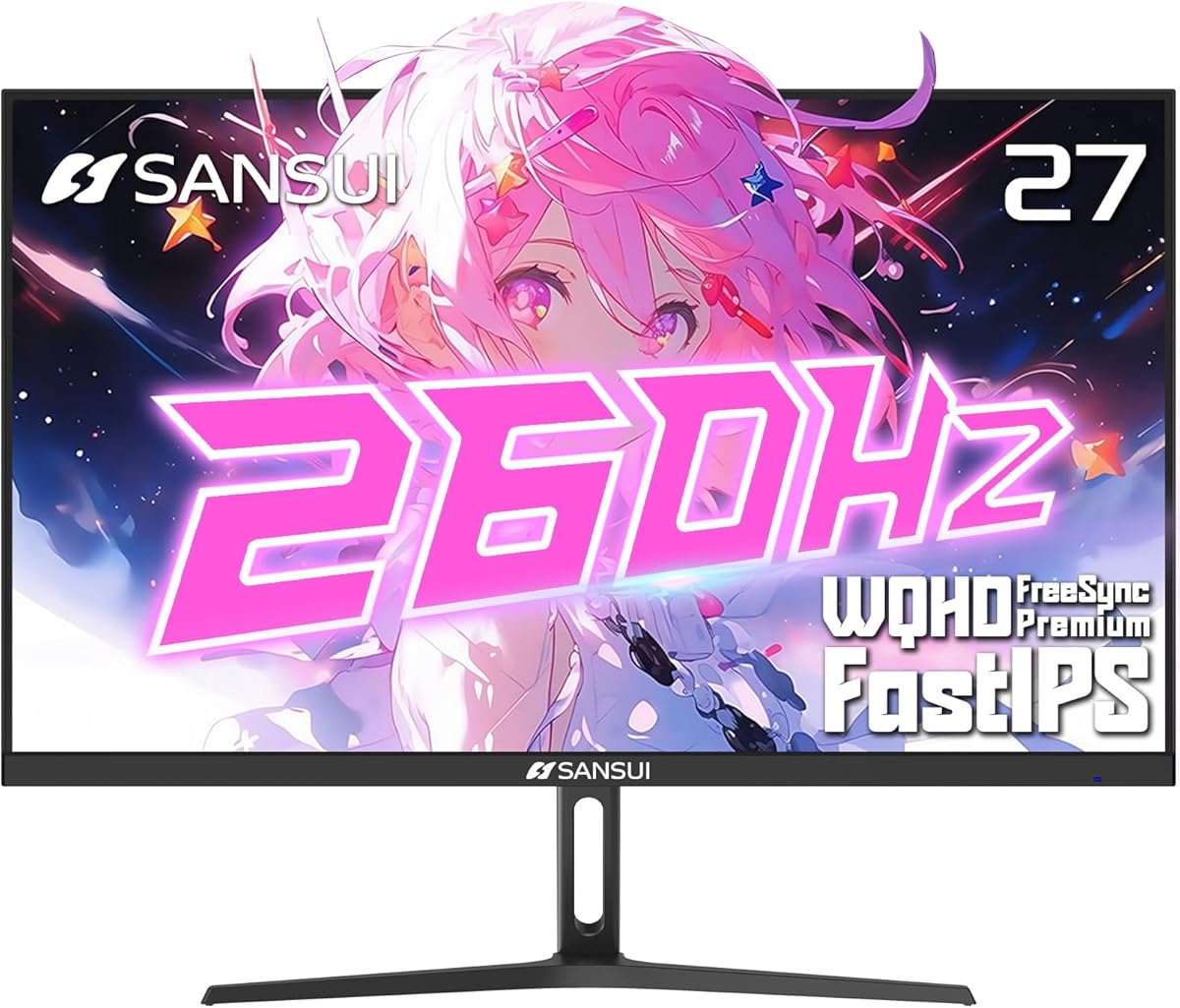
SANSUI offers the fastest refresh rate in this list with 260Hz. This extreme speed is ideal for competitive esports requiring split-second reactions. MPRT 1ms response ensures minimal motion blur.
We may earn a commission when you buy through this link, at no additional cost to you.
Color accuracy remains high with 98% DCI-P3 coverage. FreeSync Premium ensures stable frame rates on AMD systems. The display ports support high refresh rates for modern graphics cards.
Achieving 260Hz requires a powerful GPU. Users should ensure their system supports this speed effectively. The basic stand limits ergonomics but performance remains excellent.
Recommended for competitive gamers needing maximum speed. It pushes the boundaries of affordable refresh rates. We suggest it for serious players prioritizing frame rate above all else.
260Hz refresh rate offers ultra-smooth motion for competitive play.
98% DCI-P3 ensures vivid and accurate color output.
We may earn a commission when you buy through this link, at no additional cost to you.
Selecting the right monitor requires balancing performance features with your specific needs.
Refresh rate determines how many frames per second the screen displays. Higher rates like 144Hz or 180Hz make motion appear smoother. This is critical for fast-paced shooters and racing games.
Aim for at least 144Hz for a smooth gaming experience.
IPS panels offer the best color accuracy and viewing angles. TN panels are faster but lack vibrant colors. VA panels provide deep blacks but can suffer from ghosting.
IPS is generally the best choice for balanced gaming.
Response time measures how quickly pixels change color. Lower times reduce motion blur and ghosting artifacts. Aim for 1ms or lower for competitive gaming clarity.
Look for GTG or MPRT ratings under 2ms.
AMD FreeSync and NVIDIA G-Sync prevent screen tearing. These technologies match monitor refresh to GPU output. Essential for stable visuals without stuttering.
Ensure the monitor supports the sync tech your GPU uses.
Color gamut coverage like sRGB or DCI-P3 affects image quality. Higher percentages mean more vibrant and accurate colors. Vital for design work and immersive gaming.
Target monitors with 99% sRGB or 95% DCI-P3.
Stand features like height and tilt adjustment reduce neck strain. VESA mounts offer flexibility for mounting on arms. Good ergonomics are key for long sessions.
Prioritize stands with height adjustment for comfort.
DisplayPort and HDMI ports allow connection to GPUs. Ensure the ports support your desired refresh rate. Audio jacks and USB hubs add convenience.
Check for DisplayPort 1.2 or higher for high refresh.
Durability affects how long your monitor lasts. Stands should feel sturdy and not wobble easily. Warranty terms provide protection against defects.
Read reviews about stand stability and warranty service.
Calibrate your display settings before gameplay for best image quality. Adjust brightness and contrast to match your room lighting. Use the built-in game modes to optimize colors for specific genres.
Clean the screen gently with a microfiber cloth to avoid scratches. Avoid spraying liquid directly on the panel to prevent moisture damage. Dust the stand regularly to maintain stability.
Update your graphics drivers to ensure compatibility with sync features. Adjust your system refresh rate in display settings to match the monitor. This ensures you get the smoothest motion possible.
Yes, 1440p offers sharper details and more screen real estate on a 27-inch display. It provides a great balance between visual fidelity and performance. Many gamers find it the sweet spot for modern graphics cards.
To utilize high refresh rates fully, you need a GPU that can push high frame rates. Modern cards from NVIDIA and AMD handle 1440p well. Without it, you may still enjoy the panel but not full speed.
GTG measures pixel transition time while MPRT measures motion blur. GTG is more accurate for actual panel speed. Manufacturers use both so check which one is specified.
Curved monitors offer immersion by matching peripheral vision. They are great for single-player games but less useful for productivity. Flat panels are more versatile for multi-monitor setups.
High refresh rates above 60Hz typically require DisplayPort. HDMI is limited by version but newer versions support more. Always check the specific port capabilities for your target rate.
Monitors with high sRGB and DCI-P3 coverage are suitable for editing. Look for factory calibration and color consistency. The panels listed here offer decent accuracy for entry-level work.
It means the monitor supports NVIDIA's variable refresh rate technology. It prevents tearing without needing a G-Sync module. This is a cost-effective way to get sync features for NVIDIA users.
Most manufacturers offer one to three year warranties. Check coverage for dead pixels and backlight issues. SANSUI offers lifetime support which adds value for budget buyers.
We have reviewed ten excellent options ranging from budget to premium choices. The Acer Nitro KG271U offers the best value while the ASUS TUF VG27AQ3A leads in features. For competitive speed the SANSUI 260Hz model stands out.
Prioritize what matters most to your specific gaming habits. If you play shooters speed is key but for RPGs resolution might win. Ergonomics play a major role if you game for hours daily.
Prices fluctuate often so check current listings before deciding. Our guide provides the technical data needed to make a smart choice. Happy gaming with your new visual upgrade.