
Perlegear Full Motion TV Wall Mount
4.8Editor score
Tool-free tilt adjustment included
Fits 26 to 74 inch screens
Pre-assembled bracket arms
Finding the right adjustable TV wall mount can transform your viewing experience significantly. These devices allow you to tilt, swivel, and extend your screen for optimal comfort and glare reduction.
We compared ten highly rated models based on load capacity, VESA compatibility, and installation ease. Each option offers unique benefits for different room layouts and TV sizes.
Each pick highlights key specs and real user feedback to help you decide. Note that prices and availability may change frequently across online retailers.
4.8Editor score

4.7Editor score

4.8Editor score
As an Amazon Associate we earn from qualifying purchases.
This comparison table provides a quick overview of the key specifications and features for each of the top ten adjustable TV wall mounts available today.


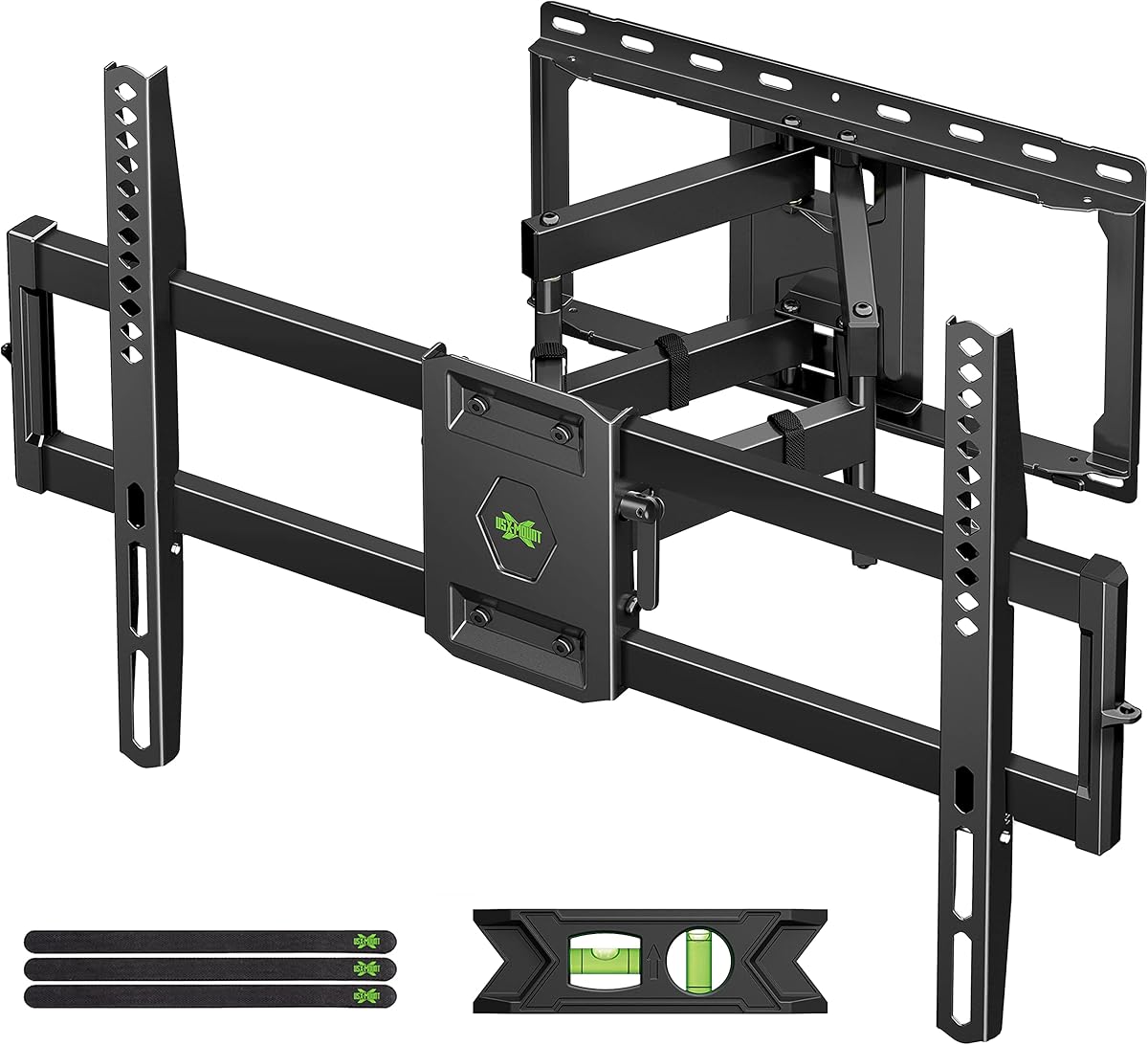


The USX MOUNT Full Motion TV Wall Mount is a top choice for homeowners seeking flexibility and strength. It supports TVs from 37 to 84 inches with a robust 120-pound capacity. Its dual articulating arms allow for significant extension and swivel, making it ideal for corner setups or rooms with multiple seating areas.
We may earn a commission when you buy through this link, at no additional cost to you.
This mount offers a tilt range of plus five to negative fifteen degrees and a swivel of plus or minus forty-five degrees. The heavy-duty steel construction ensures safety for larger screens. Installation is straightforward with pre-labeled hardware and a bubble level included. The post-installation leveling adjustment helps ensure the TV is perfectly straight even if studs are slightly uneven.
While the mount is strong, users should note that concrete anchors are not included in the package. If installing on concrete or brick, you will need to contact support for them. Also, ensure your studs are properly spaced as the mount requires 12 to 16-inch wood stud spacing. Despite these minor considerations, the versatility and build quality make it a standout option.
If you need a reliable mount that balances cost with high performance, this model is an excellent pick. It is suitable for most living rooms and home theaters where viewing angles vary. The included cable ties help keep wires organized for a cleaner look. We recommend checking stud spacing before purchase to ensure a secure fit.
The dual articulating arms allow you to pull the TV out from the wall and swivel it to face any seat in the room comfortably.
Detailed instructions and pre-labeled bags make the setup process quick and reduce the risk of missing parts during assembly.
We may earn a commission when you buy through this link, at no additional cost to you.
The Perlegear Full Motion TV Wall Mount is an exceptional value for budget-conscious shoppers. It supports TVs from 26 to 74 inches with a 99-pound capacity. The tool-free tilt mechanism allows you to adjust the screen angle without any wrenches, which is a convenient feature for everyday use. Its pre-assembled arms simplify the installation process significantly.
We may earn a commission when you buy through this link, at no additional cost to you.
This model features three height configurations, giving you flexibility to position the screen at eye level or higher to accommodate soundbars. The automotive-grade steel construction ensures durability, and it has passed extensive motion cycle tests. Swivel and tilt adjustments help reduce glare from windows or lights. The low-profile retraction keeps the TV close to the wall when not in use.
The main trade-off is that the weight capacity is lower than premium models, which might limit it for very large heavy TVs. Also, the extension is about 17 inches, which is good but not the longest available. However, for most standard home setups, these limits are unlikely to be an issue. The inclusion of a drilling template helps ensure precise hole placement.
We recommend this mount for anyone looking for reliability without spending extra. It is perfect for bedrooms or smaller living rooms where cost matters. The US-based support team provides an added layer of confidence. If you need a straightforward, easy-to-install solution, this is a top contender.
Tool-free tilt allows you to change the screen angle quickly without needing any tools after the initial wall install.
Three height configurations let you raise or lower the mount easily to fit soundbars or match your seating height.
We may earn a commission when you buy through this link, at no additional cost to you.
The ECHOGEAR MaxMotion TV Wall Mount is built for large screens and demanding environments. It supports TVs from 42 to 90 inches with a 125-pound capacity and is UL listed for safety. Its heavy-duty steel frame provides the strength needed for massive televisions. The design focuses on both aesthetics and function, offering a sleek look when retracted.
We may earn a commission when you buy through this link, at no additional cost to you.
This mount allows you to extend the screen up to 22 inches away from the wall, which is one of the longest reaches available. You can swivel the TV 130 degrees to face any part of the room. The low-profile retraction keeps it flush against the wall when not extended. The installation process is streamlined with a drilling template and a complete hardware kit.
The main drawback is the higher price compared to budget options. However, you pay for the extra strength and extension capability. Users must ensure their wall studs can support the load, especially with larger TVs. If you have a massive 85-inch TV, this model is designed specifically to handle that size safely and securely.
For home theater enthusiasts who want maximum flexibility for large displays, this is the premium choice. It combines robust build quality with thoughtful features like a low-profile look. The expert support team is available to help with setup questions. If budget is not the primary concern, this mount delivers top-tier performance.
The 22-inch extension allows for deep viewing angles or reaching out from corners where standard mounts fall short.
Designed for up to 90-inch screens, the frame is reinforced to support heavy panels without sagging or flexing.
We may earn a commission when you buy through this link, at no additional cost to you.
The Amazon Basics Full Motion Articulating TV Wall Mount is a straightforward option for smaller setups. It supports TVs from 26 to 55 inches with an 80-pound capacity. The single stud design makes it ideal for rooms where finding two studs is difficult. It offers full articulation with swivel and tilt features to adjust the viewing angle.
We may earn a commission when you buy through this link, at no additional cost to you.
This mount features a tilt range from plus ten to minus five degrees and extends from 2.6 to 16.3 inches. The 180-degree swivel allows for significant flexibility in positioning. It comes with mounting hardware, a bubble level, and a template. The design is simple and functional, focusing on basic needs without extra frills.
The limitation is the size and weight range, which may not suit larger modern TVs. If your TV is over 55 inches or heavier than 80 pounds, this is not suitable. However, for small spaces or older models, it provides a cost-effective solution. The single stud requirement simplifies wall drilling.
We suggest this for small apartments or secondary rooms where a large mount is not necessary. It is easy to install and requires minimal tools. If you need a basic mount that moves freely, this is a reliable choice. Always check your TV weight before purchasing.
Designed to anchor into a single stud, this mount works well in tight spaces where dual stud placement is impossible.
We may earn a commission when you buy through this link, at no additional cost to you.
The Mounting Dream Full Motion TV Wall Mount is built for heavy-duty use with a 154-pound capacity. It fits TVs from 42 to 90 inches and supports a max VESA of 600x400mm. The six articulating arms and cold-formed steel construction ensure safety and reliability. This mount is perfect for large home theater setups.
We may earn a commission when you buy through this link, at no additional cost to you.
You can tilt the screen five degrees up and fifteen degrees down to reduce glare. The swivel feature adjusts left or right for different viewing spots. It extends to 16.6 inches and retracts to 2.5 inches. Installation includes pre-labeled bags and a paper template to streamline the process. Concrete anchors are available upon request.
The main issue is the weight of the mount itself, which can make installation challenging alone. Also, drywall alone is not suitable, so you must find studs or use anchors. The support team is available seven days a week to assist with any issues. The heavy-duty design justifies the effort required.
If you own a large, heavy TV, this model offers the strength you need. It balances high capacity with good flexibility. The instructions are clear, which helps reduce installation errors. Consider checking your wall structure before buying to ensure a safe fit.
With a 154-pound capacity, this mount is ideal for large panels that would overload standard brackets.
We may earn a commission when you buy through this link, at no additional cost to you.
The Perlegear Corner TV Wall Mount Long Arm is designed specifically for corner installations. It supports TVs from 37 to 75 inches with a 100-pound capacity. The long arm extends 32.37 inches from the wall, allowing you to pull the TV into the center of the room. The swivel joint is solid for smooth motion.
We may earn a commission when you buy through this link, at no additional cost to you.
This mount tilts minus fifteen to plus five degrees and swivels plus or minus ninety degrees. Tool-free tilt simplifies adjustments. The post-install leveling ensures the TV is aligned correctly. It is UL listed for safety and supports wood studs, concrete, or brick walls. The design maximizes flexibility in tight spaces.
The specialized design means it is best for corners and may not be ideal for flat walls. The weight limit is reasonable but not for the heaviest screens. If you have a corner living room, this model optimizes your space effectively. The extended reach prevents the TV from being tucked too deep.
We recommend this for unique room layouts where corner mounting is necessary. It combines reach with safety standards. The installation process is straightforward with clear instructions. If you need to maximize space in a corner, this is a strong candidate.
The long arm extends over 32 inches, letting you pull a corner TV into a better viewing position.
We may earn a commission when you buy through this link, at no additional cost to you.
The USX Mount Full Motion TV Wall Mount is built for larger screens with a 132-pound capacity. It fits TVs from 42 to 90 inches and supports VESA patterns up to 600x400mm. The dual articulating arms allow for tilt and swivel adjustments. The design includes a leveling adjustment to ensure perfect alignment.
We may earn a commission when you buy through this link, at no additional cost to you.
You can pull the TV out to 16.49 inches and retract it to 2.40 inches. The tilt range is plus five to minus fifteen degrees. Swivel is plus or minus forty-five degrees. Installation is easy with pre-labeled bags and detailed instructions. Cable ties help keep the setup tidy.
The main limitation is that concrete anchors are not included. You may need to request them separately if installing on brick. Also, the 132-pound limit might exclude some very large heavy screens. However, for most large TVs, it provides robust support. The sturdy build gives confidence in long-term use.
If you have a big TV in a living room, this mount offers the needed range and strength. It is practical for most standard large screens. The instructions make it accessible for DIYers. Always confirm your TV weight matches the capacity before installing.
Post-installation leveling lets you adjust the TV angle slightly after mounting for a perfect horizontal view.
We may earn a commission when you buy through this link, at no additional cost to you.
The Pipishell Full Motion TV Wall Mount features arms that are 33% thicker than typical models. It supports TVs from 26 to 65 inches with an 80-pound capacity. The single stud design makes it easy to install where only one stud is available. It extends 17 inches and retracts to 2.36 inches for a low profile.
We may earn a commission when you buy through this link, at no additional cost to you.
This mount tilts plus five to minus fifteen degrees and swivels plus or minus ninety degrees. The heavy-duty steel ensures reliability. You can level the TV plus or minus four degrees after installation. Instructions and hardware are included for quick setup. It is compatible with wood studs, concrete, and brick.
The weight limit of 80 pounds restricts it to smaller TVs. The arm thickness adds strength but the capacity remains low. If your TV is within range, the single stud feature is very useful. It is ideal for corners or spaces with limited wall access. Always verify stud size before purchase.
For smaller home setups, this offers good value and stability. The thicker arms provide a sense of security. If you need a single stud option that moves freely, this is a solid pick. Check compatibility with your TV weight.
The arms are 33% thicker than standard mounts, providing enhanced structural integrity for daily adjustments.
We may earn a commission when you buy through this link, at no additional cost to you.
The USX MOUNT UL Listed Full Motion TV Mount is designed for safety with UL certification. It fits TVs from 26 to 65 inches with a 77-pound capacity. The perfect center design ensures balanced loading. It extends 16.7 inches and retracts to 2.81 inches. The heavy-duty steel construction is robust.
We may earn a commission when you buy through this link, at no additional cost to you.
You can tilt plus five to minus fifteen degrees and swivel plus or minus ninety degrees. The post-installation adjustment helps align the TV perfectly. Installation includes pre-labeled bags and clear instructions. Cable ties are included. Note that it requires wood or concrete walls, not drywall alone.
The weight limit is low, so it is not for large heavy TVs. The UL listing provides peace of mind for safety. If you need a secure mount for a medium screen, this is reliable. Ensure you use concrete anchors if your wall is not wood.
This mount is a safe bet for standard home TV installations. It balances safety features with functionality. The center design prevents tilting issues. Always check your wall type before starting installation.
UL listed status means the mount meets strict safety standards, reducing risks for your wall and TV.
We may earn a commission when you buy through this link, at no additional cost to you.
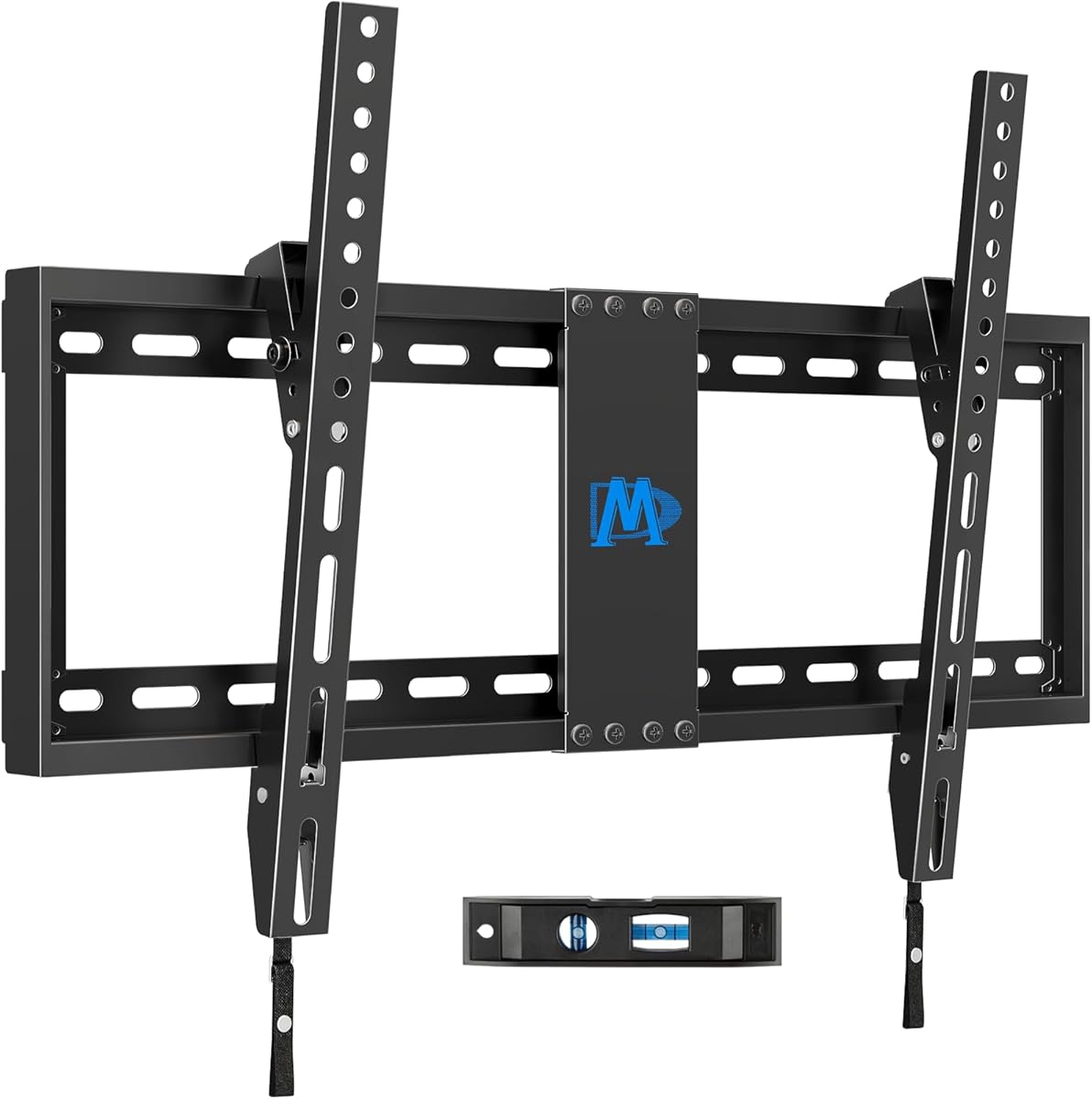
The Mounting Dream Tilting TV Wall Mount is a low-profile option designed to stay close to the wall. It supports TVs from 37 to 90 inches with a 132-pound capacity. It allows tilt of up to eight degrees to reduce glare. The design keeps the TV only 1.5 inches from the wall.
We may earn a commission when you buy through this link, at no additional cost to you.
This mount is ideal for spaces where you do not need to pull the screen out. It supports 24-inch wood stud spacing. Installation is simple with clear instructions. Note that it is not suitable for drywall alone. Concrete anchors may be required depending on your wall.
The main limitation is the lack of swivel or extension features. It is strictly for tilting. If you need to change angles beyond tilt, this is not for you. However, for a clean look with high capacity, it is excellent. It saves space while supporting large screens.
For a sleek setup with a large TV, this tilt-only model is a strong choice. It keeps cables hidden and looks neat. Ensure your wall can handle the weight. Check with customer service if you need concrete anchors.
The low profile keeps the TV close to the wall, creating a clean look without protruding into the room.
We may earn a commission when you buy through this link, at no additional cost to you.
Selecting the right mount involves considering size, weight, and wall type to ensure safety and optimal viewing.
Check your TV's dimensions and weight against the mount's limits. Most mounts list a range of screen sizes in inches and a maximum weight in pounds. If your TV exceeds these limits, the mount may fail to support it securely.
Always match your TV's exact specs to the mount's rating to avoid safety hazards or structural damage.
The VESA pattern refers to the hole spacing on the back of your TV. Ensure the mount supports this specific pattern. Common patterns range from 100x100mm to 600x400mm. Using an incompatible pattern may require adapters or prevent installation.
Verify your TV's VESA pattern before buying to guarantee a direct fit.
Decide between tilt-only and full-motion options. Tilt mounts allow vertical angle changes but stay close to the wall. Full-motion mounts allow swivel and extension, offering flexible viewing from different angles.
Choose a motion type that suits your room layout and seating arrangement.
Identify if your wall is wood stud, concrete, brick, or drywall. Most mounts require wood studs or anchors. Some models are not suitable for drywall alone. Ensure your wall can bear the load.
Use concrete anchors if installing on masonry to secure the mount firmly.
Select a mount with a weight capacity higher than your TV. This provides a safety margin. Heavy TVs like large LED models need robust mounts with high pound ratings.
Never exceed the weight limit to prevent accidents.
Full motion mounts vary in how far they extend and swivel. Some extend up to 32 inches, while others stay close. Swivel angles can range from 45 to 180 degrees. Check these specs for your needs.
Match extension range to your room depth for comfortable viewing.
Review what is included in the package. Look for bubble levels, templates, and screws. Some brands omit concrete anchors, which may be an extra step if you need them.
Ensure you have all necessary tools and anchors before starting.
Consider brands with reliable customer support and warranties. Good support helps if you face installation issues or need extra parts. Check user feedback on durability.
Choose a reputable brand for long-term reliability.
To maintain your mount, regularly check all bolts and screws for tightness. Over time, vibrations can loosen them slightly, so a quick check once or twice a year helps keep the TV secure.
When adjusting the TV, avoid forcing it beyond its designed limits. Use smooth, steady motions to swivel or tilt the screen to prevent damaging the joints or arms.
Keep the area around the mount clean from dust and debris. Dust accumulation can make movement stiff, so wipe down the arms and brackets with a soft cloth periodically.
Tilt mounts allow you to adjust the screen vertically to reduce glare but keep it close to the wall. Full motion mounts allow both tilt and swivel plus extension away from the wall for flexible viewing angles.
Yes, most full motion mounts require wood studs or solid concrete. Installing on drywall alone is usually not safe. If you do not have studs, use heavy-duty anchors approved for the mount's weight.
Check your TV's weight and screen size against the mount's limits. Also, verify the VESA pattern matches the mount's supported hole spacing. If unsure, contact the manufacturer for confirmation.
Many mounts can be installed on concrete but usually require specific anchors. Check the package contents or contact support for concrete anchor kits. Ensure the wall is solid and can hold the weight.
Uneven studs may cause tilt. Many mounts include a leveling adjustment feature to fine-tune the position. Use the bubble level included in the package to adjust screws until the screen is straight.
Inspect the mount every six months for any signs of wear or loose hardware. Tighten any loose screws to ensure safety. If you notice cracks or bending, replace the mount immediately.
A VESA pattern is the standard distance between mounting holes on the back of a TV. It is measured in millimeters. Ensure your mount supports your TV's specific VESA size for a proper fit.
We hope this guide helped you find the right mount for your setup. The top picks offer a range of options from budget-friendly to high-capacity models.
Consider your TV size, wall type, and viewing needs before deciding. Prioritize safety and compatibility to ensure a secure installation.
Remember to check current prices and availability before purchasing. Specifications and offers may vary over time.