
GE Digital 2-Way Coaxial Cable Splitter
4.6Editor score
5-2500 MHz range
Gold plated connectors
Universal brand compatibility
This guide compares the top Cable TV Splitter models for signal quality and durability to help you choose the right device for your home entertainment setup
A quality Cable TV Splitter ensures every device receives a strong signal. Poor splitters cause pixelation or dropouts. Choosing the right one prevents frustration and keeps your entertainment running smoothly.
We compared ten models based on frequency range, build quality, and port isolation. Our analysis highlights which splitters deliver consistent performance across satellite, cable, and antenna setups without degrading your signal strength.
Each pick below shows key specs and ideal use cases. Prices and availability change frequently so please verify current details before purchasing. We focus on value and reliability to help you save time and money.
4.6Editor score

4.6Editor score
4.6Editor score
This table provides a side-by-side look at the top ten splitters we analyzed. It highlights key differences in port counts, frequency support, and construction materials to help you compare options quickly.


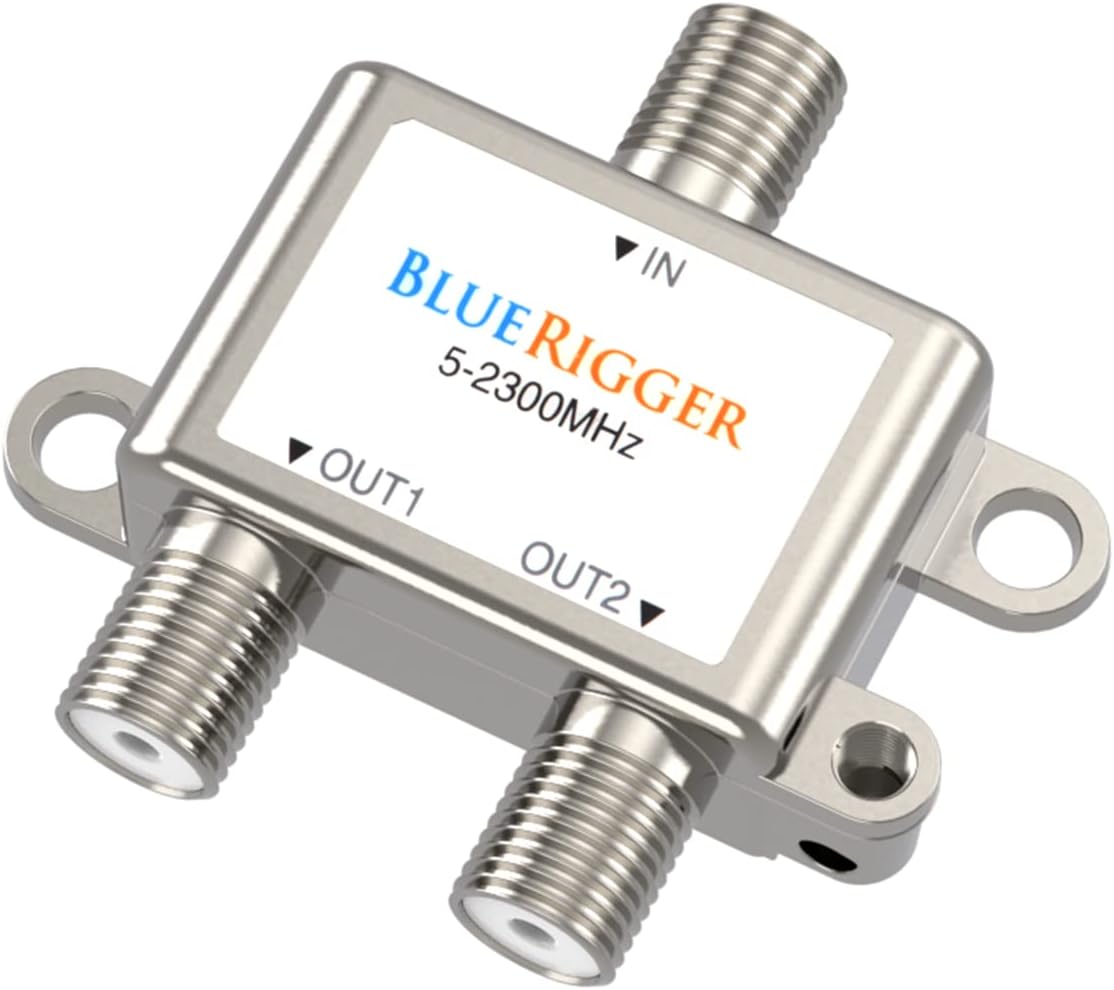

This is our top pick for its wide frequency range and power pass support. It supports MoCA 3.0 and delivers strong signal isolation for a cleaner picture and smoother internet connection.
We may earn a commission when you buy through this link, at no additional cost to you.
The die cast housing and internal PCB ensure low insertion loss. It works with RG6 and RG59 cables, making it versatile for most setups. Power pass allows satellite dishes to receive power through the splitter.
It is pricier than basic options and limited to two outputs. You may need a different model if you need to split to more devices without adding more hardware or amplifiers.
Buy it if you need a reliable splitter for high bandwidth internet and TV. It handles modern signal demands and offers durability. It is a great choice for upgrading a basic setup.
Supports MoCA 3.0 for high speed internet connections on existing coax wiring.
Enhanced port to port isolation prevents interference between connected devices.
We may earn a commission when you buy through this link, at no additional cost to you.
This splitter delivers solid performance for the price. It covers 5 to 2500 MHz and uses gold plated connectors to reduce corrosion. It is great for basic cable and internet setups.
We may earn a commission when you buy through this link, at no additional cost to you.
It works with all brands and supports amplifiers and amplified antennas. The connectors are easy to attach and the splitter fits most standard setups. It is reliable for everyday home use.
It lacks a grounding port and has simpler housing. You may need to add a ground wire separately. It is best for small setups where budget matters more than extra features.
Choose this if you want to keep costs low without sacrificing signal quality. It is easy to install and supports most TV or internet needs. It is a smart pick for basic users.
Gold plated connectors provide better conductivity and resist corrosion over time.
One of the most affordable options without sacrificing basic performance or durability.
We may earn a commission when you buy through this link, at no additional cost to you.
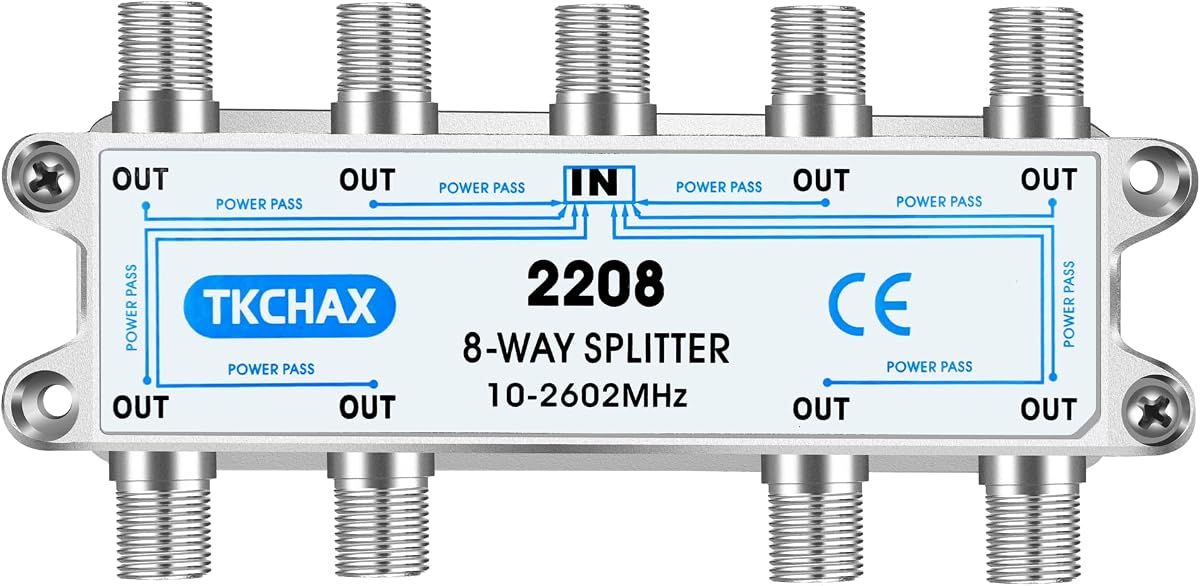
This is our top pick for multi room setups needing many outputs. It covers 10 to 2602 MHz and supports MoCA 3.0 for high speed internet over coax. It keeps signals strong even with eight outputs.
We may earn a commission when you buy through this link, at no additional cost to you.
The die cast housing and nickel plating resist corrosion and interference. Power pass enabled ports help satellite setups maintain uninterrupted service. It is built to handle demanding entertainment systems.
It is more expensive and bulkier than basic models. You may need more space to install it. However it reduces the need for additional hardware or amplifiers in complex setups.
Buy it if you need to split one signal to many devices. It delivers consistent performance across all ports. It is a premium pick for large homes or offices.
Eight outputs allow multiple TVs and devices to connect without extra splitters.
Supports MoCA 3.0 for maximum broadband speeds on coax networks.
We may earn a commission when you buy through this link, at no additional cost to you.
This splitter supports six outputs and is great for multi room homes. It works with MoCA 3.0 and handles 10 to 2602 MHz. It keeps signal strength steady across all connected devices.
We may earn a commission when you buy through this link, at no additional cost to you.
The sealed body and nickel plating improve durability. Power pass ensures satellite dishes receive power reliably. It is easy to install with mounting holes and a grounding port.
It is pricier than basic splitters and takes more space. You may need to plan your layout carefully. It is best for homes needing more outputs without adding extra hardware.
Buy this if you need to split to six TVs or devices. It is reliable for modern networks. It balances performance and cost well for mid size setups.
Six ports simplify wiring for multi room setups without extra hardware.
Power pass enabled ports maintain uninterrupted service for satellite equipment.
We may earn a commission when you buy through this link, at no additional cost to you.
This value pack includes two splitters for multiple installs. Each uses F type connectors and nickel plated metal for good conductivity. It is great for basic home wiring and small projects.
We may earn a commission when you buy through this link, at no additional cost to you.
Installation is simple with screw on connectors. It works with cable TV, antennas, and satellite systems. The design keeps signal loss low for daily use.
It has a lower rating than higher end models and no grounding. You may need to add grounding separately for satellite setups. It is best for budget friendly small fixes.
Buy this if you need two splitters for low cost. It is easy to use and fits most RG6 cables. It is a practical choice for occasional use.
Two units in one box save money if you need more than one splitter.
Nickel plated metal ensures durability and good conductivity over time.
We may earn a commission when you buy through this link, at no additional cost to you.
This splitter works for four devices and is backed by GE support. It covers 5 to 2500 MHz and uses gold plated connectors. It is reliable for standard TV and internet needs.
We may earn a commission when you buy through this link, at no additional cost to you.
Power pass on all ports helps satellite setups. The US based technical support adds peace of mind. It fits most coax setups and is easy to install.
It lacks MoCA 3.0 support and has simpler housing. You may need a higher end model for advanced networking. It is best for traditional cable and TV use.
Choose this if you need to split to four TVs or devices. It is dependable with solid support. It is a good pick for mid size setups.
US based technical support is available for help with setup or issues.
Power pass on all ports supports satellite equipment without extra adapters.
We may earn a commission when you buy through this link, at no additional cost to you.
This splitter handles eight devices and maintains low signal loss. It covers 5 to 2400 MHz and includes a one year warranty. It is great for complex setups needing many ports.
We may earn a commission when you buy through this link, at no additional cost to you.
The high isolation structure helps with performance. It supports MoCA and all ports pass power. It works well with satellite and internet equipment.
It lacks a grounding port and is heavier than smaller models. You may need to plan installation carefully. It is best for homes needing many outputs.
Buy it if you need eight ports in one unit. It keeps signals stable across all outputs. It is a strong pick for large entertainment systems.
Low signal loss ensures clear audio and video on all connected devices.
High isolation structure prevents interference between output ports.
We may earn a commission when you buy through this link, at no additional cost to you.
This compact splitter fits tight spaces while delivering strong signal. It covers 5 to 2300 MHz and has a lifetime warranty. It is reliable for cable, antenna, and internet needs.
We may earn a commission when you buy through this link, at no additional cost to you.
The nickel plated housing reduces digital noise. It works with all standard coax cables. It is easy to install and supports amplifiers.
It does not support MoCA 3.0 and is mid priced. You may need another model for high end networks. It is best for space constrained installations.
Buy this if you need a reliable compact splitter. It offers great warranty support. It is a smart pick for limited space setups.
Lifetime warranty provides long term confidence in the product's durability.
Mini diplexer design fits tight spaces without sacrificing performance.
We may earn a commission when you buy through this link, at no additional cost to you.
This splitter supports three outputs and handles modern frequencies. It works with MoCA 3.0 and supports 10 to 2602 MHz. It keeps signal strong across all devices.
We may earn a commission when you buy through this link, at no additional cost to you.
Die cast housing and power pass ports add durability. Mounting holes and grounding port simplify install. It works with most coax cables.
It is pricier and bulkier than basic models. You need extra space to install. It is best for homes needing more outputs without extra hardware.
Buy this if you need three ports in one unit. It delivers consistent performance. It is a solid pick for mid size setups.
Three ports simplify wiring for homes needing to split to three devices.
Supports MoCA 3.0 for high speed broadband on coax.
We may earn a commission when you buy through this link, at no additional cost to you.
This short splitter cable is ideal for tight spots. It is 15cm long and uses F type connectors. It is great for connecting close by devices without extra cable.
We may earn a commission when you buy through this link, at no additional cost to you.
Flexible cable makes positioning easy. It works with most video and TV gear. It is lightweight and simple to install.
It is limited to 15cm and has no advanced network support. You need more space for other setups. It is best for short reach connections.
Buy this if you need to split close devices. It is easy to install and flexible. It is a practical pick for limited space wiring.
Short 15cm length fits tight spaces without excess cable clutter.
Flexible design allows adjustment to fit specific connector positions.
We may earn a commission when you buy through this link, at no additional cost to you.
Choosing the right splitter depends on your setup and devices. This guide covers key factors to help you pick one that delivers consistent signal quality.
Frequency range indicates how much of the signal spectrum the splitter can handle. Most models support 5 to 2500 MHz. Advanced models reach 2602 MHz for modern high speed internet over coax. Wider range ensures compatibility with newer services.
Look for a splitter that covers at least 2500 MHz for future proofing.
Outputs determine how many devices you can connect from one source. Two way splitters are common for basic setups. Four or eight way models suit multi room homes. More outputs increase loss per port.
Choose the minimum outputs needed to avoid unnecessary signal degradation.
MoCA support allows high speed internet over coax. MoCA 2.5 and 3.0 support helps with broadband networks. Standard splitters may not handle this well. Check specs for MoCA compatibility if using internet over coax.
Ensure the splitter explicitly supports MoCA 2.5 or 3.0 for network use.
Build material affects durability and interference resistance. Die cast zinc or metal with nickel or gold plating resists corrosion. Plastic housing may degrade over time. Higher quality builds last longer.
Pick a model with metal housing and plated connectors for best longevity.
Power pass allows power to flow through the splitter to satellite equipment. This avoids needing extra adapters for dishes. Check if all ports support power pass. Not all splitters include this feature.
Verify power pass support if connecting satellite set top boxes or dishes.
Isolation loss shows how well ports prevent interference. Lower numbers are better for signal quality. Some models advertise high isolation for cleaner output. Poor isolation can cause pixelation or dropouts.
Select a splitter with low insertion and isolation loss for stable signals.
A grounding port lets you attach a wire to earth the setup. This reduces static and protects against surges. Satellite setups often require grounding. Not all splitters include this port.
Look for a grounding screw port if using satellite or antenna systems.
Connector type ensures the splitter fits your cables. F type connectors are standard for TV. Ensure it matches your cable ends. Some models include male to female adapters for convenience.
Confirm the splitter uses F type connectors for standard coax compatibility.
Start by turning off all connected equipment to prevent power surges. Unscrew the coax cable from your TV or receiver and attach it to the splitter input port. Tighten firmly by hand for secure contact.
Connect your TVs or devices to output ports using RG6 or RG59 cables. Ensure each connector is tight and fully seated. Use grounding wires if provided to improve safety and signal stability.
Avoid bending or pinching the cables to reduce strain on connectors. Inspect splitters periodically for rust or loose threads. Keep the area dry and ventilated to extend its lifespan.
Yes, splitters divide signal power among outputs. Quality splitters minimize loss with good isolation and wide bandwidth. Choose models designed for high performance to keep signal strong and clear.
MoCA 2.5 supports speeds up to 2.5 Gbps while MoCA 3.0 goes up to 10 Gbps. If you use internet over coax, ensure your splitter supports the version required for your plan.
Most splitters work with RG6 and RG59 cables. Ensure the cable type matches your devices and the splitter connector. Mismatched cables can cause signal loss or poor connection.
Most passive splitters do not need external power. However, if your setup uses satellite equipment, ensure the splitter supports power pass. This allows power to flow to the dish without extra adapters.
Chaining multiple splitters increases signal loss. It is better to use a splitter with enough outputs for your needs. If chaining is necessary, consider adding an amplifier to boost the signal.
Grounding reduces interference and protects equipment from power surges. Attach a grounding wire to the grounding screw port on the splitter. This is especially important for satellite and antenna systems.
Our top picks deliver reliable performance for most home needs. The 2 Way model leads for overall quality while the 8 Way model suits larger setups. The 2 Pack splitter is ideal for budget friendly installs.
Focus on frequency range and MoCA support if using high speed internet. Build quality and power pass features add durability and compatibility. Match the splitter to your number of devices for best results.
Always check current prices and availability before buying. Models and specs may vary. With the right splitter, you can enjoy stable signal across all your devices without extra cost.