
Amplified Landline Phone for Seniors
3.9Editor score
100dB ringer volume
Photo speed dial buttons
LED flash alert
This guide compares the top captioned telephones for hearing impaired users, evaluating features like amplification, captioning speed, and ease of use for
Finding the right communication tool is essential for those with hearing loss. Captioned telephones offer a unique solution by displaying real-time text alongside voice calls, ensuring conversations are clear and confident for everyone involved.
We evaluated ten top-rated models based on critical features like amplification power, caption accuracy, and user-friendly designs. Our analysis focuses on devices that truly support independent communication for seniors and individuals with hearing challenges.
Each product entry details key specifications, pros, cons, and ideal use cases to help you make an informed decision. Please note that product availability and pricing can change frequently, so verify current details before purchasing.
3.9Editor score

4.3Editor score

4.0Editor score
The following table provides a side-by-side comparison of all ten models reviewed in this guide, highlighting their core specifications to help you quickly identify the device that best fits your specific hearing and communication needs.




The Hamilton CapTel 2400iSPNBT stands out as a top choice for users needing clear communication. With a rating of 4.3, it delivers real-time captions and amplified sound. Its large touch screen makes navigation intuitive for seniors.
We may earn a commission when you buy through this link, at no additional cost to you.
This device turns everyday calls into confident conversations by displaying text on an easy-to-read touchscreen. It offers both auto captions and assisted options with live operator support. The built-in answering machine displays voicemail captions for better clarity.
While it requires high-speed internet and is limited to US residents, the reliability is worth the setup. The volume control and hearing aid compatibility ensure comfort for long calls. Users appreciate not missing words in important conversations.
Ideal for those who need captions daily, this phone bridges the gap between hearing loss and clear communication. Its features support independence and confidence. For the best captioned experience, this model is highly recommended.
The large touch screen ensures captions are easy to read even without glasses.
Compatible with hearing aids for seamless audio integration during calls.
We may earn a commission when you buy through this link, at no additional cost to you.
The Geemarc Ampli550 is an excellent choice for those who need loud sound rather than captions. It features ultra-loud sound and talking keys to guide users. The backlit LCD display is easy to read in any lighting.
We may earn a commission when you buy through this link, at no additional cost to you.
With up to 55dB of extra clear TrueSound, it ensures callers are heard clearly. The emergency keys and one-touch dial buttons provide safety and convenience. Flashing strobes and bright screens alert you to incoming calls effectively.
While it lacks captioning, its sound amplification is top-tier. The design caters to elderly users who struggle with small buttons. It prevents missed calls through its loud alerts and clear audio output.
Perfect for individuals with moderate to severe hearing loss, this phone ensures you never miss a call. The ease of use is unmatched. If you need volume over text, this is a solid pick.
Three color-coded emergency keys provide quick access for critical moments.
Up to 55dB amplification ensures voices are clear and distinguishable.
We may earn a commission when you buy through this link, at no additional cost to you.
The Captel MDL 200 offers a straightforward solution for hearing impaired users. It focuses on basic functions to simplify communication. As a corded phone, it provides a stable connection for calls.
We may earn a commission when you buy through this link, at no additional cost to you.
This device is designed specifically for those with hearing loss. It includes necessary features to help users stay connected without complexity. The design prioritizes reliability and ease of daily use.
While it lacks the advanced features of newer models, it serves a specific niche well. Its simplicity makes it accessible for users who do not need extra bells and whistles. It is a practical tool for essential communication.
Ideal for seniors who want a no-fuss phone, it avoids confusion. The low price point makes it an attractive option for budget-conscious buyers. It ensures you can make and receive calls with confidence.
Basic functionality ensures users are not overwhelmed by complex settings.
Low cost makes accessible communication available to more people.
We may earn a commission when you buy through this link, at no additional cost to you.
The Clarity AltoPlus is designed for mild to severe hearing loss with official certification. It provides up to 53dB amplification for clear listening. The loud ringer ensures alerts are never missed.
We may earn a commission when you buy through this link, at no additional cost to you.
This phone is ergonomically designed for users with arthritis. It includes a talking keypad and large backlit screen for ease of use. A neckloop jack connects directly to hearing aids for better audio.
While it does not offer captions, its sound quality is certified. The visual indicators work well in noisy environments. Battery backup provides power protection during outages.
Best for those who need certified sound clarity, this model fits many needs. It balances usability and technical performance. For reliable amplified calls, it is a strong contender.
Tone and volume controls are easy to use for all users.
A loud ringer with visual indicator ensures calls are noticed.
We may earn a commission when you buy through this link, at no additional cost to you.
The Serene Innovations SI-CL-65 is a cordless option with HD clarity. It is designed to be easy for seniors to use. The system allows movement without being tethered to a base.
We may earn a commission when you buy through this link, at no additional cost to you.
Talking caller ID helps users know who is calling clearly. It supports hearing aid users with better sound. The design focuses on reducing confusion during dialing.
While it lacks captioning, the convenience of cordless is a plus. It is a good choice for those who prefer mobility. The clarity supports better communication overall.
Ideal for seniors who move around the home, it offers convenience. The HD audio helps those with mild loss. It is a practical addition for home use.
Use the phone anywhere in the house without wires.
High definition sound makes conversations clearer than standard phones.
We may earn a commission when you buy through this link, at no additional cost to you.
The VTech SN5147 combines corded reliability with cordless mobility. It is designed specifically for seniors and hard of hearing users. The base works during power outages for critical communication.
We may earn a commission when you buy through this link, at no additional cost to you.
Features include photo speed dial slots to call loved ones easily. A smart call blocker stops robocalls for better peace of mind. The answering machine allows slow playback for better understanding.
While it does not offer captions, its security features are strong. The large buttons and display help with low vision. It balances security and ease of use effectively.
Best for those needing both mobility and security, this system is robust. It protects from unwanted calls while simplifying contact. For a complete home phone experience, it is excellent.
Use photos to call family members with one touch.
Smart call blocker stops up to 1000 robocalls.
We may earn a commission when you buy through this link, at no additional cost to you.
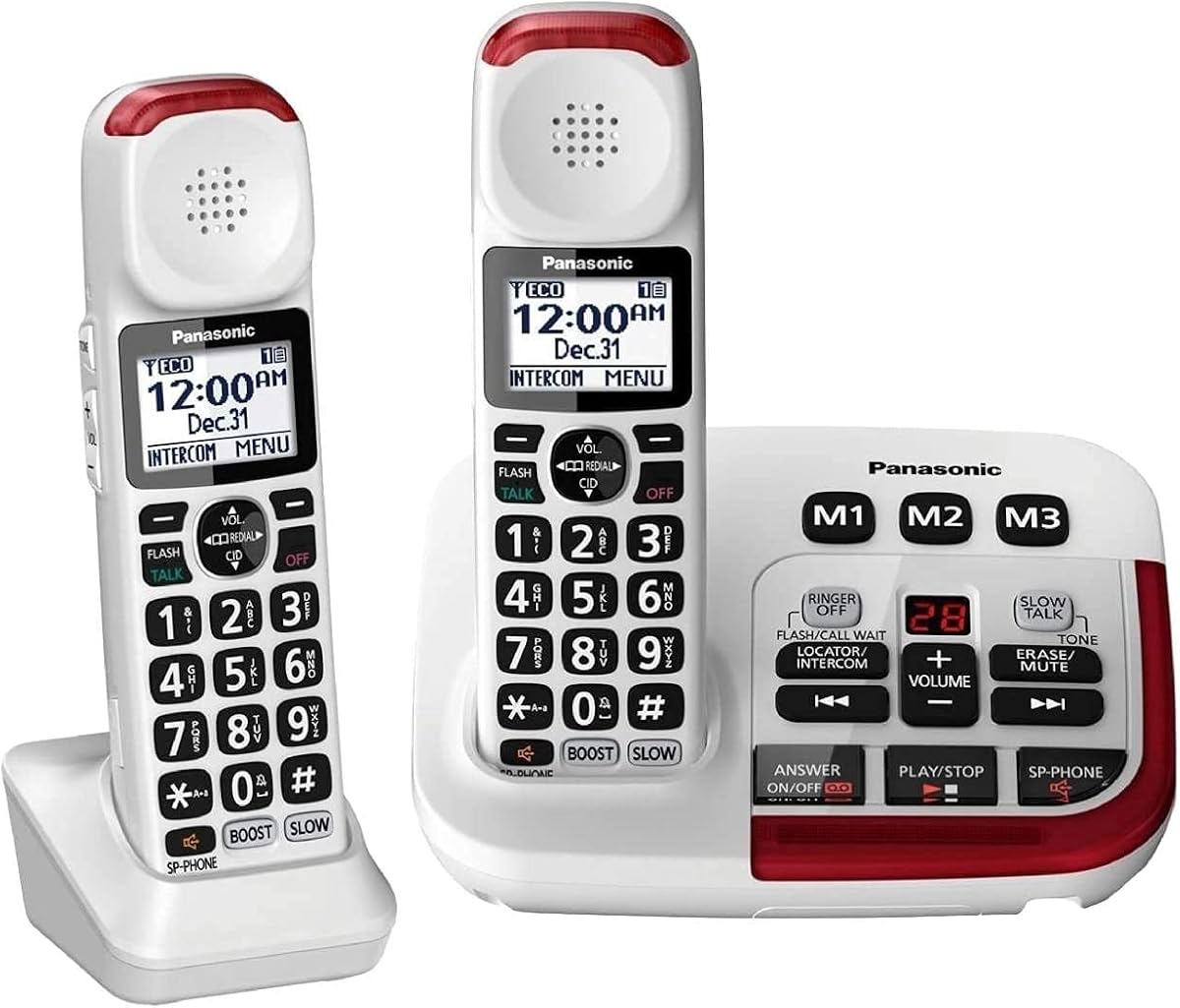
The Panasonic KX-TGM420W excels at filtering noise for clear calls. It includes a slow talk feature to slow speech on messages. Volume boost ensures voices are louder for those with loss.
We may earn a commission when you buy through this link, at no additional cost to you.
Talking caller ID and keypad make navigation simple for users. The system expands to six handsets for large homes. Power backup ensures continuity during electrical outages.
While it lacks captions, its noise reduction is unique. It makes conversations in noisy environments better. The slow talk function is helpful for missed calls.
Ideal for large homes or noisy areas, it enhances clarity. The expansion option allows whole-family use. It is a versatile choice for audio quality.
Slows down speech in real time for better comprehension.
Suppresses background interference for clearer conversations.
We may earn a commission when you buy through this link, at no additional cost to you.
The SWISSVOICE Big Button Phone uses photos to simplify dialing. It is designed for elderly users who may struggle with numbers. The system includes an extra cordless handset for convenience.
We may earn a commission when you buy through this link, at no additional cost to you.
Large buttons and photos make it easy to contact family. It is hearing aid compatible for better audio. The ringer is loud enough to alert in busy homes.
While user ratings vary, the photo feature is intuitive. It helps those with low vision or cognitive issues. The simplicity ensures users can use it daily.
Best for those needing visual cues to call, it is a great pick. It reduces dialing confusion significantly. If you prefer photos over numbers, this model works well.
Use photos to see exactly who you are calling.
Includes an additional cordless phone for more flexibility.
We may earn a commission when you buy through this link, at no additional cost to you.
This Panasonic system supports up to six handsets for whole homes. It includes two handsets with voice volume booster. Visual ringers alert users even when ringer volume is low.
We may earn a commission when you buy through this link, at no additional cost to you.
Talking caller ID ensures you know who is calling. The answering machine handles messages with clarity. It is expandable to fit growing family needs.
While the cost is higher, the coverage is extensive. It ensures everyone in the house has a clear phone. The voice booster helps with moderate hearing loss.
Ideal for large households, it provides coverage for everyone. It ensures no calls are missed anywhere. It is a premium solution for whole-home communication.
Add up to six handsets for complete home coverage.
Visual ringers alert even when sound volume is low.
We may earn a commission when you buy through this link, at no additional cost to you.
This affordable phone provides 100dB ringing for sure alerts. It includes photo speed dial to contact family easily. It is suitable for mild to moderate loss but not profound loss.
We may earn a commission when you buy through this link, at no additional cost to you.
The LED flashing light ensures you never miss a call. Speakerphone makes hands-free use simple. It is built with a sturdy body for daily use.
While not for profound loss, it is excellent for moderate needs. The low price makes it accessible for many users. It balances cost and functionality well.
Best for those on a budget, it covers essential needs. It ensures clear, loud communication. If you need a reliable affordable landline, this is a top choice.
Provides essential features at a very low cost.
LED light ensures calls are noticed even in quiet settings.
We may earn a commission when you buy through this link, at no additional cost to you.
Selecting the right telephone requires understanding your specific hearing needs and lifestyle. This guide outlines the key factors to consider before making a purchase.
Captioned telephones display real-time text alongside voice calls. This is essential for those who struggle to catch words in fast conversations. Look for models with clear, large screens and accurate transcription services.
Ensure the service is available in your region and that you meet registration requirements for free captioning services.
Check the decibel gain of the phone. Models offer between 40dB to 55dB of amplification. Higher volume helps distinguish speech from background noise.
If you wear hearing aids, ensure the phone supports compatibility to boost sound directly through your device.
Large buttons and backlit displays are crucial for seniors. Some phones feature photo dialing which helps users identify contacts visually. Avoid complex menus that cause confusion.
Simple navigation ensures you can make calls quickly during emergencies.
Loud ringers alone may not be enough. Look for phones with flashing strobes or LED lights. Visual indicators ensure you notice calls even when sleeping or in noisy rooms.
Some models offer adjustable ring tone volumes to suit different environments.
Captioned phones often require high-speed internet. Others work on standard landlines. Verify your internet speed if you choose a captioned model to avoid dropped text.
Cordless models offer mobility but rely on battery life for function.
Talking caller ID announces who is calling. This is helpful for low vision users. Photo speed dial lets you press an image to call a family member.
Advanced models also offer robocall blocking to reduce unwanted interruptions.
Power outages can cut off communication. Some phones include power backup or battery options to keep working during blackouts. This is vital for emergency safety.
Ensure you have extra batteries or a power source ready for cordless units.
Look for warranties that cover manufacturing defects. Support services should be accessible for technical help. User reviews often highlight reliability issues to watch for.
Select a brand with a good history of customer service and satisfaction.
Place the phone on a stable surface near an electrical outlet and internet connection if required. Ensure the power cable is not near water or high traffic areas to prevent tripping.
Clean the screen and buttons weekly with a soft dry cloth. Avoid spraying liquid directly on the unit as moisture can damage electronics. Do not use harsh chemicals on the screen.
Keep volume levels consistent to avoid accidental changes. If using photo buttons, store clear images that are easily recognizable. Test the ringer volume to ensure it is audible throughout your home.
Most modern captioned telephones require high-speed internet to function. The text captions are generated through cloud-based services. Traditional landlines may support basic amplified phones but not captioning.
The devices themselves have a cost, but many US residents can get free captioning service. Registration is required to verify eligibility based on hearing loss. Some models have a monthly fee for service.
Many captioned phones are designed to work with hearing aids. Check for T-coil compatibility or specific jacks for neckloops. This helps amplify sound directly into your hearing device.
Corded phones offer reliability during power outages while cordless allow mobility. Hybrid models combine both. Choose based on whether you need to move around the house while talking.
A good ringer should be at least 90dB for alerting hard of hearing users. Visual alerts like flashing lights are also useful. If you have severe hearing loss, seek models with strobe alerts.
Yes, most models allow one-touch speed dialing. Some allow storing numbers as photos for easier access. This feature helps quickly contact family or emergency services without searching for numbers.
We have reviewed ten top models ranging from budget options to premium systems. The Hamilton CapTel 2400iSPNBT stands out for its clear captions. For volume needs, the Geemarc Ampli550 is powerful.
When choosing, consider whether you need text or just loud sound. Features like photo dial and visual alerts are vital for safety. Match the phone to your specific hearing loss level.
Remember that prices and availability may vary. Check current deals and verify internet compatibility. A good phone restores confidence and keeps you connected to loved ones daily.