
G.SKILL Flare X5 Series DDR5 RAM
4.7Editor score
Optimized for AMD EXPO
32GB capacity kit
Stable high-frequency operation
This guide compares ten top DDR5 RAM for overclocking kits, evaluating speed, latency, and compatibility for gaming and professional workloads in 2026.
Selecting the right DDR5 RAM for overclocking is crucial for maximizing system performance. High-speed memory ensures smooth gaming and faster rendering times. This guide helps you identify kits optimized for stability and speed.
We evaluated ten leading DDR5 kits based on speed, latency, and platform compatibility. Our analysis focuses on real-world performance, ease of tuning, and build quality. Each product was reviewed for its overclocking potential and reliability.
Every pick highlights unique strengths like low latency or robust heat spreaders. These details help you match memory to your specific motherboard and CPU. Please note that market availability and pricing change frequently.
4.7Editor score

4.8Editor score

4.7Editor score
The following table provides a side-by-side comparison of all ten reviewed DDR5 memory kits. It highlights key specifications such as speed, latency, and platform support to help you make an informed decision quickly.




This Crucial Pro kit stands out with its 6000MHz speed and 32GB capacity. It offers a solid balance of performance and reliability. The 4.8 rating confirms its strong appeal among users seeking speed.
We may earn a commission when you buy through this link, at no additional cost to you.
It features optimized DDR5 compatibility with Intel and AMD platforms. Lower latency improves frame rates in AAA games. The trusted Micron quality ensures rigorous testing at component levels.
The extended timings provide stable overclocking performance compared to standard modules. However, achieving maximum speed requires BIOS adjustments. This is acceptable for users willing to tune their systems.
Ideal for gamers and creators needing responsive memory. It provides a reliable foundation for high-performance builds. Choosing this kit ensures you get top-tier overclocking capability.
Lower latency at 6000MHz benefits fast-paced gameplay significantly.
Improved multitasking and system responsiveness due to high capacity.
We may earn a commission when you buy through this link, at no additional cost to you.
This Corsair kit combines performance with stylish dynamic RGB lighting. It offers dual memory profiles for easy platform selection. The onboard voltage regulation aids in stable high-frequency operation.
We may earn a commission when you buy through this link, at no additional cost to you.
Its design features a sleek, understated panoramic diffuser. The lighting delivers vibrant effects without overwhelming the system. It is optimized for peak performance on modern DDR5 motherboards.
The maximum speed depends on system components like the CPU. Users must make BIOS adjustments to reach top performance. This is common for overclocking kits but requires care.
Great for builds where aesthetics matter alongside speed. It provides reliable power for high frequencies. Ideal for users who value visual appeal in their hardware.
Individually addressable RGB lighting adds vibrant effects to your build.
Dual profiles allow easy selection between AMD and Intel settings.
We may earn a commission when you buy through this link, at no additional cost to you.
This kit boasts an impressive 6400MHz speed with CL32 latency. It is designed for gaming and multitasking performance. The 4.6 rating reflects its strong appeal to enthusiasts.
We may earn a commission when you buy through this link, at no additional cost to you.
It features a battle-ready heat spreader for bold aesthetics. Elite compatibility ensures stable overclocking with Intel and AMD CPUs. Lower latency enhances frame rates in intensive titles.
The extended timings ensure reduced latency during use. However, achieving this speed needs a compatible motherboard. This is acceptable for users building high-end systems.
Perfect for those seeking top-tier speed for DDR5. It delivers next-gen computing capabilities. Choosing this ensures maximum responsiveness for demanding tasks.
6400MHz speed provides significant gains for gaming and rendering.
Striking style with a battle-ready heat spreader design.
We may earn a commission when you buy through this link, at no additional cost to you.
This single module provides 16GB with a 6000MHz transfer rate. It is UDIMM compliant with industry standards. The 4.7 rating highlights its reliability and strong performance.
We may earn a commission when you buy through this link, at no additional cost to you.
The 288-pin configuration ensures wide compatibility. It supports systems that require DDR5-6000 memory. The unbuffered design simplifies installation in standard desktops.
It offers solid stability for overclocking tasks. Users may need to pair it with another module. This is acceptable for those upgrading specific channels.
Great for users needing a reliable single stick. It provides a solid foundation for memory upgrades. Ideal for those prioritizing stability and speed.
UDIMM compliance ensures seamless integration with standard motherboards.
6000MT/s rate provides quick access to system data.
We may earn a commission when you buy through this link, at no additional cost to you.
This Flare X5 kit offers 32GB with up to 6000MT/s. It includes profiles for both Intel and AMD users. The 4.7 rating confirms its strong performance and value.
We may earn a commission when you buy through this link, at no additional cost to you.
It is designed for desktop PCs and gaming. The matte black finish adds a sleek look. Users should avoid mixing kits to ensure stability.
The speed depends on system components like the CPU. BIOS adjustments are needed for maximum performance. This is standard for overclocking memory but requires care.
Ideal for AMD users seeking cost-effective speed. It provides reliable performance for high-end tasks. Choosing this ensures a great balance of price and speed.
Includes both JEDEC default and overclock profiles for adaptability.
Validated for Intel and AMD modern motherboard platforms.
We may earn a commission when you buy through this link, at no additional cost to you.
This Viper Venom kit features a low CL30 latency. It offers 6000MHz speed for high-performance desktops. The 4.6 rating reflects its strong reliability and appeal.
We may earn a commission when you buy through this link, at no additional cost to you.
It is tested across latest DDR5 platforms. The limited lifetime warranty adds peace of mind. It supports XMP 3.0 and EXPO overclocking profiles.
The latency ensures faster response times in applications. Users must ensure motherboard compatibility for max speed. This is acceptable for those prioritizing performance.
Great for competitive gamers needing low latency. It provides stable overclocking potential. Choosing this ensures smooth and fast system performance.
CL30 latency provides faster access to data for gaming.
Limited lifetime warranty supports long-term reliability and use.
We may earn a commission when you buy through this link, at no additional cost to you.
This RGB kit offers dynamic ten-zone lighting. It is tuned for up to 6000MHz with low latency. The 4.7 rating confirms its strong build and performance.
We may earn a commission when you buy through this link, at no additional cost to you.
It features tightly screened memory for extended potential. Onboard voltage regulation ensures stable overclocking via software. It is optimized for modern DDR5 motherboards.
Achieving maximum speed requires motherboard adjustments. This is common for premium kits and ensures stability. It is a worthy trade-off for top-tier users.
Ideal for builders who want performance and style. It provides vibrant RGB effects alongside speed. Choosing this ensures both aesthetics and high performance.
Ten individually addressable RGB LEDs provide vivid lighting from any angle.
Onboard voltage regulation ensures stable operation during overclocking.
We may earn a commission when you buy through this link, at no additional cost to you.
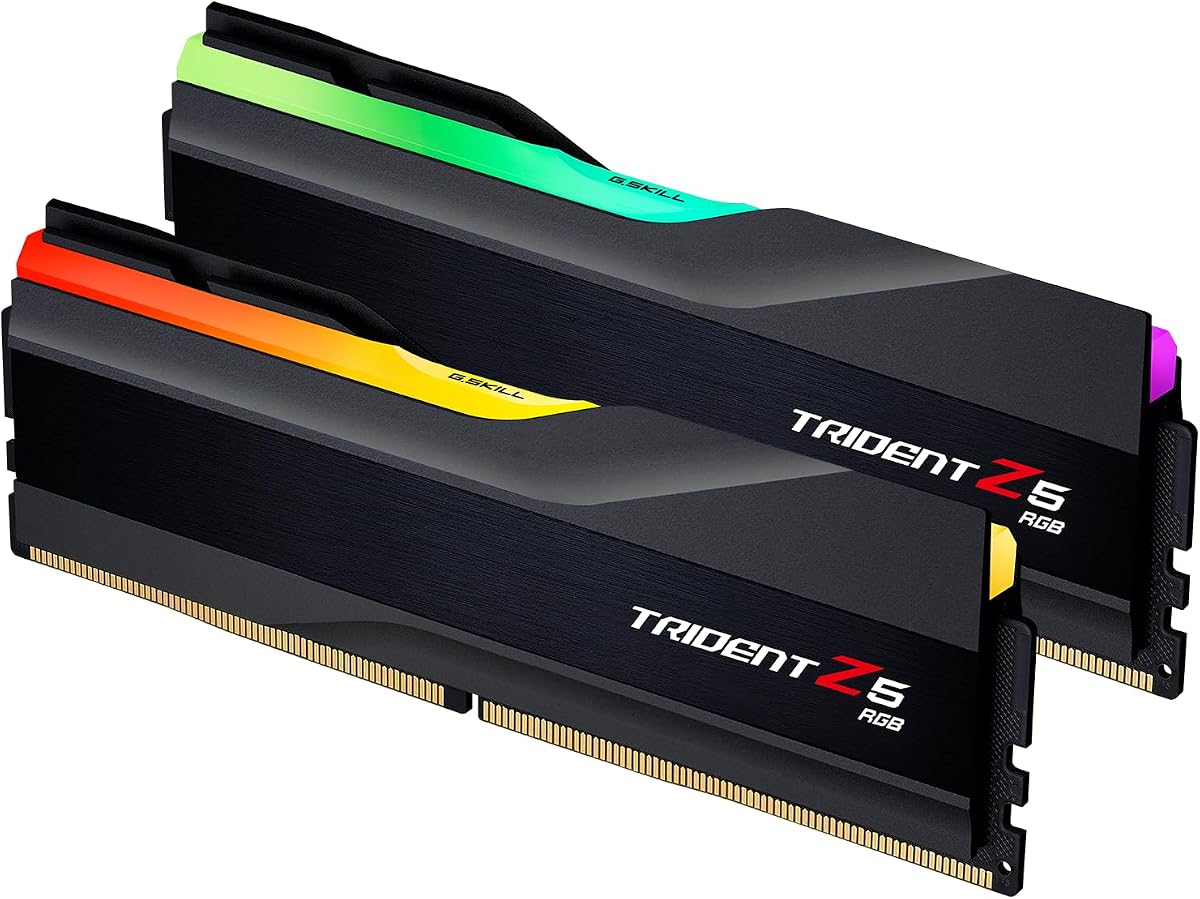
This Trident Z5 RGB kit offers 32GB capacity. It includes both Intel XMP and AMD EXPO profiles. The 4.7 rating reflects its strong reliability and design.
We may earn a commission when you buy through this link, at no additional cost to you.
It features a matte black finish for style. It is designed for non-ECC desktop PCs. Users should avoid mixing kits to ensure stability.
Speed depends on system components like the CPU. Maximum performance needs BIOS tuning. This is standard for high-end memory kits and is acceptable.
Great for those who want RGB without sacrificing speed. It provides stable performance for high-end tasks. Choosing this ensures both visual appeal and performance.
Trident Z5 series offers a sleek and vibrant RGB look.
Validated for Intel and AMD platforms for compatibility.
We may earn a commission when you buy through this link, at no additional cost to you.
This Vengeance kit offers a strong 4.8 rating. It is optimized for peak performance on modern boards. The dual memory profiles allow easy platform selection.
We may earn a commission when you buy through this link, at no additional cost to you.
Onboard voltage regulation enables stable overclocking. It is tightly screened for extended potential. Users should ensure BIOS adjustments for maximum speed.
Achieving top performance requires tuning. This is acceptable for users seeking reliability. It balances well between performance and stability.
Great for those seeking a balanced memory kit. It ensures high bandwidth for demanding tasks. Choosing this ensures strong and reliable DDR5 performance.
Optimized for peak performance on latest DDR5 motherboards.
Tightly screened memory ensures consistent and stable operation.
We may earn a commission when you buy through this link, at no additional cost to you.
This Ripjaws S5 kit offers 32GB capacity. It includes both Intel XMP and AMD EXPO profiles. The 4.6 rating reflects its strong reliability and design.
We may earn a commission when you buy through this link, at no additional cost to you.
It features a matte black finish for style. It is designed for non-ECC desktop PCs. Users should avoid mixing kits to ensure stability.
Speed depends on system components like the CPU. Maximum performance needs BIOS tuning. This is standard for high-end memory kits and is acceptable.
Great for those who want high capacity and stability. It provides reliable performance for high-end tasks. Choosing this ensures robust and versatile DDR5 performance.
32GB kit ensures ample memory for multitasking and rendering.
Validated for Intel and AMD platforms for compatibility.
We may earn a commission when you buy through this link, at no additional cost to you.
Choosing the right DDR5 RAM involves understanding key factors that affect performance and stability. This guide outlines the most important considerations for buyers.
Speed is measured in MT/s. Higher values indicate faster data transfer rates. Look for kits rated 6000MHz or higher for top performance.
Higher speed ensures better gaming and multitasking responsiveness.
Latency is measured in CAS timings. Lower numbers mean faster response times. Look for CL30 or CL32 for better responsiveness.
Low latency is crucial for competitive gaming and fast system operation.
Check compatibility with your motherboard and CPU. Look for XMP 3.0 for Intel or EXPO for AMD. Ensure the BIOS supports your chosen RAM.
Compatibility ensures stable and maximum performance without system errors.
Capacity determines how much data can be stored temporarily. Most kits offer 32GB. Dual-channel kits improve bandwidth over single modules.
Higher capacity and dual channels ensure smooth multitasking and rendering.
Heat spreaders help dissipate heat during overclocking. Look for robust designs to maintain stability. Overheating can lead to throttling and instability.
Good heat dissipation ensures consistent high speeds and long life.
RGB lighting adds visual appeal. Decide if you want lighting or minimal design. Ensure it fits your build aesthetic.
RGB features improve aesthetics but add minimal performance impact.
Warranty terms vary by brand. Look for lifetime or limited warranties for peace of mind. Strong support helps resolve any issues quickly.
Strong warranty protection ensures you get value for your investment.
Support for overclocking is key for enthusiasts. Look for kits with detailed profiles or support. Ensure your system can handle the tuning.
Overclocking support ensures you can achieve maximum performance and speed.
Install RAM carefully in the correct slots. Ensure the motherboard supports your speed. Always turn off the system before installing.
Use BIOS to enable XMP or EXPO profiles. This sets the memory to its rated speed. Avoid manual tuning unless experienced.
Monitor temperatures during overclocking. Use tools to check for stability. Overheating can cause throttling and system crashes.
The best speed depends on your motherboard. Look for 6000MHz or higher. Ensure your CPU supports the speed. Higher speeds improve gaming and rendering.
Most kits support XMP or EXPO profiles. These enable automatic tuning in BIOS. Manual tuning is optional for experts. Ensure stability before pushing further.
It is not recommended to mix kits. Different timings can cause instability. Use matched kits for consistent performance. Mixing kits may lead to system failure.
XMP is for Intel platforms. EXPO is for AMD. Ensure your RAM supports your processor. Both allow easy performance tuning.
Use system monitoring tools. Check if speeds match your rated specs. Ensure BIOS settings are applied. If not, enable XMP or EXPO.
DDR5 RAM offers higher speeds and capacity. It improves multitasking and responsiveness. For gaming, look for low latency. It enhances frame rates in demanding titles.
Revert to default BIOS settings. Ensure your RAM is properly seated. Check for BIOS updates. Overclocking should be done gradually.
Most kits offer 32GB. This is ideal for gaming and work. Check your motherboard for slot limits. Higher capacity supports more multitasking.
The Crucial Pro kit stands out for overall value. It balances speed and stability for most users. These are top picks for high performance.
Prioritize compatibility with your CPU and motherboard. Low latency improves gaming responsiveness. Ensure your system supports the desired speed.
Always check current prices before buying. Availability and pricing change frequently. Choose based on reliability and performance needs.