
New IR Remote Control for Dish Network 20.1
3.7Editor score
Affordable price point
Fits 20.1 receivers
Standard infrared technology
This guide compares the top Dish Network Replacement Remote options available in October 2026 to help you find the perfect match for your receiver setup today.
Finding a reliable Dish Network Replacement Remote is essential for maintaining a seamless viewing experience. When your original control fails, you need a device that pairs quickly and offers all the necessary functions for your receiver.
We have evaluated the leading models based on compatibility, build quality, and user feedback. This list covers infrared and UHF options ensuring you can find the right fit for your specific Dish Network equipment needs easily.
Each pick highlights key features and limitations to help you decide quickly. Remember that product availability and pricing can change frequently so check the latest details before finalizing your purchase decision online.
3.7Editor score

4.5Editor score

4.6Editor score
The following table provides a side-by-side overview of all ten options to help you compare key specifications at a glance.

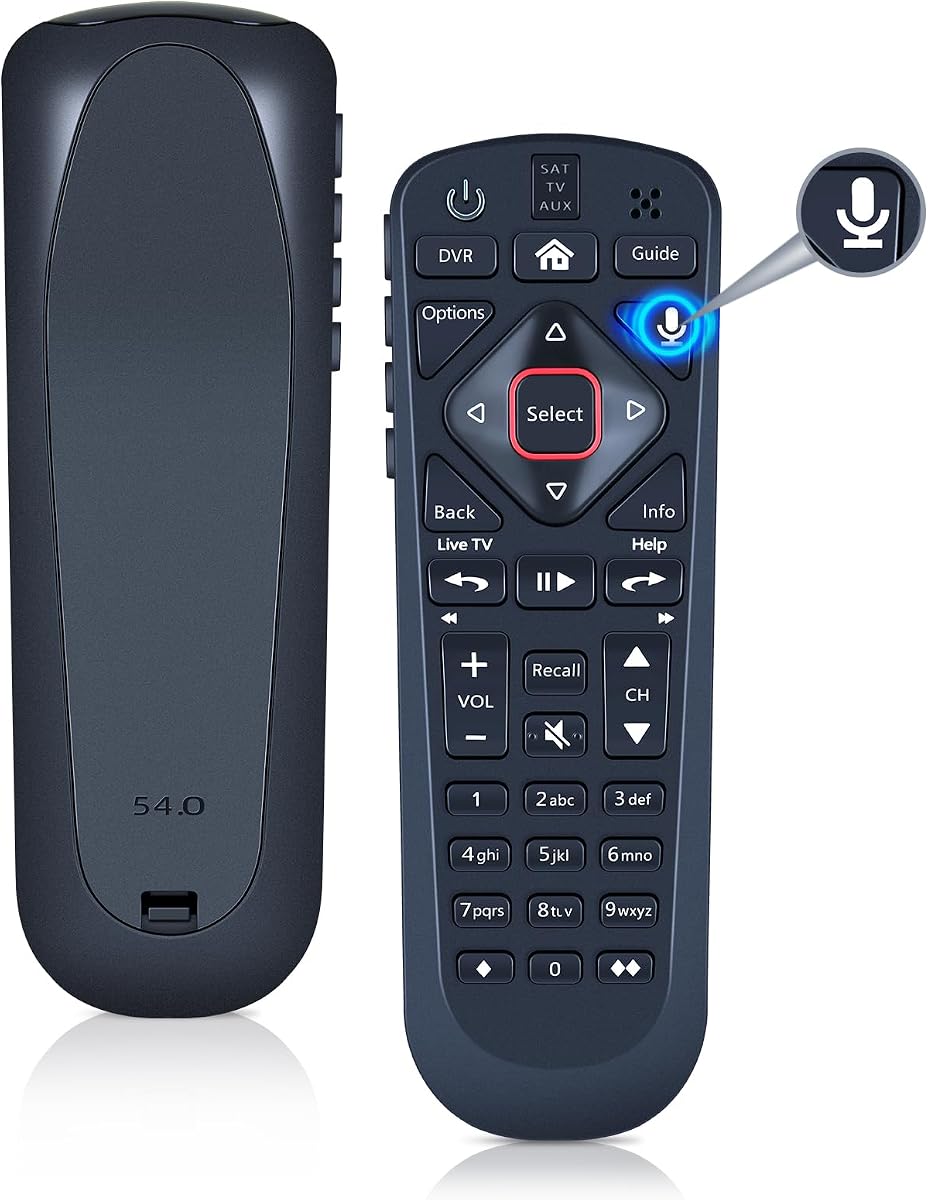



This replacement remote is a top choice for users with the Dish Upgraded Network 54 Series. It offers voice search capabilities and reliable UHF connectivity which makes it a strong contender for modern setups.
We may earn a commission when you buy through this link, at no additional cost to you.
The pairing process is straightforward using the SAT button method described in the manual. Users can pair it with auxiliary devices like Blu-ray players adding versatility to its core functionality for TV control.
While it lacks backlit keys the responsive buttons make it easy to use in well lit environments. The requirement for a specific setup process might be a minor hurdle for some but it ensures a stable connection.
If you need a reliable remote for your 54 Series receiver this model is highly recommended. It balances cost and performance well making it our editor choice for the best Dish Network Replacement Remote.
The built-in microphone allows you to find shows quickly without typing on the keypad enhancing your navigation experience significantly.
Beyond TV control you can pair this remote with other devices like stereo systems reducing the number of remotes you need on hand.
We may earn a commission when you buy through this link, at no additional cost to you.
This is a premium option designed specifically for the Hopper family of receivers. Its backlit keys and remote locator feature set it apart from standard replacements making it ideal for users who value convenience and quality.
We may earn a commission when you buy through this link, at no additional cost to you.
The ability to program hot keys allows you to launch apps or record shows instantly adding a layer of personalization to your viewing experience. The remote locator is particularly useful when you lose the device in a dark room.
The main trade-off is the requirement for internet connectivity to unlock full search functionality. This might be a limitation for users with spotty internet connections but the core features still work reliably for standard TV control.
For those with Hopper receivers willing to invest in quality this remote is an excellent choice. It offers features that enhance usability and justify the higher cost compared to basic infrared alternatives available on the market.
The keypad illuminates automatically in dark settings ensuring you can see every button without needing extra lighting or guesswork.
A simple button press on your receiver triggers a beep and blink on the remote helping you find it quickly when misplaced.
We may earn a commission when you buy through this link, at no additional cost to you.
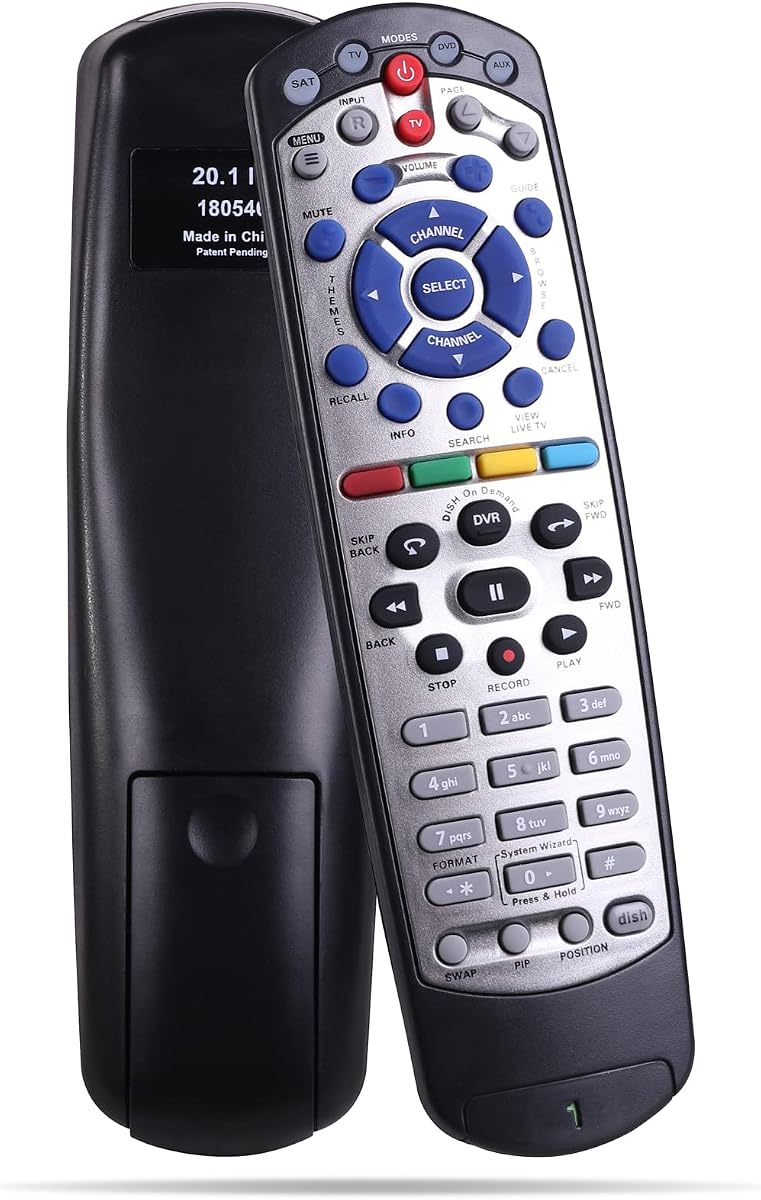
This is a budget friendly remote designed for the Dish Network 20.1 IR Satellite Receiver. It provides essential functions without the cost of advanced features making it a practical choice for basic needs.
We may earn a commission when you buy through this link, at no additional cost to you.
The remote requires setup including pairing and code selection for your TV brand. While this adds a step it ensures compatibility with your specific setup. The included manual guides you through the process clearly.
It does not have Bluetooth or learning functions which limits its versatility compared to newer models. However for users who only need basic TV control it serves its purpose well without breaking the bank.
If you are looking for an affordable replacement and have a 20.1 receiver this remote is worth considering. It offers a solid entry level option for those prioritizing cost over advanced smart features.
This remote offers a cost-effective solution for users who need a basic replacement without paying for premium features they may not use.
Using standard infrared technology it ensures reliable signal transmission for everyday viewing tasks without complex setup requirements.
We may earn a commission when you buy through this link, at no additional cost to you.
This remote offers voice search capabilities at a competitive price point. It is compatible with the 54 Series UHF receivers providing a solid alternative for users needing standard control with voice features.
We may earn a commission when you buy through this link, at no additional cost to you.
The pairing process follows standard steps involving the SAT and Home buttons. Users should note it is not compatible with the Hopper 3 receiver which is an important detail to check before purchasing to avoid returns.
While the rating is slightly lower than premium options it still provides functional performance for everyday use. The voice search adds value making it more useful than basic infrared remotes in many scenarios.
For owners of the 54 Series who want voice control without paying premium prices this is a viable option. It balances cost and features reasonably well for those who need a straightforward replacement.
The built-in voice search allows you to find channels and programs quickly reducing the need to scroll through long menus manually.
Using UHF ensures that the signal can pass through obstacles better than traditional infrared making it more reliable in various room layouts.
We may earn a commission when you buy through this link, at no additional cost to you.
This remote features a built-in microphone for voice search which enhances usability. It has a good rating suggesting reliable performance for the Dish Network Upgraded 54 Series receivers.
We may earn a commission when you buy through this link, at no additional cost to you.
The pairing process allows for connection with auxiliary devices like players or stereo systems. This versatility adds value beyond basic TV control making it a practical choice for multi device setups.
The six month warranty offers some protection against defects though it is shorter than some competitors. Overall the responsive keys and voice features make it a strong contender for general users.
If you need a reliable remote with voice capabilities this model fits the bill well. It provides a balanced experience for those who want smart features without the premium price of original branded remotes.
The built-in microphone lets you use voice commands to find shows faster than typing with arrow keys improving your navigation efficiency.
You can pair this remote with other devices such as stereo systems allowing you to control multiple components with a single handset.
We may earn a commission when you buy through this link, at no additional cost to you.
This remote supports both TV1 and TV2 locations making it suitable for multi room setups. It works with DISH TV receivers providing broad compatibility for various household needs.
We may earn a commission when you buy through this link, at no additional cost to you.
The PRO version suggests enhanced features over standard models though specific details vary. It is a reliable option for users who need a remote that handles dual receiver zones effectively.
While it may not have advanced smart features the core functionality is solid. The high rating indicates that users find it dependable for everyday use which is key for a replacement remote.
For households with multiple receivers this remote offers the necessary control without complexity. It is a practical choice for those looking for a proven solution for standard DISH TV setups.
Supporting TV1 and TV2 locations means you can control receivers in different rooms from a single remote handset seamlessly.
This remote is designed to work with standard DISH TV receivers ensuring compatibility with your existing equipment without issues.
We may earn a commission when you buy through this link, at no additional cost to you.
This remote is designed as a direct replacement for the 20.1 receiver. It comes ready to use with no programming needed which simplifies the setup process significantly for users.
We may earn a commission when you buy through this link, at no additional cost to you.
It stores receiver settings in the remote allowing for consistent control. The sensitive keys ensure responsive feedback when pressed making it comfortable to use during viewing sessions.
The compatibility is limited to specific models like 20.1 but for those models it works very well. Users report it functions just like the original remote providing peace of mind for replacements.
If you have a 20.1 receiver this remote is a hassle free replacement option. The lack of setup requirements makes it ideal for anyone who wants a quick and straightforward solution.
This remote is designed to work out of the box without needing complex code entry or pairing steps for immediate use.
The keys are highly responsive ensuring that every press is registered accurately providing a smooth user experience.
We may earn a commission when you buy through this link, at no additional cost to you.
This is a two pack replacement providing excellent value for households needing multiple remotes. Each remote is quality tested before shipment to ensure they work just like the original 20.1 model.
We may earn a commission when you buy through this link, at no additional cost to you.
The compact size makes it easy to hold and carry without slipping. Users can keep one in the living room and another in the bedroom for convenience across different rooms.
The one year warranty adds a layer of protection for your purchase. Given the positive rating and the convenience of having two units this is a smart buy for families.
If you need a spare remote or want to replace multiple units this pack is ideal. It offers a reliable and cost effective solution for standard DISH Network 20.1 setups.
Getting two remotes in one package means you can have one handy for immediate use while keeping a spare for emergencies.
Each unit is inspected before shipment to ensure it meets standards for performance and reliability right out of the box.
We may earn a commission when you buy through this link, at no additional cost to you.
This remote is designed to perform just like your original one. It requires setup including pairing and code selection for your TV model ensuring compatibility with your existing electronics.
We may earn a commission when you buy through this link, at no additional cost to you.
The manual provided explains the process clearly helping you get started quickly. It carries a one year warranty which offers reassurance regarding its durability and long term use.
While it lacks advanced smart features it covers all essential functions for TV and receiver control. The rating suggests that users find it dependable for standard household needs without issues.
For those needing a straightforward replacement for a 20.1 receiver this is a good option. It provides reliable performance at an accessible price point for budget conscious buyers.
This remote requires you to finish setup and select the correct TV code before it will function correctly with your equipment.
The remote comes with a one year warranty protecting your investment against defects or unexpected issues during normal use.
We may earn a commission when you buy through this link, at no additional cost to you.
This classic remote works with all Hoppers Joeys and Wally Receivers. It features backlit keys and a remote finder function making it a robust option for Hopper users.
We may earn a commission when you buy through this link, at no additional cost to you.
The personalization options allow you to program hot keys for frequently used actions like launching Netflix. This level of customization enhances the viewing experience for power users.
The remote finder helps you locate the device quickly when misplaced which is a useful feature for larger rooms. Its high rating reflects strong user satisfaction with its performance and build.
If you use a Hopper receiver this remote offers essential features that improve daily usability. It is a solid choice for those who value convenience and customization in their control setup.
Pressing a button on your receiver causes the remote to beep and blink helping you locate it quickly when misplaced.
The keypad illuminates automatically in dark settings allowing you to see every button clearly without external lighting.
We may earn a commission when you buy through this link, at no additional cost to you.
Choosing the right replacement remote involves considering your receiver model and required features. This guide outlines key factors to help you make an informed decision.
Always verify that the remote is compatible with your specific Dish Network receiver model. Using an incompatible remote can lead to pairing issues or missing functions.
Check the product description for a list of supported receiver models before purchasing.
Determine whether you need infrared or UHF connectivity. UHF allows signals to pass through obstacles and does not require line of sight like infrared does.
Choose UHF for better reliability in rooms with obstructions between the remote and receiver.
Some remotes include a built-in microphone for voice search capabilities. This feature allows you to find content faster without typing manually.
Consider this if you frequently search for specific shows or channels during viewing.
Check whether batteries are included or need to be purchased separately. Most remotes require AAA batteries for operation.
Ensure you have the correct battery type on hand to avoid delays in setup.
Some remotes require a pairing process to connect with your receiver. This may involve pressing specific button combinations during setup.
Follow the included manual carefully to ensure the remote pairs successfully with your equipment.
Look for remotes with responsive keys and durable construction. A well built remote will withstand daily use and provide tactile feedback.
Reading user reviews can give you insight into the long term durability of the device.
Check the warranty period offered by the manufacturer. A longer warranty can protect you against defects and unexpected failures.
Ensure you keep your receipt in case you need to make a warranty claim later.
Balance the cost with the features offered. Basic remotes are cheaper but may lack advanced options like backlit keys or voice control.
Invest in more features if they match your usage habits and enhance your viewing experience.
To set up your new remote insert fresh AAA batteries and follow the pairing instructions provided. This typically involves pressing specific buttons on the remote and receiver to establish a connection.
Keep the remote in a cool dry place away from direct sunlight to prevent damage to the casing and internal components. This will help maintain its performance and longevity over time.
Clean the keys and surface with a soft dry cloth regularly to remove dust and oils. Avoid using harsh chemicals or spraying liquids directly onto the remote to prevent damage.
To pair your remote open the front panel of your receiver and press the SYS INFO button. Then press the SAT button on the remote. If the remote beeps it has paired. Follow the menu prompts if further steps are required.
Not all replacement remotes are compatible with Hopper receivers. Check the product description to ensure it specifically lists Hopper models. Some remotes are designed for older IR receivers only.
UHF remotes send signals that can pass through walls and obstacles without direct line of sight. IR remotes require a clear path to the receiver. UHF is generally more convenient for multi room setups.
Many replacement remotes allow you to pair with your TV using a TV pairing wizard. You will need to follow the setup steps to input the correct code for your TV brand.
First check that the batteries are inserted correctly and have charge. Try the unpairing process and then pair again. If issues persist contact the seller for support or a replacement.
Most replacement remotes do not include batteries so you will need to purchase AAA batteries separately. Check the product details to confirm what is included in the package before buying.
The pairing process typically takes a few minutes. You will need to press a few buttons and follow on screen prompts. If you encounter issues refer to the included manual for guidance.
Some replacement remotes support programming hot keys for apps or functions like closed captioning. Check the features list to see if personalization is supported for your specific model.
We reviewed ten options ranging from basic infrared models to premium remotes with voice search and backlit keys. The right choice depends on your receiver model and the features you value most.
Prioritize compatibility and connectivity type to ensure the remote will work with your setup. Consider features like voice search or battery life if they improve your daily viewing experience.
Prices and availability can change so check the latest details before buying. This guide aims to help you find a reliable replacement that keeps your entertainment system running smoothly.