As an Amazon Associate we earn from qualifying purchases. We may earn a commission when you buy through links on this page, at no additional cost to you. Read our affiliate disclosure.As an Amazon Associate we earn from qualifying purchases.Purchases through our links may earn us a commission, at no extra cost to you. Read our affiliate disclosure.
Choosing the right HDMI cable for your Fire TV Cube ensures smooth streaming and optimal video quality. A high-speed cable supports 4K resolution and HDR content for an immersive viewing experience.
We evaluated ten top-rated cables based on bandwidth, durability, and compatibility. Each option was reviewed for its ability to handle high-resolution signals without signal loss or interference issues.
Each pick highlights key features and potential drawbacks to guide your decision. Prices and availability may change frequently, so check current listings before purchasing your preferred model.
Top 3 Picks for Best HDMI Cable for Fire TV Cube
Best Budget
Amazon Basics HDMI Cable, 6ft, 4K@60Hz, High-Speed 4K HDMI 2.0 Cord with Ethernet, 18Gbps, 2160p, 48 bit, Compatible with TV/PS5/Xbox/Roku/Blu-ray, Black
Top 10 Best HDMI Cable for Fire TV Cube in 2026 Compared
This side-by-side comparison summarizes the key specifications and features of all ten HDMI cables reviewed. Use this table to quickly identify the best fit for your specific Fire TV Cube setup.
Amazon Basics HDMI Cable, 6ft, 4K@60Hz, High-Speed 4K HDMI 2.0 Cord with Ethernet, 18Gbps, 2160p, 48 bit, Compatible with TV/PS5/Xbox/Roku/Blu-ray, Black
6 feet cable length
HDMI 2.0 standard
18Gbps bandwidth
Ethernet channel support
The Amazon Basics HDMI Cable ranks as our top budget choice for Fire TV Cube users. With a solid 4.7 star rating from thousands of customers, it delivers essential features without a premium price tag.
Pros
Affordable price point
Supports 4K resolution
Includes Ethernet functionality
Reliable brand reputation
Cons
No braided protection
Basic cable jacket
We may earn a commission when you buy through this link, at no additional cost to you.
This cable supports 4K video at 60Hz and includes an Ethernet channel for shared internet connections. Its backwards compatibility ensures it works with older HDMI devices as well.
While the lack of braided nylon may reduce durability compared to premium options, the core performance remains stable for daily streaming needs. Users report consistent signal quality over time.
Choose this cable if you need reliable 4K connectivity on a tight budget. It is an excellent value for standard home theater setups using Fire TV Cube devices.
Affordable 4K Performance
Delivers 4K resolution support at a fraction of the cost of premium alternatives.
Built-in Ethernet Channel
Shares internet connections across devices without needing separate Ethernet cables.
PowerBear 4K HDMI Cable 10 ft | High Speed Hdmi Cables, Braided Nylon & Gold Connectors, 4K @ 60Hz, Ultra HD, 2K, 1080P, ARC & CL3 Rated | for Laptop, Monitor, PS5, PS4, Xbox One, Fire TV, & More
10 feet cable length
Braided nylon jacket
Gold-plated connectors
ARC and Ethernet support
PowerBear offers a robust 10-foot cable ideal for larger rooms where Fire TV Cube sits far from the display. The braided nylon construction provides extra protection against wear and tear.
Pros
Extra long length
Braided nylon durability
Gold-plated connectors
CL3 rated for walls
Cons
Thicker cable profile
Higher price than basics
We may earn a commission when you buy through this link, at no additional cost to you.
With gold-plated connectors and a triple tin shield, this cable minimizes interference and ensures stable signal transmission. It supports 4K at 60Hz and includes ARC functionality for audio setups.
The cable's thickness might make it slightly harder to route behind tight spaces, but the durability compensates for this. Users appreciate the added length for flexible positioning.
This cable is perfect for those needing extended reach without sacrificing quality. Its CL3 rating allows safe installation through walls for a cleaner entertainment center look.
Extended Reach Capability
The 10-foot length provides flexibility for placing Fire TV Cube in distant locations.
Wall-Rating Compliance
CL3 rating ensures safety for in-wall installations in residential settings.
Highwings delivers a balanced mix of performance and durability with its 6.6-foot cable. It supports 4K HDR and features a durable braided design that resists daily wear.
Pros
Strong braided design
HDCP 2.2 certified
Gold-plated connectors
15000 bend lifespan
Cons
Limited availability
No longer lengths
We may earn a commission when you buy through this link, at no additional cost to you.
The cable meets HDMI 2.0 standards and includes HDCP 2.2 compliance for secure streaming content. Its joint design at the ends prevents cracking from repeated plug-and-unplug use.
While limited to 6.6 feet, the length suits most standard living room setups. Users note that the build quality stands out compared to other similarly priced options.
Select this cable for reliable streaming and long-term use. Its comprehensive feature set makes it a top choice for Fire TV Cube owners seeking value and quality.
Superior Build Durability
Engineered to withstand over 15000 bends without performance degradation.
Secure Content Access
HDCP 2.2 compliance ensures you can stream protected content without issues.
HDMI to 3RCA Composite AV Converter for use with Amazon Fire TV Cube and Fire TV Media Player
HDMI to AV converter
For older model TVs
Includes power adapter
Installation instructions included
This converter allows Fire TV Cube users to connect to older televisions lacking HDMI ports. It converts HDMI signals to standard definition AV outputs for legacy displays.
Pros
Compatible with old TVs
Simple installation
Includes necessary cables
Compact design
Cons
Lower video quality
Requires external power
We may earn a commission when you buy through this link, at no additional cost to you.
Installation is straightforward, involving a few cables and a power adapter. While the video quality drops to standard definition, it restores functionality for older setups.
The 3.9 rating reflects some inconsistency in performance, but users generally find it useful for basic viewing. It is an emergency solution when upgrading the TV isn't possible.
Choose this only if you must use an older TV. For modern viewing, upgrading the TV or using a different connection method is recommended.
Legacy Device Compatibility
Bridges the gap between modern streaming devices and older television models.
Plug-and-Play Setup
Includes all necessary components for quick installation without technical tools.
ienza HDMI Port Extender Male-to-Female Cable Cord Wire for All-New Fire TV FireTV Stick Streaming Device with Alexa Voice Remote 2020 2018 & Older Versions, Fire TV Stick Lite (Cable Only)
0.5 meters length
Male-to-female design
Port saver utility
Fire TV Stick compatible
This extender protects the TV HDMI port from damage when using Fire TV Cube. It adds a small buffer of space allowing easier device insertion and removal.
Pros
Protects TV HDMI port
Extends device reach
Compact and flexible
Reduces connection stress
Cons
Short cable length
Limited to small gaps
We may earn a commission when you buy through this link, at no additional cost to you.
The male-to-female design extends the port so you can place the device slightly away from the TV. Users report it reduces physical strain on the port over time.
At only 0.5 meters, it does not solve large distance issues but helps with tight spaces. It is an essential accessory for preventing wear on valuable TV ports.
Buy this if your Fire TV Cube is hard to access. It is a small investment that protects your TV hardware from frequent connection stress.
Hardware Protection
Reduces physical stress on the TV HDMI port from repeated plugging.
Compact Extension
Provides just enough room to connect or disconnect devices easily.
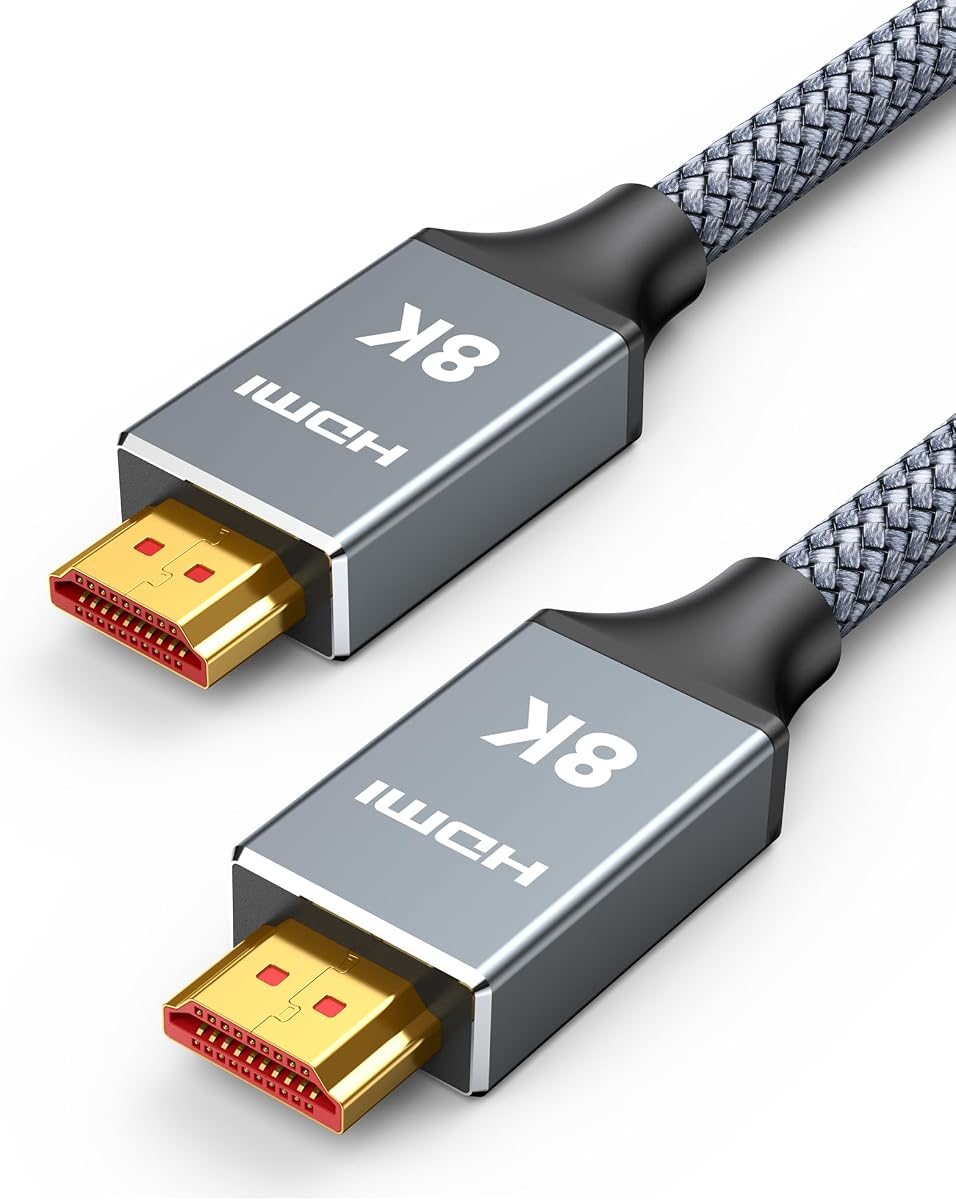
Capshi provides a high-bandwidth HDMI 2.1 cable ready for future streaming demands. It supports 48Gbps transfer rates enabling 4K at 120Hz and future 8K resolutions.
Pros
Supports 48Gbps
VRR and ALLM features
Robust nylon jacket
Future-proof for 8K
Cons
Overkill for current use
Higher price point
We may earn a commission when you buy through this link, at no additional cost to you.
Features like VRR and ALLM ensure smooth gaming performance on compatible displays. The nylon braided jacket and gold-plated connectors enhance durability and signal integrity.
While current Fire TV Cube usage may not fully utilize these speeds, the cable offers future-proofing. It is ideal for users upgrading to advanced TVs later.
This cable is recommended for tech enthusiasts preparing for next-gen displays. It guarantees you won't need a new cable when hardware updates.
Advanced Gaming Features
Supports VRR and ALLM for smoother visual playback during high-speed activities.
Future-Ready Bandwidth
48Gbps capacity ensures compatibility with upcoming 8K content standards.
Silkland offers a two-pack of 10-foot certified HDMI 2.1 cables. This provides excellent value for multi-room setups or spares for the home theater.
Pros
Two cables included
Certified 2.1 standard
Supports 10K resolution
Strong E-Braid design
Cons
Bulkier cable design
Higher total cost
We may earn a commission when you buy through this link, at no additional cost to you.
The E-Braid technology uses a unique fishnet winding for enhanced durability. It supports 48Gbps bandwidth ensuring stable connections for high-bandwidth content streams.
Users praise the 10-foot length which covers long distances without signal loss. The certification ensures you get genuine performance rather than false specs.
Choose this pack if you need multiple long cables. The certified standard guarantees reliable performance across all connected devices.
Verified Performance
Certification ensures the cable meets official HDMI 2.1 bandwidth standards.
Extended Coverage
The 10-foot length accommodates large living room configurations effectively.
The 6.6-foot version of Silkland's 2.1 pack offers premium quality in a standard length. It includes dynamic HDR support for enhanced contrast and color accuracy.
Pros
Dual cable value
Supports 8K HDR
Dynamic HDR support
Certified quality
Cons
High price
Overkill for basic use
We may earn a commission when you buy through this link, at no additional cost to you.
With 48Gbps bandwidth and 8K resolution support, it is ready for next-gen displays. The E-Braid construction ensures long-term reliability and resistance to daily wear.
While expensive, the certified quality justifies the cost for high-end setups. You get two cables which spreads the value across multiple devices or locations.
This is the ideal choice for audiophiles or enthusiasts with 8K displays. It ensures your Fire TV Cube can deliver the best possible visual output.
Enhanced Visual Fidelity
Dynamic HDR reveals nuanced brightness levels for a cinematic experience.
Certified Reliability
Official certification guarantees the cable meets official 2.1 standards.
Silkland's 3.3-foot pack is perfect for tight spaces where Fire TV Cube sits close to the display. Despite its small size, it delivers 48Gbps bandwidth for 8K content.
Pros
Compact 3.3ft length
High bandwidth support
Dual pack value
Certified 2.1 standard
Cons
Short reach limits
Premium pricing
We may earn a commission when you buy through this link, at no additional cost to you.
Certified for HDMI 2.1, this cable ensures your device can handle high refresh rates and advanced audio formats. The E-Braid design ensures durability despite frequent handling.
It reduces cable clutter in entertainment units by keeping excess slack minimal. This is ideal for home theater setups requiring neat cabling without signal compromises.
Select this for compact setups needing high performance. The dual pack allows backup cables or use for other devices.
Clutter-Free Setup
The shorter length minimizes excess cable in tight spaces behind your TV.
High-Speed Capabilities
Supports 48Gbps bandwidth ensuring future-proof compatibility with next-gen devices.
Rankie offers a two-pack of 6-foot cables at a budget-friendly price. While limited to HDMI 1.4 standards, it handles 4K resolution up to 30Hz effectively.
Pros
Two cables included
Affordable price
Supports Ethernet
Standard 6ft length
Cons
HDMI 1.4 limit
No 4K@60Hz support
We may earn a commission when you buy through this link, at no additional cost to you.
The included Ethernet channel allows sharing internet connections between devices. It supports ARC for audio systems and is compatible with many gaming consoles.
Though it lacks 60Hz support for 4K, it is sufficient for most streaming needs. The value of getting two cables makes it a versatile option for multiple setups.
Buy this if you need reliable cables for multiple rooms on a budget. It is a practical solution for general home entertainment.
Multi-Device Solution
The two-pack design allows you to equip multiple rooms with quality cables.
Affordable Connectivity
Provides essential features like Ethernet and ARC at a low cost.
We may earn a commission when you buy through this link, at no additional cost to you.
Buying Guide – How to Choose the Best HDMI Cable for Fire TV Cube
Selecting the right HDMI cable involves balancing resolution support, length, and build quality. Consider these factors to ensure optimal performance for your Fire TV Cube.
Resolution and Bandwidth
Choose a cable with bandwidth matching your display needs. For standard 4K streaming, 18Gbps (HDMI 2.0) is sufficient. For high refresh rates, 48Gbps (HDMI 2.1) is required.
Ensure the cable supports the resolution your TV and Fire TV Cube can output to avoid bottlenecks.
Cable Length
Measure the distance between your Fire TV Cube and TV. Standard lengths like 6 feet work for most setups, while longer cables suit larger rooms.
Avoid cables that are too long to reduce signal interference and maintain performance.
Durability and Build
Look for braided nylon jackets and gold-plated connectors for longevity. These features protect against wear and ensure stable connections over time.
Cables with reinforced joints resist cracking at the connection points.
Certification Standards
Certified cables guarantee they meet official HDMI specifications. This prevents issues with HDR content or high-bandwidth streaming.
Check for official HDMI 2.0 or 2.1 certification marks on the packaging.
Audio Support
Ensure the cable supports ARC or eARC if you use an external sound system. This allows audio to return to your soundbar through the TV.
High-quality cables support multi-channel audio formats without compression.
Price vs. Value
Balance the cost with the features you need. Premium cables offer better durability but may not be necessary for basic 4K streaming.
Budget options often provide essential features at a fraction of the cost.
Compatibility
Verify the cable works with all devices in your setup. Most high-speed cables are backwards compatible with older HDMI versions.
Check that connectors fit your ports snugly to prevent loose connections.
Extra Features
Some cables include Ethernet channels or specific shielding for interference. Evaluate if these extras add value to your specific setup.
Multi-packs can offer better value if you need multiple cables for different rooms.
How to Use and Care for Your HDMI Cable for Fire TV Cube
Connect one end of the HDMI cable to the HDMI port on your Fire TV Cube and the other to your TV's HDMI input. Ensure both ends are firmly seated to avoid loose connections.
Avoid bending the cable sharply or pinching it behind furniture. This protects the internal wiring and maintains consistent signal quality over time.
If you need to move your Fire TV Cube, unplug the cable gently from both ends. Do not pull on the cable to remove it from the ports.
Frequently Asked Questions
Does Fire TV Cube support 4K at 60Hz?
Yes, Fire TV Cube supports 4K resolution at 60Hz. To enable this feature, use a High Speed HDMI cable that supports at least 18Gbps bandwidth.
What length HDMI cable should I buy for Fire TV Cube?
Choose a cable length that matches the distance between your Fire TV Cube and TV. 6 feet is usually sufficient, but longer lengths are available for larger rooms.
Do I need an HDMI 2.1 cable for Fire TV Cube?
No, HDMI 2.0 cables are sufficient for current Fire TV Cube models. HDMI 2.1 is beneficial if you plan to upgrade to an 8K TV or high refresh rate display.
Can I use any HDMI cable with Fire TV Cube?
You can use any HDMI cable, but for 4K streaming, you need a High Speed HDMI cable rated for 18Gbps. Lower bandwidth cables may limit video resolution.
Why is my Fire TV Cube not showing 4K?
This often happens due to a low-bandwidth cable. Ensure you are using an HDMI 2.0 or higher cable rated for 4K@60Hz resolution.
Are expensive HDMI cables worth it?
Not necessarily. A certified High Speed HDMI cable at a standard price performs the same as expensive options for basic streaming needs.
What is the difference between HDMI 2.0 and 2.1?
HDMI 2.1 offers higher bandwidth up to 48Gbps compared to 18Gbps for 2.0. It supports higher resolutions like 8K and 120Hz refresh rates.
Final Thoughts on Choosing the Best HDMI Cable for Fire TV Cube
This guide reviewed ten top HDMI cables to help you find the perfect match for your Fire TV Cube. Our top picks cover budget, durability, and premium features for every need.
Prioritize cables with proper certification to ensure you get the best streaming quality. Durability features like braided jackets add value for long-term use.
Remember to check current prices and availability before buying. Prices may fluctuate, and new models might offer updated features.