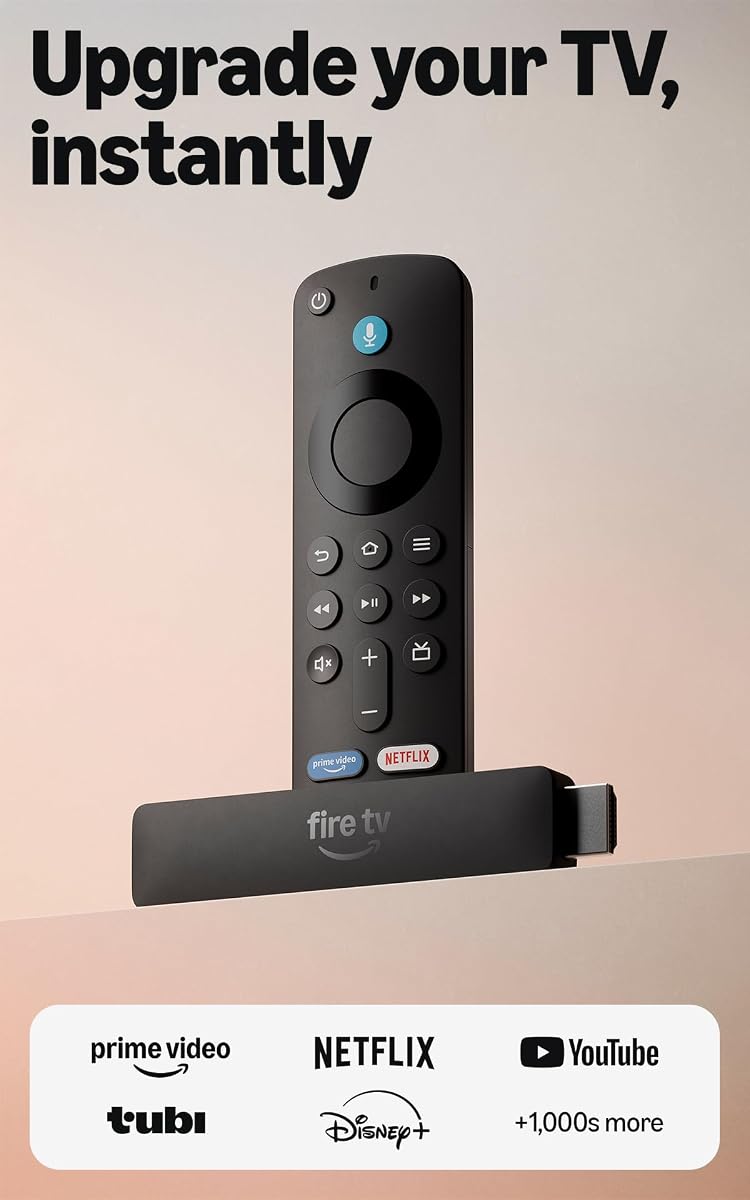
Amazon Fire TV Stick HD
4.1Editor score
Full HD streaming quality
Alexa voice remote included
Direct power via USB-C
This comprehensive guide compares the top HDMI Streaming Device options available today to help you find the perfect 4K streaming stick or player for your home
Finding the right HDMI streaming device can transform your television experience into a vibrant hub for entertainment. These compact gadgets plug directly into your TV, offering access to thousands of apps and channels without needing a cable subscription.
We compared ten leading models based on performance, picture quality, ease of use, and smart features. Each product was evaluated for its ability to deliver smooth playback, sharp visuals, and intuitive navigation across various streaming platforms.
Each pick below highlights specific strengths like budget-friendly pricing, premium audio support, or fastest Wi-Fi connectivity. Please note that product availability and pricing may change frequently, so check current listings before making your final purchase decision.
4.1Editor score

4.7Editor score

4.6Editor score
The following table provides a side-by-side overview of the key specifications for each of the ten devices featured in this guide to help you make an informed comparison.




The Roku Streaming Stick 4K stands out as the top choice for most users due to its balance of performance and ease of use. With a high rating, it delivers sharp visuals and a reliable streaming experience right out of the box.
We may earn a commission when you buy through this link, at no additional cost to you.
Its standout quality is the ability to render content in stunning 4K with Dolby Vision, making colors pop and details sharp. The long-range Wi-Fi receiver ensures that even if your router is far away, the signal remains strong and stable.
While it lacks an Ethernet port for wired connections, the wireless performance is robust enough for most homes. The compact design means it hides behind the TV without blocking other ports, which is a practical benefit for clean setups.
Anyone looking for a reliable device that works great with almost any TV should buy this. It is recommended for households wanting high-quality streaming without the complexity of a full home theater system.
Dolby Vision and HDR10+ support ensure that every frame looks its best with vibrant colors and deep blacks.
The Roku home screen organizes content clearly so you can find your favorite movies and shows quickly.
We may earn a commission when you buy through this link, at no additional cost to you.
This Fire TV Stick HD is the ideal entry-level device for those on a tight budget who still want smart features. It offers a straightforward way to access popular streaming apps and live TV channels with minimal cost.
We may earn a commission when you buy through this link, at no additional cost to you.
The key strength is its simplicity and the inclusion of an Alexa Voice Remote. You can use voice commands to find shows easily, and the device is powered directly by your TV which reduces wall outlet clutter.
The trade-off is that it supports Full HD rather than 4K, which might limit quality on newer high-resolution TVs. However, for older TVs or secondary rooms, this limitation is acceptable given the low price point.
Buy this if you need a simple streaming solution for a bedroom or guest room. It is perfect for users who want basic smart functionality without paying for premium features they may not use.
Direct power via the included USB-C cable eliminates the need for an external power adapter in many setups.
Alexa Voice Remote allows you to search for content using natural language commands for faster access.
We may earn a commission when you buy through this link, at no additional cost to you.
The Roku Ultra is the flagship player designed for enthusiasts who want the fastest and most feature-rich experience available. It delivers cinematic streaming with immersive audio and a remote that is easy to find in the dark.
We may earn a commission when you buy through this link, at no additional cost to you.
Its top features include the rechargeable Voice Remote Pro with backlit buttons and a lost remote finder. The device also supports Ethernet for wired connections and Dolby Atmos for a theater-like sound experience at home.
The higher price and larger box design mean it is less portable than sticks but more robust for dedicated setups. The included Ethernet port and powerful processor ensure that buffering is rare even with heavy usage or multiple devices.
This is the best choice for home theater buffs who demand top-tier audio and video specs. It is recommended for large living rooms where a dedicated player and premium sound are priorities over portability.
Dolby Atmos and 4K HDR10+ support provide an immersive viewing experience that rivals movie theaters.
The rechargeable remote features backlit keys and a finder button so you never lose track of it.
We may earn a commission when you buy through this link, at no additional cost to you.
This version of the Ultra LT offers a balanced mix of performance and value for users who want premium picture quality without the advanced remote. It supports 4K and Dolby Vision to bring rich detail to your favorite movies and shows.
We may earn a commission when you buy through this link, at no additional cost to you.
The device excels in maintaining a strong Wi-Fi signal in rooms far from the router. It also includes an Ethernet port for those who prefer wired connections to ensure maximum stability during high-bandwidth streaming sessions.
While it lacks the rechargeable remote and finder features of the premium Ultra, it keeps the core experience smooth and fast. The interface launches apps quickly and the design is compact enough to sit neatly behind a TV.
Buy this if you want a stable and high-quality streaming experience at a moderate price. It is recommended for households that rely heavily on wireless connections but still want 4K resolution quality.
Sharp 4K resolution with Dolby Vision makes colors pop and detail lifelike for all content types.
Dual-band Wi-Fi and an Ethernet port give you flexibility to choose the best connection for your home.
We may earn a commission when you buy through this link, at no additional cost to you.
The Fire TV Stick 4K Plus brings advanced features like Wi-Fi 6 support and cloud gaming to a compact stick design. It is optimized for 4K TVs to deliver vibrant visuals and immersive sound with Dolby Atmos support.
We may earn a commission when you buy through this link, at no additional cost to you.
Its key strengths include the AI-powered search that helps you find content faster and the ability to stream games without a console. The Wi-Fi 6 ensures smooth performance even when multiple devices are connected to the same router.
The trade-off is that the remote is functional but might not have all the physical buttons users expect. However, the voice control and app access make it easy to navigate the content ecosystem efficiently and comfortably.
This is a great buy for tech enthusiasts who want modern connectivity and gaming options. It is recommended for users who want a future-proof device that supports the latest Wi-Fi standards and streaming quality.
AI-powered search finds shows faster while Wi-Fi 6 keeps streaming smooth across multiple connected devices.
Stream popular games without a console using Xbox Game Pass and Luna via cloud gaming services.
We may earn a commission when you buy through this link, at no additional cost to you.
This 4K Select model offers a smart mix of quality and affordability for everyday streaming needs. It provides essential 4K Ultra HD resolution with HDR10+ support so your favorite shows look vibrant and detailed.
We may earn a commission when you buy through this link, at no additional cost to you.
The device shines with its fast performance and AI-powered search that helps you find content across apps quickly. Alexa is integrated seamlessly so you can ask it to launch shows or manage your smart home with ease.
The remote is basic but functional, lacking some of the premium buttons found on more expensive sticks. However, for the price, the streaming quality and smart features offer excellent value for casual users and families.
Buy this if you need reliable 4K streaming at a good price. It is recommended for households wanting modern smart features without the cost of a high-end premium streaming device.
Get everything you need for brilliant 4K Ultra HD with HDR10+ to see details clearly.
Press and ask Alexa to search for shows and manage devices directly from your remote control.
We may earn a commission when you buy through this link, at no additional cost to you.
The Fire TV Stick 4K Max offers the most powerful processor and connectivity in this lineup for ultimate performance. It supports Wi-Fi 6E to deliver lightning-fast app starts and fluid navigation even in busy households.
We may earn a commission when you buy through this link, at no additional cost to you.
Its standout feature is the doubled storage capacity allowing more apps and games to be installed without deletion. The Fire TV Ambient Experience can also display museum-quality art when you are not watching a movie.
The price is higher than the basic models but justified by the storage and connectivity upgrades. You will need a strong Wi-Fi network to take full advantage of the 6E capabilities and fast streaming speeds.
This is the best pick for power users who want the fastest experience and future-proof connectivity. It is recommended for tech-savvy households wanting the latest Wi-Fi features and more internal storage space.
Support for Wi-Fi 6E ensures faster and more reliable streaming with less interference in busy networks.
Fire TV Ambient Experience displays beautiful art and photos when your device is idle to beautify your room.
We may earn a commission when you buy through this link, at no additional cost to you.
This ONN device provides access to the Google ecosystem with Android TV and Chromecast built-in for versatile streaming. It supports 4K Ultra HD to offer stunning clarity and detail for your favorite movies and shows.
We may earn a commission when you buy through this link, at no additional cost to you.
The key strength is the access to a wide variety of apps via the Google Play Store. You can also use Google Assistant for voice control and cast content easily from your Android or iOS devices directly to the TV.
The remote is straightforward but lacks advanced voice search capabilities compared to other brands. However, it offers high-quality audio and a simple setup process that gets you watching quickly without much hassle or extra steps.
Buy this if you prefer the Google ecosystem and need Chromecast functionality. It is recommended for users who want a simple Android experience with 4K resolution at a reasonable price point.
Access a vast selection of apps and games available through the Google Play Store easily.
Cast movies and photos from your phone to the TV with Chromecast built-in for easy sharing.
We may earn a commission when you buy through this link, at no additional cost to you.
This 2023 model of the Roku Ultra LT brings a quad-core processor and private listening capabilities for enhanced use. It supports 4K UHD and HDR formats to ensure your entertainment looks sharp and vibrant.
We may earn a commission when you buy through this link, at no additional cost to you.
The standout feature is the headphone jack on the remote for private listening without waking the house. It also includes an Ethernet port for a wired connection which offers the best stability for heavy streaming usage.
The device is compact and fast but lacks some of the modern smart features of newer models. However, for users who value reliability and wired options, this model offers a solid and dependable streaming experience.
Buy this if you want a robust player with a wired connection option and private listening. It is recommended for users needing stable network performance and a quiet listening option at night.
Plug headphones directly into the remote to enjoy sound without disturbing others nearby.
A quad-core processor ensures that apps launch quickly and navigation remains fluid during use.
We may earn a commission when you buy through this link, at no additional cost to you.
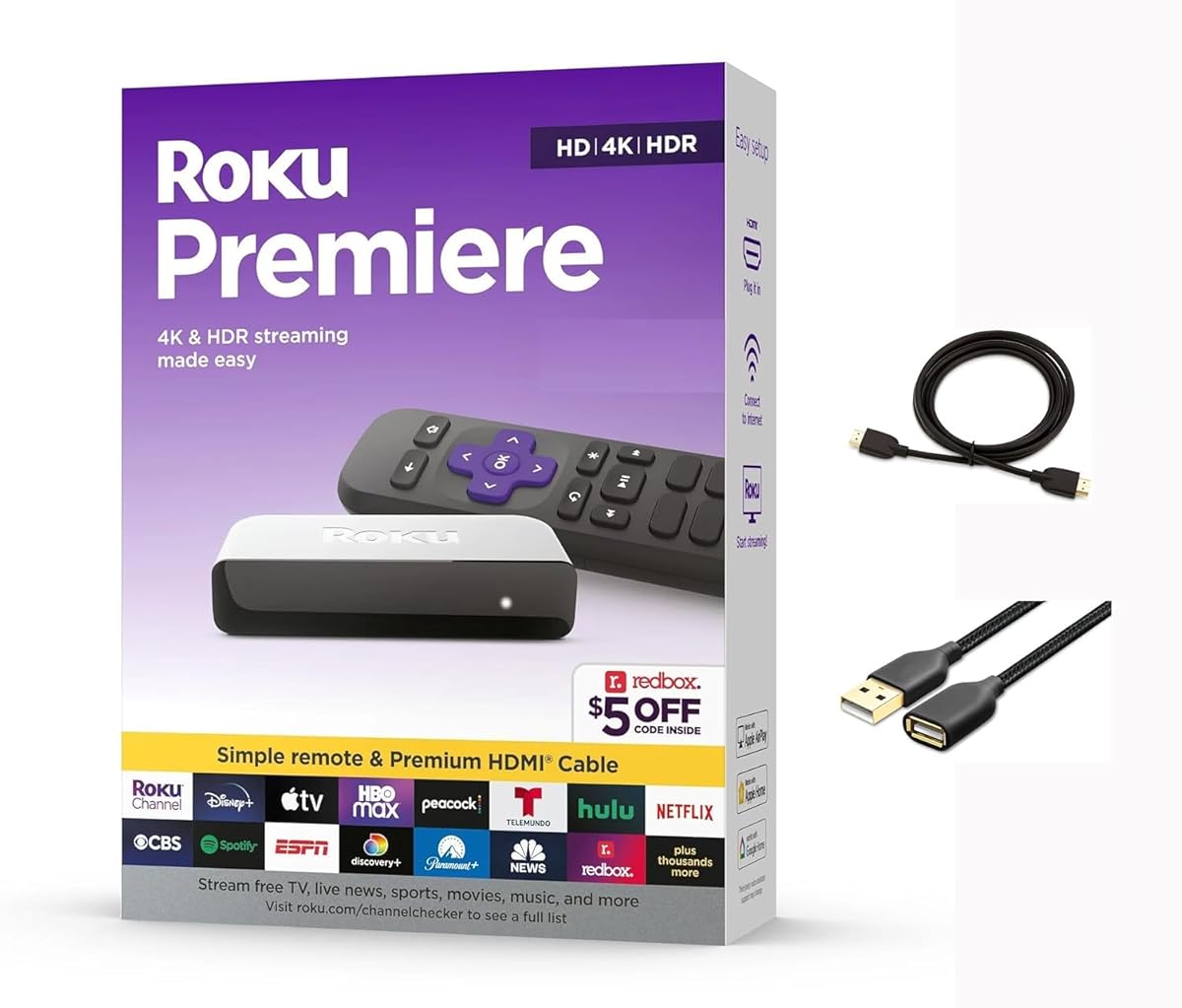
The Roku Premiere is a compact and powerful option that offers 4K streaming at a great value. It includes a premium HDMI cable so you can connect easily and start watching your favorite content quickly.
We may earn a commission when you buy through this link, at no additional cost to you.
It supports AirPlay which allows Apple device users to share videos and photos directly to the TV. The device stays up to date automatically with the latest features and channels to keep your streaming experience fresh.
The remote is simple and lacks some advanced voice buttons found on other models. However, it works well with popular voice assistants and provides all the core functions needed for a smooth and reliable streaming experience.
Buy this if you want a reliable 4K player with AirPlay support. It is recommended for users who want a straightforward device that works great with Apple products and offers essential streaming features.
Share content effortlessly from Apple devices to the TV using built-in AirPlay compatibility.
The included premium High Speed HDMI cable ensures you have everything you need to get started.
We may earn a commission when you buy through this link, at no additional cost to you.
Choosing the right HDMI streaming device involves considering several key factors that affect performance and usability in your home.
Ensure the device supports the resolution of your TV such as 4K or HD to get the best picture quality. Higher resolution supports like 4K with HDR make images look sharper and more vibrant for modern TVs.
Look for devices labeled as 4K UHD to match high definition screens properly.
A powerful processor and fast Wi-Fi are essential for smooth playback without buffering or lag. Devices with Wi-Fi 6 or 6E support handle multiple connected devices better than older standards.
Prioritize models with fast processors to ensure apps launch quickly and navigation is fluid.
The operating system determines which apps are available and how easy it is to find content. Popular options include Roku OS Fire TV OS and Android TV which all offer extensive app libraries.
Choose an OS that aligns with your existing ecosystem for a seamless experience.
Look for remotes with voice search capabilities to find shows easily without typing. Advanced remotes may include backlit buttons or rechargeable batteries for convenience in dark rooms.
A good remote can significantly improve daily usability and navigation ease.
Some devices offer an Ethernet port for wired connections which can provide more stable streaming than Wi-Fi. Check if your TV needs a USB power source or if the device can plug directly into an outlet.
Consider wired options if you have weak wireless signals in your living area.
If you have a soundbar or home theater system check if the device supports immersive audio formats like Dolby Atmos. This ensures that sound matches the quality of the video for a true cinematic experience.
Dolby Atmos support adds depth to soundtracks and dialogue clarity.
Prices range from basic HD sticks to premium players with advanced features. Determine how much you need 4K and smart features before buying to avoid overspending on capabilities you will not use.
Balance your budget with the features that matter most to your viewing habits.
Many devices integrate with smart home systems allowing you to control lights or check cameras from the TV. This adds convenience beyond streaming media for a more connected home experience.
Look for compatibility with assistants like Alexa or Google Assistant for smart control.
To begin using your HDMI streaming device plug it into an available HDMI port on your TV. Connect it to power either via a USB port on the TV or the included wall adapter.
Turn on your TV and switch the input source to the HDMI port where the device is connected. Follow the on-screen setup wizard to connect to your Wi-Fi network and sign in to your streaming accounts.
Keep your device clean and free from dust by wiping it gently with a dry cloth. Ensure proper ventilation by not covering the device with heavy objects to prevent overheating during use.
Yes most HDMI streaming devices work with older TVs as long as the TV has an HDMI port. If your TV only has a component or composite input you may need an adapter to connect the streaming device properly.
For smooth 4K streaming you generally need an internet speed of at least 25 Mbps. Slower speeds may result in buffering or lower resolution quality so ensure your plan meets these requirements.
Yes you can stream live TV using apps like YouTube TV or the Roku Channel available on most devices. Many of these services offer free tiers or trials so you do not need traditional cable.
4K refers to the resolution while HDR enhances contrast and color depth for a more vivid image. Devices that support 4K HDR provide a better viewing experience especially on modern high-end TVs.
No a streaming stick works fine with your TV speakers but a soundbar adds better audio quality. Streaming devices support advanced audio formats like Dolby Atmos which can be played through compatible soundbars.
Yes you can use multiple streaming devices across different rooms as long as each has an HDMI port and internet access. This allows everyone in the family to watch different shows simultaneously on separate TVs.
The devices themselves do not require a subscription but many apps like Netflix do charge monthly fees. There are also free ad-supported services available so you can choose what fits your budget.
We hope this guide has helped you narrow down the options to find a device that fits your needs. Whether you want the premium power of the Fire TV Stick 4K Max or the budget-friendly simplicity of the Fire TV Stick HD there is a perfect fit for everyone.
Prioritize features like video resolution and processor speed if you want the smoothest and most future-proof experience. For casual viewers simple and reliable models offer the best value without unnecessary extra features.
Remember to check current pricing and availability on retailer sites before purchasing since deals change often. This ensures you get the best possible deal on your new streaming device for your home theater setup.