
Amazon Fire Max 11 Keyboard Case
4.6Editor score
Integrated trackpad with gestures
No charging required pogo pins
Built-in Microsoft 365 trial
Discover the top keyboard cases for Amazon Fire Max 11 tablets in our detailed guide comparing features, compatibility, and performance for ultimate productivit
Finding the right keyboard case for your Fire Max 11 can transform your tablet into a powerful productivity tool. Whether you need to write documents browse browse the web, a quality accessory adds typing comfort and protection in one sleek package.
We evaluated ten top-rated models based on compatibility, build quality, and typing experience. Our analysis focuses on detachable designs, backlight options, and overall value to help you choose the perfect match for your device.
Each pick highlights key features like magnetic attachments, pen holders, and battery life. Prices and availability can change quickly, so please verify the latest details on the product pages before making your final purchase decision today.
4.6Editor score
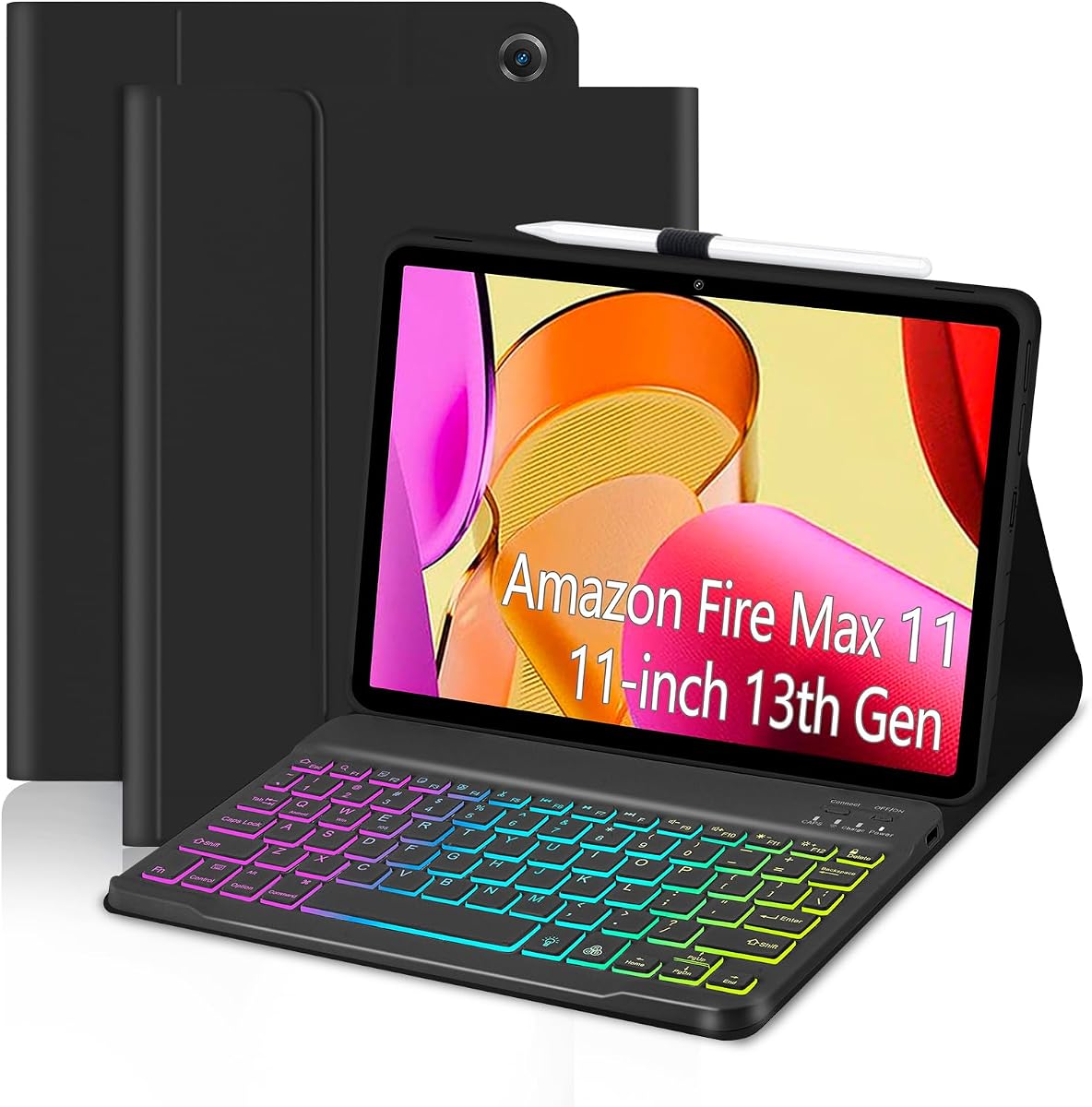
4.5Editor score

4.5Editor score
Here is a side-by-side comparison of all ten keyboard cases reviewed. We highlight key specifications like backlight features, connection types, and included accessories to help you quickly identify which model fits your workflow best.


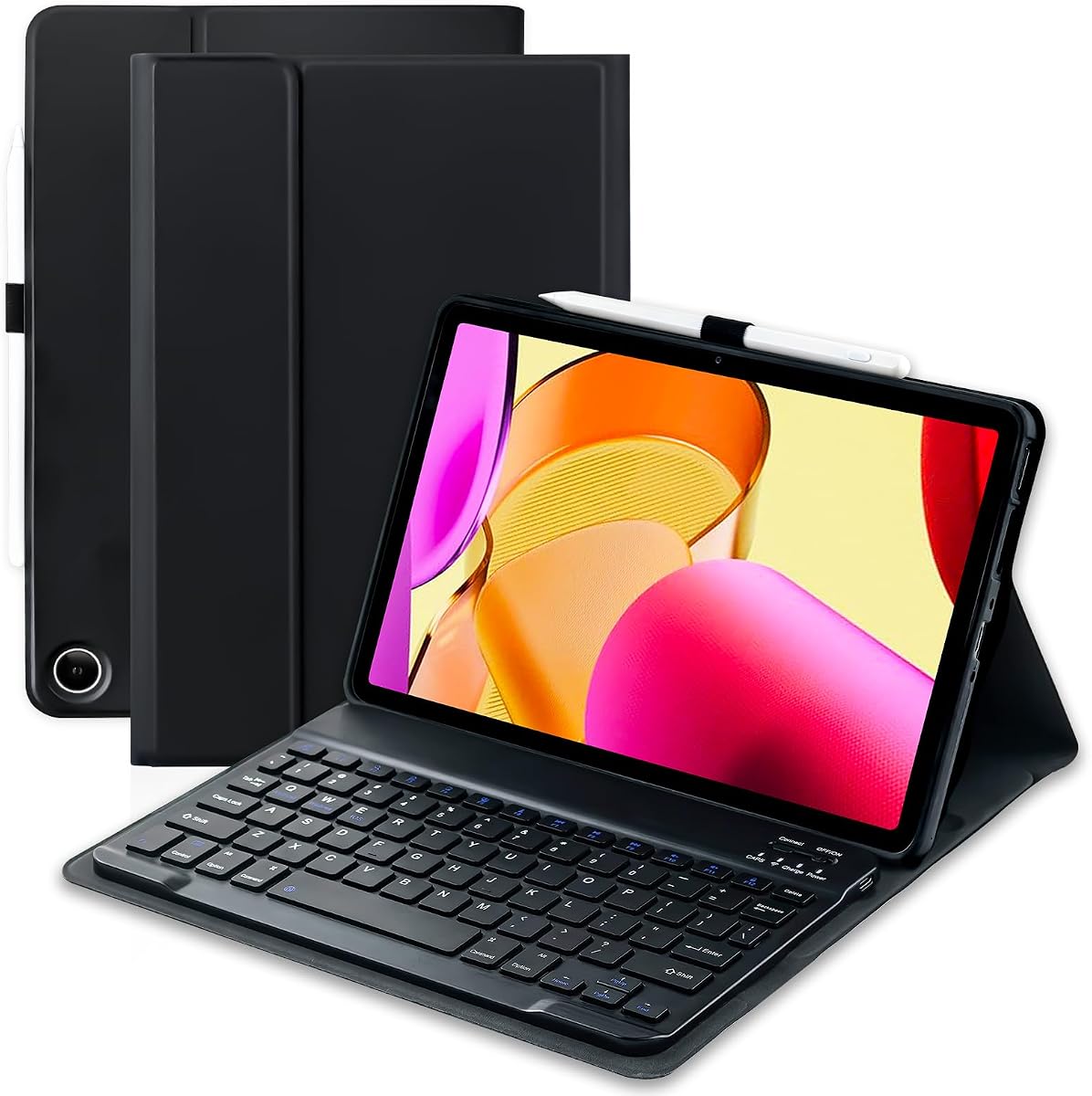


The EAMPANG Case offers a compelling mix of style and function for Fire Max 11 users. It carries a solid 4.5-star rating from verified buyers who appreciate its vibrant rainbow backlight and reliable magnetic connection.
We may earn a commission when you buy through this link, at no additional cost to you.
Its standout feature is the 7-color adjustable backlight that cycles automatically or manually via shortcut keys. This helps when typing in low light. The honeycomb inner shell protects against heat buildup while ensuring all tablet ports stay accessible.
On the downside, you will need to charge the keyboard independently via Type-C. There is also no built-in trackpad, so navigation relies on touch gestures or an external mouse you might already own.
If you want a colorful, protective solution without spending a premium, this is an excellent pick. It works best for casual users or students who need a comfortable typing experience and some extra flair.
Adjust brightness and color modes to match your environment or preference easily.
Honeycomb pattern inside aids airflow to prevent tablet overheating during long sessions.
We may earn a commission when you buy through this link, at no additional cost to you.
The MePadKey Keyboard stands out by integrating a touchpad directly into the keyboard layout. This feature appeals to users who want a laptop-like setup without needing a separate mouse. The design supports multi-finger gestures for smooth navigation.
We may earn a commission when you buy through this link, at no additional cost to you.
Like the EAMPANG option, it includes a rainbow backlight with adjustable colors. The keyboard is rechargeable via a built-in lithium battery, eliminating the need for disposable batteries. Precise cutouts ensure full access to all tablet ports.
However, the overall rating is lower than top picks. Some users may find the touchpad requires adjustment to reach desired sensitivity. Ensure you test gesture controls after setup to see if they meet your workflow needs.
This case is ideal for those who prioritize cursor control on a budget. If you work often with spreadsheets or documents, the integrated trackpad saves carrying an extra accessory.
Use the touchpad for scrolling and clicks without needing an external mouse.
Lithium battery ensures you never deal with changing cells again.
We may earn a commission when you buy through this link, at no additional cost to you.
The TUNKARMOR Case provides a complete mobile office solution with a keyboard and a Bluetooth mouse. Its magnetic keyboard attaches quickly and helps turn the tablet into a stand. The case offers 360-degree protection for your device.
We may earn a commission when you buy through this link, at no additional cost to you.
Users benefit from the included rechargeable mouse that moves freely with you. The auto sleep wake function preserves battery life. The honeycomb inner design protects against drops and improves cooling for the Fire Max 11.
Note that the keyboard lacks backlighting, which limits typing in dark settings. The mouse also needs separate charging. If you value cursor control over typing lights, this is a strong package.
This model suits users who need precise navigation for tasks like design or data entry. It is also a good choice for travel since everything needed is included in one kit.
Free up one hand while browsing or editing documents with included mouse.
Full coverage ensures tablet stays safe during daily commuting or use.
We may earn a commission when you buy through this link, at no additional cost to you.
This official Amazon keyboard case delivers a seamless experience with an integrated trackpad and zero charging needs. It connects via pogo pins directly to the tablet. This design keeps things simple and reliable for daily use.
We may earn a commission when you buy through this link, at no additional cost to you.
The trackpad supports gestures like pinch-to-zoom which simplifies navigation. You also get a Microsoft 365 Personal trial that helps you work on documents right away. The case uses recycled plastics and has a detachable back stand.
It lacks colorful backlighting, focusing on functionality instead. The premium price is high, but the trackpad convenience and no-battery charging may justify it for professionals.
Choose this if you want a streamlined setup that feels like a laptop. It is perfect for productivity tasks and for users who dislike managing separate keyboard charging.
Pogo pins power the keyboard so you never charge it separately.
Included 365 trial helps you write and analyze data immediately.
We may earn a commission when you buy through this link, at no additional cost to you.
This bundle offers keyboard and mouse in one package, complete with a vibrant 3-zone backlight. It provides a full workstation feel for your tablet. The case allows multiple viewing angles for comfortable typing or media consumption.
We may earn a commission when you buy through this link, at no additional cost to you.
The pen holder keeps your stylus handy. The case provides 360 protection and includes a sleep wake feature. The magnetic detach keyboard stays secure while you move around.
Because both keyboard and mouse are wireless, you will need to charge both using the included cable. The price reflects this comprehensive bundle. It suits users who want all peripherals in one order.
If you need a complete mobile setup with navigation tools, this is a solid option. It balances style and utility well for students or casual professionals.
Get keyboard and mouse together for full control of your tablet.
3-zone backlight offers customizable look and better visibility.
We may earn a commission when you buy through this link, at no additional cost to you.
This keyboard case delivers great value with a high rating and long battery life. It offers a 7-color backlight and magnetic attach. The price is among the most affordable options in our list.
We may earn a commission when you buy through this link, at no additional cost to you.
Battery life reaches about 90 hours on a single charge which reduces charging frequency. The case includes a pen holder and a protective inner shell with honeycomb patterns for heat dissipation.
It lacks a mouse or trackpad so you will need your own cursor device. This is acceptable if you mostly use the keyboard for text. It fits budget conscious users well.
If cost is your main concern, this is the top pick. It provides essential typing comfort and protection without sacrificing reliability.
Up to 90 hours means less time plugging in during daily use.
Low cost makes accessibility high for more users.
We may earn a commission when you buy through this link, at no additional cost to you.
The second listing of the official Amazon keyboard case provides the same features as item 4. It includes a built-in trackpad and pogo pin charging. It is ideal for productivity and eco-conscious buyers.
We may earn a commission when you buy through this link, at no additional cost to you.
Its trackpad supports gestures that simplify navigation. The included 365 trial allows immediate work on documents. The case uses recycled plastics and offers a detachable stand.
Since there is no backlight, typing in dark spaces may be harder. The price is higher than third-party options. It is worth the investment if you want a seamless official accessory.
Choose this if you prefer reliability and direct support. It suits professionals who prioritize navigation and battery efficiency.
Designed specifically for Fire Max 11 for optimal fit and feel.
Uses recycled materials to reduce environmental impact.
We may earn a commission when you buy through this link, at no additional cost to you.
This keyboard case focuses on practical function with quick charging and a robust layout. The keyboard uses a Type-C port for fast charging. It includes multi-function keys for media and shortcuts.
We may earn a commission when you buy through this link, at no additional cost to you.
The inner honeycomb design helps keep the tablet cool during long sessions. The case has anti-slip grooves and provides 360 protection. A pen holder keeps your stylus secure.
Without backlight or trackpad, it is best for daytime typing. If you need quick access to volume or media controls, the shortcut row helps.
Pick this if you want a durable case with functional keys. It suits users who value cooling and charging speed over lighting.
Type-C port allows quick top-ups between long use sessions.
Control volume and play quickly with dedicated row keys.
We may earn a commission when you buy through this link, at no additional cost to you.
This EAMPANG variant offers a blue color variant of the popular rainbow backlight design. It provides the same protection and features but with a different aesthetic. The 3.7 rating suggests some fit issues.
We may earn a commission when you buy through this link, at no additional cost to you.
It includes the same 7-color backlight and honeycomb inner shell. The case supports detachable keyboards and has a pen holder. It is a good choice for style seekers.
The lower rating may indicate inconsistent fit or quality. Test the magnetic connection upon arrival. If the color matters, it is still a functional option.
If you want the EAMPANG features in a new color, consider this. Ensure you verify fit for your specific tablet before finalizing.
Blue exterior offers a fresh look compared to standard black.
Retains backlight and protective design from main model.
We may earn a commission when you buy through this link, at no additional cost to you.
This model focuses on premium materials and a vegan leather finish. It offers strong magnetic attachment and a 70-hour battery life. The case supports sleep wake and includes a pen holder.
We may earn a commission when you buy through this link, at no additional cost to you.
The leather exterior gives a professional look. Keys are quiet and resilient. The case provides four versatile use modes and multiple viewing angles for typing or reading.
It lacks a trackpad and requires keyboard charging. If you want a leather feel without using animal products, this is a top choice.
Pick this if you prefer elegant materials and a quiet typing experience. It suits professionals who want a refined look.
Eco-friendly exterior provides a high-end feel and look.
Resilient keys reduce noise for discreet typing.
We may earn a commission when you buy through this link, at no additional cost to you.
Selecting the right keyboard case depends on your typing needs, budget, and desired features. This guide covers the main factors to consider when comparing models.
Ensure the case is listed specifically for Fire Max 11 13th Generation 2023 release. Models for other Fire tablets will not fit the cutouts or sensors correctly. Verify the model number in settings before purchasing.
Double check the listed compatible models to avoid returns. Only buy cases that match your tablet generation and release year.
Many cases include a rainbow or single-color backlight for low-light typing. These lights can be adjusted via shortcuts and cycles between colors automatically. If you often work in dim spaces, backlighting is highly useful.
Prioritize cases with adjustable brightness and multiple colors. Check if the keyboard has a dedicated light switch for control.
Some models include a built-in trackpad while others require an external mouse. A trackpad simplifies navigation but can be less precise than a mouse. If you use documents or spreadsheets, consider a model with a trackpad or include a mouse.
If you already own a Bluetooth mouse, you can save money by picking a keyboard-only case. Choose based on your preferred navigation style.
Rechargeable keyboards vary from 50 to 90 hours on a full charge. Longer battery life means less frequent charging. Look for Type-C charging ports which are faster and more standard.
Prioritize models with 70+ hours if you travel often. Check if charging ports are accessible without removing the keyboard.
Cases with 360 protection and honeycomb inner designs protect against drops and heat. The shell material should be durable PU leather with a soft inner lining. Ensure corners are reinforced for safety.
Choose cases with anti-slip grooves and full edge coverage. These reduce damage from accidental bumps and improve stability.
A built-in pen holder keeps your stylus secure during transport. Look for cases that support your stylus model and keep it easy to access. Some holders are magnetic while others are slots.
Confirm that the pen holder does not block ports. This feature adds convenience for note-takers and artists.
Most cases use magnetic attachments to connect the keyboard. Check if the connection is secure and if it supports detachability. Strong magnets ensure the keyboard stays in place when typing.
Ensure the magnetic alignment lines up well with the tablet. Poor alignment can cause typing errors or keyboard shift.
Third-party models often provide 12-month warranties and money-back guarantees. Official Amazon cases may differ in support options. Check return policies in case of defects.
Prioritize brands with clear support channels and warranties. This ensures help if the keyboard fails or the case breaks.
Attach the keyboard carefully to the magnetic strip or pogo pins to ensure a solid connection. For Bluetooth models, pair via the tablet settings before use. If using a pogo pin case, align the connector properly.
Charge the keyboard using the included Type-C cable before first use. Plug into a standard USB charger for 2–3 hours. A full charge typically lasts several days of typing. Store the cable with the case.
Keep the case clean using a soft dry cloth. Avoid harsh liquids. Do not press hard on the keys during transport. If the case gets wet, let it dry completely before connecting the keyboard to prevent damage.
No, keyboard cases are built specifically for the Fire Max 11 13th Generation 2023 release. Other tablets have different dimensions and port locations. Using the wrong case will misalign ports and buttons.
Most models use a Type-C cable included with the case. Plug into a USB adapter and charge for 2–3 hours. Some official cases use pogo pins so you never charge them separately.
Yes, most cases offer multiple viewing angles using built-in grooves. These let you adjust the tilt for typing or watching videos. Check the listing for the number of supported positions.
No, styluses are not included with any keyboard case. The pen holder helps store your stylus but you must provide your own. Ensure your stylus matches the Fire Max 11 compatibility.
Yes, most cases allow the keyboard to be detached for reading. The case still provides protection in this mode. For official models, you can use the stand portion separately as well.
Check that Bluetooth is on and you paired it properly. Recharge the keyboard and restart the tablet. Ensure the keyboard battery is charged. For pogo pin models, verify the connection is aligned.
This roundup highlights diverse options for Fire Max 11 users with various budgets and features. The top picks balance protection, typing comfort, and convenience in different ways. Official models excel in integration while third-party models offer extra features.
Prioritize your needs such as backlighting, battery life, or trackpad presence. If you want a complete bundle, choose models with mouse included. If you prefer sleek design, go with official or leather options.
Prices and availability change often so verify the current details before purchase. Check compatibility with your tablet generation to ensure fit. Select a model that matches your daily workflow and enjoy improved productivity.