
DYMO LetraTag Bundle, Handheld 100T Printer
4.6Editor score
Handheld and Portable Design
Includes Black on Clear Labels
QWERTY Keyboard for Fast Typing
This guide compares the top label printer with clear tape options for home and office use, featuring reviews and specs to help you choose the right device for
Finding the right label printer with clear tape can transform how you organize your home, office, or workshop. Clear tape offers a professional look that blends seamlessly with any surface while ensuring your labels remain visible and durable over time. Whether you need to mark storage bins, label cables, or organize pantry items, having the right tool makes all the difference in maintaining a tidy and efficient space.
We have carefully evaluated ten of the most popular label printers available today to bring you this comprehensive guide. Our comparison focuses on key features such as print quality, tape compatibility, ease of use, and overall value. By looking at real user feedback and technical specifications, we aim to help you find the device that best fits your specific labeling requirements without wasting time or money on the wrong choice.
Each product pick in this list highlights unique strengths that cater to different user needs and budgets. You will find detailed reviews covering performance, design, and practical applications for every model we have selected. Please note that prices and availability can change frequently, so we recommend checking the current listings before making your final purchase decision to ensure you get the best deal available now.
4.6Editor score

4.5Editor score

4.6Editor score
The following table provides a side-by-side comparison of all ten label printers featured in this guide to help you quickly identify the model that best suits your specific labeling needs and preferences.




The SUPVAN E11 stands out as a top contender in the label printer with clear tape category, earning a solid 4.5-star rating from users. Its unique combination of keyboard direct printing and Bluetooth app connectivity offers flexibility that many competitors lack. Whether you prefer typing directly on the device or designing labels on your phone, this machine handles both tasks with ease.
We may earn a commission when you buy through this link, at no additional cost to you.
One of its standout qualities is the minimal margin printing feature, which saves label material while maintaining clear text. The included app allows for extensive customization with over 30 fonts and 660 icons, making it perfect for creative labeling projects. Users appreciate the rechargeable battery that supports up to a month of use on a single charge, reducing dependency on disposable batteries.
While the Bluetooth connection is convenient, it does require an initial setup and app download which might be a slight hurdle for non-tech-savvy users. The battery life is good but can vary depending on how frequently you print large batches of labels. However, these trade-offs are minor compared to the versatility and cost savings it provides over time.
This label printer is ideal for homeowners who want an organized pantry or garage, as well as small business owners needing product labels. Its ability to work with continuous and die-cut labels makes it a versatile tool for various projects. We recommend it for anyone seeking a balance between professional features and user-friendly operation.
You can switch between keyboard typing and app design seamlessly to match your workflow needs.
Minimal margin printing ensures you get more labels out of every roll of tape.
We may earn a commission when you buy through this link, at no additional cost to you.
The DYMO LetraTag Bundle is a fantastic entry-level option for anyone looking for a label printer with clear tape without breaking the bank. With a 4.6-star rating, it is praised for its simplicity and the included clear tape roll which is often hard to find in starter kits. The bundle includes both white and clear tapes, giving you immediate versatility upon unboxing.
We may earn a commission when you buy through this link, at no additional cost to you.
Its handheld design makes it incredibly easy to carry around your home or office for quick labeling tasks. The QWERTY keyboard allows for fast typing compared to older models that use letter-by-letter navigation. The 2-line printing capability lets you add more context to your labels without needing multiple passes.
On the downside, it relies on four AA batteries which are not included, adding a small recurring cost. The font options are limited compared to more advanced models, so creative design might be restricted. However, for basic organization tasks, these limitations are rarely an issue for most users.
We recommend this device for students, crafters, or anyone needing quick labels for bins and shelves. Its reliability and ease of use make it a solid choice for budget-conscious buyers who still want quality clear tape results.
The bundle includes both white and clear tapes so you can start labeling immediately.
The QWERTY layout speeds up typing compared to scroll-wheel selection methods.
We may earn a commission when you buy through this link, at no additional cost to you.
The DYMO 100H LetraTag offers a premium experience with a 4.6-star rating and a generous bundle of three tape types. It stands out in the label printer with clear tape market by including clear plastic tape alongside white paper and plastic options. This ensures you are prepared for various labeling surfaces and durability needs right from the start.
We may earn a commission when you buy through this link, at no additional cost to you.
The graphical display is a key feature that allows you to see exactly how your labels will look before printing. This reduces waste and ensures your labels look professional every time. The compact and lightweight build means you can take it anywhere without feeling weighed down by the device.
While it lacks modern Bluetooth connectivity, the simplicity of its button-based operation is appreciated by many users. The price is slightly higher than basic models but justified by the included tapes and reliable performance. It is a robust choice for those who prefer a straightforward, no-fuss labeling device.
We recommend this for home offices and small businesses that need durable labels for files and equipment. Its reliability and clear tape inclusion make it a top pick for premium quality without complex software requirements.
The graphical display lets you visualize font and box styles before committing to print.
Three different tape types cover most labeling scenarios from office files to storage bins.
We may earn a commission when you buy through this link, at no additional cost to you.
The SUPVAN T50M Pro is designed for users who need professional-looking labels on a budget. With a 4.5-star rating, it is favored for its ability to print high-resolution images and text via a dedicated app. The clear tape compatibility ensures that labels look clean and blend well with any container or surface.
We may earn a commission when you buy through this link, at no additional cost to you.
The app allows you to add images, icons, and QR codes to your labels easily. This feature is particularly useful for small businesses that need to include barcodes or brand logos on products. The auto label size recognition simplifies the setup process so you can print immediately without complex configurations.
However, the device is entirely dependent on Bluetooth connectivity which requires your phone to be nearby. The physical interface is minimal, meaning you rely heavily on the app for all adjustments. This might not suit users who prefer typing directly on a keyboard without a mobile device.
We recommend this model for tech-savvy users and small business owners needing custom labels. Its ability to handle images and QR codes makes it a versatile tool for branding and organization tasks.
High-resolution output allows you to include logos and QR codes clearly on labels.
Thermal printing means you never need to replace ink cartridges or ribbons for costs.
We may earn a commission when you buy through this link, at no additional cost to you.
The Brother P-Touch PT-N20 offers a unique approach to labeling with its exclusive Btag tapes. While primarily known for color options, it supports clear tape variations that allow labels to sit flush on surfaces. With a 4.3-star rating, it appeals to users who prioritize design and creativity over traditional utility.
We may earn a commission when you buy through this link, at no additional cost to you.
The device includes a built-in cutter that ensures every label has smooth, clean edges. This eliminates the need for scissors and makes the labeling process more efficient. The 16-character display allows you to preview text before printing reducing errors and wasted tape.
One downside is the cost of Btag tapes which can be higher than standard tapes due to the unique format. The width is limited to 12mm which might be too narrow for large labels. However, for personal items and decorative uses, it offers a distinct style.
We recommend this for creative users who want vibrant, personalized labels for journals and gifts. It is a great addition to any workspace where aesthetic appeal is as important as organization.
The internal cutter ensures professional edges without manual trimming after printing.
Hundreds of symbols and frames help you create unique and expressive labels easily.
We may earn a commission when you buy through this link, at no additional cost to you.
The Brother P-Touch PTD220 is a staple in home offices and is recognized for its reliability. It has a 4.5-star rating and supports Brother genuine TZe tapes which include clear options for versatile labeling. The device is designed for everyday use and comes with pre-set templates to speed up the process.
We may earn a commission when you buy through this link, at no additional cost to you.
Its built-in memory allows you to save frequently used labels so you can reprint them quickly. This is useful for recurring tasks like labeling shared supplies or recurring file categories. The 12mm width is standard for most applications and ensures labels fit neatly on standard folders and drawers.
While the TZe tapes are durable and easy to peel, they can be more expensive than third-party alternatives. The width limitation means it is not suitable for wide label needs but is perfect for small text labels. This is a strong performer for general organization.
We recommend this for office environments that need consistent, durable labels for equipment and files. Its ease of use and reliable print quality make it a trustworthy choice for daily tasks.
Save common labels to memory to reprint them instantly without retyping.
Laminated tapes offer durability against scratches and spills in busy environments.
We may earn a commission when you buy through this link, at no additional cost to you.
This Dymo LetraTag Starter Kit is a straightforward solution for home and office labeling. With a 4.3-star rating, it is popular for its simplicity and the inclusion of clear plastic tape which blends in well with surfaces. The thermal printing technology means you do not have to worry about ink costs.
We may earn a commission when you buy through this link, at no additional cost to you.
The 13-character LCD screen allows you to edit and preview labels easily. The device supports 2-line printing which adds enough detail for most identification tasks. The automatic shut-off feature helps save battery life during use.
While it is effective for basic tasks, the lack of color options limits creative labeling. The reliance on batteries also means you need spares on hand for uninterrupted use. Despite this, it performs well for utility purposes.
We recommend this for users needing a simple, no-fuss label printer for bins and drawers. It is a good value for those who prioritize functionality over advanced features.
The included clear tape allows labels to look clean on any surface color.
Thermal technology ensures consistent print quality without messy ink refills.
We may earn a commission when you buy through this link, at no additional cost to you.
The Phomemo D30 is a compact thermal printer that offers great portability with a 4.3-star rating. It comes with three tapes including clear tape so you can start using it immediately. Its mini size makes it easy to slip into a pocket for on-the-go labeling tasks.
We may earn a commission when you buy through this link, at no additional cost to you.
The app allows for extensive customization including voice recognition and scanning features. This makes it a fun tool for educational and office environments. The rechargeable battery ensures long working times without needing frequent replacements.
Since it is a monochrome printer it only prints black text which may limit colorful designs. The dependency on a mobile device means you need your phone to print. These factors are minor considering the convenience it offers.
We recommend this for students and travelers who need portable labeling for items and files. Its versatility and clear tape inclusion make it a practical choice for modern users.
The pocket-sized design allows you to label items anywhere without carrying a big device.
Voice recognition and scanning add unique ways to create and manage your labels.
We may earn a commission when you buy through this link, at no additional cost to you.
This deluxe kit of the Dymo LetraTag LT-100H earns a 4.7-star rating for its comprehensive tape bundle. It includes white paper, white plastic, and clear plastic tapes offering maximum flexibility for your labeling needs. The clear plastic tape is durable and ideal for labeling jars and bins.
We may earn a commission when you buy through this link, at no additional cost to you.
The device features a graphical display for easy editing and previewing of labels. It supports 2-line printing and multiple font styles to customize your text. The thermal technology ensures quick printing without warm-up time.
Without Bluetooth connectivity it relies entirely on manual input which some users find limiting compared to app-based devices. However, the reliability and ease of use make it a preferred choice for traditional labelers. It is a robust option for home and office.
We recommend this for households needing versatile tape options in one package. The high rating reflects its consistency and ability to handle daily labeling tasks efficiently.
Having three tape types ready means you can label anything from papers to containers.
Intuitive buttons and display make it easy for anyone to use without training.
We may earn a commission when you buy through this link, at no additional cost to you.
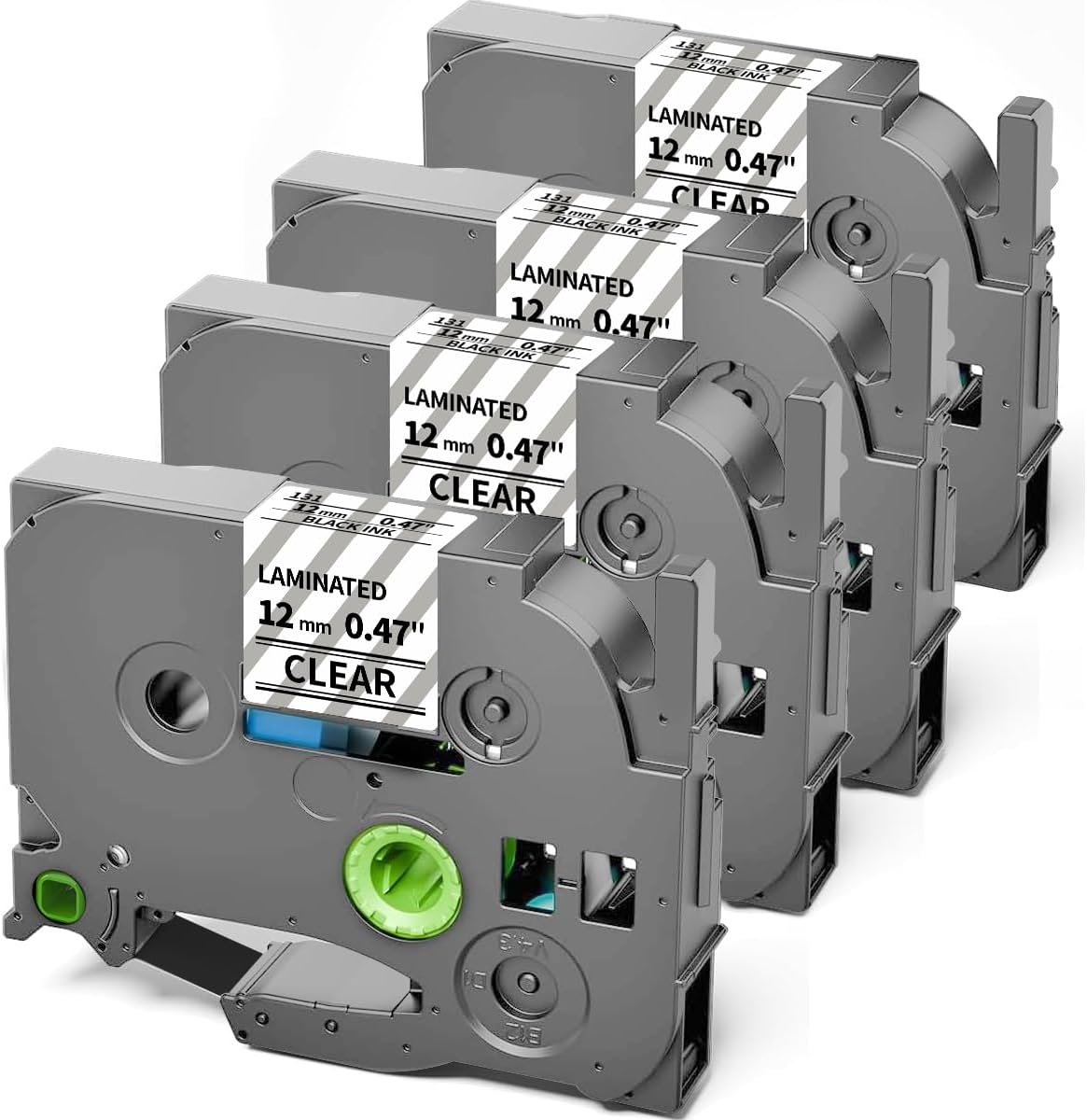
While not a printer itself, this Brother TZe tape is essential for those owning Brother P-Touch devices. With a 4.6-star rating, it is valued for its durability and clear finish that makes labels blend in seamlessly. The laminated clear surface protects text from abrasion and spills.
We may earn a commission when you buy through this link, at no additional cost to you.
The tape is compatible with a wide range of Brother label printers making it a versatile choice for existing owners. The split backing allows for easy application without wrinkling. At 8 meters long, each roll provides plenty of labels for extensive projects.
Since it is a refill you need a compatible printer to use it which limits standalone use. The price is reasonable considering the quality and length of the tape. It is a must-have for Brother device users.
We recommend this for users looking to stock up on reliable clear tape for their printers. The quality and ease of use ensure your labels remain clear and legible for years.
Lamination protects your text from water, scratches, and harsh temperature changes.
Works with many Brother models so you can use it across different devices.
We may earn a commission when you buy through this link, at no additional cost to you.
Choosing the right label printer with clear tape involves understanding your specific needs and the features that matter most. This section breaks down the key factors to consider so you can make an informed decision.
Not all printers accept clear tape so you must verify the types of tapes supported by each model. Some printers use proprietary tapes while others support standard formats like TZe or LetraTag tapes. Clear tape comes in different finishes such as plastic and paper so check which one matches your durability needs.
Always check the product specifications to ensure it supports clear tape before purchasing to avoid compatibility issues.
Modern label printers offer Bluetooth or USB connectivity allowing you to design labels via a smartphone app. This feature provides more design flexibility but requires your device to be nearby. Traditional models rely on a built-in keyboard which is faster for simple labels.
Choose Bluetooth if you want advanced design features or a keyboard for quick and simple labeling tasks.
Print quality determines how sharp and readable your labels will be. Look for printers that offer high resolution especially if you plan to print small text or QR codes. Clear tape requires good contrast so ensure the printer produces clear black text.
Prioritize high-resolution printing to ensure your labels remain readable and professional over time.
Battery power is crucial for portability. Some printers use disposable batteries while others have rechargeable built-in batteries. Rechargeable options are cost-effective over time but disposable batteries are easier to replace when you are away from a power source.
Consider rechargeable batteries for regular use or disposable ones for occasional labeling needs.
The physical size of the printer matters if you plan to carry it around. Handheld models are compact and easy to store but desktop models might offer more features. Ensure the device fits comfortably in your workspace or bag.
Select a handheld model if portability is key or a desktop model if you need advanced functionality.
The price of label printers varies widely from budget-friendly models to premium devices. Consider not just the upfront cost but also the ongoing cost of tapes and batteries. Some bundles include tapes which adds value to the initial purchase.
Look for bundles with tapes to save money and compare total costs of ownership before buying.
Features like fonts, frames, and icons help you customize your labels to look professional. Some printers offer pre-set templates that speed up the labeling process. If you need creative options, check the software or app capabilities for design freedom.
Choose a printer with diverse design features if you want creative or professional-looking labels.
Check how durable the printer is and what warranty coverage it offers. A longer warranty provides peace of mind against defects or performance issues. Also consider the durability of the labels themselves to ensure they withstand your environment.
Always verify warranty terms and label durability to protect your investment and ensure long-term use.
To start using your label printer, load the clear tape cartridge into the device according to the manufacturer's instructions. Ensure the tape is properly aligned so it feeds smoothly during printing. Close the cover securely before turning the device on to avoid jams.
Print your desired label content by typing on the keyboard or using the connected app. Preview the label on the screen to check for errors before printing. Once satisfied, press the print button and cut the label to the desired length using the built-in cutter.
To care for your label printer, keep it in a dry and cool place to prevent damage to the thermal print head. Clean the tape rollers regularly with a soft cloth to remove any dust or residue. Remove batteries if the device will not be used for extended periods to prevent leakage.
No, clear tape compatibility depends on the printer model and tape type. Some printers are designed specifically for certain brands and formats. Always check the product description or manual to ensure clear tape is supported before buying.
Yes, many clear plastic tapes are designed to be water-resistant and UV-resistant for outdoor use. Look for laminated tapes which provide extra protection against abrasion and temperature changes. Check the product specs to confirm outdoor durability ratings.
Battery life varies by model but many rechargeable printers can last up to a month on a single charge. Disposable battery models depend on usage but typically provide thousands of labels per set of batteries. Consider rechargeable models for cost efficiency.
The cost of tapes varies by brand but clear tapes are generally affordable for regular use. Buying in bulk or bundles can reduce the per-roll cost significantly. Third-party compatible tapes may also be cheaper than OEM options.
Some advanced label printers with Bluetooth connectivity allow you to print images on clear tape. However, the print quality may vary based on the printer's resolution. Check the printer specifications to confirm image printing capabilities before purchasing.
Thermal printers use heat to print on special tapes and do not require ink or toner making them more efficient. Inkjet printers use liquid ink which can smudge or fade over time. Thermal is generally preferred for clear tape applications.
We have reviewed ten top label printers with clear tape capabilities to help you find the right fit for your needs. From the versatile SUPVAN E11 to the budget-friendly DYMO LetraTag Bundle each model offers unique benefits for home or office organization.
When choosing a label printer, consider factors such as connectivity, tape compatibility, and design features. Your specific use case whether it is for home storage or business labels will determine which model is the best value for you.
Prices and availability change so we recommend checking current listings before finalizing your purchase. By selecting the right label printer with clear tape you can ensure your items remain organized and easily identifiable for years to come.