
POCHAR 8-Unit Charging Cabinet for Chromebooks & Tablets Up to 14" Screens
4.7Editor score
Charges up to 8 devices
Dual locking security system
Ventilated metal construction
Securing your valuable electronics is essential in shared spaces like offices, schools, and dorm rooms. A laptop lock box provides the physical security needed to protect devices from theft while keeping them organized and accessible when needed.
We have evaluated ten top-rated models based on security features, durability, size capacity, and ease of use. Our analysis focuses on real-world performance, build quality, and the specific needs of different users ranging from students to corporate environments.
Each pick highlights key strengths and ideal use cases to guide your decision. Keep in mind that product availability and features may vary over time. Always verify current specifications and pricing before making your final purchase decision today.
4.7Editor score
4.7Editor score

4.3Editor score
As an Amazon Associate we earn from qualifying purchases.
The following table provides a side-by-side comparison of all ten products evaluated in this guide. Review key specifications and features to quickly identify which model best aligns with your specific security and storage requirements.




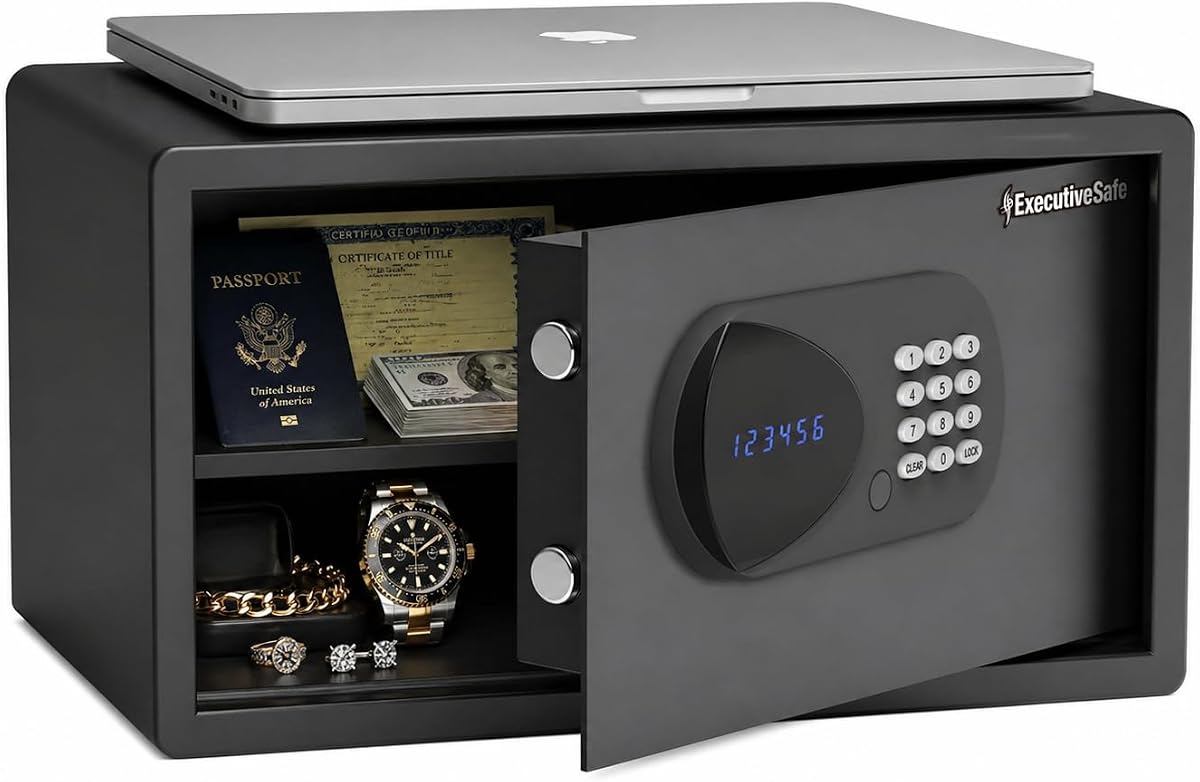
The ACS-6 Large Laptop Safe stands out as a premium solution for securing valuable electronics in homes and dorms. With a robust steel build and advanced digital lock, it offers reliable protection for laptops and documents alike.
We may earn a commission when you buy through this link, at no additional cost to you.
Its spacious interior accommodates laptops up to seventeen inches along with additional valuables. The motorized locking bolts provide a strong physical barrier against forced entry, while the audit trail allows users to monitor access history effectively.
While it offers superior security, users should note that the unit relies on batteries and includes a higher price tag compared to simple lock boxes. These trade-offs are acceptable given the high level of protection and organizational capacity it delivers.
This safe is ideal for students or professionals who need to store laptops, passports, and cash securely. We recommend it for anyone prioritizing top-tier security and monitoring features in their laptop lock box purchase.
The electronic lock includes an automatic lockout function after incorrect attempts to deter tampering and unauthorized access attempts.
A removable shelf and carpeted floor help keep your devices and valuables organized while preventing scratches during storage.
We may earn a commission when you buy through this link, at no additional cost to you.
This charging cabinet is an excellent budget-friendly option for classrooms or offices needing to secure multiple devices simultaneously. It combines storage with charging functionality to streamline device management efficiently.
We may earn a commission when you buy through this link, at no additional cost to you.
The unit holds up to eight devices with a dual locking system for enhanced security. Ventilation ensures devices do not overheat during charging, while the included power strip keeps cords organized and accessible for daily use.
Users might find the fixed dividers less flexible for larger devices, but the cabinet fits most standard Chromebooks and tablets well. The ease of setup without assembly is a significant advantage for immediate deployment in schools or businesses.
Ideal for educational or shared workspaces, this cabinet offers great value. We recommend it for those seeking a reliable lock box that also charges devices without requiring extra wall outlets.
The integrated power strip allows multiple devices to charge at once without cluttering desks or finding extra power sources.
Made with a high-quality metal frame, this cabinet is built to withstand daily use in busy environments like classrooms.
We may earn a commission when you buy through this link, at no additional cost to you.
This portable safe brings premium protection to a compact package with its steel build and fire-resistant features. It is perfect for protecting smaller laptops or essential documents while traveling or storing at home.
We may earn a commission when you buy through this link, at no additional cost to you.
The thickened steel body resists prying and offers fire-ready dual protection when paired with a document bag. A resettable combination lock ensures keyless access, making it convenient for frequent use without losing physical keys.
While the foam interior protects delicate items from scratches, the interior size may not fit larger laptops. This is acceptable given the focus on portability and dual fire security which many users prioritize over maximum size.
We recommend this for travelers or students needing a secure, portable laptop lock box. It is ideal for those who value fire resistance and portability alongside standard theft protection features.
When used with a fireproof bag, the steel body provides an additional layer of safety against heat damage for documents.
The full-surround foam padding absorbs impacts to keep laptops and watches scratch-free during transport or movement.
We may earn a commission when you buy through this link, at no additional cost to you.
This locking charging station is designed for efficiency in classrooms or hospitals where multiple tablets need secure storage. It keeps devices organized while ensuring they are always charged and ready for use.
We may earn a commission when you buy through this link, at no additional cost to you.
The unit features ventilated sides to prevent overheating and includes a power strip to manage power needs. Lock and key mechanisms ensure only authorized users can access the devices during non-use hours.
Some users may find the width constraint limiting for slightly larger devices, but it fits standard Chromebooks well. The fully assembled design saves time and effort for immediate installation in shared spaces.
We recommend this for schools or clinics needing a reliable charging lock box. It is best suited for users who want simplicity and organization without complex setup processes.
The included power strip stores neatly above the cabinet to keep cords from getting tangled or lost during use.
Combination lock and keys offer flexible security options so users can choose between code or physical key access.
We may earn a commission when you buy through this link, at no additional cost to you.
The Vaultz chest provides a keyless solution for securing laptops and valuables in dorm rooms or homes. Its compact size allows it to slide under beds, maximizing limited storage space efficiently.
We may earn a commission when you buy through this link, at no additional cost to you.
Dual combination locks eliminate the need for physical keys, reducing the risk of losing access. A cable grommet and tether add extra theft protection by letting you lock devices to a fixed point.
While the plastic construction is lighter, it may not match the durability of steel boxes. This trade-off is acceptable for users prioritizing portability and space-saving design over heavy-duty industrial security.
Ideal for students, this box offers versatile storage for devices and documents. We recommend it for those seeking a lightweight, easy-to-carry lock box with reliable combination security.
The resettable combination lock allows you to change codes anytime, ensuring your security settings are always updated.
Slim dimensions allow easy placement under beds or on shelves without taking up significant room in small dorms.
We may earn a commission when you buy through this link, at no additional cost to you.
For environments needing to store more devices, this 12-unit cabinet offers exceptional capacity and security. It is built for schools or businesses managing large fleets of tablets and laptops effectively.
We may earn a commission when you buy through this link, at no additional cost to you.
The durable metal construction and ventilation ensure long-term safety for all connected devices. A secure front lock prevents unauthorized access while keeping the area tidy for professional presentations.
Because of its larger size, placement requires careful planning to ensure it fits your desk or wall space. This is a reasonable trade-off given the high capacity and reliable performance users expect from this model.
We recommend it for institutions needing robust charging and storage. It is best for users who prioritize maximizing device count while maintaining security and easy access.
Accommodates up to twelve devices simultaneously, allowing schools or offices to charge entire classes or teams at once.
Ventilation holes on all four sides ensure heat dissipates efficiently to protect electronics during extended charging sessions.
We may earn a commission when you buy through this link, at no additional cost to you.
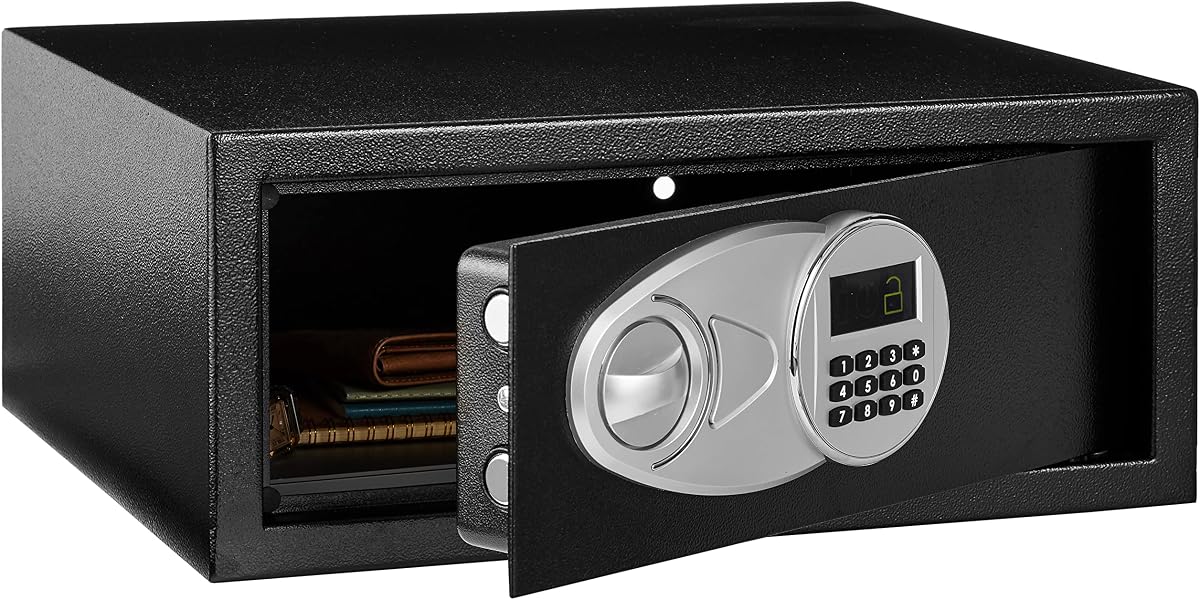
This steel security safe is a dependable choice for securing laptops and cash with a simple digital interface. It provides reliable protection without the complexity of more expensive models.
We may earn a commission when you buy through this link, at no additional cost to you.
The reprogrammable digital access allows you to change codes easily. Carpeted flooring protects delicate items like documents and laptops from scratches inside the box.
While it lacks advanced features like audit trails, it offers strong value for basic security needs. The included override keys ensure you never get locked out if batteries fail.
We recommend this for general home use or offices needing straightforward protection. It suits users who want a no-fuss, secure box for essential electronics and documents.
The digital keypad allows quick access without needing to remember physical keys, making it ideal for frequent use.
Pry-resistant concealed hinges prevent common entry points from being compromised by forced access attempts.
We may earn a commission when you buy through this link, at no additional cost to you.
This cabinet offers a hassle-free solution for charging and storing multiple devices in shared environments. It is designed for immediate deployment without technical setup or assembly.
We may earn a commission when you buy through this link, at no additional cost to you.
The fully assembled design saves time for staff or teachers setting up rooms quickly. Ventilated panels help maintain safe temperatures while charging multiple devices simultaneously.
Users should note that divider slots are fixed, which may limit flexibility for oddly sized devices. However, this ensures consistent organization which is often preferred in busy classrooms.
We recommend it for schools needing quick setup and reliability. It is best for users who prioritize immediate usability and simple charging solutions over complex customization.
Ships fully assembled so you can unpack, place devices, and start charging without tools or assembly time.
Ventilated panels reduce heat buildup, protecting devices from overheating during prolonged charging periods in classrooms.
We may earn a commission when you buy through this link, at no additional cost to you.
This briefcase is an ideal choice for professionals who need a secure lock box that doubles as a transport solution. Its aluminum shell protects devices during travel while maintaining a professional look.
We may earn a commission when you buy through this link, at no additional cost to you.
Dual combination locks ensure valuables stay secure during transit or meetings. The interior straps prevent laptops from shifting, reducing the risk of damage during daily commuting or business trips.
While it is not a stationary safe, it offers superior portability compared to standard boxes. This trade-off is valuable for mobile workers who carry devices daily and need reliable security.
We recommend it for executives or business users. It is best for those prioritizing mobility and style alongside standard laptop security needs in travel scenarios.
The rigid hard shell resists daily bumps and scratches, keeping devices protected in crowded public environments.
Adjustable Velcro straps secure laptops and files so nothing moves around during transport or handling.
We may earn a commission when you buy through this link, at no additional cost to you.
This digital safe is excellent for hotels, rental properties, or homes needing reliable security for large laptops. Its features mimic high-end hotel safes with automatic locking and audit trails.
We may earn a commission when you buy through this link, at no additional cost to you.
The motorized bolts engage automatically when the door closes, ensuring security without manual intervention. An audit trail lets owners track access history, which is useful for guest or shared device management.
The unit is heavier and requires batteries, which may be a minor inconvenience for casual users. However, these features provide a level of security and monitoring that justifies the added weight.
We recommend it for hospitality or shared housing. It is best for owners needing to secure laptops in transient spaces with professional security features.
The door opens automatically when the correct code is entered, providing hotel-style convenience for quick access.
An external USB emergency power port ensures you can access the safe even if batteries are depleted unexpectedly.
We may earn a commission when you buy through this link, at no additional cost to you.
Choosing the right laptop lock box requires considering security features, size capacity, and intended use cases to ensure optimal protection and usability.
Evaluate whether you need a combination lock, digital keypad, or key-based system. Digital locks offer convenience while keys offer simplicity; consider if dual systems provide extra peace of mind.
Choose the mechanism that matches your user habits and security needs for reliable protection against unauthorized access.
Measure your laptop dimensions and any accessories you need to store. Ensure the interior height and width accommodate your device without forcing it into a tight space.
Select a model with enough internal volume to hold your laptop and other valuables comfortably for organized storage.
Look for steel or aluminum construction to resist prying and physical impact. Thicker gauge metals provide better security against forced entry attempts compared to plastic alternatives.
Prioritize durable materials to ensure your lock box withstands daily wear and potential security threats.
If the box is used for charging, check for ventilation holes to prevent overheating. Proper airflow extends the lifespan of your devices during simultaneous storage and charging.
Ensure the unit supports heat dissipation to keep devices safe during prolonged power use.
Decide if you need a portable box with handles or a stationary model that can be bolted down. Wall-mountable options offer higher security by anchoring the unit to a structure.
Pick a design that fits your lifestyle whether you need to move it or secure it permanently in place.
Electronic locks require batteries to function, so consider the battery life and replacement process. Some models offer emergency power ports to avoid lockouts if batteries die.
Ensure the power solution is reliable and easy to manage to maintain uninterrupted access to your lock box.
Check if the unit arrives fully assembled or requires tools. Fully assembled boxes save time and effort, while DIY models might offer customization.
Select a setup process that aligns with your technical comfort level and available tools.
Compare features against the price to determine if the security level justifies the cost. Basic models are affordable but may lack advanced features like audit trails.
Invest in a box that balances cost with the protection features you actually need for your environment.
To start, set your lock code or verify the key position if using a combination or key system. Ensure the locking mechanism is engaged properly to prevent accidental access.
Keep the interior clean and dry to avoid damaging your devices. Avoid storing food or liquids inside as they can cause moisture issues or pests that may harm electronics.
Regularly test the lock and replace batteries before they die to avoid getting locked out. If mounting the box, ensure it is anchored securely to prevent tipping or removal by unauthorized users.
Most standard lock boxes offer limited fire protection. For true fire safety, look for models specifically rated for fire resistance or use a fireproof document bag inside a steel box.
Yes, many models listed support devices up to 17 inches or include dividers. Check the interior dimensions to ensure your tablet fits comfortably within the storage space.
Many models come with mounting bolts and holes. Use appropriate hardware for your wall type and drill pilot holes to anchor the box securely to prevent easy removal.
Most digital locks come with emergency override keys. Keep these keys in a safe location separate from the box to regain access if you forget the code.
Some units include built-in power strips and ventilation for charging. Ensure the model supports this feature and that the power supply is accessible while the door is closed.
Smaller portable cases are designed for travel. Heavier steel safes are better for stationary use. Check weight and size before choosing a box for carrying in luggage.
Battery life varies by usage but typically lasts several months. Check for low battery warnings and replace batteries annually to ensure reliable access without interruption.
We have reviewed ten excellent options ranging from simple portable cases to advanced charging cabinets. Your choice should depend on whether you need maximum security, high capacity, or easy portability.
Prioritize the features that matter most to your environment, such as fire protection or dual locks. Balancing these needs with your budget ensures you get the best protection for your devices.
Remember to check current availability and specifications before buying. Prices and stock can change quickly so verify the model details to ensure it meets your needs today.