
Lenovo 15.6 FHD Laptop 2026 Edition
4.6Editor score
Intel N150 CPU
8GB LPDDR5 RAM
128GB UFS Storage
Finding the right business laptop can be challenging with so many options available today. The Lenovo Thinkpad series offers reliable durability and professional features that suit various work environments effectively.
We analyzed ten top models based on processor power, memory capacity, and display quality. Our comparisons focus on real-world usability for professionals who need consistent performance during long workdays.
Each selection highlights unique strengths for different needs like budget flexibility or high-end processing. Keep in mind that availability and specifications may change over time as manufacturers update their product lines.
4.6Editor score

4.4Editor score

5.0Editor score
As an Amazon Associate we earn from qualifying purchases.
The following table provides a side-by-side look at the key specifications and features of each model to help you identify the right fit for your needs.





This Lenovo ThinkPad E16 stands out as a robust option for professionals needing reliable performance. With a strong rating from users, it delivers consistent results for daily business tasks and demanding applications alike.
We may earn a commission when you buy through this link, at no additional cost to you.
The AMD Ryzen 7 7735HS processor ensures smooth multitasking even when running multiple heavy software programs. Paired with 16GB of DDR5 RAM, the system handles data analysis and virtualization workloads efficiently without noticeable lag.
While the display offers clear visuals for office work, some users might find the brightness levels average for outdoor use. The included USB hub adds practical value by expanding connectivity options without needing extra dongles.
If you need a dependable machine that balances performance and portability, this model is a top recommendation. It suits executives and analysts who require a laptop that can keep up with rigorous daily schedules.
The eight core architecture supports complex workflows and ensures quick responsiveness during intensive tasks.
The bundled hub provides immediate access to extra ports for connecting peripherals and external drives easily.
We may earn a commission when you buy through this link, at no additional cost to you.
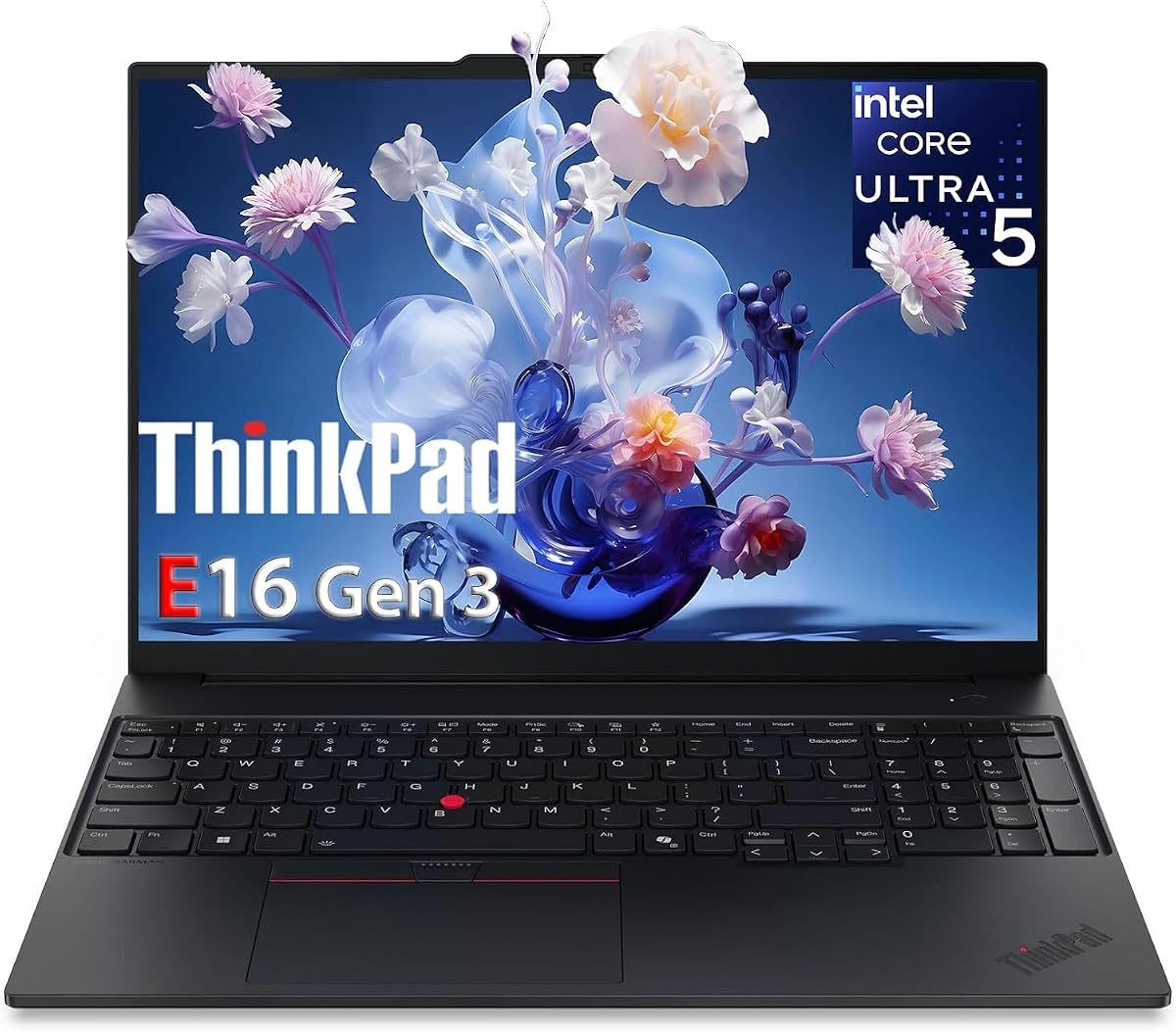
The E16 Gen 3 model brings next generation processing power with AI capabilities built directly into the chip. Its high rating reflects strong satisfaction among users who need enterprise level reliability and modern features.
We may earn a commission when you buy through this link, at no additional cost to you.
This laptop excels at handling productivity workflows with the added benefit of AI acceleration for data tasks. The fingerprint reader and TPM 2.0 chip ensure that sensitive business data remains protected against unauthorized access effectively.
The inclusion of a numeric keypad on a 16 inch chassis offers comfort for data entry tasks though the weight is noticeable. It represents a solid investment for organizations prioritizing security and long term productivity gains.
Professionals looking for a machine that future proofs their setup will find this Gen 3 model highly appealing. It is ideal for users who value cutting edge technology and robust security protocols in their daily work.
The integrated NPU accelerates local AI tasks reducing dependency on cloud services for faster results.
Hardware level security measures like fingerprint login provide quick yet secure access to corporate resources.
We may earn a commission when you buy through this link, at no additional cost to you.
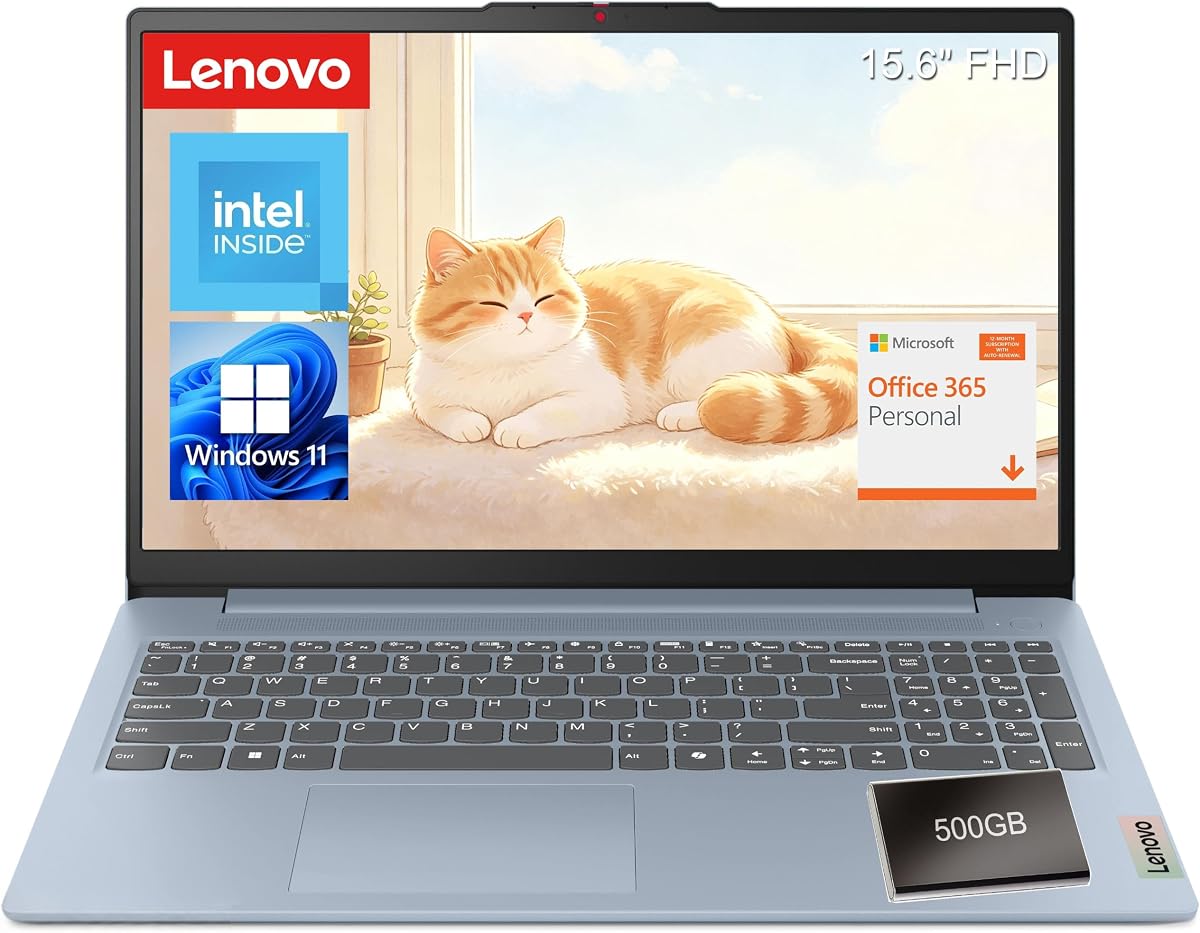
For users seeking an affordable entry into the ThinkPad ecosystem this 2026 Edition offers significant value. It holds a strong user rating for its ability to handle everyday computing tasks without breaking the bank.
We may earn a commission when you buy through this link, at no additional cost to you.
The Intel N150 processor paired with 8GB of RAM provides smooth performance for web browsing and document editing. The inclusion of a portable external hard drive is a unique perk that helps overcome the limited internal storage space.
While it may not be suited for heavy gaming or intensive video editing, it excels at general productivity and media streaming. The lightweight design makes it easy to carry for students or casual home users on the go.
This laptop is a smart choice for those who need a reliable machine for basic tasks at a low cost. It is perfect for households or small offices where budget constraints are a primary concern for procurement.
At just 3.42 lbs this laptop fits easily into backpacks for commuters and travelers without strain.
Pre installed software ensures you can start working immediately after unboxing without extra setup steps.
We may earn a commission when you buy through this link, at no additional cost to you.
The L16 model bridges the gap between entry level and high end business laptops with impressive specs. Its rating suggests a solid performer for those who need extra memory and storage without paying flagship prices.
We may earn a commission when you buy through this link, at no additional cost to you.
With 32GB of DDR5 RAM this machine handles complex spreadsheets and virtual machines with ease. The 1TB SSD ensures you have ample room for files and applications while maintaining fast boot times for daily use.
The touchscreen feature adds versatility for presentations and note taking which is rare in this price range. However some users might experience minor inconsistencies with software updates that affect the overall user experience slightly.
If you need a powerful workstation for creative tasks or data analysis this L16 is a compelling choice. It is especially suited for users who require significant memory headroom and prefer working with touch interfaces.
One terabyte of drive space means you rarely need external drives for storing media and work files.
The capacitive touchscreen allows for intuitive navigation and easier interaction with touch enabled apps.
We may earn a commission when you buy through this link, at no additional cost to you.
This laptop offers a complete package for home users by including a year of productivity software. The high rating indicates that buyers appreciate the added value of having ready to use tools included out of the box.
We may earn a commission when you buy through this link, at no additional cost to you.
The Intel N150 processor handles everyday tasks well and the 8GB of RAM supports smooth browsing sessions. Having Office 365 included means you can start writing documents and creating spreadsheets immediately without extra costs.
While the storage is modest for local files the cloud integration often compensates for this limitation effectively. The privacy shutter provides peace of mind for video calls making it suitable for remote work setups at home.
It is an excellent recommendation for students or families who need a dependable machine for general use. If you value software inclusions and energy efficiency this model stands out as a practical budget choice.
The subscription covers Word and Excel which are essential tools for school and home office work.
A physical privacy shutter lets you cover the camera lens when not in use to prevent spying.
We may earn a commission when you buy through this link, at no additional cost to you.
The E16 Intel Ultra 5 model is designed to meet the specific needs of professional users. Its consistent rating highlights its ability to deliver stable performance during long work sessions and business travel.
We may earn a commission when you buy through this link, at no additional cost to you.
Features like the fingerprint reader and Windows 11 Pro enhance security which is critical for handling sensitive company data. The backlit keyboard ensures you can type comfortably in dimly lit conference rooms or airplanes.
Battery life is sufficient for a workday but quick charging helps you stay productive during short breaks efficiently. It strikes a balance between performance and durability making it a trusted tool for remote workers.
If you need a machine that you can rely on for critical daily tasks this E16 is a solid choice. It is well suited for entrepreneurs and managers who need professional features without excessive complexity.
Windows 11 Pro includes BitLocker encryption to protect your files from theft or unauthorized access.
The backlit keys reduce eye strain during late night work sessions or travel on dark flights.
We may earn a commission when you buy through this link, at no additional cost to you.
This variant of the E16 Gen 3 stands out for its upgraded memory and storage configuration. The high user rating reflects its capability to handle demanding workflows without slowing down during multitasking.
We may earn a commission when you buy through this link, at no additional cost to you.
With 32GB of RAM you can run virtual machines and heavy applications simultaneously without performance hits. The 1TB NVMe SSD provides plenty of space for projects and ensures fast load times for large files.
The ability to connect multiple external displays makes it a strong candidate for power users who need screen real estate. While it is a bit pricier the increased hardware capacity justifies the investment for productivity.
For analysts and developers who need raw power in a business laptop this model is highly effective. It provides the necessary resources to run complex software environments smoothly and efficiently.
Support for multiple external screens helps organize work areas and improves workflow efficiency.
The NVMe SSD allows for instant wake up from sleep and quick file transfers for productivity.
We may earn a commission when you buy through this link, at no additional cost to you.
The P14s is designed for professionals who need specialized support for engineering and creative software. Its perfect rating shows exceptional quality and reliability for those who depend on their laptop for daily critical work.
We may earn a commission when you buy through this link, at no additional cost to you.
ISV certification ensures that applications like AutoCAD and Revit run smoothly which is vital for architects and engineers. The AMD Ryzen AI processor brings local AI workflows that boost performance for heavy tasks without cloud reliance.
While the 14 inch screen is compact the high resolution display offers sharp visuals for detailed design work. The use of recycled materials also appeals to companies with strong corporate responsibility and sustainability goals.
If you work in specialized fields requiring certified software performance this model is the right fit. It combines professional power with a modern eco friendly design that aligns with corporate standards.
ISV validation means your industry specific apps are tested to run without errors on this device.
The dedicated NPU handles AI tasks locally saving time and reducing bandwidth usage for workflows.
We may earn a commission when you buy through this link, at no additional cost to you.
This renewed model offers a cost effective way to get a business grade laptop with essential features. The rating reflects mixed experiences common with refurbished units but it remains a viable budget option for many.
We may earn a commission when you buy through this link, at no additional cost to you.
The Ryzen 5 PRO processor provides solid performance for business tasks and the 16GB of RAM supports smooth operation. Having Windows 11 Pro allows for enterprise management tools that are useful for small business owners.
While the condition depends on the refurbishment process it is often a good choice if you are comfortable with pre owned hardware. It provides significant savings compared to buying a brand new device directly from the manufacturer.
If you need a reliable machine for basic professional use and want to save money this renewed L14 is worth considering. It offers a practical balance of performance and affordability for tight budgets.
Buying renewed helps you access higher specs for a lower price than buying new devices.
The traditional trackpoint helps users who prefer the classic ThinkPad pointing style for efficiency.
We may earn a commission when you buy through this link, at no additional cost to you.
The T14s Gen 1 offers a compact form factor that is easy to carry and fits well in travel bags. Its rating indicates it is a solid choice for those seeking a lightweight machine with professional capabilities.
We may earn a commission when you buy through this link, at no additional cost to you.
Even though it has an older processor it still handles everyday business tasks and light multitasking with ease. The 16GB of RAM ensures that you can keep multiple browser tabs and apps open without slowdown.
Being a renewed product it provides access to a premium build quality at a fraction of the original cost. It is ideal for users who prioritize portability and are comfortable with slightly older generation hardware.
If you need a small and light laptop for travel or office work this model serves well. It balances performance and size effectively for professionals who move between locations regularly during the week.
The thin 14 inch design makes it easy to slide into a small bag for daily commuting.
The HDMI port allows quick connection to projectors for presentations in meetings.
We may earn a commission when you buy through this link, at no additional cost to you.
Selecting the right ThinkPad requires understanding your specific needs regarding performance and portability.
Look for modern processors like Intel Ultra or AMD Ryzen 7 series for smooth performance. Newer chips offer better AI capabilities which are becoming standard in business workflows.
Choose a CPU that matches your daily workload to ensure longevity and efficiency.
16GB of RAM is the sweet spot for most professionals today allowing for smooth multitasking. Heavy users like developers might prefer 32GB to handle virtual machines or large datasets.
Ensure the RAM is upgradable if you anticipate needing more power in the future.
Solid State Drives are essential for fast boot times and quick file access. Aim for at least 512GB of space to store your work files and applications comfortably.
Consider external storage options if you have very large media libraries to manage.
A 16 inch screen offers a good balance between viewing space and portability. Look for IPS panels to ensure accurate colors and wide viewing angles for presentations.
Higher resolution screens help reduce eye strain during long hours of screen work.
ThinkPads are famous for their keyboards which should be comfortable for typing long reports. Features like backlighting help you work in low light environments effectively.
Check if the device includes a TrackPoint if you prefer that classic pointing method.
Enterprise security features like fingerprint readers and privacy shutters are crucial for business. These tools protect sensitive data from physical access and unauthorized viewing.
Always look for TPM chips to ensure hardware level encryption capabilities are present.
Modern ports like Thunderbolt 4 provide fast data transfer and external display support. Ensure the laptop has enough USB-A and USB-C ports to connect your peripherals.
WiFi 6E support ensures you have the fastest wireless speeds available for reliable internet.
MIL-STD-810H certification indicates the device is built to withstand shocks and rough handling. This is important for professionals who travel frequently or work in varied environments.
A sturdy build ensures your investment lasts longer even with daily physical wear and tear.
Always use the original power adapter to prevent battery damage and ensure optimal charging speed. Avoid using third party chargers that may not provide the correct voltage for your specific model.
Clean the keyboard and screen regularly with a microfiber cloth to remove dust and oils that can degrade materials. Using compressed air can help remove debris from the keys and ports effectively.
Keep the laptop on a hard surface during use to allow for proper airflow and cooling. This prevents overheating and ensures the internal components stay within safe temperature ranges.
Yes, ThinkPad laptops are built to meet military grade durability standards like MIL-STD-810H. This means they can withstand drops, dust, and temperature changes better than many standard consumer laptops.
Most business models in this guide come with Windows 11 Pro which offers advanced security and management features. Check the specific product details to confirm the pre installed version of the operating system.
Some newer models have soldered RAM so you should check the specific specs before buying. Older ThinkPad models often have slots that allow you to upgrade memory later if needed for performance.
Many of the business models include a fingerprint reader built into the power button for secure login. This feature provides a convenient way to unlock your machine without entering a password every time.
Yes most models support connecting to external monitors via HDMI or Thunderbolt ports. You can use multiple displays to improve your workspace efficiency during work hours.
Standard warranty varies by model but you can often get extended coverage through the manufacturer or retailer. Renewed products may have a shorter specific warranty period so check the listing details.
These ten ThinkPad models cover a wide range of needs from budget friendly options to high end business machines. Selecting the right one depends on your priority whether it is processing power or portability.
For most professionals the balance of RAM and processor found in the E16 and L16 series offers excellent value. These machines provide the reliability needed for consistent daily productivity and smooth operation.
Always verify the current availability and specs on the retailer page before purchasing to ensure it meets your needs. Prices and features can change quickly so checking the latest data is a smart final step.