
Upgraded Watt Power Meter Plug
4.6Editor score
Seven display modes included
Adjustable backlight timer
Overload protection feature
Discover the top energy consumption monitors for PC and home electronics to track usage and reduce bills with accurate real-time data insights.
Finding the right energy consumption monitors for PC and home electronics is essential for modern households aiming to reduce utility costs. These devices provide critical insights into how much power your devices use and help identify energy hogs that drive up your monthly bills.
We compared ten top-rated energy monitors based on accuracy, ease of use, and additional features like smart home integration. Our analysis covers plug-in meters for individual devices and whole-home systems that monitor your entire electrical panel for comprehensive data.
Each pick below shows a unique solution ranging from simple budget plugs to advanced whole-home automation systems. Please note that product availability and pricing can change frequently, so verify details before purchasing to ensure you get the best value.
4.6Editor score

4.6Editor score

4.3Editor score
This side-by-side comparison highlights the key specifications and capabilities of each energy monitoring solution. Whether you need whole-home tracking or simple plug-in measurements, these options cover a wide range of user needs.


The Emporia Vue 3 Home Energy Monitor stands out as the top choice for anyone wanting deep insights into their electricity usage. With a strong 4.6 rating, it combines safety certifications with powerful monitoring capabilities for both whole-home and individual circuits.
We may earn a commission when you buy through this link, at no additional cost to you.
Its standout quality is the ability to monitor up to sixteen branch circuits simultaneously, giving you detailed breakdowns of high-consumption devices like PCs, heaters, and appliances. The UL certification ensures it meets rigorous safety standards for electrical products in the U.S. and Canada.
While it requires access to your circuit panel and might need professional installation for some users, the long-term savings on energy bills justify the initial effort. The app provides clear reporting and helps identify costly usage patterns instantly.
This device is ideal for homeowners or renters with panel access who want to automate energy management. If you need precise control over your PC and home consumption, this monitor is the best option available today.
The device is UL Listed meaning every component has been thoroughly tested to prevent hazards such as overheating or fire.
Minute and hour data are retained in the cloud indefinitely while you can export cloud data whenever you want in the app.
We may earn a commission when you buy through this link, at no additional cost to you.
The Upgraded Watt Power Meter Plug is an excellent budget-friendly solution for tracking individual device energy consumption. It delivers detailed monitoring of power, energy, volts, amps, and more, making it perfect for checking PC power supplies or other electronics.
We may earn a commission when you buy through this link, at no additional cost to you.
Key strengths include its large backlight display with wide viewing angles and adjustable backlight time options. The overload protection feature warns you if the appliance exceeds safe power limits helping you protect your equipment.
Although it lacks smart app integration and requires manual setting adjustments via buttons, its reliability and data memory function make it a solid choice for quick checks. You can store data even when unplugged.
This plug is perfect for renters or users who want simple plug-and-play monitoring without complex installation. It offers incredible value for the price and helps you manage electricity usage effectively.
The screen features a 2.36 inch x 1.85 inch size with backlighting for clear visibility day or night.
When power exceeds the overload setting the LCD displays a warning and buttons quit working until the load is lowered.
We may earn a commission when you buy through this link, at no additional cost to you.
The Meross Smart Home Energy Monitor brings premium features to the table with a focus on data privacy and smart home automation. It is ETL certified and provides accurate power and cost tracking for those who value local control over their data.
We may earn a commission when you buy through this link, at no additional cost to you.
Its standout strength is the deep integration with Home Assistant allowing you to automate solar surplus usage and power EV chargers automatically. All energy data stays local which eliminates cloud delays and privacy concerns.
While the setup involves installing sensors in your circuit panel and can be complex, the 2-year warranty and local control features justify the investment. You get precise circuit-level monitoring without hidden fees.
This system is ideal for tech-savvy users with smart home setups who want maximum control and privacy. If you need detailed monitoring for PCs and appliances alongside solar integration, this is the best premium choice.
All energy data stays local with no cloud storage so you take full control of your home energy privacy.
The device detects solar surplus and can automatically power high-use appliances to cut your electricity bill faster.
We may earn a commission when you buy through this link, at no additional cost to you.
This energy monitor is tailored for rental homes and shared apartments where tracking usage per room or tenant is crucial. With 16 sensors and customizable rate templates it allows for transparent electricity cost allocation across multiple rooms.
We may earn a commission when you buy through this link, at no additional cost to you.
The key strength lies in its Super Privacy Mode which lets you run the device on your own MQTT server without relying on a cloud app. This offers flexibility for technical users who prefer local control.
Installation requires access to your circuit panel and might need professional assistance. However the detailed data history and accurate real-time spending reports make it invaluable for managing shared energy costs.
For landlords or roommates who want to avoid billing disputes this monitor is the best choice. It balances advanced features with the ability to run locally for maximum privacy and control.
Users can clearly see electricity usage and cost for each room or circuit making billing transparent for property managers.
You can run without cloud or app use your own MQTT server only and operate in LAN without internet access.
We may earn a commission when you buy through this link, at no additional cost to you.
The SURAIELEC Outlet Watt Meter is a reliable plug-in solution for monitoring individual devices like PCs or appliances. Its wide voltage range of 90 to 250V makes it versatile for various regions and electrical standards.
We may earn a commission when you buy through this link, at no additional cost to you.
Key strengths include its Class 1.0 accuracy standard and built-in rechargeable battery backup that stores data for up to 90 days during power outages. This ensures you never lose your usage records.
While it lacks smart connectivity and requires manual settings for cost calculation, its durability and clear LCD display make it a practical choice for basic monitoring. The space-saving design keeps the lower outlet accessible.
This meter is perfect for anyone needing accurate cost tracking without complex setup. If you want to monitor PC usage or other appliances simply and safely this is an excellent option.
The device adheres to Class 1.0 accuracy standard ensuring precise readings for voltage amp and power measurements.
A built-in rechargeable battery backup stores data for up to 90 days during power outages or when unplugged.
We may earn a commission when you buy through this link, at no additional cost to you.
The HBN Watt Meter Plug offers extensive data visibility with nine display modes covering power energy and cost. Its upgraded backlit LCD display provides clear readings from any angle day or night for easy monitoring.
We may earn a commission when you buy through this link, at no additional cost to you.
Key strengths include detailed parameter tracking like power factor and apparent power which are useful for understanding device efficiency. The data storage function ensures you lose no information during power outages.
The backlight conserves energy by turning off after fifteen seconds of continuous use which may be inconvenient for some users. However the reset function and safety ratings make it a reliable choice for plug-in monitoring.
This plug is ideal for users who want more than just watts and want to see factor and power. If you need detailed insights into your PC or device efficiency this is a great tool.
The interface allows you to easily read and navigate through nine types of data with a single button for convenience.
It is rated for 125VAC and 60Hz with a maximum of 15A ensuring safe use with standard household appliances.
We may earn a commission when you buy through this link, at no additional cost to you.
The KETOTEK Watt Meter Power Plug stands out for its multiple protection features including overload cost and KWH alarms. These alerts help you identify issues before they cause damage or excess charges on your bill.
We may earn a commission when you buy through this link, at no additional cost to you.
Key strengths include one-click switching between parameters and LED lights that flash continuously to warn users of exceedance. The high precision chip ensures accurate data even when you unplug the device.
While you need to manually set the overload power to 1800W before use, the detailed warnings give you peace of mind. The reset function allows you to clear data while keeping settings for multiple appliances.
This plug is perfect for users who prioritize safety and want to avoid overloading circuits. If you need reliable monitoring with clear visual warnings for your PC or appliances this is a strong choice.
When load power exceeds overload value LCD displays alerts and LED light flashes continuously to warn the user.
A high precision chip stores data in the event of power failure ensuring you do not lose your usage records.
We may earn a commission when you buy through this link, at no additional cost to you.
Getting two units of this watt meter provides excellent value for monitoring multiple devices like PC components or household appliances. The high-quality ABS material makes them durable and fireproof for safe daily use.
We may earn a commission when you buy through this link, at no additional cost to you.
Key strengths include the white backlight for night readings and data memory that saves cumulative data when unplugged. The 8 display modes give you access to all essential metrics easily.
While you must press the button manually to reset and there is no smart app, the simplicity and reliability are benefits. The overload protection flashes to warn users if power exceeds the threshold.
This pack is ideal for users who want to monitor several devices across the house. If you need flexible monitoring without complex wiring these meters are practical and affordable tools.
The whole body is made of high quality ABS material making it long lasting and fireproof for daily use.
Backlight automatically turns off after 10 minutes of inactivity but you can turn it off manually too.
We may earn a commission when you buy through this link, at no additional cost to you.
The P4400 Kill A Watt is a classic device that has been trusted for years to monitor electrical usage. Its large LCD display counts consumption clearly and calculates expenses by day week or month.
We may earn a commission when you buy through this link, at no additional cost to you.
Key strengths include compatibility with inverters and design for AC 115-volt appliances. It connects directly to appliances and assesses efficiency helping you understand where power is being used.
While the design is older and lacks modern smart features, its simplicity makes it easy to use for anyone. It is a great option for quick checks on PC efficiency or appliance costs.
This monitor is best for users who want a straightforward tool without extra features. If you need to assess the efficiency of an appliance quickly this device delivers accurate and clear results.
The monitor connects to appliances and assesses efficiency helping you optimize your power usage effectively.
It calculates electricity expenses by the day week month or year helping you plan your monthly budget.
We may earn a commission when you buy through this link, at no additional cost to you.
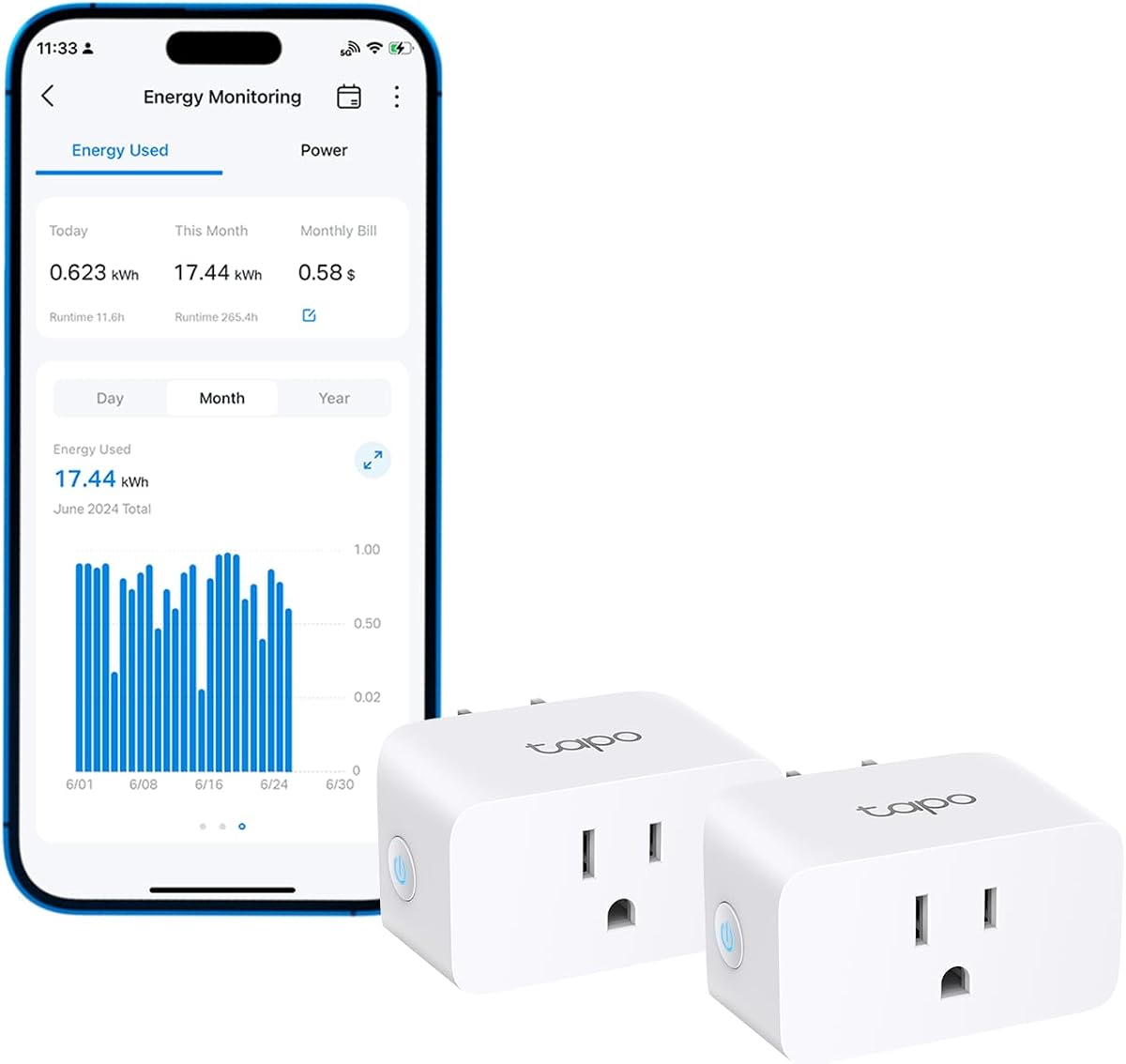
The Tapo Smart Plug Wi-Fi combines energy monitoring with smart home automation for a versatile user experience. It tracks energy usage with intuitive charts and integrates with billing systems to estimate your energy bills.
We may earn a commission when you buy through this link, at no additional cost to you.
Key strengths include voice control via Alexa and Google Assistant and smart charging features that cut power when your device reaches a low battery limit. Scheduling allows automatic operation during off-peak hours.
While it depends on a stable WiFi connection and smart app it the convenience of remote control is a major benefit. Auto-shutoff prevents electrical overload adding safety to your monitoring setup.
This plug is ideal for users who want to automate their power usage and monitor costs. If you need to manage PC or device usage remotely with smart features this is a great choice.
Programmable scheduling allows automatic operation of high-consumption devices during off-peak hours with lower rates.
It prevents electrical overload by automatically shutting off devices that use too much power instantly.
We may earn a commission when you buy through this link, at no additional cost to you.
Choosing the right energy monitor depends on your specific needs whether you want to track one device or your whole home. This guide covers the key factors to help you select the best tool.
Decide if you need a plug-in meter for individual devices like PCs or a whole-home system that monitors your electrical panel. Plug-in meters are easier to install while whole-home systems provide detailed circuit-level data.
Choose whole-home systems if you want to automate energy savings across your property and plug-in meters for spot checks on specific appliances.
Look for devices with high accuracy ratings and data retention capabilities. Whole-home systems often store data in the cloud while plug-in meters might have built-in memory to save your usage records.
Ensure the device retains data during power outages so you never lose important insights into your energy consumption patterns.
Plug-in meters are simple to set up and require no tools or wiring. Whole-home systems may need access to your circuit panel and sometimes professional installation to ensure safety and compliance.
If you are not comfortable working with electrical panels opt for plug-in meters that you can use immediately.
Modern monitors often offer app connectivity and smart home integration. Check if the device works with your existing setup like Home Assistant or Alexa for remote monitoring and automation.
Smart features allow you to set alerts for high usage and schedule devices to run during cheaper energy hours.
Safety is critical when dealing with electricity. Choose devices that are certified by recognized bodies like UL or ETL to ensure they meet rigorous safety standards for preventing hazards.
Certified products offer peace of mind knowing they have been tested to prevent overheating or short-circuiting.
Plug-in meters are generally affordable while whole-home systems are a larger investment. Consider the potential savings on your energy bills to determine if the cost of a more advanced system is justified.
Start with a plug-in meter if you are unsure about your needs and upgrade later if you require more detailed data.
If you have solar panels choose a monitor that supports net metering and solar monitoring. This helps you track how much energy you are producing versus consuming to optimize your usage.
Advanced monitors can automatically switch to using solar power for high-load devices to reduce grid dependence.
Check if the device has a clear display or app interface for reading data. Plug-in meters should have readable screens while whole-home systems should offer intuitive charts and reports.
Readable data helps you identify energy hogs quickly so you can make informed decisions about your usage habits.
For plug-in meters simply insert the device into the wall outlet and plug your PC or appliance into the monitor. Ensure the device is rated for your voltage to avoid damage and check the display for real-time usage data.
For whole-home systems follow the manufacturer instructions to connect sensors to your circuit panel. Use the app to configure sensors for different circuits and set up alerts to notify you of unusual usage patterns.
To maintain your device keep the outlet area clean and free of dust. Reset the meter periodically to clear old data if you want to start fresh and protect the device from extreme temperatures or moisture.
Most plug-in monitors do not require any wiring and simply connect between the device and outlet. Whole-home systems may need wiring to your electrical panel so check installation requirements before purchasing.
Yes you can monitor your PC circuit using a whole-home system if you assign the PC branch sensor to the PC. This gives you detailed insights into your PC power usage over time.
Many devices have internal memory that retains data during outages. Check the product specs to ensure it has a battery backup or non-volatile memory for data retention.
Some monitors like the Kill A Watt are designed to work with inverters. Most plug-in meters are compatible with standard AC outlets but verify compatibility if you use alternative power sources.
You can reset your monitor at any time to clear cumulative data if you want to track new usage. There is no fixed schedule so reset when you change appliances or start a new month.
Advanced whole-home monitors support solar and net metering. Plug-in meters cannot track solar production so choose a system designed for solar integration if you have panels.
Monitors with rental billing features are best for rental homes. Look for systems that allow you to track usage per room or tenant to manage shared energy costs effectively.
Most do not require subscriptions but verify before buying. Some systems charge for cloud storage or advanced features so choose one with local storage or free apps for best value.
The top picks for this guide include the Emporia Vue 3 for whole-home monitoring and the Upgraded Watt Power Meter Plug for budget-conscious users. Each option provides reliable data to help you optimize your PC and home energy usage.
Focus on safety certifications and data retention features when making your choice. Plug-in meters are ideal for beginners while whole-home systems offer advanced automation for power users.
Prices and availability can change so check the latest listings before buying. By selecting the right monitor you can reduce costs and protect your equipment from unnecessary power consumption.