
5-in-1 External CD/DVD Drive
4.2Editor score
Includes SD and TF card reader
USB hub ports for peripherals
Dual USB A and C cables
Find the top external DVD drive for Windows 11 with our expert comparison of speed, compatibility, and portability for laptops and desktops.
Modern laptops often lack optical drives, making an external DVD drive essential for installing software or playing media on Windows 11 systems today.
We compared ten highly rated models based on connection speed, build quality, and compatibility to help you choose the reliable drive for your setup.
Each pick below shows key features and pros to guide your decision while keeping in mind that product availability and pricing may change over time.
4.2Editor score

4.4Editor score

4.3Editor score
This table compares all ten selected external DVD drives side by side so you can quickly see which model fits your specific Windows 11 needs best.


The ROOFULL External CD DVD Drive stands out as a top choice with high ratings and over 1.65 million units sold globally since 2015.
We may earn a commission when you buy through this link, at no additional cost to you.
Its high-speed USB 3.0 and dual connectors deliver up to 5 Gbps transfer speeds with built-in anti-interference tech ensuring smooth quiet operation.
While it supports all common CD and DVD formats, you must install software separately for burning or ripping and Mac users may need to eject via Finder.
This drive is perfect for users seeking a proven reliable optical drive with excellent portability and long-term support for both Windows and Mac systems.
The included durable extra-thick protective sleeve ensures all-around protection against dust, scratches, and drops to extend the lifespan of your drive.
No complicated setup is required as you can simply plug the built-in data cable directly into your computer for automatic recognition and use.
We may earn a commission when you buy through this link, at no additional cost to you.
This 5-in-1 External Optical Drive is an exceptional value choice offering more than just optical disc support with integrated USB hub and card reader features.
We may earn a commission when you buy through this link, at no additional cost to you.
It supports Windows and macOS systems with plug-and-play functionality and includes a USB power cable to ensure stable disc reading on laptops with limited power.
While it provides two USB ports and card slots for extra utility users should be aware that it does not work with tablets smartphones or Chromebook devices.
If you need a multifunctional hub alongside a reliable CD DVD burner this kit backed by a 24-month warranty is the smart budget friendly pick for most users.
The drive doubles as an external hub with two USB 2.0 ports allowing you to connect keyboards mice and other peripherals without extra adapters.
A neat integrated cable design keeps both USB A and USB-C cables accessible while tucking away securely to prevent misplacement during travel.
We may earn a commission when you buy through this link, at no additional cost to you.
The ASUS ZenDrive Black brings premium features to external optical drives with specialized M-Disc support for long-term archival storage and advanced encryption security.
We may earn a commission when you buy through this link, at no additional cost to you.
It includes Nero BackItUp software for Android devices and offers a sleek 13mm slim design with both USB 2.0 and Type-C cables for versatile connectivity.
While it lacks the fastest USB 3.0 speeds its robust security features and reliable brand quality make it worth the investment for professional users requiring data protection.
This model is ideal for those who value data integrity and brand reliability above raw speed and want a stylish compact drive that integrates well with modern laptops.
Disc Encryption II provides password control and hidden file functionality to protect sensitive data stored on optical discs from unauthorized access.
M-Disc support ensures that your burned discs can store data for centuries rather than years making it perfect for long-term backup needs.
We may earn a commission when you buy through this link, at no additional cost to you.
The Amicool External DVD Drive offers a sleek slim design with both USB 3.0 and Type-C interfaces for fast data transmission speeds up to 5Gbps.
We may earn a commission when you buy through this link, at no additional cost to you.
It features intelligent error correction and anti-shock technology ensuring reliable operation while its integrated cable and matte finish make it easy to carry in any bag.
Users should note it requires a rear port on desktop PCs for stable power and does not support Blu-ray or DVD-RAM formats which limits some specialized use cases.
This drive is a solid choice for users needing a versatile lightweight optical solution that works well across Windows Mac and Linux systems without extra drivers.
Having both USB 3.0 and Type-C ports means you can connect to virtually any modern laptop or desktop without needing extra adapters or hubs.
The built-in cable design ensures you never lose the connection cable and lets you slip the drive easily into a laptop bag for travel.
We may earn a commission when you buy through this link, at no additional cost to you.
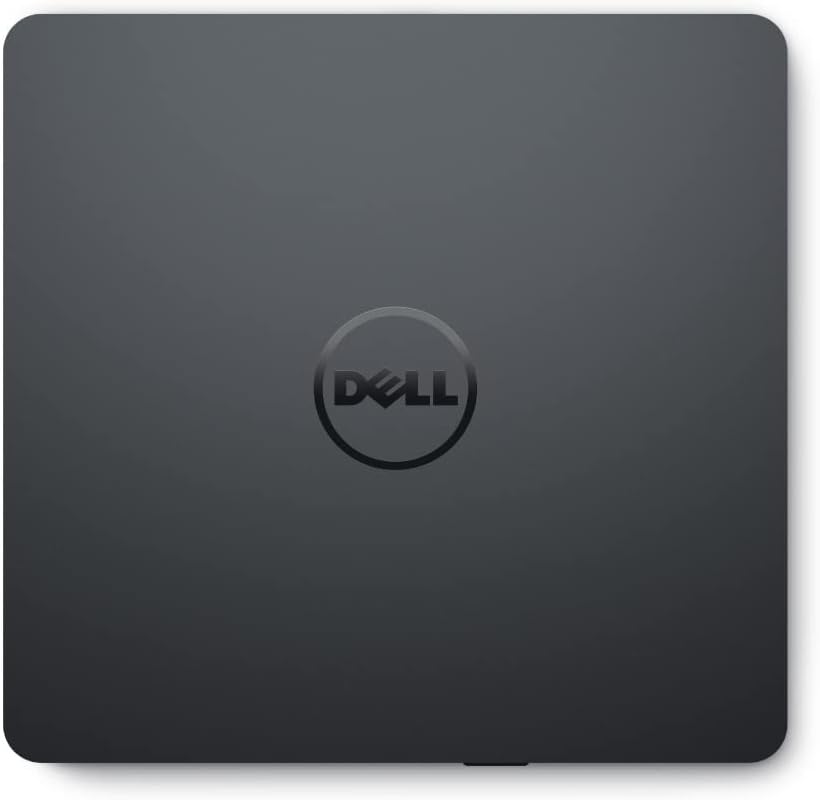
The Dell External USB Slim DVD RW Drive is a trusted option featuring a low 14mm profile and pre-loaded CyberLink Media Suite to play or burn discs right away.
We may earn a commission when you buy through this link, at no additional cost to you.
It delivers exceptional performance powered directly by your notebook's USB port and comes with a 1-Year Limited Hardware Warranty for peace of mind on Dell systems.
Although it lacks the latest USB 3.0 speeds its elegant design blends well with modern notebooks and offers a simple hassle-free experience for home or travel use.
This drive is perfect for Dell users or anyone seeking a reputable lightweight optical drive that requires no batteries and fits easily into small workspace environments.
The included CyberLink Media Suite allows you to burn discs and install software immediately without needing to search for and install third-party drivers.
At just 14mm thick and 200 grams this drive is designed to minimize bulk on your desk or in your bag while maximizing functionality.
We may earn a commission when you buy through this link, at no additional cost to you.
The HP Inc. USB External DVDRW Drive provides a straightforward reliable optical solution known for consistent performance and brand quality in home and office settings.
We may earn a commission when you buy through this link, at no additional cost to you.
It uses a standard USB connection for easy plug and play setup and offers a compact footprint that fits neatly on any desktop without cluttering your workspace.
While it lacks advanced features like card readers or multiple interfaces it delivers dependable read and write speeds suitable for everyday software installation and media playback.
This drive is best suited for users who prioritize brand reputation and simplicity over extra features and want a straightforward external drive for their PC system.
HP is a trusted name in computing hardware and this external drive reflects that reliability with consistent performance and solid build quality over time.
The standard USB connection means you can plug it into any available port on your computer or laptop without worrying about specific interface requirements.
We may earn a commission when you buy through this link, at no additional cost to you.
The Rioddas External CD/DVD Drive uses copper mesh technology to ensure stable data transmission and features a physical eject button to resolve stuck disc issues quickly.
We may earn a commission when you buy through this link, at no additional cost to you.
Its USB 3.0 interface delivers fast transfer speeds up to 5Gbps and the brushed texture shell adds a modern visual appeal to this portable compact all-in-one solution.
While it works well with Windows and macOS it is not compatible with ChromeOS or tablets and lacks support for Blu-ray which limits its use for 4K media.
This drive is an excellent choice for users who value stable reliable performance and sleek design for reading burning and writing CDs and DVDs on their laptops.
The copper mesh technology enhances shielding and reduces resistance for consistently stable data transfer during all your reading and writing tasks.
A physical eject button safely releases discs even when the computer fails to recognize the drive eliminating the common frustration of stuck media.
We may earn a commission when you buy through this link, at no additional cost to you.
The ORIGBELIE External CD DVD Drive is incredibly slim at just 13mm thick and weighs only 0.2 kg making it an ideal travel companion for on-the-go use.
We may earn a commission when you buy through this link, at no additional cost to you.
It supports a wide range of disc formats including DVD-RAM and includes strong error correction and noise reduction features to deliver reliable operation without lag or distortion.
While it offers a 90-Day warranty which is shorter than others it comes with a storage bag and includes a charging cable for extra power when needed on low voltage laptops.
This model is perfect for users who need the lightest most compact optical drive possible and want extra features like a storage bag for travel protection.
Measuring just 13mm in thickness this drive takes up minimal space in your bag and is easy to slip into even the smallest laptop pockets.
If your laptop has insufficient power the included USB charging cable allows you to connect to a 5V charger or power bank for stable operation.
We may earn a commission when you buy through this link, at no additional cost to you.
The Portable External USB DVD Drive features pure-copper-knitted-net technology for smaller resistance and stronger shielding ensuring stable data transmission during all read and write tasks.
We may earn a commission when you buy through this link, at no additional cost to you.
It uses unique intelligent burning technology and a fashionable wire drawing material for a stylish look while maintaining a slim compact and highly portable embedded cable design.
While it supports a wide range of systems and disc formats it is not compatible with cars or TVs and comes with no extra accessories beyond the drive and cable.
This drive is suitable for users who want a blend of style and performance with stable data transmission and easy setup for everyday CD and DVD needs.
Pure-copper-knitted-net technology leads to smaller resistance and stronger shielding capability ensuring more stable data transmission during use.
Adopted unique intelligent burning technology supports a wide range of formats and rewrite speeds for versatile media creation and backup tasks.
We may earn a commission when you buy through this link, at no additional cost to you.
The Dell Slim DW316 is a highly rated external optical drive designed with specific compatibility for Dell Inspiron and OptiPlex series laptops and desktops for optimal integration.
We may earn a commission when you buy through this link, at no additional cost to you.
It features USB 2.0 connectivity and supports DVD-RAM discs making it a reliable choice for users with legacy systems needing consistent performance from a trusted brand.
While it may not offer the latest USB 3.0 speeds its slim design and high user ratings reflect solid real-world performance for standard CD and DVD read and write tasks.
This model is ideal for Dell users who need a compatible reliable external drive that maintains brand consistency and supports a wide range of disc formats.
Designed specifically for Dell Inspiron OptiPlex and Vostro series this drive ensures optimal fit and function for existing Dell laptop and desktop users.
Support for DVD-RAM formats allows for more versatile recording options on older or specialized media that other generic drives may not support.
We may earn a commission when you buy through this link, at no additional cost to you.
Choosing the right external DVD drive requires considering several key factors to ensure it meets your needs for speed compatibility and portability on Windows 11.
Look for drives with USB 3.0 and Type-C ports to ensure fast data transfer speeds up to 5 Gbps which significantly reduces waiting times when burning large discs.
A modern interface also ensures your drive works with new laptops that may have removed older USB-A ports and offers better power delivery for stable operation.
Verify that the drive explicitly supports Windows 11 and your other operating systems like macOS or Linux before purchasing to avoid driver issues.
Most drives offer plug and play functionality but checking compatibility lists for specific versions ensures a smooth setup experience without technical hurdles.
Choose drives with a sturdy case and reliable construction if you plan to travel frequently as this protects the delicate optical mechanisms inside.
Features like anti-shock technology and a protective sleeve can extend the lifespan of your drive especially if you carry it in a backpack daily.
Some drives include extras like card readers USB hub ports or protective cases which add value and reduce the need for additional accessories.
Consider these bundled features when comparing models as they can provide extra utility for data transfer or protection without extra cost.
Most drives are bus powered but laptops with USB-C ports might need a powered hub or extra cable for sufficient energy to read discs reliably.
Check if the product includes a dual cable set with USB-A and USB-C connectors or a separate power cable to ensure you can use it on all computers.
Confirm that the drive supports the specific disc types you need such as DVD-RAM CD-RW or M-Disc for archival storage depending on your usage requirements.
Standard drives support common DVD and CD formats but specialized needs like Blu-ray or M-Disc require more premium models with specific technology.
Opt for models with a longer warranty period such as 24 months over 90 days to protect against defects and ensure reliable long-term performance.
Check if the manufacturer offers responsive technical support or guides for setup especially for Mac users who may face specific software configuration steps.
Set a budget based on how often you need the drive as a budget model might suffice for occasional use while frequent users benefit from premium features.
Balance cost against included accessories and build quality to find the best value that fits your financial constraints without sacrificing essential functionality.
Connect the drive directly to a USB port on your computer rather than a hub to ensure it receives enough power for stable operation and disc reading.
Insert the disc with the label facing up if using a slot-loading drive and wait a few seconds for the system to recognize the device before opening any software.
Keep the drive and its cables organized in a soft case or sleeve when not in use to prevent dust accumulation and physical damage during transport.
Most modern external DVD drives are plug and play and work with Windows 11 without extra drivers. However, ensure the drive has USB 3.0 or Type-C support for newer laptops that may lack standard USB-A ports for best compatibility.
This often happens due to insufficient power from the USB port. Try connecting directly to a rear USB port on desktops or use a powered hub. Also check if the drive is recognized in Windows Device Manager and try different cables.
Yes, external DVD drives are perfect for installing software from CDs or DVDs. Simply insert the disc and run the installation file from the disc drive letter in File Explorer to begin setup on your system.
Standard external DVD drives do not support Blu-ray discs which require a separate Blu-ray burner. Check the product description carefully as only specific Blu-ray models can read or write those high definition disc formats.
Windows 11 does not include a native DVD player but you can use third-party software like VLC Media Player to play discs. Connect your drive and open the disc drive from the software to start playback.
Many external DVD drives support macOS but you may need to eject discs via Finder instead of the tray button. Check that the product explicitly lists macOS compatibility and note that Mac may require you to insert the disc first.
Our top picks include the ROOFULL drive for overall reliability, the 5-in-1 model for budget value, and the ASUS ZenDrive for premium archival needs.
Prioritize USB 3.0 connectivity and solid warranty coverage to ensure your drive serves you well for software installation and media playback on your Windows 11 system.
Remember to check current availability and pricing as models may change so visit the product links to confirm the latest specifications before you buy today.