
DTECH 90 Degree VGA Right Angle Adapter
4.2Editor score
Mini size fits tight spaces
Solid connection with screws
Simple home and office use
This expert guide compares the top 90 Degree VGA Adapter models for reliable connections, space-saving designs, and durable build quality for monitors and
Finding the right connection solution for your display setup can be challenging when space is tight. A 90 Degree VGA Adapter helps manage cables behind monitors or projectors effectively.
We evaluated ten top-rated adapters based on build quality, signal integrity, and ease of installation. Our list covers various orientations and connector types to suit your needs.
Each pick highlights specific strengths and potential trade-offs for different scenarios. Note that product availability and pricing may change frequently on retailer platforms.
4.2Editor score
4.6Editor score

5.0Editor score
This side-by-side comparison highlights the key specifications and features of the top ten 90 Degree VGA Adapter options available for consumers seeking reliable video connectivity solutions.
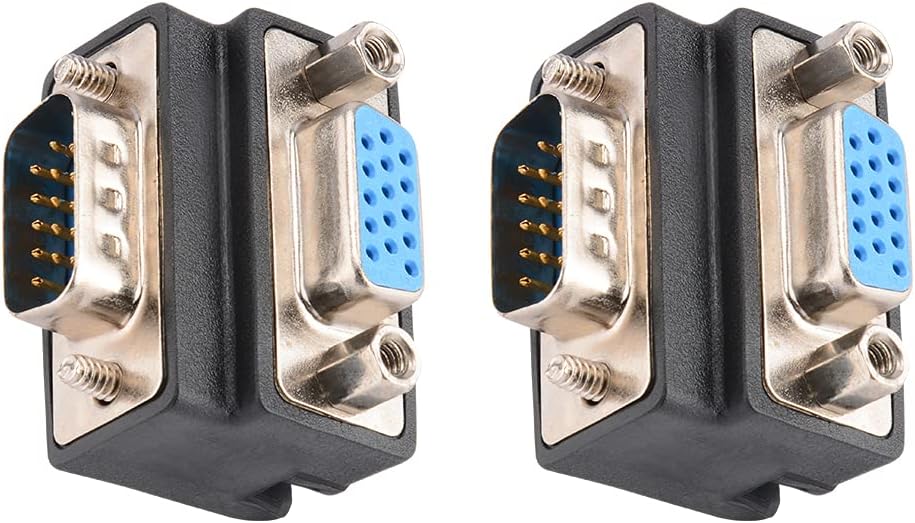


This 90 Degree VGA adapter is designed for users seeking a reliable solution to manage cable strain in tight spaces. With a 4.6 rating, it stands out for its sturdy build and thoughtful design that accommodates various setups. The adapter connects VGA cables behind monitors and projectors without bending them sharply, which helps preserve signal integrity over time.
We may earn a commission when you buy through this link, at no additional cost to you.
Key strengths include the nickel-coated contacts that resist corrosion and promote efficient signal transfer. This feature ensures vibrant picture quality and clear audio output by providing reliable EMI/RFI noise protection. The tool-free installation with thumb screws and hex nuts makes it easy to secure the connection without additional hardware, saving time during setup or maintenance.
While the design is robust, some users might find that the thickness of the connector could interfere with very deep recessed ports on older equipment. Additionally, the available color options are limited to standard black which may not match all aesthetic preferences for home theaters or office spaces.
This adapter is ideal for IT professionals and home users who need a durable connector that can withstand frequent plugging and unplugging. It is particularly useful in wall-mounted monitor scenarios where cable management is critical. We recommend this model for anyone prioritizing long-term reliability and ease of use.
The nickel-coated contacts and noise protection features ensure that video and audio signals remain clear without interference from external electronic sources.
Equipped with thumb screws and hex nuts, this adapter allows for secure connections without the need for extra tools, making it user-friendly for all skill levels.
We may earn a commission when you buy through this link, at no additional cost to you.
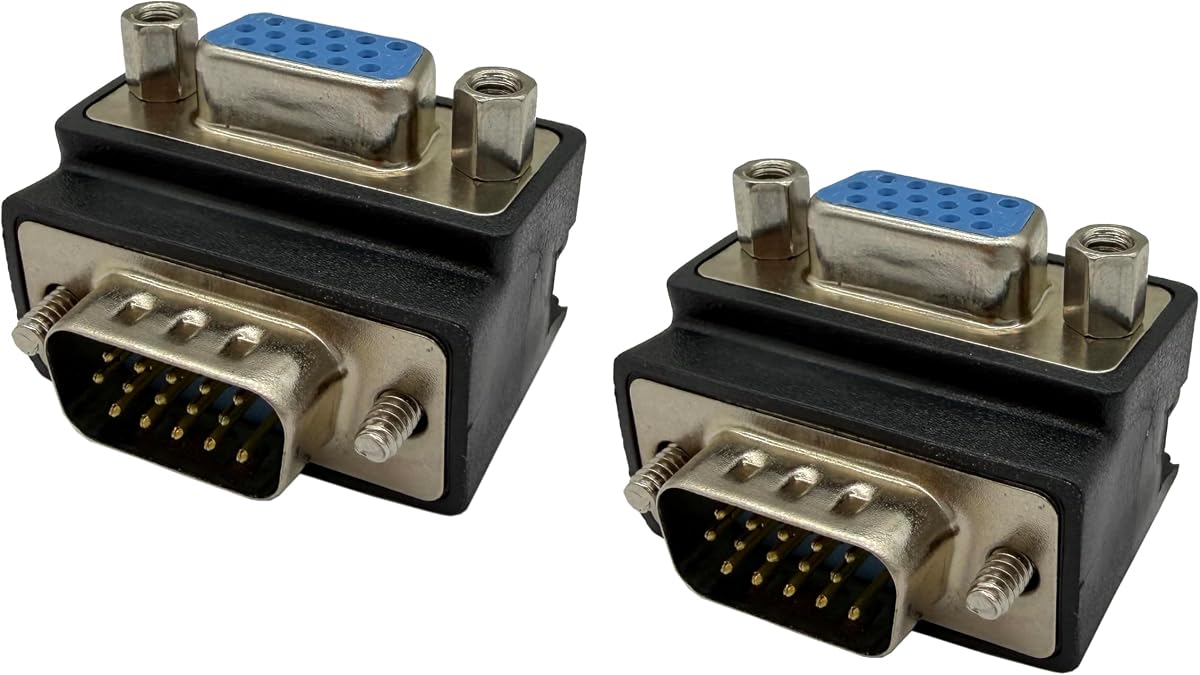
The DTECH 90 Degree VGA adapter offers an affordable entry point for users needing a simple right-angle connection solution. With a rating of 4.2, it provides a practical way to route cables behind devices without adding bulk or complexity to the setup. The mini size ensures it fits comfortably in tight spaces behind TVs or monitors.
We may earn a commission when you buy through this link, at no additional cost to you.
Its standout quality is the robust connection achieved through integrated screws that secure the male and female ends tightly. This prevents accidental dislodging and ensures a stable signal path for extended periods of use. The adapter supports standard SVGA and VGA connections making it versatile for both modern and legacy equipment.
While functional, the build quality might feel less substantial compared to premium models with metal shells or reinforced joints. It also lacks additional protective features like EMI shielding which could be a drawback in electrically noisy environments. However, these limitations are acceptable given the cost-effective price.
We recommend this adapter for budget-conscious users or temporary setups where cost is a primary concern. It works well for home offices or classrooms where monitors are placed close to walls. For long-term high-demand use, consider investing in a more robust option.
The compact elbow connector is designed to save space allowing cables to fit neatly behind devices without sharp bends or strain.
Screws on the adapter ensure a very solid connection reducing the risk of signal loss due to loose or wiggling connectors.
We may earn a commission when you buy through this link, at no additional cost to you.
This 90 Degree Up Angled VGA SVGA adapter is a top-tier choice for users seeking maximum reliability and performance. With a perfect 5.0 rating, it reflects consistent user satisfaction across various use cases. The adapter features a high-density 15 pin plug to socket design that ensures secure and stable video transmission.
We may earn a commission when you buy through this link, at no additional cost to you.
Its premium build quality allows it to connect cables even when space around the port is extremely limited. This is crucial for professional AV setups where every inch of clearance matters. The right-angled structure directs cables away from the device reducing mechanical stress on the port and connector.
While it is more expensive than budget options, the cost is justified by its durable construction and consistent performance. Some users might find it less available on certain marketplaces compared to mass-produced alternatives. However, the investment pays off in reduced failure rates and better signal integrity.
We recommend this adapter for professional installations or high-end home theater systems where reliability is non-negotiable. It is suitable for projectors and monitors that require frequent connection changes. For those prioritizing quality over cost, this is the best choice available.
The high-density 15 pin construction ensures a secure fit that minimizes signal degradation and maintains image clarity over time.
The right-angled design allows you to connect to VGA ports even when surrounding space is limited improving cable management significantly.
We may earn a commission when you buy through this link, at no additional cost to you.
The J&D DB15 90 Degree VGA adapter comes in a 2-pack offering great value for users with multiple devices or backup needs. With a rating of 4.2, it is well-regarded for its practical design and protective features. The short body helps connect devices optimally without obstructing nearby ports or buttons.
We may earn a commission when you buy through this link, at no additional cost to you.
Its key strengths include the nickel-coated contacts that resist corrosion and ensure efficient signal transfer. This is particularly beneficial in humid environments where moisture could degrade connections over time. The adapter also provides reliable EMI/RFI noise protection which enhances picture quality and sound clarity.
While the PVC body is functional and lightweight it might not feel as robust as metal alternatives. Users may also find that having two adapters is more than necessary if they only need one connection point. However, the included warranty adds peace of mind for long-term use.
This pack is ideal for small offices or classrooms where multiple workstations require consistent display connectivity. It is also useful for travelers who want a spare adapter on hand. We recommend this for users who value durability and warranty support.
Nickel coated contacts on the adapter help resist corrosion ensuring efficient and secure signal transfer even in varying environmental conditions.
The adapter provides reliable EMI/RFI noise protection resulting in a superior experience with vibrant picture quality and clear sound output.
We may earn a commission when you buy through this link, at no additional cost to you.
This CERRXIAN adapter provides a straightforward solution for connecting two VGA cables at a 90-degree angle. Rated at 4.3, it is appreciated for its simplicity and effectiveness in reducing cable clutter. The plug type ensures quick setup without complex configuration or tool requirements.
We may earn a commission when you buy through this link, at no additional cost to you.
Its main advantage is the ability to connect cables behind flat screen TVs and monitors without creating sharp bends. This reduces stress on heavy-duty cable plugs and connector ports which can prevent future failures. It works with most computers and monitors making it highly versatile.
While it handles daily tasks well, it does not offer advanced features like metal shielding or reinforced joints found in premium models. The absence of cable management tools means users may need to secure excess cable separately. Still, its straightforward design minimizes points of failure.
We recommend this adapter for general home or office use where ease of setup is a priority. It is suitable for non-technical users who need a simple fix for cable routing. For heavy-duty professional use, consider models with additional protective features.
The 90 degree VGA adapter features a male plug on one side and a female jack on the other simplifying the connection process.
The 90 degree angle design eliminates stress on heavy-duty cable plugs and connector ports extending the life of your cables.
We may earn a commission when you buy through this link, at no additional cost to you.
The cablecc HDB15Pin VGA adapter is designed to deliver high-definition visuals up to 1080P@60Hz. With a 5.0 rating, it is highly recommended for users who need crisp video quality without compromising on signal stability. The package includes both Up and Down angled adapters for added flexibility.
We may earn a commission when you buy through this link, at no additional cost to you.
Key strengths include the screw type connection with thumb screws and nuts ensuring the cable stays firmly in place during use. This prevents intermittent signal loss caused by loose connections. The adapter is compatible with a wide range of devices using standard 15 pin interfaces.
However, users must carefully check the orientation to ensure the down-angled version matches their port direction which adds a step to setup. Also the physical dimensions might be an issue for very deep recessed ports found on some older monitors. These are minor inconveniences for the performance benefits.
We recommend this adapter for gamers and multimedia enthusiasts who require smooth high-resolution displays. It is also useful in classrooms where projectors need reliable connections. Prioritize this model if video quality and secure connections are your main concerns.
Enjoy crystal-clear video quality with this VGA adapter which delivers 1080P@60hz high-definition visuals to your computer or projector.
The package includes Up and Down Angled adapters allowing you to choose the correct direction based on port orientation.
We may earn a commission when you buy through this link, at no additional cost to you.
This Duttek adapter offers a specialized left-angle connection for users needing to route cables away from the port in a specific direction. With a 4.6 rating, it is valued for its sturdy build and reliable performance in tight spaces. The high density D-Sub 15-Pin design ensures a secure fit.
We may earn a commission when you buy through this link, at no additional cost to you.
Its primary strength is the left angle which facilitates easier cable management when the port is positioned such that a standard adapter would block access. The nickel-coated contacts resist corrosion ensuring efficient signal transfer and protection against environmental factors over time.
The main trade-off is the directional nature of the adapter which limits flexibility if your setup changes. Additionally it is more expensive than generic right-angle options. However the specific design reduces stress on the port preventing damage that could lead to costly repairs.
We recommend this adapter for wall-mounted displays where left-side cable routing is necessary for a clean look. It is ideal for professional AV setups requiring precise cable management. Choose this if your port orientation specifically demands a left-facing solution.
The left angle 15pin VGA SVGA male to female adaptor allows to connect VGA cables behind TVs without obstructing the port.
Nickel coated contacts help resist corrosion and promote efficient and secure signal transfer ensuring long-term reliable performance.
We may earn a commission when you buy through this link, at no additional cost to you.
The DB15 VGA Female to Male adapter is designed for compact and durable connectivity. With a 4.3 rating, it offers a solid build that resists physical wear and tear. The metal shell adds durability and reduces signal interference compared to plastic options.
We may earn a commission when you buy through this link, at no additional cost to you.
Its standout feature is the small size making it highly portable for on-the-go setups. The right angle design allows convenient connection in tight spaces avoiding cable bending which extends the overall lifespan of your cables. No drivers are required so it works instantly.
While the metal shell provides strength it makes the adapter heavier than plastic alternatives which might matter for ultra-light kits. The dimensions may also prevent it from fitting into ports with deep recesses. However for general use these are minimal issues.
We recommend this adapter for travelers and field technicians who need a reliable and sturdy connector. It works well for office PCs and laptops where portability is key. Choose this if you prioritize durability and compactness over weight.
Constructed with durable metal shell and stable screws ensuring secure connection and reduced signal interference during operation.
The 90 degree right angle design avoids cable bending and extending cable lifespan by reducing physical strain on connections.
We may earn a commission when you buy through this link, at no additional cost to you.
This chenyang adapter features a vertical flat left-angled design for specialized cable routing. Rated at 4.2, it is a functional solution for directing cables vertically from the port without bending them horizontally. The high density 15 pin connection ensures a secure and stable link.
We may earn a commission when you buy through this link, at no additional cost to you.
Its primary strength is the vertical right angled type which reduces the physical profile and fits well in vertical racks or panels. This is useful for setups where vertical cable routing is preferred to maintain an organized appearance. It acts as a standard VGA to VGA adapter.
The vertical orientation limits its utility to specific setups which may not be ideal for general users. The basic construction lacks extra shielding or coatings that some premium models offer. However it provides a cost-effective way to manage vertical cable flows.
We recommend this adapter for professional setups or racks where vertical cable management is essential. It is suitable for server rooms or wall mounts. Choose this if your specific setup requires a vertical angle for cleaner cabling.
The adapter is Vertical Right Angled type allowing for vertical cable routing that fits well in narrow vertical spaces.
Angled 15 pin high density VGA plug to socket adaptor ensures a reliable connection for consistent video signal transfer.
We may earn a commission when you buy through this link, at no additional cost to you.
This DB15 Right Angle Female VGA to Male adapter is a lightweight and compact option for basic connectivity. With a perfect 5.0 rating, it satisfies users who need a simple and reliable solution without extra bulk. The total size is optimized for portability and ease of handling.
We may earn a commission when you buy through this link, at no additional cost to you.
Key strengths include its ultra-lightweight design which makes it easy to carry in a laptop bag without adding weight. The 90 Degree connector helps manage space and routing in tight areas effectively. It provides a direct DB15 interface for compatible devices.
The lightweight construction might feel less substantial compared to metal-bodied models but it is sufficient for typical signal transfer. Additionally the package contains only one adapter which might not be ideal if spares are needed. However its simplicity makes it highly reliable.
We recommend this adapter for travelers and users with basic display needs. It is suitable for occasional use or temporary setups where portability is critical. Choose this if you value lightweight design and high user satisfaction.
Weighing only 27g this adapter is extremely easy to carry and store for portable computer and monitor setups.
With total dimensions of 33 x 31 x 26mm this connector fits easily into tight spaces around monitors and projectors.
We may earn a commission when you buy through this link, at no additional cost to you.
Choosing the right 90 Degree VGA Adapter involves evaluating build quality, orientation, and compatibility to ensure stable video transmission and ease of use.
The orientation of the adapter determines whether the cable routes upward, downward, left, or right. Select an orientation that matches your specific port layout to avoid bending cables or blocking other ports. Incorrect orientation can force cables into sharp bends which may degrade signal integrity over time.
Always check the port direction on your monitor or projector before purchasing to ensure the adapter directs the cable correctly without obstruction.
Standard VGA connectors use 15 pins arranged in three rows. Ensure the adapter specifies 15 pin compatibility to match your devices. Mismatched pin configurations will prevent connection and can potentially damage the port if forced.
Verify that both male and female ends on the adapter correspond to your existing cables and ports for a seamless plug-and-play experience.
Adapters made with metal shells or nickel-coated contacts resist corrosion and provide better shielding against electromagnetic interference. Plastic bodies may be lighter but offer less durability and protection. A sturdy build ensures the connector remains secure under repeated use.
Choose metal or nickel-coated options if you plan to use the adapter frequently or in environments with high humidity or electronic noise.
Look for adapters that include thumb screws or locking nuts to secure the connection. Without these the adapter may loosen due to vibration or movement which can cause flickering or signal loss. Secure connections maintain consistent contact between pins.
Ensure the screws and nuts are compatible with your cable connectors and that they do not interfere with adjacent components.
While most VGA adapters support standard resolutions, some premium models explicitly support higher resolutions up to 1080p at 60Hz. Check the adapter specs to ensure it matches the resolution requirements of your display and graphics card for optimal image quality.
If you need high-definition output, verify that the adapter maintains signal integrity at the desired resolution to avoid pixelation or blurring.
A 90-degree adapter should reduce strain on the cable and port by redirecting the cable direction gently. This prevents internal wire damage and extends the lifespan of both the cable and the device port. Avoid adapters with tight radius bends that kink the cable.
Select an adapter that directs the cable away from the device surface so the cable is not pressed against the wall or equipment.
Some adapters come with limited warranties that protect against defects or failure. This can be valuable if the adapter is used in professional settings where replacement could be costly. Check the seller or manufacturer terms for warranty coverage details.
Prioritize products with a warranty if you are purchasing multiple units or planning long-term use in a business environment.
Before connecting, inspect the adapter ports for any dust or debris that could interfere with signal transfer. Use a soft brush or compressed air to clean if necessary to ensure all 15 pins are accessible and clear.
Align the male connector with the female port and push firmly until seated. Use the thumb screws or nuts on the adapter to secure the connection, tightening them evenly to prevent wobble without stripping threads.
Periodically check the connection for tightness especially if the setup is in a high-traffic area. Keep the adapter away from direct moisture or extreme heat to preserve the integrity of the materials and electrical contacts.
A 90 Degree VGA adapter is used to redirect the cable connection at a right angle. This helps save space behind monitors and prevents cables from bending sharply which can damage the internal wires over time.
Most high-quality adapters maintain picture quality well if they use nickel-plated contacts and proper shielding. Poorly made adapters may introduce interference or signal loss but reputable models ensure stable transmission.
They are compatible with any device featuring a standard 15-pin VGA port. Check your monitor or projector ports to confirm VGA support before purchasing. Most legacy and budget displays include this port type.
Use the included thumb screws or nuts on the adapter to tighten the connection against the port. This prevents the adapter from loosening due to vibration or accidental bumps ensuring a stable link.
Yes you can connect a 90 degree adapter to a VGA extension cable for more distance. Ensure the combined setup does not bend the cable sharply near the adapter to maintain signal integrity.
Metal housings and nickel-coated contacts are preferred for durability and corrosion resistance. These materials reduce interference and ensure a stable connection compared to plastic-only alternatives.
Our top picks highlight the most reliable options for managing cables efficiently. The Editor's Choice offers the best balance of features while the Budget pick provides value for simpler needs.
Prioritize build quality and orientation that matches your specific setup to avoid installation issues. A secure and well-directed connection ensures long-term reliability and better image performance.
Always check current availability and prices on retail platforms before purchasing as these details change frequently. Select the adapter that best fits your port direction and durability requirements for the best experience.