
BenQ PD2706QN 27 2K Monitor
4.5Editor score
90W USB-C power delivery
ICCSync for color consistency
Anti-glare nano matte panel
Finding the right display for your MacBook Pro can transform your workflow and enhance your creative output. A quality monitor offers sharper text, accurate colors, and a larger canvas for multitasking that laptops simply cannot match on their own.
We evaluated ten top-rated models based on resolution, color gamut, connectivity options, and ergonomic design. Each product was analyzed for its compatibility with macOS features like Thunderbolt and USB-C power delivery to ensure seamless integration.
Every pick includes detailed specs and real-world performance insights to help you choose confidently. Keep in mind that availability and pricing can shift frequently so verify current details before making your final purchasing decision today.
4.5Editor score
5.0Editor score

4.3Editor score
As an Amazon Associate we earn from qualifying purchases.
This side-by-side comparison highlights key specifications across all ten monitors to help you quickly identify which model meets your specific display and connectivity needs for your MacBook Pro.



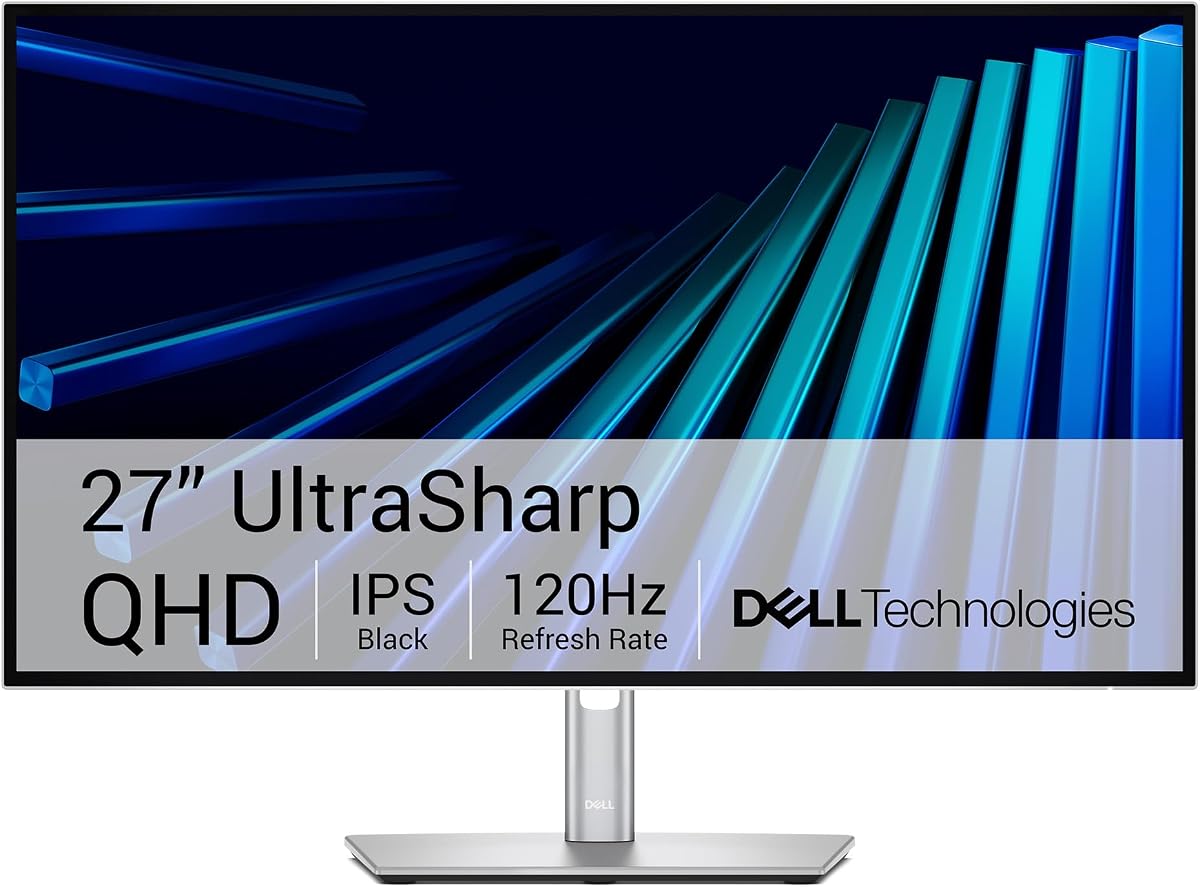
The Dell UltraSharp U2726DER stands out as a premier Thunderbolt hub monitor designed for creators who demand precision. With a perfect five-star rating it delivers factory calibrated color accuracy that matches MacBook Pro displays exceptionally well.
We may earn a commission when you buy through this link, at no additional cost to you.
Its 98 percent Display P3 coverage ensures vibrant and true-to-life colors for photo and video editing. The integrated KVM switch allows seamless control of multiple devices using one keyboard and mouse which boosts productivity significantly.
While it offers only QHD resolution rather than 4K the sharpness is still excellent for detailed work. The 120Hz refresh rate provides smooth motion for both creative tasks and casual media consumption without noticeable stutter.
This monitor is ideal for professional designers and executives who need a refined look and reliable connectivity. Its light ash finish complements modern workspaces while maintaining focus on the content displayed.
Single cable connectivity simplifies your desk setup while providing high-speed data transfer and power delivery for your MacBook.
Factory calibration ensures your work looks exactly as intended straight out of the box without needing extra software adjustments.
We may earn a commission when you buy through this link, at no additional cost to you.
The BenQ MA270UP is built specifically for MacBook users offering exclusive color tuning and hardware controls. It earns a strong rating for its ability to mirror Mac display settings accurately and intuitively.
We may earn a commission when you buy through this link, at no additional cost to you.
Its dual USB-C ports allow you to connect and charge your MacBook while also powering peripheral devices like an iPad or iPhone. The Mac Color Match feature ensures consistent color across your devices for seamless workflow.
Users appreciate the ability to adjust brightness and volume directly from their MacBook keyboard. This level of integration is rare in third party monitors and significantly enhances the user experience for Apple fans.
Ideal for professionals who value color fidelity and seamless integration the MA270UP delivers a premium experience. The adjustable stand provides flexibility for comfortable viewing angles throughout long work sessions.
Adjusting settings without leaving your keyboard streamlines your workflow and keeps your focus on the task at hand.
With 90W charging power your MacBook can stay powered up while driving the display and other connected peripherals.
We may earn a commission when you buy through this link, at no additional cost to you.
The BenQ PD2706QN offers professional grade features at a budget friendly price point. It is a top choice for designers and creators who need reliable color accuracy without spending a premium.
We may earn a commission when you buy through this link, at no additional cost to you.
Factory calibration ensures Delta E less than 2 for precise color representation. The ICC Sync feature automatically matches color profiles between your Mac and the monitor when switching modes which maintains consistency.
The anti-glare nano matte panel diffuses ambient light to reduce eye strain during long design sessions. With 90W USB-C power delivery you can charge your Mac while transferring data over a single cable.
This model is perfect for users seeking high performance on a tighter budget. The ergonomic stand supports height and tilt adjustments ensuring comfortable viewing positions for extended periods of creative work.
Professional calibration guarantees that your visual output remains consistent and true to your original design intent.
Reducing glare allows for clearer visibility and better focus even in brightly lit environments or near windows.
We may earn a commission when you buy through this link, at no additional cost to you.
The Dell S2725QC brings a high refresh rate to the 4K market making it versatile for work and light gaming. Its 120Hz performance ensures smooth scrolling and fluid motion across your desktop.
We may earn a commission when you buy through this link, at no additional cost to you.
ComfortView Plus technology reduces harmful blue light emissions without sacrificing color accuracy. This feature supports all-day comfort for users who spend long hours viewing content or working on spreadsheets.
The built-in sound quality has been re-engineered for better output and frequency response. While not a replacement for external speakers it provides adequate audio for casual media consumption and video calls.
This monitor is best suited for users who want a high refresh rate at a reasonable price. The 65W USB-C power delivery may limit charging capabilities for larger MacBook models but is sufficient for many users.
A 120Hz refresh rate eliminates screen tearing and makes moving elements on screen appear significantly more fluid.
Reduced blue light helps minimize eye fatigue during extended usage sessions allowing you to work longer comfortably.
We may earn a commission when you buy through this link, at no additional cost to you.
The LG 27UP850K-W combines high resolution with HDR support and smart streaming features. It offers a robust set of tools for creative professionals and casual users alike.
We may earn a commission when you buy through this link, at no additional cost to you.
With DisplayHDR 400 compatibility you get enhanced brightness and contrast for HDR content. This makes movies and shows look more vibrant compared to standard SDR displays on the market.
The built-in webOS platform allows you to access streaming apps directly without needing a computer. The Switch app further aids productivity by letting you customize screen layouts with simple hotkeys.
This monitor is great for users who want an all-in-one entertainment and work station. The 90W USB-C ensures your MacBook stays charged while you stream content or work on demanding tasks.
Built-in streaming capabilities free up your Mac for other tasks while still providing access to your favorite apps.
HDR support ensures that highlights and shadows retain detail providing a more dynamic viewing experience.
We may earn a commission when you buy through this link, at no additional cost to you.
The Dell S2425HSM offers a high refresh rate in a compact 24-inch form factor. It is an excellent choice for users prioritizing smooth motion over high resolution.
We may earn a commission when you buy through this link, at no additional cost to you.
A 144Hz refresh rate paired with a 1ms response time delivers a smooth and tear-free viewing experience. This makes it suitable for fast-paced applications and quick interface navigation.
The TÜV certified eye comfort feature reduces blue light while maintaining image quality. This ensures that your eyes remain comfortable even during late night work sessions or extended browsing.
Ideal for casual users or those who prefer smaller displays the S2425HSM provides strong performance. The ergonomic stand allows for height tilt and pivot adjustments to suit your specific desk setup.
High refresh rates reduce motion blur making fast moving visuals appear crisp and clear.
Adjustable stand features help you position the screen at eye level to reduce neck strain.
We may earn a commission when you buy through this link, at no additional cost to you.
The Philips 241V8LB is a budget friendly option that does not compromise on basic visual comfort. It uses a VA panel which offers deeper blacks and better contrast than typical IPS panels.
We may earn a commission when you buy through this link, at no additional cost to you.
The bezel-free design on three sides allows for seamless multi-monitor setups. This minimalistic look enhances your workflow and makes the screen appear larger than it actually is.
EasyRead mode provides a paper-like experience for viewing lengthy documents reducing eye strain. The flicker-free technology ensures that the screen does not emit irritating flickers that can cause headaches.
This monitor is ideal for office work and reading where cost is a primary concern. While response times are slower it excels in providing a comfortable and stable viewing experience for text.
VA panels typically offer higher contrast ratios making dark scenes look richer and more detailed.
A bezel-free design creates a continuous look when using multiple monitors side by side.
We may earn a commission when you buy through this link, at no additional cost to you.
The LG 27US500-W combines a clean design with high resolution visuals for a modern workspace. Its borderless design creates a clean aesthetic that fits well in any professional environment.
We may earn a commission when you buy through this link, at no additional cost to you.
With 90 percent DCI-P3 color gamut expression this monitor delivers vibrant and accurate colors. This makes it suitable for photo editing and general creative work requiring precise color representation.
The Onscreen Control app allows you to customize your workspace with simple mouse clicks. You can split the screen or adjust monitor options without needing complex software setups or menus.
This model is perfect for users who prioritize visual clarity and design. While it lacks USB-C power delivery it provides solid performance for desktop setups where external power is available.
A wide color gamut ensures that images appear lively and true to life for better editing results.
Screen splitting tools help you organize windows efficiently for better multitasking capabilities.
We may earn a commission when you buy through this link, at no additional cost to you.
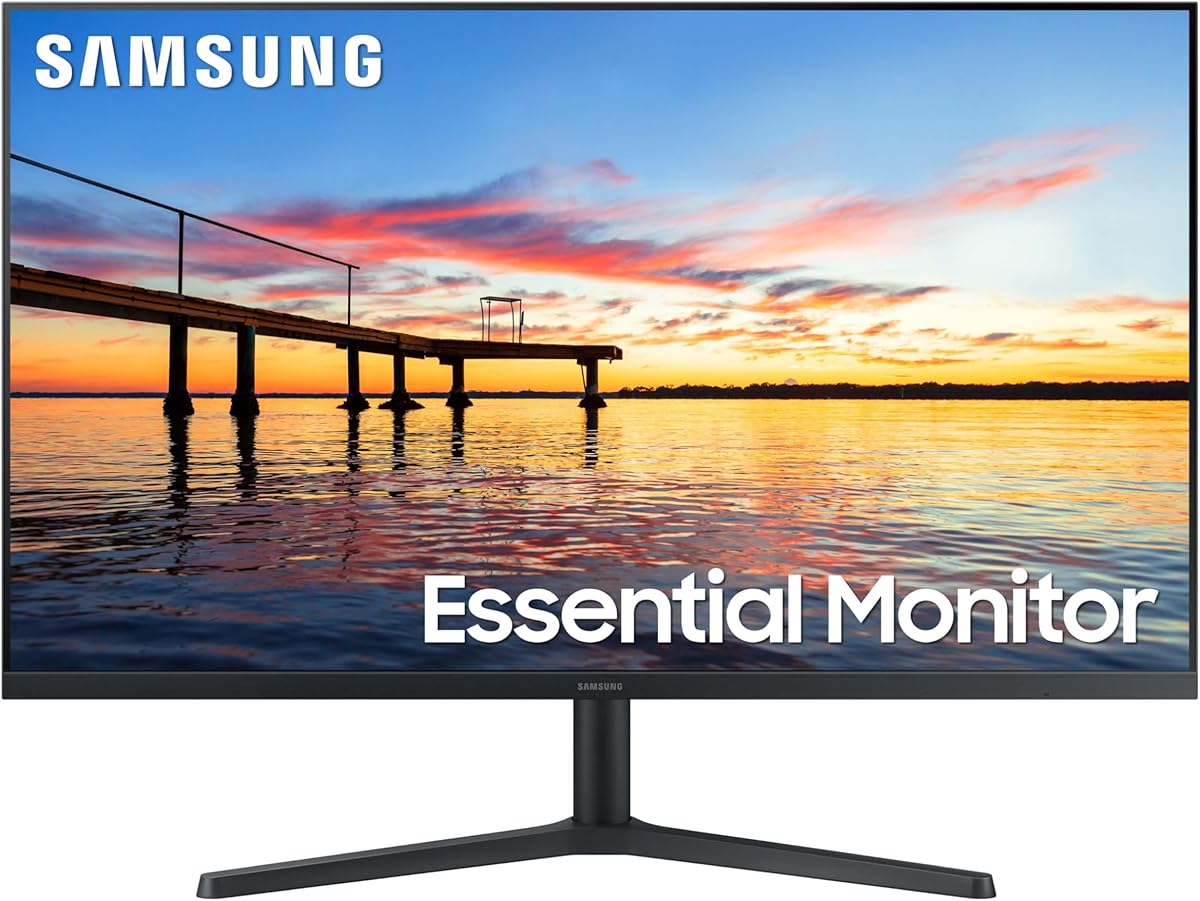
The Samsung 32 Flat Monitor offers a large screen real estate for immersive viewing. It is designed to provide a gapless view for those who work with multiple windows or media.
We may earn a commission when you buy through this link, at no additional cost to you.
Its borderless display brings a clean aesthetic to your workspace allowing for seamless multi-monitor setups. This design ensures that distractions are minimized so you can focus on the content.
Eye care technology reduces strain by minimizing flicker and blue light emissions. This makes it suitable for long hours of reading or working on text-heavy documents without discomfort.
Ideal for those needing more screen space without a premium price tag this monitor delivers. While the resolution is standard it provides a large canvas for spreadsheets and presentations.
A larger screen allows you to see more content at once reducing the need for constant scrolling.
Eye saver modes help reduce strain ensuring that you can work longer with fewer interruptions.
We may earn a commission when you buy through this link, at no additional cost to you.
The LG 27U631A-B offers a balance of resolution and features at an entry-level price. It is a solid choice for users needing more pixels without the cost of 4K models.
We may earn a commission when you buy through this link, at no additional cost to you.
With a 100Hz refresh rate the visuals are rendered clearly for ultra-smooth motion. Dynamic Action Sync elevates gameplay and interactions ensuring responsiveness without noticeable lag.
USB Type-C connectivity allows you to charge your laptop and transfer data easily. Although limited to 15W power delivery it simplifies cable management compared to older HDMI only models.
This monitor is perfect for students or home office users. The slim stand maximizes desktop efficiency ensuring a cleaner workspace while still delivering a full immersive display experience.
A 100Hz refresh rate makes scrolling and navigation feel much smoother than standard 60Hz screens.
Slim bases take up less desk space leaving more room for your keyboard and other essentials.
We may earn a commission when you buy through this link, at no additional cost to you.
Choosing the right monitor for your MacBook Pro involves balancing resolution, connectivity, and color accuracy to match your workflow and budget.
Higher resolution displays like 4K offer sharper text and more screen real estate which is critical for detailed design work or coding. For general office tasks 2K or QHD provides a sweet spot between sharpness and performance without stressing your graphics card.
Prioritize resolution based on your content type. If you work with photos or videos aim for 4K. For writing and web browsing QHD is often sufficient and easier on system resources.
USB-C is essential for modern MacBook Pro setups as it allows for video data and power over a single cable. Look for monitors that support at least 65W to 90W power delivery to keep your laptop charged while in use.
Ensure the monitor has enough ports for your peripherals. Dual USB-C ports can allow you to daisy chain another display or connect external drives without needing a separate hub.
For creative professionals color accuracy is non-negotiable. Look for monitors with 99% sRGB or 95% DCI-P3 coverage to ensure colors are vibrant and true to life. Factory calibration is a bonus that saves time on color tuning.
Check if the monitor supports Mac-specific color profiles or ICC sync. This ensures that your external display matches your built-in MacBook screen reducing discrepancies when editing visual content.
A higher refresh rate like 120Hz or 144Hz makes scrolling and motion appear smoother reducing eye strain. For creative work a 60Hz panel is often enough but a faster refresh rate adds a premium feel to everyday tasks.
Response time matters for gaming or fast-paced video playback. Aim for 5ms or lower to avoid ghosting effects that can blur moving images on the screen.
Your posture is vital for long work sessions so choose a monitor with adjustable height tilt and pivot. Being able to align the screen with your eye level reduces neck and back strain significantly.
Consider the stand footprint if you have limited desk space. Slim bases or VESA mount options allow you to use an aftermarket arm for maximum desk flexibility and cleanup.
IPS panels offer wide viewing angles and consistent colors which are ideal for creative work and team presentations. VA panels provide deeper blacks and better contrast but may suffer from slower response times.
Choose IPS if you work in a shared space or need accurate color from different angles. VA is a good choice if you primarily view content from a fixed position and value contrast.
Extended screen time can lead to eye fatigue so look for monitors with flicker-free technology and low blue light modes. These features reduce strain by minimizing harmful emissions without affecting visual quality.
Some models offer specific reading modes that adjust text clarity for document work. These settings help maintain comfort during hours of reading or writing tasks.
Prices vary significantly based on resolution and features. Budget monitors offer basic functionality while premium models include advanced color tuning and Thunderbolt hubs. Decide what features are truly necessary for your daily tasks.
Invest in a monitor that matches your workflow needs. A slightly higher upfront cost can be worth it if it improves your productivity and comfort significantly over the long term.
Connect your monitor using the USB-C cable to ensure both video and power delivery are active. Adjust the monitor settings to match your Mac's display preferences for seamless integration.
Clean the screen gently with a microfiber cloth to avoid scratches. Do not use harsh chemicals or water directly on the panel to protect the coating.
Adjust brightness and contrast to suit your environment. Using ambient light sensors or manual tweaks can help reduce eye strain over time.
Yes, all listed monitors support MacBook Pro models with M1 and M2 chips via USB-C or HDMI. Ensure your model supports the required resolution and power delivery for optimal performance.
4K resolution is generally best for creative work as it offers sharp text and accurate color detail. However, QHD is also acceptable for general editing tasks where screen real estate is the priority.
Yes, many monitors support USB-C power delivery ranging from 65W to 90W. Check the specifications to ensure it meets your laptop's charging needs while driving the display.
Some models like the BenQ PD2706QN support daisy chaining via DisplayPort. Other monitors require separate cables for additional displays so verify connectivity options before purchase.
Yes, many monitors support ICC profiles or have Mac-specific color modes. This allows your Mac to communicate color settings accurately to the external display for consistent results.
IPS panels offer better viewing angles and color consistency while VA panels provide higher contrast and deeper blacks. Choose IPS for color work and VA for contrast-focused viewing.
Some models include integrated speakers but audio quality varies. For professional audio work external speakers are recommended as built-in options are typically basic and suitable for media calls.
Most monitors offer height, tilt, swivel, and pivot adjustments. Check the manual to understand the specific mechanisms and ranges of motion available for your model.
We have highlighted ten excellent options ranging from budget-friendly to premium models that cater to different professional needs. The Dell UltraSharp stands out for its Thunderbolt hub capabilities while the BenQ models offer excellent color accuracy for creators.
When selecting a monitor prioritize color accuracy and connectivity if you work with design or video. If budget is a concern look for options like the Philips or LG QHD models that still deliver strong visual performance.
Remember that prices and availability change frequently so double-check current listings before finalizing your purchase. Investing in the right monitor today will significantly boost your productivity and visual comfort in the long run.