
STGAubron Gaming PC
4.0Editor score
Radeon RX 580 GPU
16GB Memory Standard
Windows 11 Home OS
This guide compares the top 10 desktop gaming PCs for Gta 6 performance based on GPU power RAM speed cooling and upgrade readiness.
Finding the right desktop gaming PC for Gta 6 requires careful attention to graphics performance memory capacity and storage speed. This guide examines ten prebuilt systems designed to handle demanding AAA titles smoothly.
We analyzed specifications like GPU models CPU cores RAM speed and cooling solutions to rank these options. Each system offers distinct advantages for different budgets and performance needs in modern gaming scenarios.
Each pick highlights key strengths and potential trade-offs to help you decide quickly. Prices and availability change frequently so verify current details before purchasing your next gaming machine.
4.0Editor score
4.5Editor score

3.5Editor score
The following table provides a side-by-side comparison of all ten systems. Use it to quickly identify which configurations match your specific gaming performance requirements and budget constraints.


This desktop gaming PC stands out for balancing raw power with modern features suitable for high end gaming. It combines a fast eight core CPU with a capable mid range GPU and substantial memory capacity.
We may earn a commission when you buy through this link, at no additional cost to you.
The Ryzen 7 7700 delivers excellent multi thread performance for multitasking and streaming. The RTX 5060 Ti provides robust frame rates at 1080p and 1440p while supporting DLSS and ray tracing for enhanced visuals.
While air cooling is effective it may limit extreme thermal headroom. The unit includes free keyboard and mouse peripherals which adds value but the chassis is standard in size and weight.
Gaming enthusiasts seeking a reliable plug and play system with strong specs will find this model compelling. It handles AAA titles well and offers room for future component upgrades.
Sixteen threads allow smooth switching between games and creative apps without stuttering or lag.
DDR5 memory improves data throughput for faster loading times and better system responsiveness.
We may earn a commission when you buy through this link, at no additional cost to you.
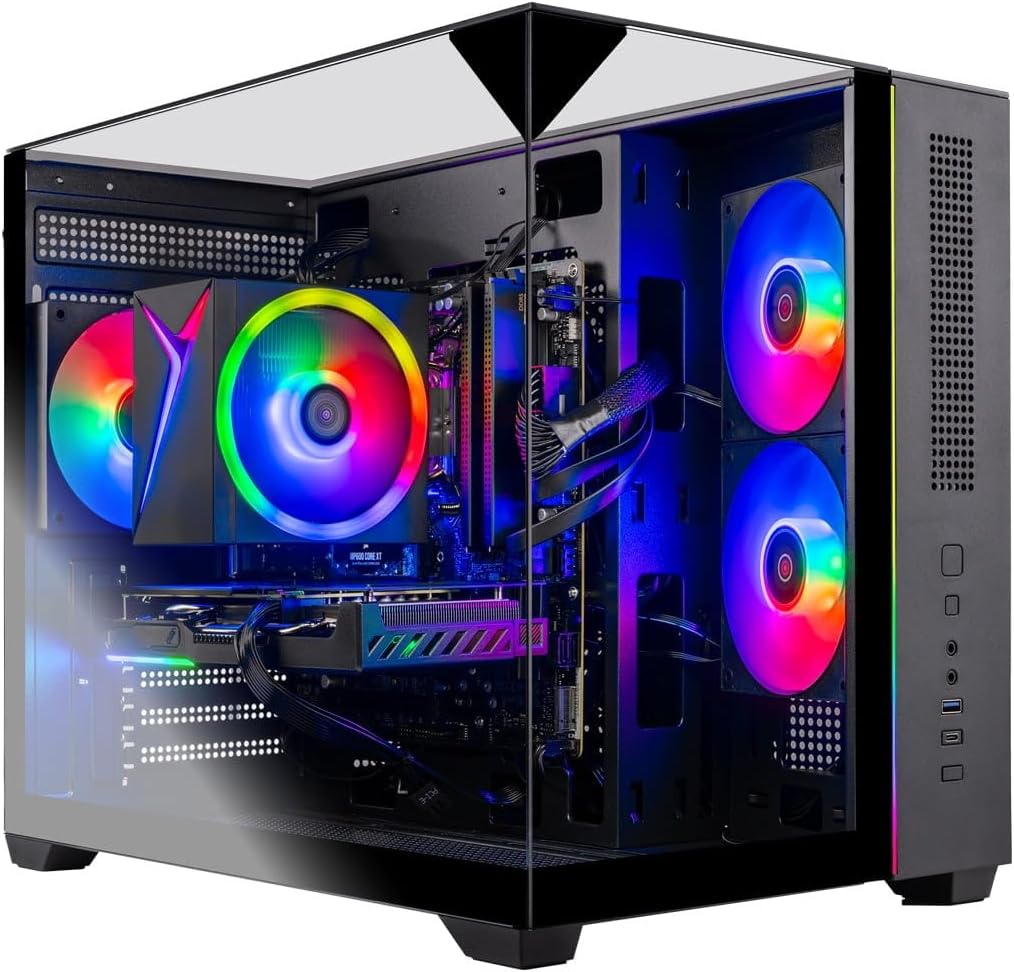
This system offers a compelling entry point into desktop gaming with solid fundamentals. It uses a familiar i7 processor paired with an older but still capable GPU and fast solid state storage.
We may earn a commission when you buy through this link, at no additional cost to you.
The 1TB SSD ensures quick game loads while 16GB RAM supports smooth multitasking. Six RGB fans provide effective airflow and a vibrant look. The inclusion of WiFi 6 simplifies connection without Ethernet cables.
The RX 580 may struggle with ultra settings in newer titles but remains useful for esports and older games. Lack of advanced features like hardware ray tracing limits long term visual fidelity.
Casual gamers or those on tight budgets benefit most from this build. It delivers reliable performance for everyday gaming and general tasks without requiring extensive setup or technical knowledge.
Multiple RGB fans ensure adequate airflow to keep internal temperatures stable during sessions.
Solid state drive cuts boot and load times significantly compared to older hard disk drives.
We may earn a commission when you buy through this link, at no additional cost to you.
This model targets enthusiasts who demand top tier graphics and networking speed. It pairs a next generation GPU with ample fast memory and wireless features ideal for high bandwidth applications.
We may earn a commission when you buy through this link, at no additional cost to you.
The RTX 5070 excels at 1440p gaming and VR titles with advanced ray tracing and frame generation. WiFi 6E reduces latency for online play while the chassis supports straightforward component swaps later.
CPU core count is moderate compared to some rivals which may affect heavy multitasking. The price reflects premium components and brand support which may not fit all buyer profiles.
Users prioritizing visual fidelity and connectivity will appreciate this desktop. It delivers a polished experience out of the box and scales well for future upgrades or peripheral additions.
Wi-Fi 6E operates on less crowded bands to lower ping and stabilize connections.
Standard parts allow easy swaps of storage or graphics card as tech evolves.
We may earn a commission when you buy through this link, at no additional cost to you.
This desktop balances processing power and memory size for versatile performance. The Ryzen 7 processor supports heavy multitasking while the GPU delivers smooth gameplay at common resolutions.
We may earn a commission when you buy through this link, at no additional cost to you.
Eight cores and sixteen threads ensure responsive operation when streaming or rendering. 32GB RAM handles large game worlds and background apps without bottlenecks. A 650W PSU provides stable power for sustained loads.
The platform relies on DDR4 memory which is reliable but older than current standards. GPU sourcing can vary meaning exact model features may differ slightly from unit to unit.
Buyers wanting strong CPU performance for productivity tasks alongside gaming will find it appealing. It offers a solid foundation for modern workloads and entertainment with minimal setup effort.
High thread count enables simultaneous gaming and content creation without slowdown.
Certified power supply reduces energy waste and maintains stable system operation.
We may earn a commission when you buy through this link, at no additional cost to you.
This system emphasizes thermal management and modern connectivity for stable performance. It includes a next gen CPU with WiFi 7 and DDR5 memory to meet current and future standards.
We may earn a commission when you buy through this link, at no additional cost to you.
The digital temperature display allows real time monitoring without software. Five ARGB fans and a copper heat pipe cooler maintain low thermal stress during extended use. PCIe Gen4 storage accelerates game launches and file transfers.
Sixteen gigabytes of RAM is adequate for most games but may require upgrading for heavy multitasking. Air cooling is sufficient but less powerful than liquid options for extreme overclocking.
Users wanting reliable thermals and modern networking features will value this design. It suits gamers who play on 1440p monitors and want smooth performance with room to grow.
Onboard display shows CPU temperature for quick checks during gameplay or stress tests.
WiFi 7 offers lower latency and wider bandwidth for wireless gaming.
We may earn a commission when you buy through this link, at no additional cost to you.
This desktop offers a balanced configuration for mid tier gaming. The i5 processor delivers sufficient single core speed for most games while DDR5 memory ensures quick data handling.
We may earn a commission when you buy through this link, at no additional cost to you.
The RTX 5060 supports ray tracing and DLSS for better visuals at 1080p and 1440p. Tempered side panel adds a sleek look while custom RGB lighting enhances personalization. USB variety supports many peripherals without adapters.
Six core CPU limits parallel workloads compared to higher end options. Audio ports are standard which may not satisfy audiophiles using advanced sound cards or DACs.
Gaming focused users seeking a neat reliable machine with modern specs will find it useful. It provides a solid base for competitive play and media consumption with minimal setup time.
RGB lighting allows users to match system colors with monitors and desk setups.
Multiple USB ports connect mice headsets and external drives without hubs.
We may earn a commission when you buy through this link, at no additional cost to you.
This system emphasizes memory capacity and GPU power for smooth gaming. It includes a capable GPU from the 3000 series and double the standard RAM for multitasking headroom.
We may earn a commission when you buy through this link, at no additional cost to you.
The RTX 3070 maintains strong frame rates in demanding titles while 32GB RAM reduces stutters during streaming or background tasks. RGB lighting enhances appearance and tech support covers the system well.
GPU generation is older so newer features may be less efficient or missing. Long term upgrade paths are limited by board design which may restrict future CPU swaps.
Gamer seeking ample memory for heavy usage will appreciate this config. It delivers solid performance for current titles with reliable support and a quick start out of the box.
32GB capacity allows many apps to run alongside games without swapping.
Lifetime tech help reduces downtime for users needing quick troubleshooting.
We may earn a commission when you buy through this link, at no additional cost to you.
This desktop prioritizes raw memory and core count for heavy workflows. The 12 core processor and 64GB RAM enable extensive multitasking and content creation workloads with ease.
We may earn a commission when you buy through this link, at no additional cost to you.
GTX 1080 Ti still offers strong rasterization performance for many games. Liquid cooling keeps temperatures low during sustained loads while WiFi 6 and Bluetooth simplify connections. Windows 11 is preloaded for quick setup.
GPU architecture lacks modern features like DLSS or dedicated ray tracing cores. Xeon platforms may lack latest consumer features which could limit future performance gains.
Pros needing extreme memory capacity for editing or rendering alongside gaming will find it valuable. It delivers reliable raw compute power with adequate cooling for long sessions.
Liquid cooling maintains steady CPU temps during long rendering or gaming bursts.
Twelve cores help handle virtual machines and heavy simulations smoothly.
We may earn a commission when you buy through this link, at no additional cost to you.
This desktop blends a capable CPU with generous memory for versatile use. The Ryzen 5 provides efficient gaming performance while 32GB RAM supports multitasking and streaming workloads.
We may earn a commission when you buy through this link, at no additional cost to you.
The RTX 3050 handles 1080p titles comfortably. ARGB cooling maintains temperatures and adds visual flair. WiFi allows flexible setup without cables. Windows and drivers are preconfigured for immediate use.
GPU may struggle at high settings in latest AAA games. DDR4 memory is stable but older than newer platforms which may affect data throughput for some tasks.
Users seeking a reliable all in one system for mixed tasks will appreciate it. It offers a smooth start for gaming and creative apps without requiring extra purchases.
High RAM enables game and broadcast software to run together smoothly.
ARGB fans cool the CPU while adding customizable lighting to the case.
We may earn a commission when you buy through this link, at no additional cost to you.
This system offers a complete and simple start for new PC gamers. It features a capable CPU and fast storage which ensure snappy performance for everyday use and gaming.
We may earn a commission when you buy through this link, at no additional cost to you.
The 3050 GPU handles esports and older titles well while NVMe SSD cuts load times. ARGB cooling keeps temps steady and adds style. WiFi enables cable free connection to routers.
RAM is standard which limits heavy multitasking. GPU is not suited for ultra settings in the newest demanding titles. However this unit covers common use cases effectively.
First time builders or casual users will find it approachable and ready to run. It delivers reliable performance for gaming and light creative tasks with minimal extra work.
Windows and drivers are preloaded so users can start playing after connecting a monitor.
NVMe drive stores games and OS for quick launches and fast file access.
We may earn a commission when you buy through this link, at no additional cost to you.
Selecting a desktop for future titles requires focus on core components that influence performance and longevity. This guide outlines key factors to evaluate before purchasing.
The GPU determines visual quality and frame rates. Look for models with ray tracing and DLSS support to maintain high settings in new titles. Higher VRAM capacity helps with large textures and future game updates.
Prioritize a card that balances performance with your monitor resolution for smooth gameplay.
CPUs affect physics simulation and loading times. Aim for at least six cores and twelve threads to handle multitasking. Modern architectures reduce bottlenecks when paired with capable GPUs.
Choose a CPU that matches your intended workload whether gaming or streaming or content editing.
RAM size impacts how many apps can run simultaneously. Sixteen gigabytes is standard but thirty two offers headroom for heavy multitasking. Faster speeds improve overall system responsiveness and game load times.
Select a system with enough memory to avoid stutter during complex scenes or streaming.
Solid state drives reduce boot and game load times. NVMe PCIe SSDs provide the fastest transfer rates for today's large games. Ensure the unit has enough capacity for your library and OS.
Opt for at least one terabyte of fast storage to accommodate modern game sizes.
Effective cooling maintains stable performance during long sessions. Air coolers with multiple fans work well for most builds while liquid systems suit overclocking. Monitor thermal throttling to avoid performance drops.
Check that the case has sufficient airflow and fan configuration for heat dissipation.
Modern ports and wireless support simplify setup. WiFi 6 or 6E reduces latency for online play. USB variety allows connecting peripherals without adapters. HDMI and DisplayPort outputs match common monitor standards.
Ensure the PC supports your display refresh rate and connection type directly.
Modular designs allow component swaps as tech evolves. Look for available RAM slots and storage bays. Standard power connectors help when upgrading graphics or storage later. Non proprietary cases ease maintenance.
Choose a system with room to grow instead of a fully sealed compact unit.
Manufacturer warranty covers defects and labor costs. One year minimum is common but extended options reduce long term risk. Free tech support helps resolve software or hardware issues quickly.
Verify warranty terms and support availability to protect your investment over time.
Place the desktop on a hard flat surface with clearance for air vents. Keep it away from walls or dust sources to maintain airflow. Avoid stacking heavy objects on top to prevent case deformation.
Update drivers regularly through official software or manufacturer tools. Enable automatic Windows updates to keep security patches current. Calibrate your display color and refresh rate for accurate visuals and smooth motion.
Run periodic system scans for malware and disk errors. Use dust blower to clean fans and filters every few months. Monitor thermal temps with software to ensure cooling remains effective over time.
Most mid tier systems listed will handle 1080p and 1440p gaming at high settings. Ultra settings may require top GPUs. Check current GPU benchmarks and future requirements.
Many offer room to upgrade RAM and storage easily. GPU swaps depend on power supply and case size. Modular designs provide better long term flexibility than proprietary units.
Air cooling works well for standard builds with good case airflow. Liquid cooling suits overclocking or compact enclosures. Choose based on noise tolerance and thermal limits.
Most include HDMI and DisplayPort outputs compatible with VR headsets. Performance depends on GPU strength and USB ports. Check headset specs before purchasing.
At least one terabyte is recommended for several large titles. Use SSDs for game drives and external HDDs for archives. More capacity reduces frequent transfers and reinstalls.
Yes warranty and support reduce repair costs and downtime. Look for one year minimum coverage. Some manufacturers offer onsite service for hardware failures which adds value.
Most include keyboard and mouse but no monitor. Some bundles offer RGB accessories. Always verify what is in the box before buying to avoid surprises.
Improve case airflow by arranging fans properly. Keep the room cool and clean dust regularly. Adjust fan curves or limit frame rates if heat becomes a bottleneck.
This guide reviewed ten desktop systems ranging from entry to premium tiers. The Skytech model leads for balanced performance while the STGAubron system offers strong value for budget buyers.
Prioritize GPU power and memory capacity for future titles. Match the system to your monitor resolution and expected usage patterns to avoid bottlenecks during gaming or productivity.
Verify current stock and specs before purchasing since availability changes. Choose a model that fits your budget and offers upgrade paths to extend its useful life.