
Creality Ender 3 V3 SE
4.1Editor score
Auto leveling included
Direct drive extruder
Quiet operation board
This guide compares the top easy to use 3D printers for beginners and experts, focusing on setup speed, calibration, and print quality to help you choose the
Finding an easy to use 3D printer can transform how you approach creating custom objects at home. Whether you are a student or a hobbyist, a machine that handles calibration automatically saves you time and frustration. We have selected models that prioritize user experience without sacrificing print quality or reliability.
Our team evaluated these machines based on setup complexity, calibration automation, and overall user interface design. We looked at how quickly you can go from unboxing to printing your first object. The list covers a range of sizes and capabilities, ensuring there is a suitable option for every workspace and budget level.
Each pick in this guide highlights specific strengths like speed, safety features, or multi-color capabilities. You will see detailed breakdowns of what makes each printer stand out in a crowded market. Please note that prices and availability change frequently, so checking the current listing is always recommended before purchasing.
4.1Editor score

4.7Editor score

4.5Editor score
This table provides a side-by-side view of the top ten models reviewed in this guide. We highlight key specifications such as print volume, speed capabilities, and specific ease of use features to help you make a quick decision.



The Bambu Lab A1 stands out as a top choice for anyone seeking an easy to use 3D printer. It delivers high speed precision and features full-auto calibration that eliminates the guesswork often associated with bed leveling. Users appreciate how quickly they can start printing without manual adjustments.
We may earn a commission when you buy through this link, at no additional cost to you.
Its active flow rate compensation ensures consistent smooth prints every time. The touchscreen interface is simplified and intuitive, making it accessible even for those new to additive manufacturing. The quick swap nozzle system also reduces maintenance time significantly.
While it lacks an enclosed chamber for high temperature materials, it excels at standard filaments. The optional AMS lite allows for multi-color printing which expands creative possibilities. This balance of speed ease and reliability makes it a versatile machine for home use.
We recommend this printer for families hobbyists who want reliable results with minimal setup hassle. It brings ideas to life with stunning detail and requires very little technical knowledge to operate effectively.
This feature removes the need for manual bed adjustments ensuring every print starts perfectly flat without user intervention.
With acceleration up to 10,000 mm/s2 this printer maintains accuracy while finishing jobs significantly faster than standard models.
We may earn a commission when you buy through this link, at no additional cost to you.
The FLASHFORGE Adventurer 5M is designed for efficiency and speed. It features a CoreXY structure that allows for travel speeds up to 600mm/s. This makes it ideal for rapid prototyping or situations where time is a critical factor in the workflow.
We may earn a commission when you buy through this link, at no additional cost to you.
One-Click Automatic Printing simplifies the process significantly. Users can enjoy automatic bed leveling which ensures consistent adhesion and saves time on manual adjustments. The 3-second nozzle change feature also makes swapping tools incredibly fast.
Remote monitoring via the Flash Studio app adds convenience. You can track progress and adjust settings from anywhere using your smartphone. The high-flow nozzle and fast warm-up times further reduce downtime between jobs.
While it is loud at max speed the performance is exceptional for the price. We suggest this model for users who prioritize output speed and want a reliable machine for frequent printing tasks.
This mechanical design ensures high precision and smooth motion even when operating at very high travel speeds.
Connect via WiFi to receive alerts and manage prints remotely without needing to stay near the printer.
We may earn a commission when you buy through this link, at no additional cost to you.
The Bambu Lab A1 mini is specifically designed to make 3D printing easy from day one. It comes with automatic calibration and a smooth printing experience that lets you focus on creating instead of troubleshooting. The compact footprint makes it perfect for desks or small rooms.
We may earn a commission when you buy through this link, at no additional cost to you.
Included in the kit is an LED Lamp Kit which encourages creative projects. You can print compatible models and turn them into functional decorative lights. This adds immediate value and fun to the unboxing experience for users of all ages.
Integration with the Bambu ecosystem is seamless. You can access MakerWorld library to find ready-to-print models and manage prints through the handy app. This connectivity reduces the learning curve for new users significantly.
We recommend this printer for students or anyone with limited workspace. It delivers high-quality prints without taking up much room. It is a seamless and enjoyable entry point into the world of desktop manufacturing.
The included lamp kit provides a fun first project that is both decorative and functional right out of the box.
Access a huge library of models and manage your workflow through a unified app interface for easier operation.
We may earn a commission when you buy through this link, at no additional cost to you.
The Bambu Lab P1S offers a premium experience for those who need more control over print environments. Its fully enclosed body improves performance for advanced filaments like ABS. You can set up the machine in just 15 minutes and start printing almost immediately.
We may earn a commission when you buy through this link, at no additional cost to you.
Speed is a key feature here with true high speed printing reaching up to 500mm/s. This lightning-fast capability lets you focus on creating rather than waiting for prints to finish. The auto bed leveling ensures high quality successful prints every time.
It supports up to 16 colors when paired with the AMS system. This opens up design possibilities for complex multi-material projects. It handles materials like PLA PETG and TPU effectively making it versatile for various needs.
We recommend this printer for users ready to invest in a robust machine. It balances speed and versatility with a user-friendly design. It is a solid choice for serious hobbyists or small studios needing reliable performance.
The enclosure retains heat allowing for printing with materials that require stable temperatures and reduced drafts.
Connect the AMS unit to print with multiple colors simultaneously turning single models into vibrant designs.
We may earn a commission when you buy through this link, at no additional cost to you.
This machine is designed with kids in mind providing a home toy factory for endless DIY fun. It features AI-powered tools that let children create custom 3D models using voice or text prompts. This simplifies the design process and inspires creativity.
We may earn a commission when you buy through this link, at no additional cost to you.
Safety is a top priority with an enclosed pinch-resistant design. Parents can feel confident as the leveling-free platform ensures easy removal. The built-in camera allows families to check printing progress in real time from their smartphones.
Access to over 8,000 models provides endless inspiration. You can find age-appropriate characters accessories and DIY projects instantly. This removes the need for external design skills making it a perfect educational gift for children.
We recommend this printer for families wanting a safe and educational toy. It encourages kids to create without needing complex software. It brings ideas to life quickly and keeps them engaged in STEM projects.
Children can draw or describe ideas which the AI converts into printable 3D models instantly.
A sealed structure protects children from moving parts and hot surfaces while printing.
We may earn a commission when you buy through this link, at no additional cost to you.
The Tina2C mini is designed for first-time users with a guided setup process. You can start your first print in as fast as 8 minutes which makes 3D printing simple and frustration-free. It is fully assembled so you avoid complex assembly steps.
We may earn a commission when you buy through this link, at no additional cost to you.
It features intelligent auto-leveling to ensure better first-layer adhesion. This reduces manual bed adjustment and helps users achieve better results quickly. The power-loss recovery function also helps you continue prints after interruptions.
STEM learning courses and interactive tools turn creativity into an engaging educational experience. The app offers AI-powered search and photo-to-print features that make designing easy. This makes it suitable for classrooms or home learning environments.
We recommend this printer for students and parents looking for an educational tool. It balances ease of use with practical features. It is well-suited for school projects and small creative builds without requiring technical expertise.
The fully assembled design and guided app setup get you printing in minutes instead of hours.
Access regularly updated courses that turn printing into a structured learning activity for kids.
We may earn a commission when you buy through this link, at no additional cost to you.
The AD5M combines brand-new technology with a durable all-metal CoreXY structure. This ensures high-speed printing without compromising quality. It meets the needs of all users whether you are just starting or a seasoned professional looking for reliability.
We may earn a commission when you buy through this link, at no additional cost to you.
Achieve perfect prints with ease thanks to the fully automatic one-click leveling system. It measures the nozzle-to-build plate distance precisely to ensure a flawless first layer every time. This removes the hassle of manual calibration tools.
The quick-release nozzle allows for swapping in as little as 3 seconds. This simplifies maintenance for novices and experts alike. The flexible double-sided PEI plate makes removing printed models easy by bending the plate.
We recommend this printer for users needing robust performance and speed. It handles high-speed modes smoothly with low noise. It is a stress-free creative companion for those who value consistency and durability.
The durable metal frame ensures stable motion and high precision even at maximum speeds.
If power is lost the printer saves the layer and resumes when power is restored saving your work.
We may earn a commission when you buy through this link, at no additional cost to you.
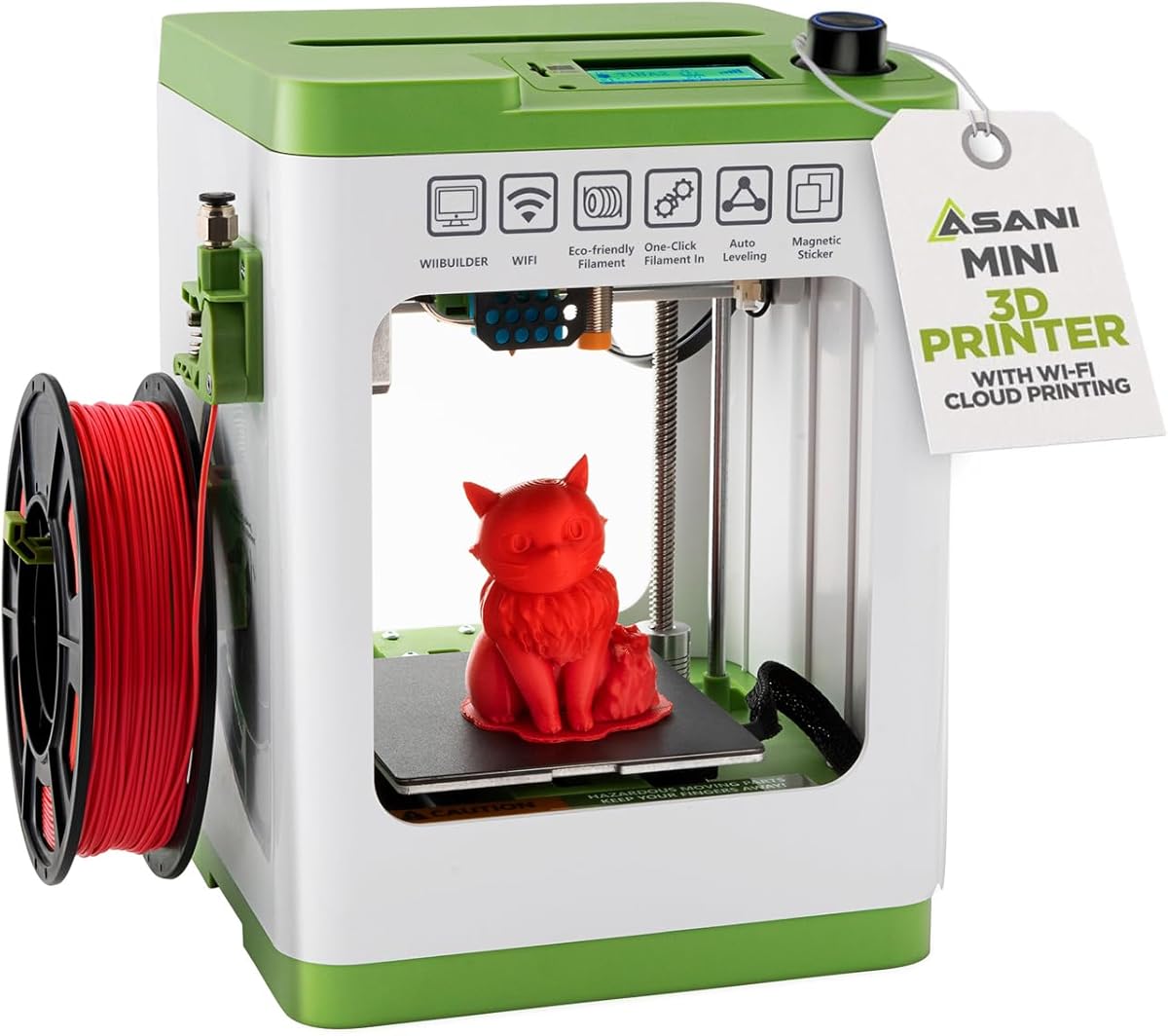
Everything is included in this starter kit so you can just bring your imagination. It comes with a mini printer 10M of filament and a microSD card with designs and software. This removes the need to buy extra accessories immediately.
We may earn a commission when you buy through this link, at no additional cost to you.
Fully assembled out of the box it is designed for reliable long-term use right away. It features auto-leveling and a flexible magnetic build plate for easy removal. One-touch filament loading makes adding new material simple.
It is compatible with Windows macOS and Linux and major slicing software. This openness allows you to dive into the world of 3D printing without proprietary limits. The compact size is perfect for dorms or classrooms.
We recommend this printer for beginners who want a turnkey solution. It avoids assembly mistakes and gets you printing quickly. It is a consistent and accessible entry point for first-time creators.
Filament and software are included so you can print immediately after unboxing without extra trips to the store.
Loading and retracting filament happens at the touch of a button removing manual threading steps.
We may earn a commission when you buy through this link, at no additional cost to you.
The Ender 3 V3 SE is designed for a fast and straightforward setup. It assembles in just a few simple steps and features CR Touch auto leveling. This ensures a reliable first layer and makes printing easier for beginners.
We may earn a commission when you buy through this link, at no additional cost to you.
Print at speeds of up to 250mm/s with stable motion systems. The dual synchronized Z-axis lead screws work together to help reduce vibration. This supports accurate layer alignment and consistent print quality throughout long jobs.
It includes a 32-bit silent mainboard that reduces operating noise. The flexible PC spring steel build plate allows printed models to be removed quickly with minimal effort. These details enhance the overall user experience significantly.
We recommend this printer for those on a budget. It offers essential features like auto leveling and direct drive extrusion at a great value. It is a proven reliable workhorse for everyday printing tasks.
The CR Touch probe calibrates the bed automatically removing the need for manual dial adjustments.
This upgraded extruder provides smooth and consistent filament feeding for various materials.
We may earn a commission when you buy through this link, at no additional cost to you.
The Kobra X comes born with 4 colors built-in to avoid purging waste. It reduces filament and machine travel path significantly to cut costs in half. This innovative approach makes multi-color printing more accessible than traditional methods.
We may earn a commission when you buy through this link, at no additional cost to you.
LeviQ 3.0 uses a 49-point calibration to ensure 100% bed flatness. It makes every leveling process more efficient and precise. The hardened steel nozzle ensures every layer remains smooth during high-speed printing up to 600mm/s.
Smart AI monitoring features include spaghetti detection and foreign object alerts. The top-mount spool holder releases more desktop space which is useful for tight desks. This makes it perfect for home use and schools.
We recommend this printer for users wanting color without a complex system. It offers great speed and reliability for the price. It is a smart choice for those who want vibrant designs easily.
Four colors are integrated into the printer reducing waste and simplifying multi-color workflows.
A 49-point calibration system ensures the bed is perfectly flat for successful first layers.
We may earn a commission when you buy through this link, at no additional cost to you.
Choosing the right printer involves balancing features like speed calibration and build volume. Here are the key factors to consider when selecting a model that fits your needs.
Automatic calibration is one of the most critical features for an easy to use printer. It eliminates the need for manual bed leveling which can be tedious for new users. Look for models that perform this task on startup to ensure consistent results every time.
A printer that takes hours to set up can discourage beginners. We prioritized models that arrive fully assembled or require minimal assembly. If you want to start creating quickly look for machines that offer a first print within an hour of unboxing.
The interface you interact with defines your experience. Touchscreens and mobile apps make controlling a printer intuitive. Avoid models that rely on complex knobs or obscure menus. A simple graphical interface allows you to focus on the design not the machine.
The size of the print area determines the objects you can create. Larger volumes offer more flexibility but take up more space. If you mostly print small items a mini printer may save space without limiting creativity. Always match the volume to your project goals.
High speeds reduce wait times and increase productivity. However ensure the machine maintains accuracy at those speeds. Look for models with acceleration specs that balance time and quality. Fast printers help you iterate designs quickly without long delays.
Safety is vital especially if children are present. Enclosed designs prevent burns and accidental contact with moving parts. Check for certifications and pinch-resistant mechanisms. A safe printer allows you to leave it running with peace of mind.
Consider which filaments you plan to use. Some printers handle standard PLA easily while others support advanced materials like ABS. If you want to expand later choose a model with a heated chamber or compatible extruder. This ensures long-term versatility.
Access to a community and model library simplifies learning. Platforms that offer ready-to-print models save time and effort. A robust ecosystem means you can find help and resources easily. This is a key benefit for beginners learning to create.
Start by ensuring the printer is on a stable surface. Run the initial setup wizard which usually includes automatic calibration. This prepares the machine for its first print and ensures accuracy.
Select a model from the built-in library or load one from an SD card. Insert the filament and let the machine guide you through the loading process. Always use the correct type of filament recommended for your specific model.
After printing check the build plate for residue. Clean it gently to maintain adhesion for future prints. Keep the nozzle clean and check for clogs regularly. Regular maintenance ensures smooth operation and fewer failed prints.
Not really. Modern printers like those in this guide are designed to minimize manual adjustments. Automatic leveling and guided apps handle most technical tasks. You mainly need to focus on selecting models and adding filament.
It depends on the size and resolution of the model. Small items can take 30 minutes while larger ones might take several hours. High-speed printers reduce these times significantly compared to standard models.
Most models have safety features like auto power-off. However it is best to monitor prints remotely via apps. Always place the printer on a non-flammable surface and avoid leaving it running unsupervised for long periods.
PLA is the most recommended filament because it is easy to print and does not require a heated bed. It comes in many colors and is widely available. Avoid high-temp materials until you are comfortable with the basics.
This usually happens if the bed is not level or the nozzle height is off. Use the auto-leveling feature to fix this. You may also need to clean the plate to ensure better adhesion.
No many printers in this list work directly with smartphones. You can slice models and start prints from your phone. Some allow offline printing via SD cards so a PC is not always necessary.
Not on modern models. Most feature quick-swap systems that do not require tools. Look for nozzles that can be changed in under five minutes. This simplifies maintenance significantly.
We hope this guide helps you find the perfect machine. Whether you chose the Bambu Lab A1 or the Creality Ender 3 V3 SE each model offers a user-friendly experience. The right choice depends on your specific project needs and budget.
Prioritize features like automatic calibration and safety if you are a beginner. Fast speeds and connectivity are great for productivity. Remember that ease of use is about how smoothly you can go from idea to object.
Prices and availability vary so check current listings before buying. Technology moves fast and new models may appear. We recommend comparing the detailed specs to ensure the model meets your expectations.