
UGREEN LinkStation eGPU Dock with OCuLink
4.8Editor score
Dual-Channel OCuLink USB4
370mm GPU Length Support
Silent All-Aluminum Chassis
This guide compares the top ten eGPU docks for laptops and mini PCs, focusing on bandwidth, compatibility, and features to help you choose the right external
External GPU docks transform portable devices into powerful desktop workstations by connecting high-performance graphics cards. They are essential for creators, gamers, and professionals who need more graphical power than their laptop can provide internally.
We evaluated ten leading eGPU docks based on interface speed, power compatibility, build quality, and feature sets. Our analysis covers Thunderbolt and OCuLink options to ensure you find the best match for your specific hardware needs.
Each pick highlights unique strengths like storage slots or dual-mode switching. Remember that product availability and pricing change frequently so always verify current details before purchasing your ideal docking station.
4.8Editor score

4.4Editor score

4.5Editor score
The following table provides a side-by-side comparison of all ten eGPU docks evaluated in this guide to help you quickly identify the best option for your setup.


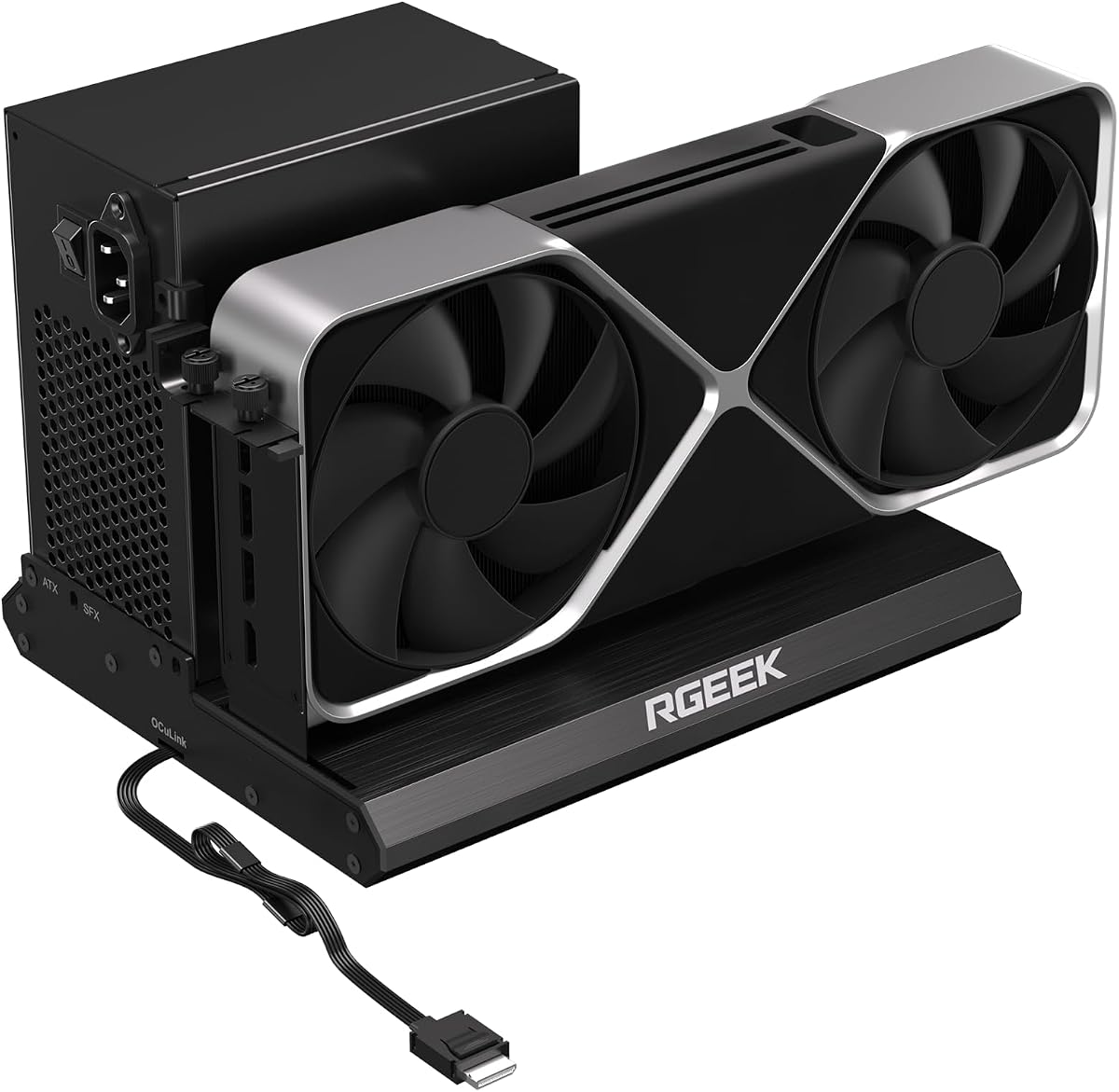
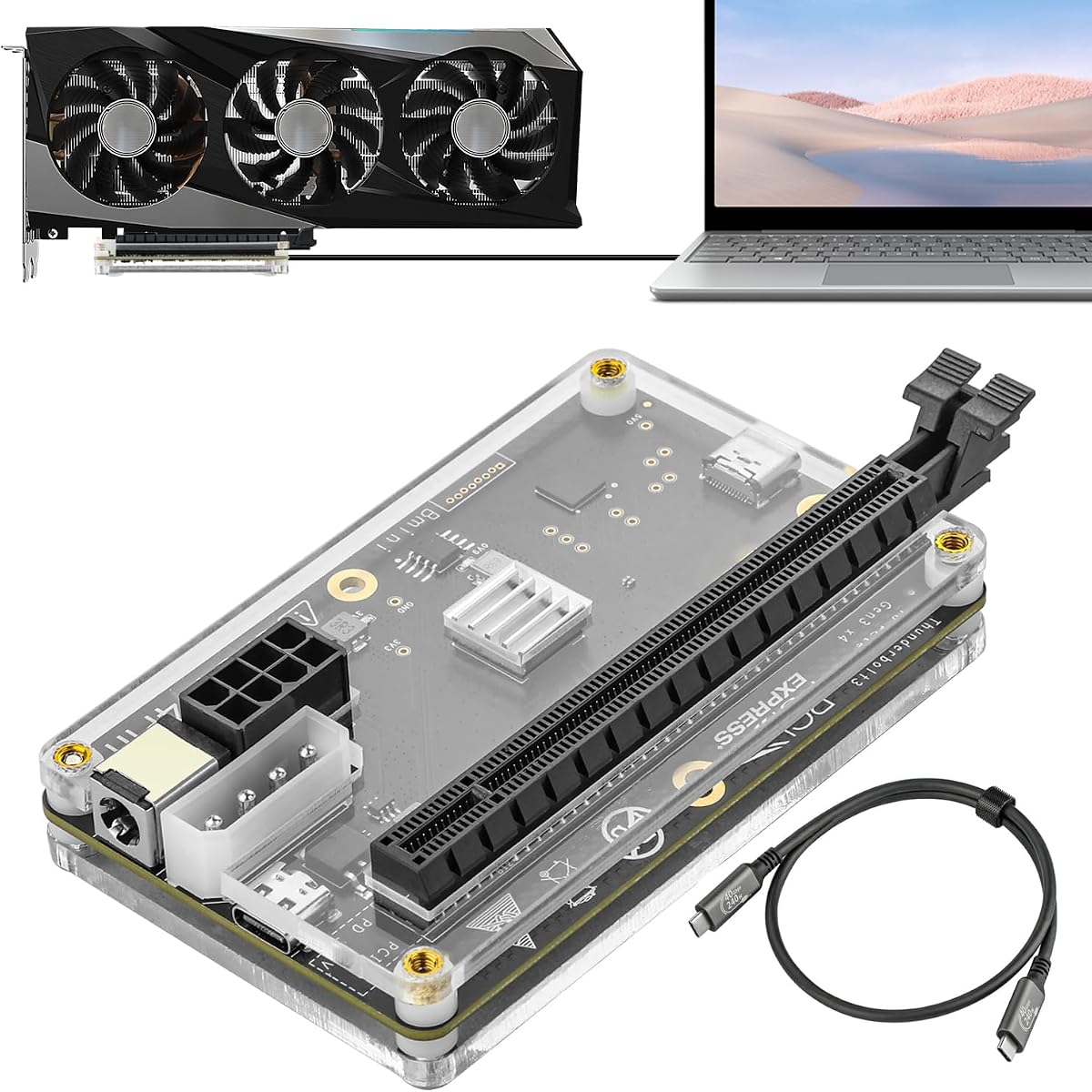


This top-rated dock offers exceptional versatility with dual-link interfaces supporting both Thunderbolt 5 and OCuLink connections for maximum bandwidth and compatibility across devices.
We may earn a commission when you buy through this link, at no additional cost to you.
Its unique hardware switch allows instant transitions between modes without cable swaps while the built-in M.2 NVMe slot stores project files directly on the dock for seamless workflow integration.
The integrated re-drive signal booster minimizes latency during high-bandwidth tasks like LLM inference or 8K rendering ensuring stable performance even under heavy computational loads.
Ideal for professionals needing portable yet powerful setups this dock provides a single-cable solution that handles data transfer display output and laptop charging simultaneously with auto-on sync.
The hardware toggle ensures you optimize transfer speeds for your host device without software reconfiguration or cable changes slowing down your workflow.
Storing AI models and assets on the dock prevents unnecessary file transfers between devices keeping your workspace synchronized and efficient during sessions.
We may earn a commission when you buy through this link, at no additional cost to you.
This docking station delivers high-performance flexibility by supporting both OCuLink and Thunderbolt 5 interfaces with a physical toggle for instant mode changes without swapping cables.
We may earn a commission when you buy through this link, at no additional cost to you.
Its streamlined design stores project files on the internal M.2 slot enabling faster GPU access and reducing transfers while heavy tasks run on the desktop graphics card.
Signal optimization ensures seamless interoperability across diverse host devices reducing dropouts and connection faults during demanding rendering or AI workflows.
Perfect for users seeking a desktop-like experience this dock syncs power with your host device via USB4 V2 reverse power providing a plug-and-play ecosystem ready for work in seconds.
Support for standard ATX and SFX supplies lets you customize upgrades easily ensuring a future-proof setup tailored to your specific performance needs.
A single cable handles data display and charging while the auto-on feature eliminates manual startups for a smooth and uninterrupted user experience.
We may earn a commission when you buy through this link, at no additional cost to you.
The Razer Core X V2 transforms compatible laptops into powerful creative and gaming hubs with ultra-fast Thunderbolt 5 bandwidth handling demanding AAA games and apps seamlessly.
We may earn a commission when you buy through this link, at no additional cost to you.
Its modular design accommodates PCIe desktop graphics cards up to four slots wide allowing easy swaps of GPUs and ATX PSUs for future-proof performance upgrades.
A built-in 120mm fan provides active cooling that automatically adjusts during heavy loads ensuring thermal stability while you work on intense rendering tasks.
Ideal for Windows users needing maximum connectivity this enclosure offers simple plug-and-play setup with an included cable and robust compatibility across Thunderbolt and USB 4 devices.
The four-slot width support ensures you can use high-end graphics cards without worrying about physical size restrictions in the chassis.
Vented steel construction combined with dynamic fan control maintains optimal temperatures for consistent performance during extended work sessions.
We may earn a commission when you buy through this link, at no additional cost to you.
This compact dock fits easily in a backpack delivering up to 64Gbps speeds via OCuLink 4i for smooth graphics processing anywhere you need extra performance power.
We may earn a commission when you buy through this link, at no additional cost to you.
Compatible with ATX and SFX power supplies it adapts to different specs offering flexible solutions for mini chassis without length restrictions on graphics cards.
The ForcePowerOn with LED ensures stable operation by tracking startup modes so you avoid manual adjustments every time you power up the system.
Perfect for users needing mobile high-performance upgrades its locking mechanism protects ports from damage while high-quality chips ensure reliable signal transmission during transfers.
Measuring just 14 cm long this dock upgrades laptop performance on the go without adding significant bulk to your daily carry setup.
The startup tracking function syncs automatically with compatible MINISFORUM mini PCs reducing user intervention and maintaining consistent system operation.
We may earn a commission when you buy through this link, at no additional cost to you.
This detachable enclosure supports standard ATX power and various graphics cards with up to 64Gbps speeds ensuring smooth transfer and processing for demanding tasks.
We may earn a commission when you buy through this link, at no additional cost to you.
Gold-plated contacts on the PCB board minimize resistance and system crashes while multi-status LEDs offer clear visual feedback for real-time device monitoring.
The ultra-thin flexible SFF-8611 cable prevents port damage and reduces interference through full-coverage shielding and advanced EMI materials for stable connections.
Ideal for budget-conscious users needing high bandwidth this dock simplifies upgrades without restrictive GPU length limits and provides essential stability features for daily use.
Gold-plated contacts ensure superior conductivity reducing rust-related resistance that could otherwise lead to unexpected system crashes over time.
The flat cable architecture with shielding minimizes performance degradation and eliminates damage risks often caused by rigid traditional OCuLink cables.
We may earn a commission when you buy through this link, at no additional cost to you.
Supporting up to 128Gbps bandwidth this dock offers a future-proof solution for external graphics cards compatible with ATX and SFX power supplies for maximum flexibility.
We may earn a commission when you buy through this link, at no additional cost to you.
Full aluminum material ensures great heat dissipation and sturdy durability while factory-soldered cables avoid extra adapters to minimize signal loss during high-speed transfers.
It fits both gaming and professional GPUs perfectly making it an ideal upgrade for laptops and mini PCs tackling 3D modeling or AI computing tasks easily.
Ideal for enthusiasts needing maximum throughput the uniform layout keeps wiring neat but note you must purchase a separate adapter to reach full PCIe 5.0 speeds.
With PCIe 5.0 support this dock prepares your setup for next-generation hardware delivering twice the speed of standard PCIe 4.0 interfaces.
The aluminum build provides passive cooling benefits helping maintain stable performance during extended gaming or rendering sessions without overheating.
We may earn a commission when you buy through this link, at no additional cost to you.
This premium dock combines OCuLink and USB4/Thunderbolt 4 channels to deliver up to 30% better performance for gaming AI workloads and content creation than standard options.
We may earn a commission when you buy through this link, at no additional cost to you.
The removable top cover allows installation of oversized GPUs up to 370mm long and four slots thick giving you freedom to use any modern high-end graphics card.
Designed for silence its semi-open all-aluminum chassis and low-RPM fan ensure peak performance without noise making it perfect for office or home studio environments.
Ideal for creatives needing reliable desktop-grade power this dock supports the latest GPU connectors without adapters and includes cable storage to keep your workspace organized.
Choose between low-latency OCuLink or universal USB4 depending on your host device ensuring maximum compatibility without sacrificing performance.
Advanced thermal engineering delivers quiet operation during heavy loads so you can focus on your projects without distracting fan noise.
We may earn a commission when you buy through this link, at no additional cost to you.
This dock supports any NVIDIA or AMD GPU with official drivers and offers four flexible power input options ensuring you can adapt to various setups without extra adapters.
We may earn a commission when you buy through this link, at no additional cost to you.
Using a JHL6340 controller it delivers stable speeds around 22Gbps perfect for graphics work video editing and AAA gaming across Windows 10 and 11 systems reliably.
Included Thunderbolt 4 cable and jumper cable simplify setup making it accessible for users needing basic external graphics upgrades without complex wiring configurations.
Ideal for legacy or console devices this dock ensures wide compatibility including Linux but note it has lower bandwidth compared to modern Thunderbolt 5 or OCuLink alternatives.
Flexible CPU Molex and PD inputs let you power the dock from existing desktop or console supplies increasing versatility for different hardware scenarios.
Optimized for Windows and Linux systems it provides reliable performance without compatibility issues across a broad range of GPU models and operating environments.
We may earn a commission when you buy through this link, at no additional cost to you.
This docking station supports OCuLink and Thunderbolt 5 with a physical toggle for instant mode switching optimizing workflows by storing project files on its internal M.2 slot.
We may earn a commission when you buy through this link, at no additional cost to you.
Heavy GPU tasks run on desktop cards while the ultrabook handles control reducing transfers and streamlining work without sacrificing mobility or power during intense sessions.
Seamless support for ATX and SFX supplies ensures future-ready configurations while signal optimization minimizes degradation and connection errors across diverse cables and devices.
Perfect for users wanting a desktop ecosystem this dock syncs power automatically and uses USB4 V2 reverse power to transform workspace into a plug-and-play experience.
Storing assets on the dock minimizes file transfers and keeps rendering and AI tasks centralized on a single GPU for smoother execution.
Support for both ATX and SFX power supplies allows flexible upgrades ensuring your setup remains adaptable to new hardware standards.
We may earn a commission when you buy through this link, at no additional cost to you.
Featuring an officially certified JHL7440 controller this dock excels at gaming AI training and rendering while supporting the local deployment of Deepseek-R1 models effectively.
We may earn a commission when you buy through this link, at no additional cost to you.
Its 40Gbps port with 85W PD charging enables daisy chaining and USB device attachment making it a versatile hub for laptops NUCs and gaming machines with USB4 TB4 ports.
Compatible with the latest RTX 50 series GPUs and AMD RX 7000 Series it offers wide compatibility but requires careful setup to avoid automatic power-off protection from cable misuse.
Ideal for users needing robust external graphics support this dock provides essential connectivity but note you must ensure your laptop has a compatible port and follows cable guidelines.
The JHL7440 module ensures high-performance stability across various workloads making it a reliable choice for demanding AI and creative tasks.
Daisy chain and USB A ports expand the dock functionality beyond graphics allowing you to attach multiple devices efficiently.
We may earn a commission when you buy through this link, at no additional cost to you.
Selecting the right eGPU dock requires understanding key factors that impact performance compatibility and daily usability for your specific workflow.
Interface bandwidth determines how fast data moves between your laptop and external GPU. Thunderbolt 5 offers up to 80Gbps while OCuLink provides 64Gbps standard and future-ready 128Gbps options. Higher bandwidth ensures smoother performance for 4K gaming and AI workloads.
Look for docks supporting modern standards like TB5 or PCIe 5.0 to future-proof your setup.
Most docks do not include a power supply so check which types are supported. ATX and SFX units are common with flexible options for customization. Ensure your chosen PSU fits within physical and power requirements.
Confirm support for ATX and SFX supplies to avoid installation issues.
Graphics card dimensions vary significantly so verify the maximum length and slot width the dock can accommodate. Some models support up to 370mm length or four-slot widths for high-end cards.
Measure your GPU before purchasing to ensure physical fit inside the enclosure.
Additional ports like LAN USB or M.2 slots enhance the dock functionality beyond graphics. These features allow for expanded storage network access or peripheral connections.
Prioritize docks with ports that match your specific workflow needs.
Signal boosters and locking mechanisms reduce dropouts during high-bandwidth tasks. These elements ensure stable data transfer preventing interruptions during rendering or inference sessions.
Choose docks with built-in signal optimization for reliable performance.
Compatibility varies across Windows macOS and Linux systems. Some docks work seamlessly with Intel-based macOS but may lack support for Apple Silicon chips.
Check OS compatibility carefully especially if using macOS devices.
Active cooling fans help sustain performance during prolonged usage. Look for aluminum chassis designs and variable fan curves to manage heat effectively.
Effective cooling prevents thermal throttling during heavy tasks.
Tool-free designs and clear documentation simplify setup. Auto-on features and single-cable workflows reduce manual effort and improve user experience.
Select docks with user-friendly installation for smoother setup.
Connect the dock to your host device using the provided high-speed cable ensuring ports are clean and aligned. Power on the host device first then the dock if auto-on is unavailable.
Install GPU drivers before starting the system to ensure proper recognition. Use compatible ATX or SFX power supplies and secure all connections firmly to prevent signal loss.
Clean the chassis vents regularly to maintain cooling efficiency. Store cables safely to avoid bending or damage and keep the dock in a dry well-ventilated area.
Most docks require an external ATX or SFX power supply which is not included in the box. Check product details for compatibility with specific PSU standards and wattage requirements.
No OCuLink interfaces typically do not support hot plugging. You must shut down the computer before connecting or disconnecting the cable to prevent damage to the port.
Thunderbolt offers universal compatibility and charging while OCuLink provides lower latency and often higher bandwidth. Thunderbolt is more common while OCuLink is gaining popularity for performance.
Compatibility depends on the Mac model. Intel-based Macs often work but Apple Silicon chips like M1 or later may not support eGPUs. Always verify specific device compatibility.
Most docks support mainstream NVIDIA and AMD cards provided they fit physically. Check dimensions and slot width requirements before purchasing a specific GPU for your dock.
Open the dock casing then insert the card into the PCIe slot securely. Use thumbscrews if available and connect the necessary power cables from the PSU before closing the enclosure.
The top picks include the MINISFORUM DEG2 for dual-mode flexibility and the UGREEN LinkStation for premium performance with long GPU support.
Prioritize interface bandwidth and power compatibility when selecting a dock to ensure your workflow benefits from maximum external GPU potential.
Prices and availability change frequently so verify current product details before making your final purchase decision.