
Dell Wired Mouse MS116
4.6Editor score
Simple plug-and-play USB connection
Lightweight and durable black design
Affordable and reliable for daily use
This guide compares the top external mouse for Dell laptop users covering wireless options silent clicks ergonomic designs and gaming features to find the
Finding the right external mouse for your Dell laptop can transform your daily workflow and comfort. A good mouse offers precision, reliability, and ergonomic support to reduce strain during long hours of use.
We evaluated ten highly rated options based on connectivity, battery life, ergonomics, and user feedback. Our comparison includes wireless, wired, gaming, and budget-friendly models designed to work seamlessly with Dell systems.
Each pick highlights key features, pros, and cons to help you decide quickly. Please note that availability and pricing may change over time so check current listings before purchasing your new device.
4.6Editor score

4.9Editor score

4.6Editor score
The following table offers a side-by-side look at all ten selected mice highlighting key specs and strengths to help you compare quickly and choose the ideal mouse for your Dell laptop setup.






The Dell Advanced Wireless Compact Mouse stands out as the top choice for Dell laptop owners seeking reliability and performance. With a stellar rating of 4.9 stars it offers seamless connectivity and exceptional battery life that rivals or exceeds competitors.
We may earn a commission when you buy through this link, at no additional cost to you.
Its dual-mode connectivity using Bluetooth 5.0 and 2.4GHz wireless ensures you can pair it with any PC effortlessly. The included Swift Pair feature on Windows lets you connect instantly without digging into system settings. This mouse is built to last with up to 36 months of battery life on a single AA cell. Additionally the 1600 DPI sensor ensures precise tracking on high-resolution displays making it perfect for detailed work.
While the Swift Pair feature is limited to Windows 10 and later the broad compatibility of the standard wireless modes mitigates this for most users. The price point is higher than basic mice but the value of reduced battery changes and advanced features justifies the cost for daily professionals.
If you own a Dell laptop and want a mouse that integrates well with your system while delivering top-tier performance the Dell Advanced Wireless Compact Mouse is the clear recommendation. It balances battery life connectivity and precision better than any other option in this guide.
Connect via Bluetooth 5.0 for a cleaner desk setup or use the 2.4GHz wireless dongle for instant plug-and-play performance across devices.
Work for up to three years on one battery reducing waste and hassle ensuring you never get caught mid-task due to power failure.
We may earn a commission when you buy through this link, at no additional cost to you.
The Dell Wired Mouse MS116 is the ultimate budget-friendly option for users who prioritize reliability over wireless freedom. Rated 4.6 stars this mouse provides a straightforward solution for Dell laptop owners who want a functional pointing device without unnecessary complexity.
We may earn a commission when you buy through this link, at no additional cost to you.
Since it uses a wired USB connection there are no batteries to replace and no wireless signal to interrupt. This makes it ideal for stationary setups or environments where wireless interference might be an issue. The design is simple and sleek matching Dell laptops aesthetic perfectly without drawing attention.
The main drawback is the lack of mobility due to the cable. If you need to travel often or prefer a clutter-free desk this mouse might not be the best fit. However for office desks or home workstations the price and reliability make it a smart pick.
If you need a no-nonsense reliable mouse that costs very little and never needs charging the Dell Wired Mouse MS116 is the perfect choice. It is an excellent spare or primary mouse for budget-conscious Dell users.
Never buy batteries again with a wired connection that draws power directly from your laptop ensuring consistent performance without interruptions.
Ideal for desk users who want a reliable and affordable mouse without paying extra for wireless features they may not need daily.
We may earn a commission when you buy through this link, at no additional cost to you.
The Logitech M510 Full Size is a premium wireless mouse designed for all-day comfort and productivity. With a 4.6 rating it combines ergonomic excellence with powerful features like side-to-side scrolling making it a top choice for power users.
We may earn a commission when you buy through this link, at no additional cost to you.
Its contoured shape with soft rubber grips ensures your hand stays comfortable even after hours of use. The ability to scroll sideways and zoom with a click adds significant efficiency to browsing and spreadsheets. Plus the battery lasts up to two years eliminating frequent battery changes.
The mouse is slightly bulky so those with very small hands might find it less comfortable than compact models. While software enhances customization the basic functions work well out of the box. The premium build quality justifies the cost for heavy users.
If you spend long hours at your Dell laptop and value comfort alongside productivity the Logitech M510 Full Size is the best investment. It offers a blend of ergonomic support and advanced controls that few other mice match.
The contoured shape and soft grips reduce hand strain during extended sessions making it ideal for heavy daily users or remote workers.
Scroll horizontally and zoom in and out with simple clicks allowing faster navigation through complex documents and web pages.
We may earn a commission when you buy through this link, at no additional cost to you.
The Dell Wireless Gaming Mouse MS5120W brings gaming-grade performance to everyday tasks on your Dell laptop. Rated 4.6 stars it offers high DPI precision and programmable buttons that appeal to gamers and power users alike.
We may earn a commission when you buy through this link, at no additional cost to you.
Its 4000 DPI sensor ensures smooth tracking on high-resolution screens while the seven buttons allow quick shortcuts for navigation or gaming commands. The dual connectivity modes let you switch between Bluetooth and wireless easily and the 36-month battery life keeps it ready for action.
The weight and button layout are optimized for gaming which might feel excessive for simple document editing. However the versatility and build quality make it a great choice if you need a single mouse for work and play.
If you want a high-performance mouse with gaming features that still works seamlessly as an office mouse for your Dell laptop the MS5120W is an excellent choice. It provides precision and customization without sacrificing battery life.
The high DPI sensor allows pixel-perfect accuracy for games or design work ensuring responsive and smooth cursor movement on any surface.
Seven programmable buttons give you quick access to apps or in-game commands enhancing productivity and gaming performance alike.
We may earn a commission when you buy through this link, at no additional cost to you.
The VssoPlor Wireless Mouse is a stylish and portable option for users who want a slim profile without sacrificing performance. With a 4.5 rating it offers a quiet experience and smart battery-saving features ideal for travel and office use.
We may earn a commission when you buy through this link, at no additional cost to you.
Its slim design fits easily into laptop bags and the quiet clicks ensure you do not disturb others in shared spaces. The 2.4GHz wireless connection is stable and the smart sleep mode extends battery life by powering down when not in use.
The flat design may not offer as much wrist support as ergonomic mice so it might feel less comfortable during long sessions. The gold accents add a touch of style but can show smudges. Still it is a great budget portable option.
If you need a slim portable mouse that travels well and operates quietly the VssoPlor Wireless Mouse is a strong contender for your Dell laptop. It balances style and function for users on the go.
A thin and lightweight build makes it easy to carry in any laptop bag ensuring you always have a reliable mouse when traveling.
The intelligent sleep mode conserves power when idle ensuring you get maximum battery life from a single AA cell.
We may earn a commission when you buy through this link, at no additional cost to you.
The Logitech M185 Compact is a reliable and eco-friendly mouse designed for small to medium hands. Rated 4.4 stars it offers a simple and durable solution for Dell laptop users who value portability and sustainability.
We may earn a commission when you buy through this link, at no additional cost to you.
Its compact size fits comfortably in smaller spaces and the ambidextrous design works for both left and right-handed users. The built includes recycled plastic reducing environmental impact and the battery lasts up to a year thanks to smart sleep features.
The small size means it may not offer enough support for users with large hands or those seeking ergonomic features. However for basic tasks and travel its simplicity and reliability make it a great budget choice.
If you want a simple portable and sustainable mouse that works well for everyday tasks on your Dell laptop the Logitech M185 Compact is a solid option. It offers essential features in a compact eco-friendly package.
Designed for both left and right-handed users the mouse provides a balanced shape that feels natural for anyone using it.
Manufactured with recycled plastic the M185 reduces environmental impact while maintaining Logitech's trusted quality and reliability.
We may earn a commission when you buy through this link, at no additional cost to you.
The TECKNET Compact Wireless Mouse offers a vibrant and playful design while maintaining solid performance. Rated 4.6 stars it brings a unique mint green color and quiet operation that appeals to users who value aesthetics and comfort.
We may earn a commission when you buy through this link, at no additional cost to you.
Its compact size fits easily in bags and works well for smaller hands. The quiet clicks and adjustable DPI levels ensure a smooth experience whether browsing or working. With a 15-month battery life it remains ready for long-term use.
The small size may not be comfortable for users with large hands or those needing ergonomic support. The color is fun but might not fit every professional setting. Still it stands out as a reliable and affordable option.
If you want a colorful compact mouse that performs well for travel or light tasks on your Dell laptop the TECKNET Compact Wireless Mouse is a great choice. It adds style and function without breaking the bank.
The mint green finish adds a pop of color to your desk setup making it a visually appealing choice among standard black or grey mice.
Soft click buttons reduce noise allowing you to work in shared spaces without disturbing others around you.
We may earn a commission when you buy through this link, at no additional cost to you.
The Logitech M330 Silent Plus is the top choice for users seeking a noiseless pointing device. Rated 4.5 stars it reduces click sounds by over 90% making it perfect for quiet environments like libraries or offices.
We may earn a commission when you buy through this link, at no additional cost to you.
Its ergonomic design with contoured grips ensures comfort during long sessions while the silent clicks do not sacrifice performance. The 18-month battery life and universal compatibility with Windows and Mac make it versatile for many users.
The larger build may feel cumbersome for smaller hands or travel use. While it is not wireless the wireless version is also available with similar features. Still it is unmatched for noise reduction and reliability.
If you need a mouse that operates quietly without disrupting others the Logitech M330 Silent Plus is the best option for your Dell laptop. It combines silent operation with ergonomic comfort for a superior user experience.
Advanced design reduces click noise by over 90% ensuring a peaceful environment for focused work or shared spaces.
The contoured body provides natural hand support reducing strain during extended use for better comfort and productivity.
We may earn a commission when you buy through this link, at no additional cost to you.
The TECKNET BT 5.0 Silent Mouse offers versatile connectivity for users with multiple devices. Rated 4.5 stars it supports both Bluetooth and 2.4GHz wireless allowing easy switching between a laptop and tablet or phone.
We may earn a commission when you buy through this link, at no additional cost to you.
With six adjustable DPI levels and silent clicks it provides precise and quiet operation suitable for various tasks. The wireless performance is strong and the ergonomic design supports comfortable use over time. The use of two AAA batteries ensures consistent power delivery.
The requirement for two batteries means more frequent replacements than single-battery models. macOS users may find some side buttons unsupported. Despite this the flexibility and performance make it a strong contender.
If you want a mouse that can connect to multiple devices and offers high precision with silent operation the TECKNET BT 5.0 Silent Mouse is an excellent choice for your Dell laptop setup.
Switch effortlessly between Bluetooth and USB connections allowing you to use the mouse across different devices with ease.
Adjustable DPI settings give you control over cursor speed making it suitable for both detailed work and fast navigation.
We may earn a commission when you buy through this link, at no additional cost to you.
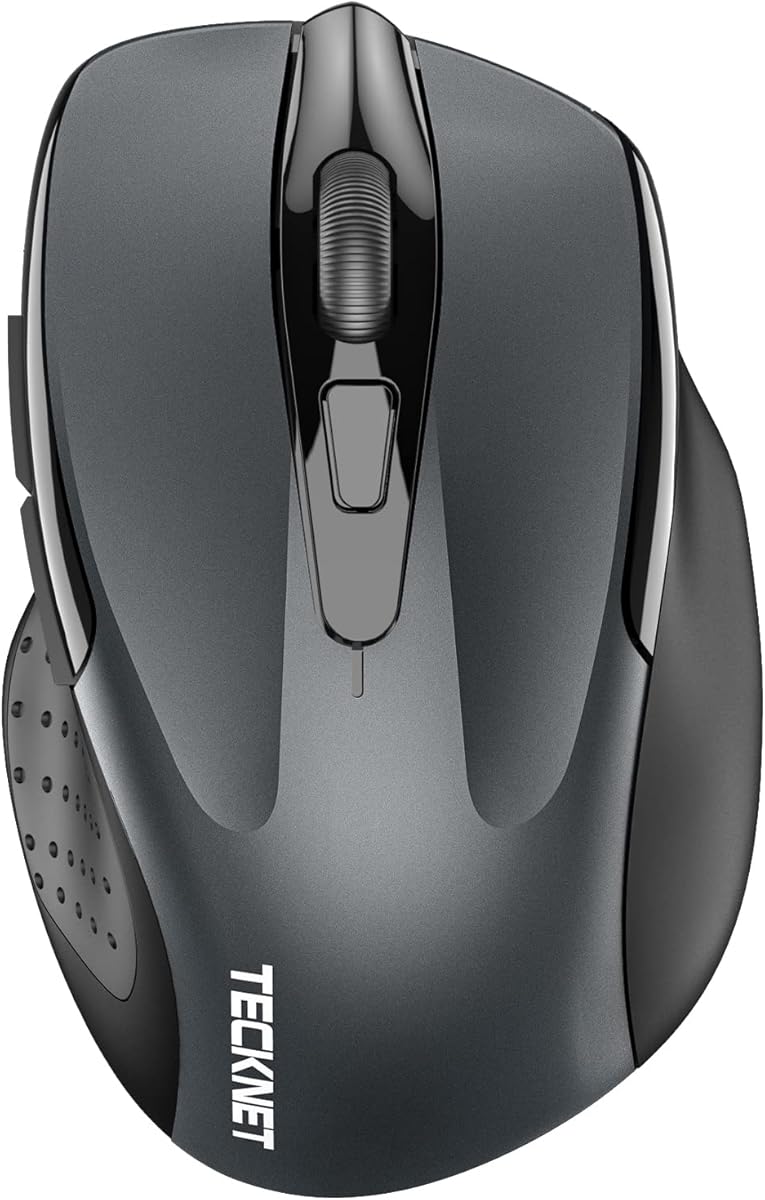
The TECKNET Rechargeable Wireless Mouse stands out for its eco-friendly rechargeable battery and versatile connectivity. Rated 4.6 stars it eliminates the need for disposable batteries while offering Bluetooth and USB wireless options for maximum flexibility.
We may earn a commission when you buy through this link, at no additional cost to you.
A full charge takes just two hours and provides up to three months of daily use. The silent clicks and adjustable DPI settings ensure comfort and precision for work or leisure. The design supports multiple devices with easy switching.
Users must remember to charge the mouse when the battery runs low though this prevents the waste of disposable batteries. The higher initial cost is offset by long-term savings and convenience. It is a smart pick for modern users.
If you want a sustainable and reliable mouse with excellent connectivity and performance the TECKNET Rechargeable Wireless Mouse is a top recommendation for your Dell laptop. It combines convenience with modern features for everyday use.
A rechargeable battery reduces waste and long-term costs offering a green alternative to disposable AA or AAA batteries.
Charge quickly in under two hours and enjoy up to three months of use from a single charge ensuring minimal interruptions.
We may earn a commission when you buy through this link, at no additional cost to you.
Choosing the right external mouse for your Dell laptop depends on your specific needs and preferences. This guide covers the key factors to consider before you make a purchase to ensure you get the best match.
Wireless mice offer freedom of movement and a cleaner desk setup while wired mice provide consistent performance without battery worries. Bluetooth and 2.4GHz wireless are common with Bluetooth being more convenient and 2.4GHz being more reliable for gaming or high-speed tasks.
Decide whether you prioritize cable-free convenience or consistent wired performance based on your daily workflow and environment.
An ergonomic mouse reduces hand strain and fatigue during long usage sessions. Look for contoured shapes rubber grips or vertical designs that fit your natural hand position. Comfort is critical if you work many hours daily.
Choose a mouse shape that supports your hand comfortably to prevent discomfort and improve long-term usability.
Long battery life means fewer interruptions for battery changes or charging. Rechargeable models reduce waste while disposable battery models offer instant usability. Consider how often you are willing to change batteries or charge.
Prioritize long battery life or rechargeability to minimize maintenance and keep your workflow uninterrupted.
DPI or dots per inch affects how sensitive the cursor is to movement. Higher DPI allows precise control on high-resolution screens but may be too sensitive for basic tasks. Adjustable DPI is useful for versatile use across different screens.
Select a mouse with appropriate or adjustable DPI to match your screen resolution and precision requirements.
More buttons allow quick access to shortcuts and commands increasing productivity. Basic models have three buttons while advanced mice offer seven or more with programmable functions. Consider how many shortcuts you need for your tasks.
Look for extra buttons if you want to enhance workflow efficiency with customized commands and quick actions.
Ensure the mouse works seamlessly with your Dell laptop OS. Most mice support Windows but some features may be limited on Mac or Chrome OS. Check system compatibility especially if you use multiple devices.
Verify compatibility to ensure all features function properly on your Dell laptop and any secondary devices you use.
Some environments require quiet operation to avoid distracting others. Silent click technology reduces noise significantly without compromising performance. This is ideal for offices libraries or shared spaces.
Choose a silent mouse if you need to minimize noise while working in shared or quiet environments.
Slim lightweight designs are easier to carry for travelers or commuters. Bulkier ergonomic mice may be better for stationary setups. Consider your need to transport the mouse with your laptop.
Pick a portable design if you travel often or a more robust build for permanent desktop use.
To start using your wireless mouse pair it with your Dell laptop via Bluetooth or insert the USB receiver. Install any recommended software like Dell Peripheral Manager to enable advanced features and customize buttons.
Keep your mouse clean by wiping it regularly with a soft damp cloth. Avoid using harsh chemicals that could damage the surface or sensors. Store it in a protective case when traveling to prevent scratches and dirt accumulation.
For wireless mice monitor battery levels and replace or recharge promptly to maintain performance. Use sleep modes to conserve power when the mouse is not in use and ensure firmware updates are applied for optimal functionality.
The Dell Advanced Wireless Compact Mouse is widely considered the best overall for Dell laptops due to its seamless integration long battery life and dual connectivity. It offers the perfect balance of performance and compatibility for most Dell users.
No you do not need a special mouse but using one designed for Dell can improve integration and comfort. Most standard mice work fine with Dell laptops as long as they are compatible with your operating system.
Battery life varies by model ranging from a few months to several years. Premium models like the Dell Advanced Wireless Compact Mouse can last up to 36 months on a single charge or AA battery depending on usage.
Yes most modern Dell laptops support Bluetooth mice natively. You can pair a Bluetooth mouse directly through your Windows settings without needing a USB receiver providing a cleaner setup and more USB ports.
For most laptop use a DPI between 1200 and 2400 is ideal offering smooth cursor movement without being overly sensitive. Adjustable DPI options let you tailor precision to your screen size and personal preference.
Wireless mice offer greater mobility and reduce desk clutter which is beneficial for laptop users who travel. Wired mice provide consistent performance without battery concerns and are better suited for stationary setups where cable management is not an issue.
Turn off the mouse and remove the battery or unplug it. Use a soft slightly damp cloth to wipe the surface and a dry cotton swab to clean around the scroll wheel and buttons. Avoid getting water into any openings.
Yes many mice such as the Dell Advanced Wireless Compact Mouse come with software that lets you customize button functions. This allows you to assign shortcuts for apps or commands to improve your workflow efficiency.
We have reviewed ten top external mice tailored for Dell laptop users ranging from budget wired options to premium wireless models with advanced features. Each option offers unique strengths depending on your needs for comfort precision and connectivity.
Consider your primary use case whether it is gaming office work or travel when selecting a mouse. Prioritize ergonomics battery life and connectivity to ensure the mouse enhances your productivity without causing discomfort.
Remember that prices and availability may change so check current listings and reviews before making a final decision. With the right mouse you can significantly improve your Dell laptop experience and daily workflow comfort.