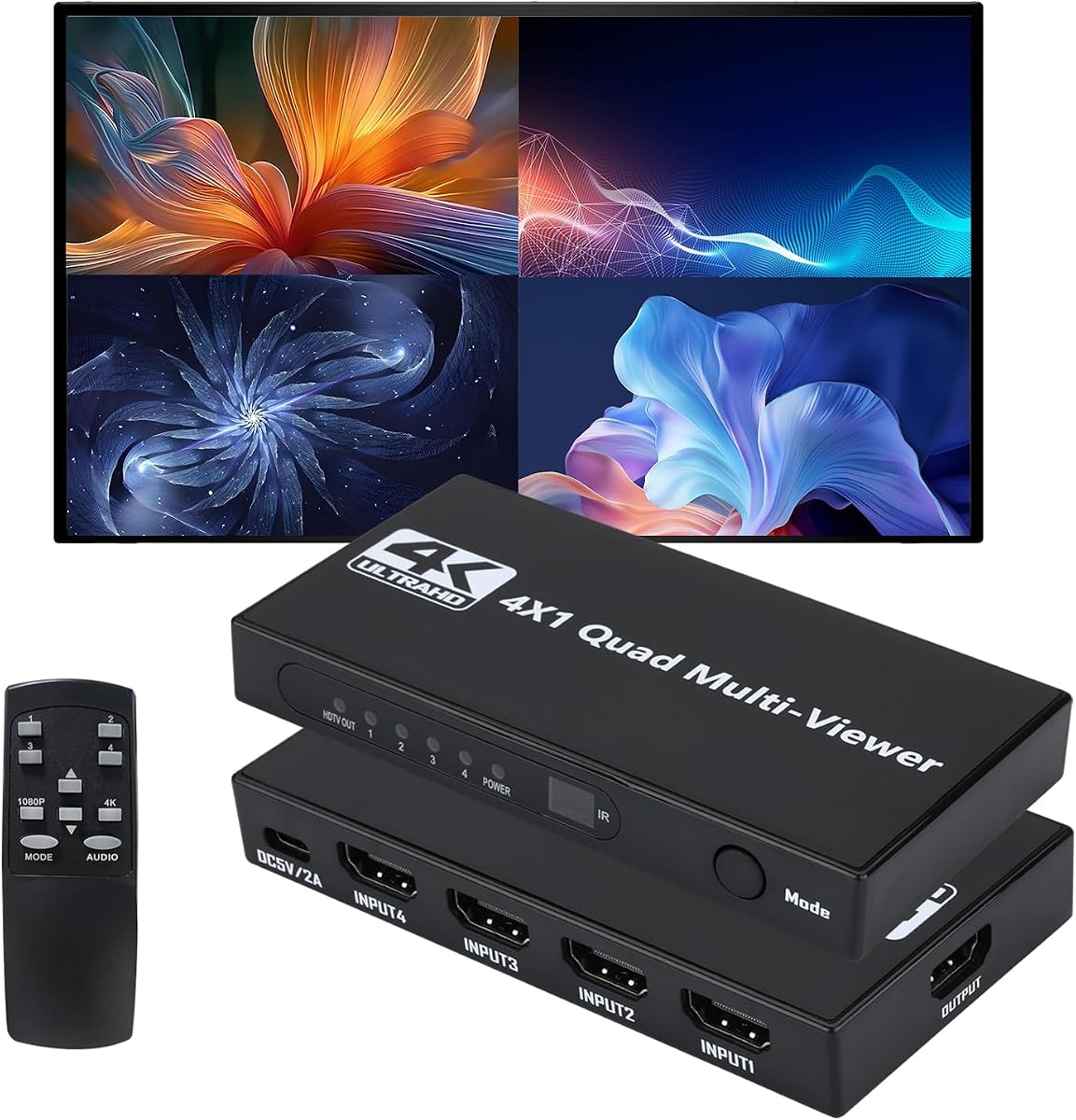
HDMI Multiviewer Switch, 4 in 1 Out
4.8Editor score
12 Display Modes
Affordable Price Point
4K@30Hz Full Screen
This guide compares the top HDMI Multiviewer models for seamless switching, quad viewing modes, and compatibility with gaming and security setups.
Finding the right HDMI Multiviewer can transform how you monitor multiple sources on a single screen. Whether for security, gaming, or presentations, a quality unit ensures smooth switching and clear visuals.
We evaluated ten top-rated models based on resolution support, viewing modes, audio handling, and control options. Our analysis focuses on real-world performance and reliability for various professional and home setups.
Each pick highlights specific strengths like 4K support or PIP features. Please note that availability and pricing may vary over time, so checking current listings is advised before making a final decision.
4.8Editor score

4.3Editor score
4.7Editor score
The following table provides a side-by-side comparison of all ten models analyzed in this guide. Review key specifications like resolution, port counts, and control methods to find the right fit for your specific display needs.


The PORTTA Quad Multi Viewer stands out as a reliable choice for users needing flexible screen segmentation. It supports four inputs on one display with smooth transitions.
We may earn a commission when you buy through this link, at no additional cost to you.
Its six viewing modes allow for quad splits, dual sides, and PIP. The included remote makes changes quick without reaching for the unit.
While it lacks 4K resolution, the 1080p performance is stable. Audio outputs ensure sound management when video sources differ in format.
This model is ideal for basic monitoring or gaming setups where 4K is not critical. It balances features and simplicity effectively.
The six modes include quad splits and PIP for tailored layouts.
Switching happens without delays, keeping the visual flow uninterrupted.
We may earn a commission when you buy through this link, at no additional cost to you.
OREI offers a straightforward multiviewer for those needing basic quad viewing. It connects four HDMI inputs to a single screen with ease.
We may earn a commission when you buy through this link, at no additional cost to you.
The five display modes provide flexibility for different monitoring needs. The VGA output adds compatibility for older monitors or projectors.
Users might miss higher resolutions but 1080p is standard for most uses. The IR remote ensures hands-free operation during switching.
This unit fits well in entry-level setups. It provides essential features without unnecessary complexity or high costs.
Five modes cover common viewing needs like quad and dual splits.
Adds versatility by supporting VGA connections alongside HDMI.
We may earn a commission when you buy through this link, at no additional cost to you.
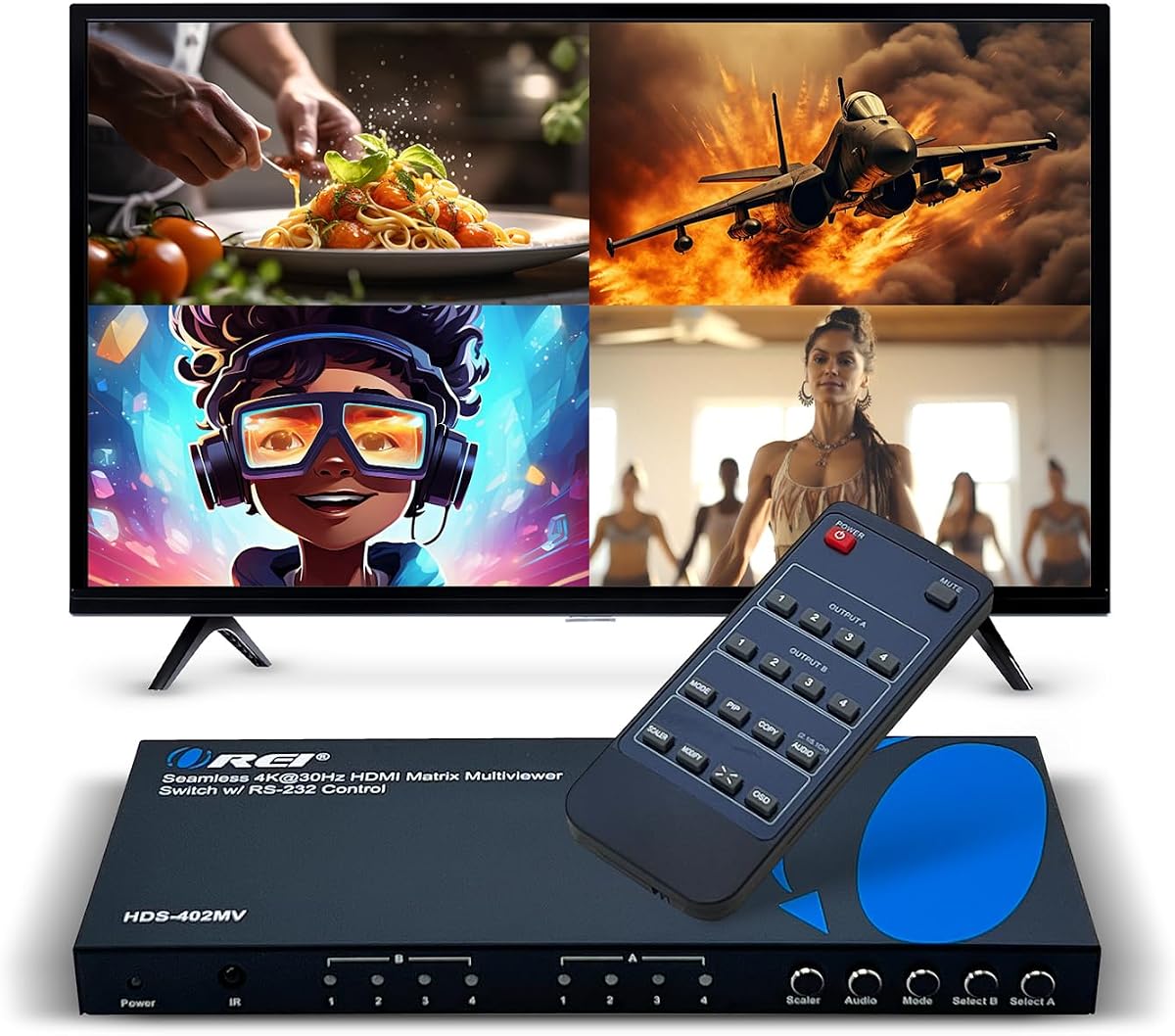
This model bridges the gap between consumer and professional needs. It handles 4K signals while providing robust audio extraction capabilities.
We may earn a commission when you buy through this link, at no additional cost to you.
The RS-232 port allows for integration into automated systems. PIP adds a layer of detail for monitoring secondary sources.
Though it costs more, the added resolution and control justify the investment. Users appreciate the dual audio support.
Ideal for setups requiring higher fidelity and automation. It delivers performance that matches more demanding environments.
Handles 4K inputs ensuring sharper visuals for modern displays.
Separates audio from video for better sound system integration.
We may earn a commission when you buy through this link, at no additional cost to you.
This unit allows four inputs to be displayed across two screens. It is perfect for dual monitor setups needing simultaneous views.
We may earn a commission when you buy through this link, at no additional cost to you.
The downscale feature ensures compatibility with varying screen sizes. OSD menus simplify adjustments without needing external tools.
High build quality supports professional environments. The dual output expands what is possible with a single device.
Best for users needing expanded visibility across multiple displays. It offers high-end features for demanding configurations.
Sends signals to two displays for broader viewing coverage.
Provides on-screen controls for quick adjustments and settings.
We may earn a commission when you buy through this link, at no additional cost to you.
This model supports ultra-high-speed 4K@60Hz signals for smooth video. It is built for users with modern high-bandwidth devices.
We may earn a commission when you buy through this link, at no additional cost to you.
HDCP 2.2 ensures compatibility with protected content sources. EDID management helps resolve handshake issues with connected monitors.
While the price is high, the performance is top-tier. It handles premium devices without dropping resolution or frame rates.
Recommended for professional or enthusiast setups requiring full 4K speed. It delivers reliability for critical visual tasks.
Supports high refresh rates for fluid 4K video streams.
Ensures protection for copyrighted content playback on sources.
We may earn a commission when you buy through this link, at no additional cost to you.
This multiviewer handles 4K@60Hz inputs for high-quality displays. It offers eight modes to fit different viewing requirements comfortably.
We may earn a commission when you buy through this link, at no additional cost to you.
Switching is seamless which helps during live viewing scenarios. The remote control makes navigation intuitive for daily use.
Users note good compatibility but ratings can vary. It is a solid choice for those prioritizing speed and resolution.
Best for users needing high-speed video without compromise. It balances features with usability well.
Offers diverse layouts including quad and PIP for flexibility.
Reduces interruptions when changing between active sources.
We may earn a commission when you buy through this link, at no additional cost to you.
This affordable option delivers impressive versatility with twelve display modes. It is rated highly for ease of use and value.
We may earn a commission when you buy through this link, at no additional cost to you.
It supports 4K in full screen and 1080p in multi-view. The plug-and-play nature simplifies installation for home users.
The remote uses batteries not included but function is solid. It is an excellent entry point for new buyers.
Top pick for budget-conscious shoppers needing many options. It offers maximum features at a minimal cost.
Provides the most layout choices among affordable multiviewers.
No drivers needed for immediate use upon connection.
We may earn a commission when you buy through this link, at no additional cost to you.
This professional unit supports 4K 60Hz with robust audio handling. It includes RCA outputs for external sound systems.
We may earn a commission when you buy through this link, at no additional cost to you.
OSD allows precise adjustments for aspect ratios and sizes. It is designed for users needing detailed control over visuals.
The build quality is sturdy for mounting. However, complexity might deter casual users.
Best for professional setups needing precise control. It delivers power for demanding technical environments.
Supports multiple formats including Dolby for high fidelity.
On-screen menus allow detailed customization of display parameters.
We may earn a commission when you buy through this link, at no additional cost to you.
This unit provides a dependable solution for quad viewing. It features a 3.5mm audio output and VGA connectivity.
We may earn a commission when you buy through this link, at no additional cost to you.
Users report stability and ease of use. Five modes cover the essential needs for most setups.
The analog audio option is useful for older gear. It is a safe choice for consistent performance.
Recommended for users needing reliability over extra features. It works well for standard monitoring tasks.
Allows separate audio output via 3.5mm for speakers.
Users report consistent switching with minimal downtime.
We may earn a commission when you buy through this link, at no additional cost to you.
This unit is a full matrix controller for four inputs to four outputs. It supports video wall layouts and LAN control.
We may earn a commission when you buy through this link, at no additional cost to you.
It is designed for enterprise environments needing extensive routing. Video wall modes allow creative displays across screens.
The price reflects its advanced capabilities. It offers unmatched flexibility for complex signal management.
Best for commercial or large professional installations. It is the top choice for maximum connectivity.
Any input can be sent to any output with ease.
Enables management via network for large scale setups.
We may earn a commission when you buy through this link, at no additional cost to you.
Choosing the right HDMI Multiviewer depends on your specific needs for resolution, port counts, and control methods.
Resolution determines the clarity of your displayed images. Higher resolutions like 4K@60Hz are essential for modern gaming or professional monitoring. Some models only support up to 1080p which is sufficient for basic viewing but may limit future upgrades.
Most multiviewers have four inputs and one output allowing you to view multiple sources on one screen. However, some models offer dual outputs which are necessary if you need to display the same signal on two different monitors.
The variety of display modes dictates how you can split your screen. Options range from quad splits to picture-in-picture and dual side-by-side. More modes offer greater flexibility for specific tasks like security monitoring or presentations.
Control can be managed via remote, buttons, or professional interfaces like RS-232 or LAN. Remote controls are convenient for home use while RS-232 or LAN is preferred for automation in commercial settings.
Not all multiviewers manage audio well. Look for models with optical or 3.5mm audio outputs if you need to route sound separately. Some models support extraction while others simply pass audio through the HDMI output.
High-bandwidth Digital Content Protection ensures compatibility with protected content from sources like Blu-rays. Models supporting HDCP 2.2 are necessary for 4K protected content while older models may work only with 1080p content.
Durability matters for long-term use. Metal casings and mounting options indicate a build designed for professional installation. Consumer units may have plastic bodies and are better suited for occasional home desktop use.
A solid warranty provides peace of mind for electronics. Many brands offer one-year coverage while some provide lifetime technical support. Always check the support policy before purchasing for complex setups.
Start by connecting all HDMI source devices to the input ports on the multiviewer. Ensure the outputs are connected to your monitor or TV using high-quality cables to maintain signal integrity.
Use the remote control or front panel buttons to cycle through the display modes until you find the layout that best suits your workflow. For advanced models configure the EDID settings to match your display's native resolution.
Keep the unit in a well-ventilated area to prevent overheating during prolonged use. Regularly check cables and ports for dust and ensure the firmware is updated if the manufacturer provides updates.
Yes, many modern HDMI Multiviewers support 4K resolution. However, models vary with some handling 4K@30Hz for others supporting 4K@60Hz. Always check the specifications before buying to ensure compatibility with your high-resolution displays.
A switcher typically displays one input at a time while a multiviewer can display multiple inputs simultaneously on a single screen. Multiviewers are ideal for monitoring several cameras or sources at once without needing multiple monitors.
For 4K support, it is recommended to use High-Speed HDMI cables certified for the required bandwidth. Standard cables may work for lower resolutions but can cause flickering or black screens at higher settings like 4K@60Hz.
Yes, many multiviewers work with gaming consoles like PlayStation or Xbox. Look for models with seamless switching to minimize input lag when switching between games or consoles quickly.
Best options include optical Toslink or 3.5mm outputs that allow you to route audio to separate speakers. Some models support audio extraction which keeps sound separate from video for better system integration.
Check all cable connections and ensure they are secure. Restarting the devices and the multiviewer can resolve handshake issues. If problems persist try a different HDMI cable or update the firmware if available.
Most units are designed for continuous operation but ensure adequate ventilation to prevent overheating. Avoid covering the vents and check the manual for recommendations on power management if not used for extended periods.
Standard multiviewers handle four inputs but larger matrix units can support more. If you need to monitor more than four sources look for 8×8 matrix controllers that allow expanded routing options.
We have reviewed ten top models ranging from budget options to high-end matrix controllers. The PORTTA Quad Multi Viewer and OREI units offer strong value for most users needing reliable performance.
Prioritize resolution support and control options based on your specific use case. For basic home needs a simple remote-controlled unit suffices while professional setups benefit from RS-232 and 4K@60Hz support.
Remember to verify current availability and features before purchasing. Technology evolves quickly and models may receive updates over time that change their value proposition.