
bersem 2 Pack Paperfeel Screen Protector
4.4Editor score
Ultra-thin 0.17mm design
Authentic paper texture feel
Anti-glare matte finish
Hassle-free bubble-free install
Finding the right screen protector for your iPad A16 can significantly enhance your digital drawing and note-taking experience. A high-quality paper screen protector mimics the friction of real paper, reducing glare and protecting your device from scratches while maintaining touch sensitivity.
We have analyzed ten top-rated products based on compatibility, texture quality, installation ease, and overall user satisfaction. Each option offers unique benefits, from ultra-thin designs to magnetic attachments, ensuring there is a perfect match for every user preference and workflow.
Each pick in this list highlights key features, pros, and cons to help you make an informed decision. Please note that prices and availability can change frequently, so check the current listing details before purchasing to ensure you get the best deal available today.
4.4Editor score

4.4Editor score

4.2Editor score
As an Amazon Associate we earn from qualifying purchases.
This side-by-side comparison highlights the key specifications and unique features of the top ten iPad A16 paper screen protectors available in the market. By examining compatibility, material quality, and protective capabilities, you can quickly identify which model aligns best with your specific usage needs.




The MOBDIK Paperfeel Screen Protector stands out as a top contender for iPad A16 users seeking a balance of quality and affordability. With a solid rating of 4.4 stars, it delivers an authentic paper-like writing experience that enhances digital art and note-taking significantly.
We may earn a commission when you buy through this link, at no additional cost to you.
Crafted from 0.17mm Japanese PET film, this protector maintains the iPad's original touch sensitivity while providing a textured surface that reduces pencil slippage. The anti-glare coating effectively diffuses light, making it ideal for outdoor use or bright indoor environments.
While the installation process is straightforward with the included kit, users must ensure their iPad model matches the supported list to avoid compatibility issues. The lack of Pro model support is a limitation but does not affect the intended audience for this specific protector.
This product is highly recommended for students and professionals who need a reliable, high-performance screen protector without breaking the bank. Its combination of durability, tactile feedback, and clarity makes it a standout choice in the current market.
The textured surface replicates natural friction, allowing for smoother sketching and better shading control compared to bare glass screens.
The oleophobic layer effectively repels smudges and fingerprints, keeping the screen clean and vibrant even after extended use.
We may earn a commission when you buy through this link, at no additional cost to you.
The KCT 2 Pack Paperfeel Screen Protector offers exceptional value by providing two high-quality protectors in one package. Rated 4.4 stars, it features an upgraded textured surface that delivers a damping sensation true to real paper, making it perfect for daily writing tasks.
We may earn a commission when you buy through this link, at no additional cost to you.
Utilizing plasma adsorption technology, this protector ensures a stronger and easier fit with automatic exhaust functions to minimize bubbles. The ultra-thin 0.17mm design maintains precise touch sensitivity, ensuring that your Apple Pencil responds instantly without lag.
While it performs admirably, some users might find the texture slightly less refined compared to premium brands. However, the inclusion of two units means you can replace it easily if needed, extending the overall value and lifespan of your purchase.
Ideal for budget-conscious buyers who still demand quality, this option is perfect for students or casual artists. The frosted finish reduces glare effectively, ensuring comfortable viewing in various lighting conditions without compromising screen clarity.
Receiving two protectors allows for a backup or replacement, ensuring your device stays protected over a longer period.
The included squeegee card and adsorption technology make the application process simple even for first-time users.
We may earn a commission when you buy through this link, at no additional cost to you.
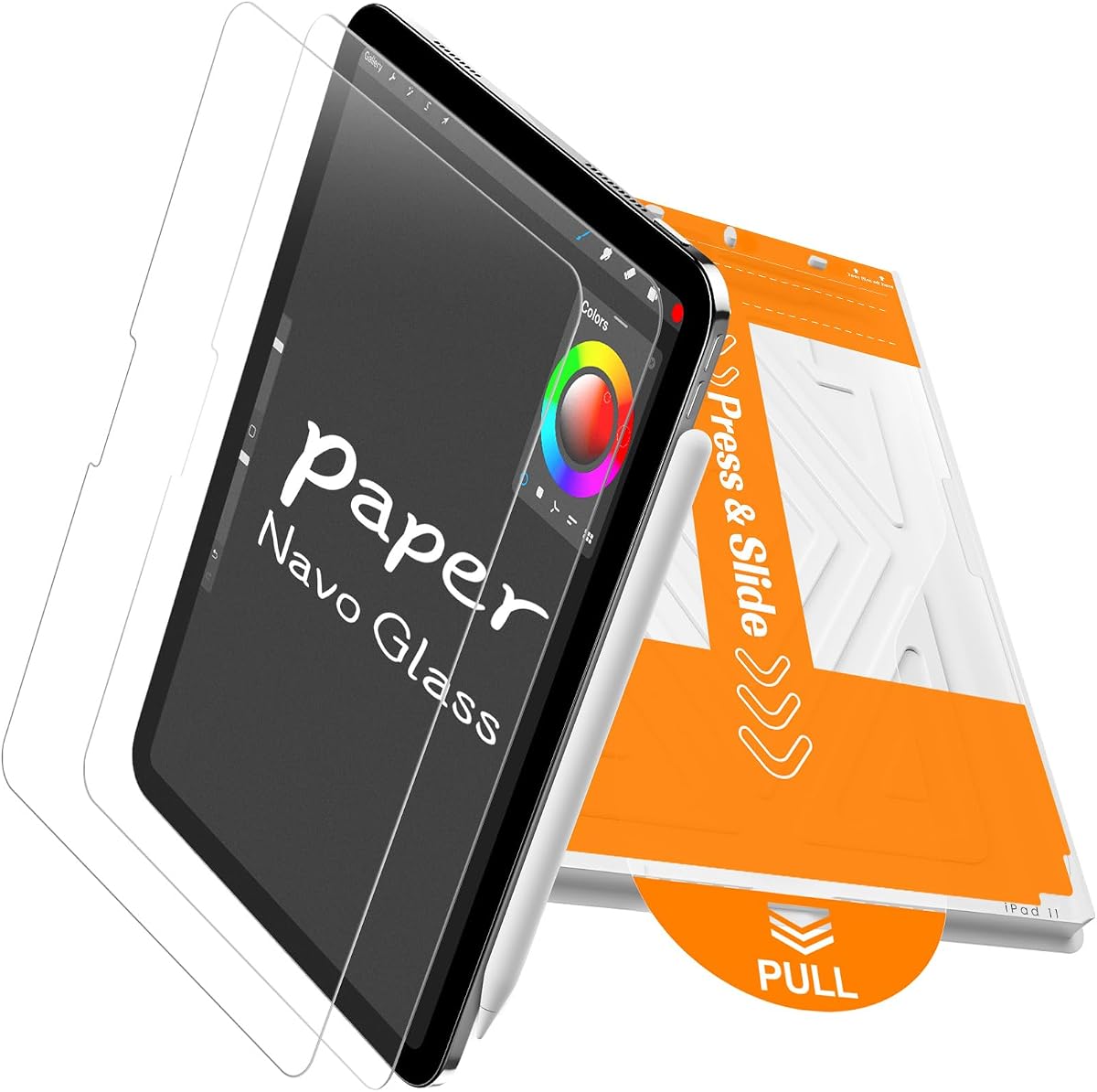
The KCT 2 Pack Glass Screen Protector combines the durability of tempered glass with a micro-textured matte film for a unique hybrid experience. With a 4.3-star rating, it aims to provide both protection and an authentic paper-like writing surface for creative professionals.
We may earn a commission when you buy through this link, at no additional cost to you.
Its unique Press & Pull tab system simplifies installation significantly, allowing for a bubble-free application in under 60 seconds. The shatterproof design offers enhanced safety by holding together if cracked, preventing sharp shards from scattering across your device.
While the glass base provides superior impact resistance compared to PET film, it may feel slightly heavier and thicker. The price point is also higher, reflecting the added durability and the inclusion of two units for future replacements.
This protector is best suited for users who prioritize screen safety alongside writing comfort. It is an excellent choice for students or workers who frequently travel with their devices and need robust protection against accidental drops.
The tab system self-aligns the protector, actively repelling dust and preventing bubbles for a perfect fit on the first try.
The advanced micro-matte coating scatters ambient light, eliminating harsh glare for comfortable sketching in sunny environments.
We may earn a commission when you buy through this link, at no additional cost to you.
The bersem 2 Pack Paperfeel Screen Protector is designed to deliver a seamless blend of protection and touch responsiveness. Rated 4.4 stars, it utilizes high-quality imported materials to create a texture that prevents pencil slippage while maintaining the device's native feel.
We may earn a commission when you buy through this link, at no additional cost to you.
With an ultra-thin 0.17mm design, this protector ensures lag-free input and accurate visuals, making it ideal for competitive gamers and digital artists alike. The matte finish disperses light effectively, reducing glare without sacrificing color accuracy or screen brightness.
Users must be careful to peel off the printed protective layer correctly before application to access the actual paper-feel surface. This step is crucial; failing to do so can result in a subpar experience and potential frustration during use.
For those who need a balance between durability and a native screen experience, this is a strong contender. The included alignment tool simplifies the installation process, making it accessible even for those who are not tech-savvy.
The special surface texture provides natural writing friction, making it perfect for sketching and detailed note-taking.
Despite the matte finish, the protector maintains high color accuracy, ensuring videos and media look vibrant and clear.
We may earn a commission when you buy through this link, at no additional cost to you.
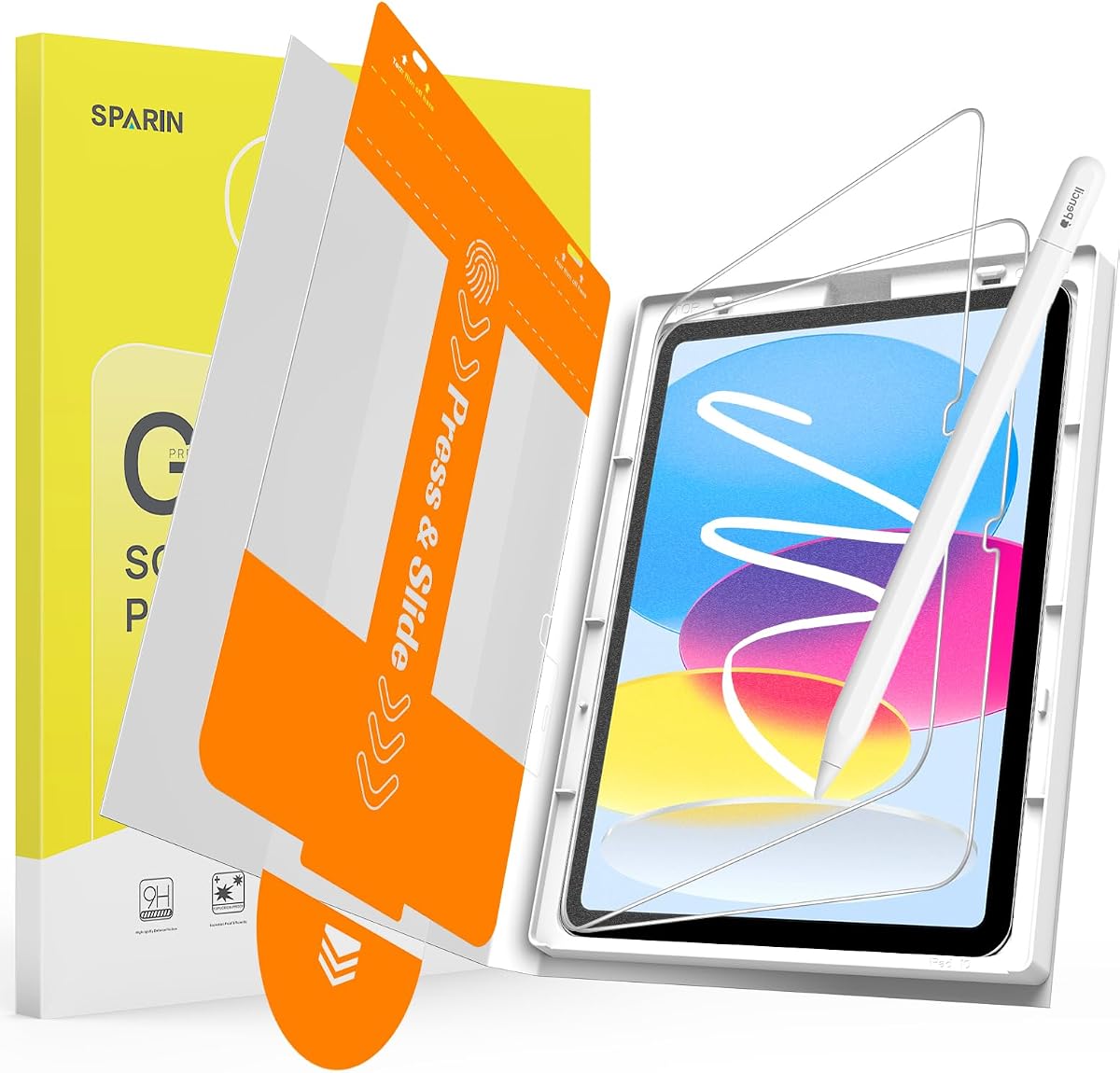
The SPARIN 2 Paper Screen Protector distinguishes itself with a 2-in-1 matte design that bonds a textured surface to tempered glass. With a high 4.5-star rating, it offers a compelling mix of writing comfort and robust physical protection for your iPad screen.
We may earn a commission when you buy through this link, at no additional cost to you.
Featuring a 9H hardness rating, this protector is designed to resist scratches and impact better than standard film options. The 0.25mm thickness maintains responsive touch input, ensuring that your Apple Pencil experiences minimal wear over time.
Installation is facilitated by an alignment tray that sets the protector in place, followed by a pull tab to lay it down evenly. While the price is higher than standard film, the durability and protection it offers justify the investment for heavy users.
This option is particularly recommended for professionals who handle their devices frequently or work in environments where screen safety is paramount. The micro-matte finish reduces glare effectively, allowing for comfortable reading and viewing in bright conditions.
The edge-to-edge full coverage and 9H hardness provide comprehensive protection against daily abrasions and accidental drops.
Despite the textured surface, the material is designed to reduce Apple Pencil tip wear, extending the life of your stylus.
We may earn a commission when you buy through this link, at no additional cost to you.
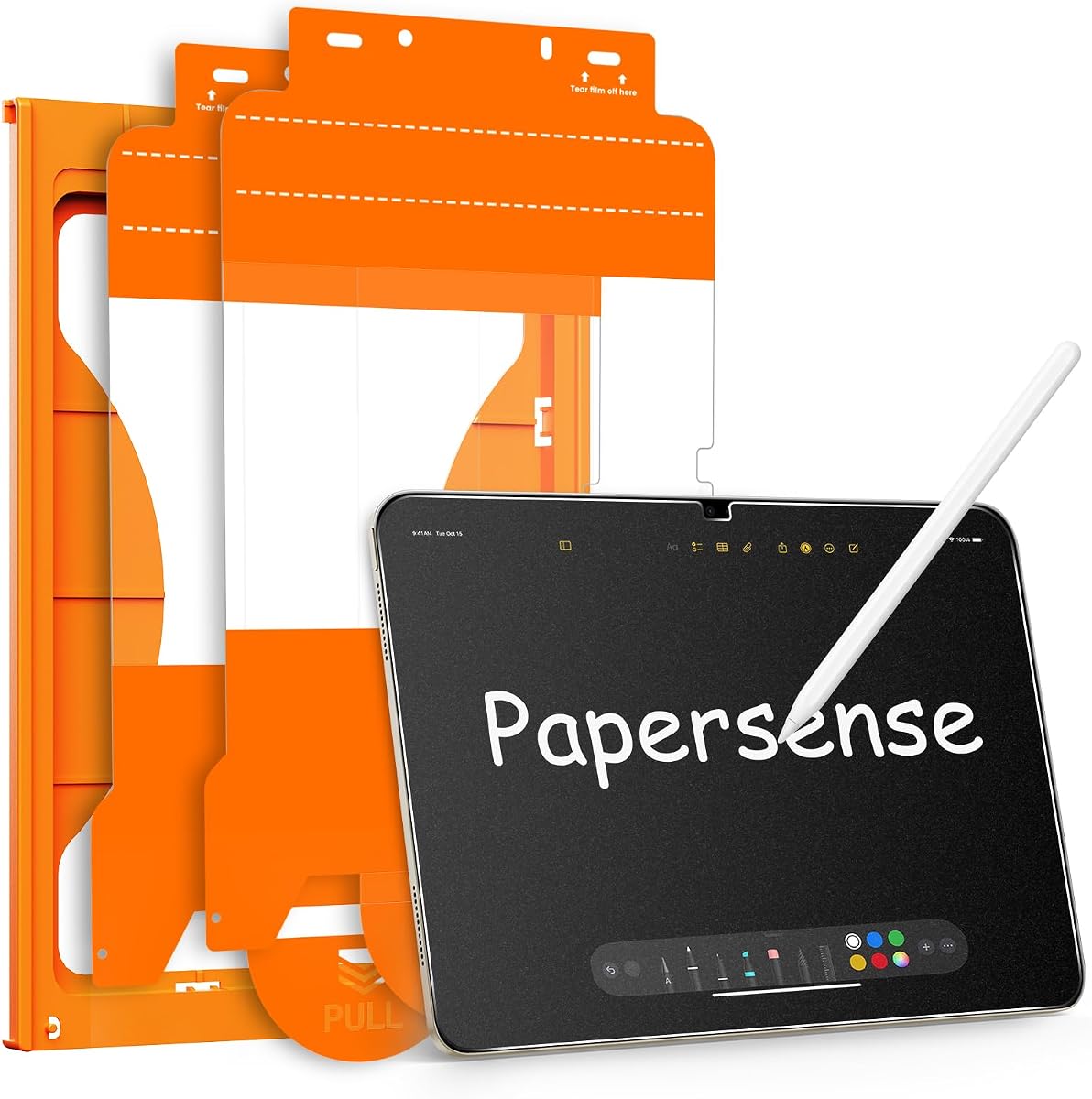
The OMOTON PAPERSENSE Paper Screen Protector is positioned as a high-end option with a focus on enhanced clarity and writing realism. Its impressive 4.6-star rating reflects its success in providing a paper-sense experience while maintaining normal tempered glass protective functions.
We may earn a commission when you buy through this link, at no additional cost to you.
The upgraded material enhances screen clarity significantly, making the display look more comfortable and reducing eye strain. This feature is particularly beneficial for users who spend long hours reading or working on detailed creative projects on their iPad.
While the price point is on the higher end, the quality of the material and the precision of the texture justify the cost. The ultra-thin design meets Apple Pencil guidelines, ensuring responsive input and reducing tip wear for longer stylus life.
This protector is ideal for creators who prioritize visual quality alongside tactile feedback. The frosted finish reduces glare effectively, and the complete installation kit ensures that users can achieve a perfect, dust-free application easily.
Enhanced screen clarity makes the display more comfortable to view, reducing eye strain during extended work sessions.
The unique design and upgraded material allow for a more natural and realistic writing and drawing experience.
We may earn a commission when you buy through this link, at no additional cost to you.
The Magnetic Paper Screen Protector offers a unique solution by combining a paper-like texture with a detachable magnetic design. Rated 4.5 stars, it uses nano suction cups to attach securely to the edge, allowing users to remove it easily to enjoy the original screen color.
We may earn a commission when you buy through this link, at no additional cost to you.
This removability is a significant advantage for users who occasionally want a clear glass feel for media consumption. The anti-glare layer reduces reflections effectively, ensuring a vibrant display even under strong sunlight or bright artificial lighting.
With a thickness of 0.25mm, it provides a smooth writing surface that prevents scratches on the film itself. It is also compatible with tempered glass protectors, offering a layered protection strategy for those who prioritize device safety above all else.
This protector is perfect for students or artists who want the flexibility to switch between a paper-like feel and a clear screen. The magnetic attachment is convenient and ensures that the protector stays in place during normal use.
You can detach the protector easily to enjoy the original screen color and then reattach it when you need to write or draw.
The ultra-thin 0.25mm design allows for smooth writing without adding excessive bulk to your device.
We may earn a commission when you buy through this link, at no additional cost to you.
The XIRON 2 Pack Paper Screen Protector provides a practical solution for users seeking a smooth natural writing experience. With a 4.4-star rating, it features an anti-glare surface that reduces distracting reflections, making it easier to focus on drawing or writing tasks.
We may earn a commission when you buy through this link, at no additional cost to you.
Designed for the iPad 10th and 11th generations, this protector offers added friction for comfortable sketching without feeling overly rough. The 3H hardness provides basic scratch resistance, protecting your screen from daily wear and tear effectively.
The ultra-thin design maintains high touch sensitivity, ensuring that gestures and inputs register instantly without lag. Installation is described as smooth and bubble-free, which is a significant plus for users who struggle with applying screen protectors.
For those who want a reliable, no-fuss option that comes in a two-pack, this is a solid choice. The anti-glare feature ensures comfortable viewing in various lighting conditions, making it suitable for both indoor and outdoor use.
The smooth surface and reduced glare allow you to focus entirely on your creative work without visual distractions.
Receiving two protectors in one package ensures you have a spare ready whenever you need to replace the current one.
We may earn a commission when you buy through this link, at no additional cost to you.
The PandaShield 2-Pack Paper-Feel Screen Protector stands out for its comprehensive warranty and military-grade impact protection. With a 4.3-star rating, it offers 360-degree protection against scratches and drops while maintaining a paper-like tactile feel for writing.
We may earn a commission when you buy through this link, at no additional cost to you.
Installation is simplified by a self-contained application tray, which helps avoid bubbles and ensures a quick, clean finish. The 365-day warranty provides additional peace of mind, as the company offers free replacements if any issues arise with cracking or peeling.
While the glass construction may feel slightly heavier than film options, the trade-off is superior physical protection for your device. The oleophobic coating effectively prevents fingerprints and smudges, keeping your screen clean and clear for extended periods.
This protector is ideal for users who are concerned about accidental damage and want a guaranteed replacement plan. The paper-feel texture ensures that you do not compromise on writing comfort even when prioritizing durability.
The 365-day worry-free warranty means that if the protector peels or cracks, you receive a free replacement immediately.
The innovative surface treatment reduces stylus tip wear, prolonging the life of your Apple Pencil over time.
We may earn a commission when you buy through this link, at no additional cost to you.
The Paperlike® 3 Screen Protector is a premium option trusted by millions of creators worldwide for its refined writing experience. With a 4.2-star rating, it introduces a Nanodots surface that adds natural friction to the iPad screen, reducing hand strain and improving precision.
We may earn a commission when you buy through this link, at no additional cost to you.
Installation is made incredibly easy with the Butterfly Application system, which guides you step-by-step and includes dust-catching layers. This system ensures that alignment is simple and that the result is clean and bubble-free, even for beginners.
The ultra-thin design ensures that the Apple Pencil works just like on a bare screen, maintaining pixel-perfect precision. While it is made of PET rather than glass, the durable layer effectively shields your display from scratches and scuffs during daily use.
For professional artists and those who prioritize the highest quality writing experience, this protector is worth the investment. It offers a balanced friction that allows for full control without grinding down your Pencil tips constantly.
The refined Nanodots surface adds natural friction and control, making your handwriting and drawings more precise.
The Butterfly Application guide and Helper Tool make alignment simple and ensure a perfect install every time.
We may earn a commission when you buy through this link, at no additional cost to you.
Selecting the right screen protector involves considering material quality, texture, and installation ease. This guide outlines key factors to help you find a protector that enhances your writing experience without compromising display quality.
Materials typically range from PET film to tempered glass. Glass offers better impact resistance but may feel heavier, while PET is lighter and more responsive. Consider how much physical protection you need versus how much you value touch sensitivity.
Higher hardness ratings like 9H generally indicate better scratch resistance. Always check the material specifications to ensure they align with your usage patterns and protection needs.
The primary benefit of a paper screen protector is the textured surface that mimics paper. Look for descriptors like micro-textured or Nanodots which indicate a realistic writing feel. This friction reduces pencil slippage and enhances control for detailed work.
Ensure the texture is not too rough, as excessive friction can wear down your Pencil tip faster. A balanced texture provides comfort without excessive drag.
Anti-glare coatings are essential for reducing reflections in bright environments. A good matte finish diffuses light effectively without making the screen look washed out. Clarity remains important so that colors stay vibrant during media consumption.
Check user reviews regarding screen clarity to ensure the protector does not blur the display. High-quality options maintain color accuracy and brightness levels.
Always verify the model compatibility before purchasing. The iPad A16 series includes different generations and sizes. Ensure the protector is designed for your specific model number to avoid cutting corners or blocking camera sensors.
Some models have specific camera placements. Make sure the cutouts align perfectly with your device to prevent any functional issues with cameras or sensors.
A good protector comes with an installation kit including alignment tools or trays. Some products use self-aligning tabs or magnets to simplify the process. A bubble-free installation ensures the best viewing experience and prevents dust accumulation.
Look for products that promise a simple setup process. Installation videos or guides included by the manufacturer can be extremely helpful for first-time users.
Thickness affects touch sensitivity. Ultra-thin designs around 0.17mm ensure that your input remains lag-free and responsive. Thicker protectors might dampen the touch experience slightly and cause input delays.
Ensure the protector adheres to Apple Pencil guidelines for optimal performance. A well-designed protector maintains the original responsiveness of your device.
Consider the cost relative to the number of protectors included. A 2-pack often provides better value than a single unit. Warranties offering free replacements for defects add significant value to your purchase.
Check the warranty terms carefully. Some brands offer long-term support for issues like peeling or cracking, which is vital for long-term satisfaction.
Some protectors offer unique features like magnetic attachment or specific hardness coatings. Magnetic options allow for easy removal and switching between modes. Special coatings can offer enhanced oil resistance and better longevity.
Evaluate if these features meet your specific workflow needs. Special features often come at a higher price point so ensure they justify the cost.
Start by cleaning your screen thoroughly before application. Use the provided alcohol wipes and dust removal stickers to ensure a dust-free surface for a bubble-free install.
Once installed, avoid applying excessive pressure near the edges to prevent lifting. Clean the surface regularly with a microfiber cloth to maintain clarity and texture effectiveness.
Store your Apple Pencil properly when not in use to prevent tip wear. The protector is designed to be durable but should still be handled with care to maximize its lifespan.
A paper screen protector may slightly reduce brightness due to its matte coating, but high-quality options minimize this effect. The trade-off is usually acceptable for the improved writing comfort and reduced glare.
Quality paper screen protectors are designed to balance friction to minimize tip wear. However, excessive friction can lead to faster wear compared to a glass surface. Regularly check your tip for wear.
Generally, it is not recommended to stack two protectors as it can affect touch sensitivity and fit. However, some magnetic paper protectors are designed to be used with a glass base layer for double protection.
Use the provided alignment tools and cleaning kits to ensure a dust-free surface. Work in a low-dust environment and apply the protector slowly, smoothing it out gradually to avoid air pockets.
Most paper screen protectors work with any capacitive stylus. However, active styluses with specific tips like the Apple Pencil will benefit most from the enhanced friction and control provided.
With proper care, a paper screen protector typically lasts for several months. Texture may degrade over time due to friction so replacing it once or twice a year is common for heavy users.
Most PET-based paper screen protectors can be removed without residue if peeled slowly from the corner. Avoid using excessive force to prevent scratching the screen during removal.
PET protectors are thinner and more responsive but less impact resistant. Glass protectors are thicker and offer better durability. Your choice depends on whether you prioritize sensitivity or physical protection.
Choosing the right paper screen protector significantly impacts your daily workflow and device longevity. Whether you opt for the budget-friendly bersem or the premium Paperlike®, each option offers unique benefits tailored to different needs.
Prioritize factors like texture quality and installation ease when making your decision. A high-quality protector enhances drawing precision and reduces eye strain without compromising screen clarity or responsiveness.
Remember to verify compatibility and check current prices before purchasing. With the right protector, you can transform your iPad into a powerful and comfortable creative tool for years to come.